

To use a domain from GoDaddy or another registrar with your ElySpace hosting, change its nameservers to ours, or point its A record to your server's IP address.
1. Find your ElySpace nameservers and IP address
In the client area, open Services > My Services and your hosting service. The Hosting Information tab shows:
- IP Address: your server's IP address.
- Nameservers: the nameservers to use, for example
ns1.elycloud.ukandns2.elycloud.uk.
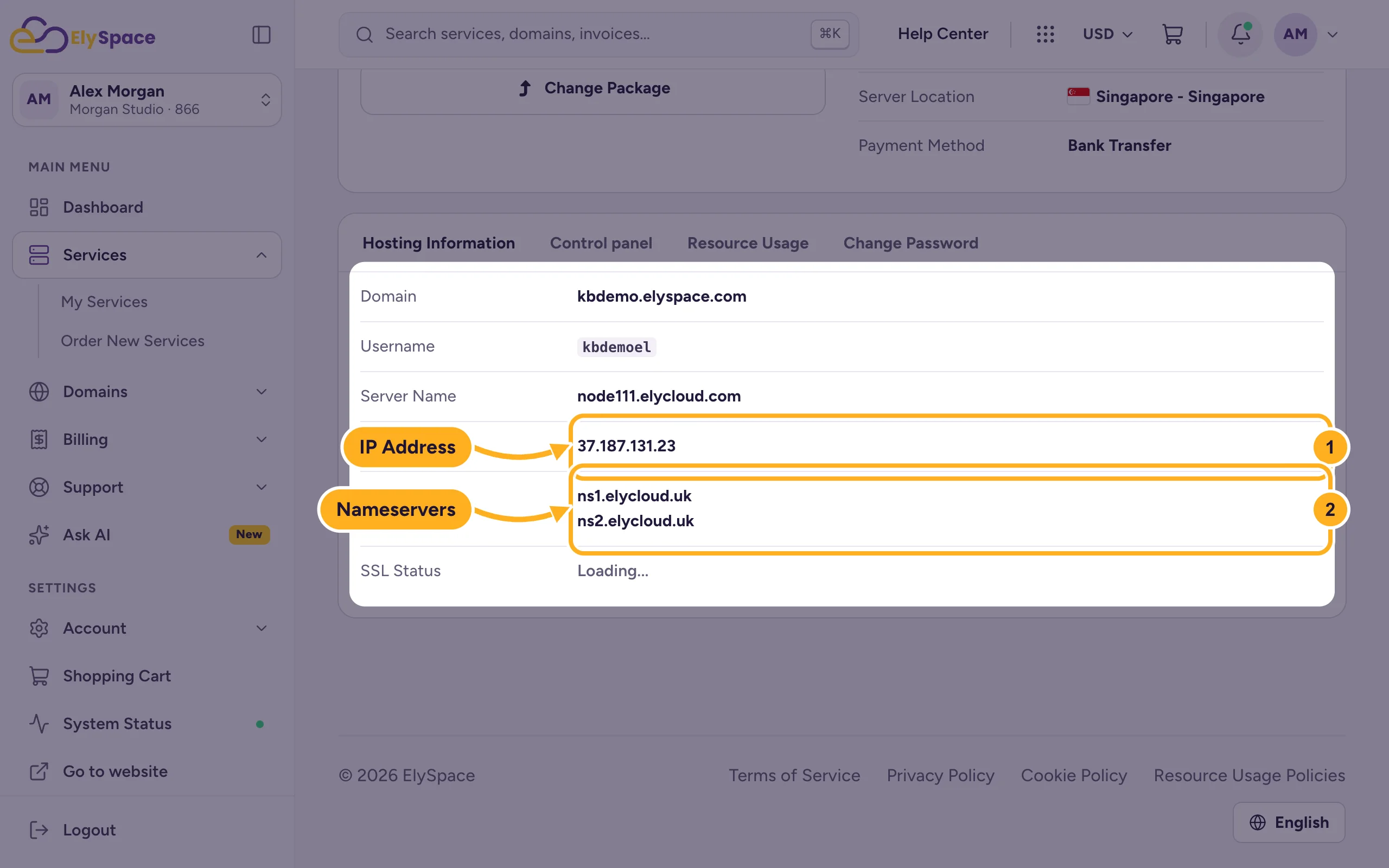
Use the values from your own service page: they depend on the server your account is on. The domain must also be added to your hosting, as the main domain of the plan or as an addon domain (see Add another domain to your hosting).
2a. Change the nameservers (recommended)
With our nameservers, your website, email and DNS records are all managed in cPanel, and email works without extra steps.
Log in at your registrar and open the domain's settings. Look for a section called Nameservers or DNS. At GoDaddy, it's in the domain's DNS settings under Nameservers.
Choose the option to use your own (custom) nameservers instead of the registrar's default ones.
Enter the two nameservers from your ElySpace service page, one per field. Remove any other nameservers that are listed.
Save. Some registrars ask you to confirm that the change can affect your website and email.
A nameserver change can take up to 24 hours to reach every network, sometimes longer. During that time some visitors still reach the old site.
2b. Or keep the registrar's DNS and change records
Use this if you want to keep DNS at your registrar, for example because other services depend on records there. In the registrar's DNS records:
| Type | Name (host) | Value |
|---|---|---|
| A | @ (the domain itself) | Your ElySpace IP address |
| CNAME | www | Your domain, for example yourdomain.com |
| MX | @ | mail.yourdomain.com or your domain, only if your email is hosted with us |
Delete or change any existing A record for @ and www that points elsewhere, for example a parked page. With this method you also have to add records for things like SPF yourself at the registrar, because the records in cPanel aren't used.
Common problems
The old website still shows
Your computer or network still remembers the old address. Wait a few hours and clear your DNS cache, or check from your phone with Wi-Fi turned off.
The registrar says the nameservers are invalid
Check the spelling and enter them without http:// or a dot at the end. Copy them from your service page.
Your website works but email doesn't
With method 2b the MX record at the registrar still points to the old email service. Add the MX record from the table, or switch to our nameservers.
Related articles
- Find your server name, IP address and nameservers
- Transfer a domain to ElySpace
- Edit DNS records in cPanel (A, CNAME, TXT)
- Clear your DNS cache (Windows, macOS, browsers)
Still stuck? Open a support ticket and we'll help.
