

Check if the domain you want is free, add it to the cart and complete the order. You can register a domain with or without hosting.
Check the domain and add it to the cart
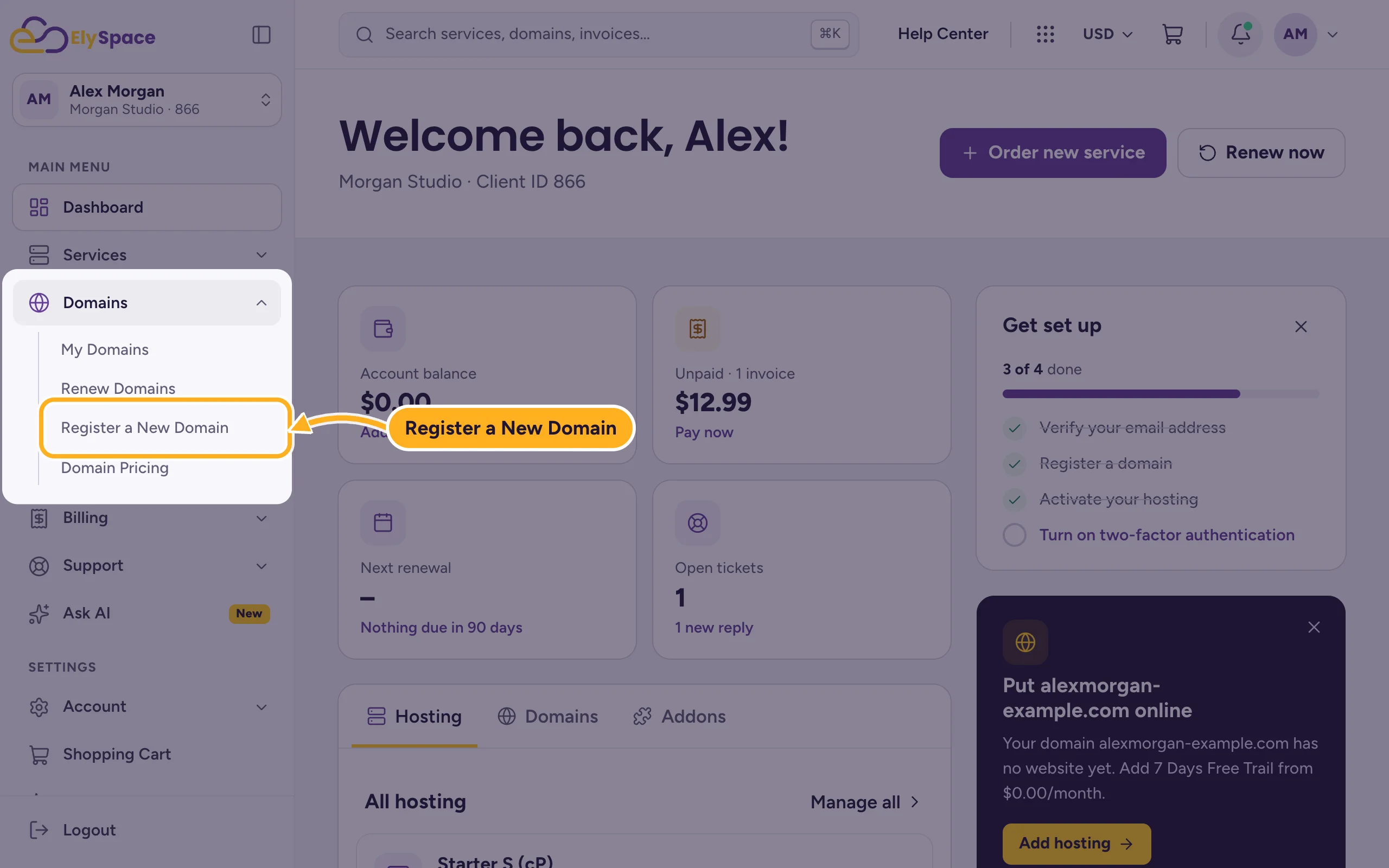
Open Register a New Domain. When you're logged in, you also find it in the menu on the left under Domains > Register a New Domain.
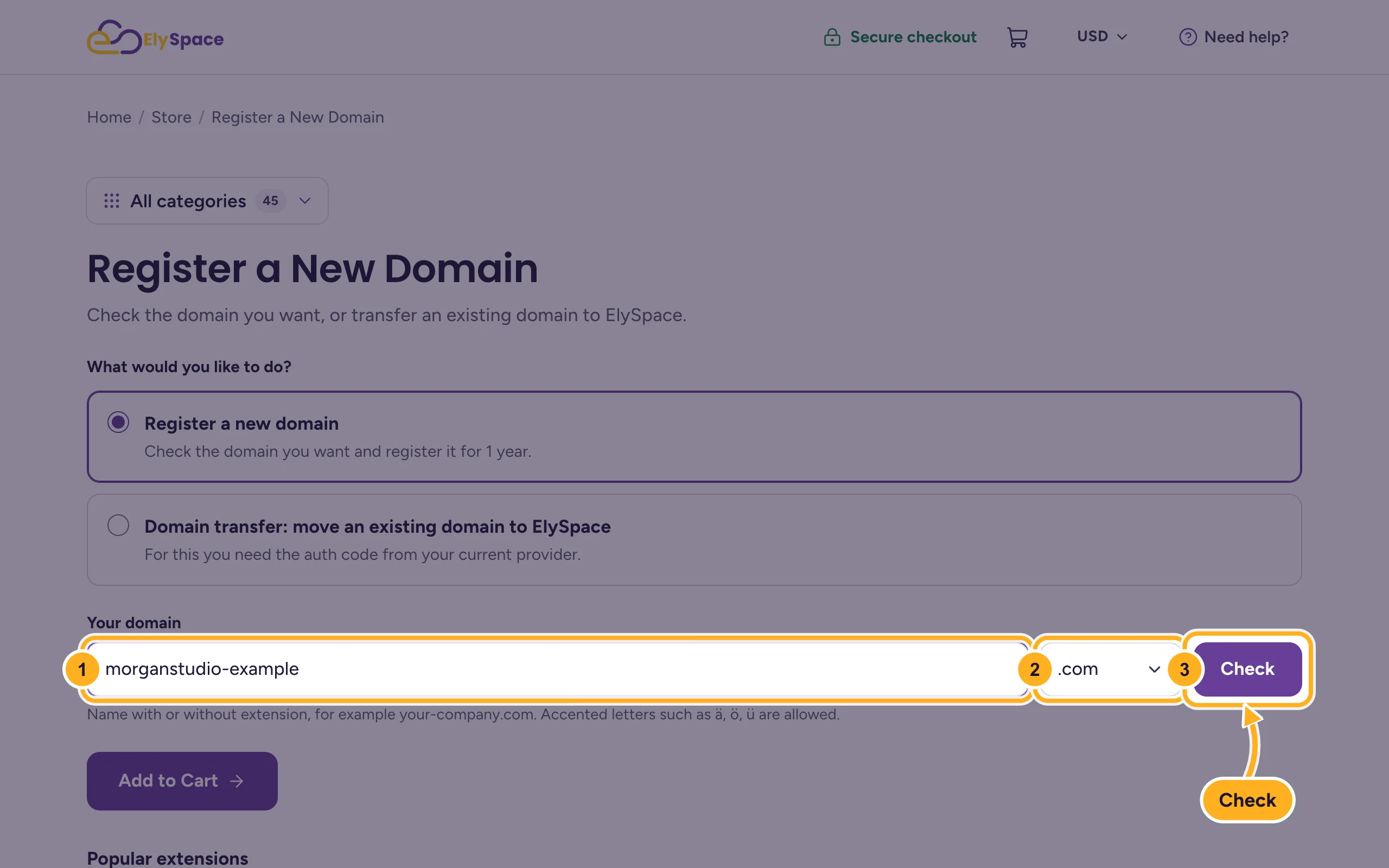
Make sure Register a new domain is selected, then:
- Type the name you want in Your domain, for example
morganstudio. You can also type it with the extension, such asmorganstudio.com. - Pick the extension (
.com,.in,.co.ukand many more). - Click Check.
- Type the name you want in Your domain, for example
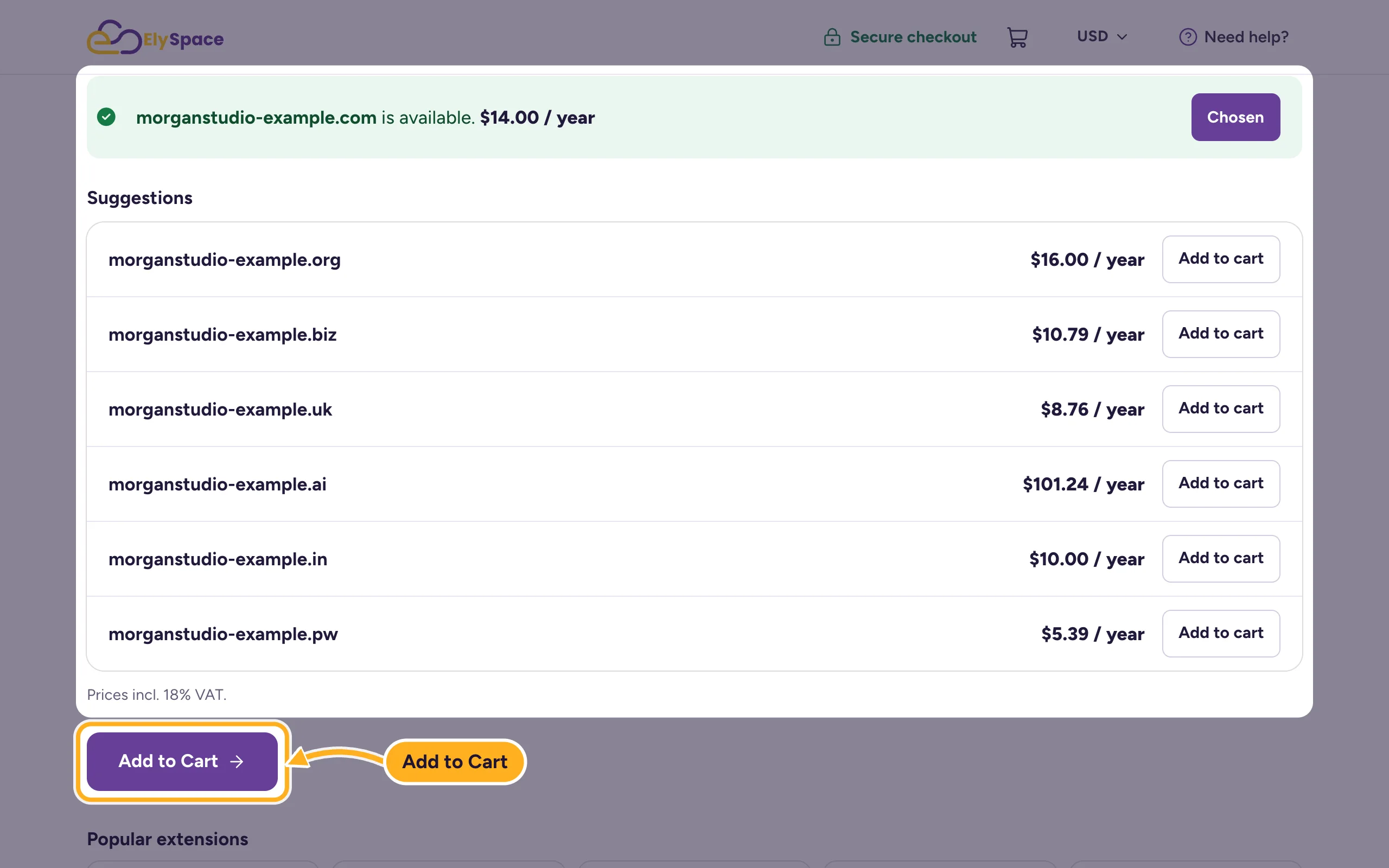
If the domain is free, you see "is available" with the price per year. Below, Suggestions lists other extensions of the same name, each with Add to cart. Click Add to Cart under the result to take your chosen domain.
Configure the domain and check out
On Domains Configuration, check the Term (how many years) and tick any addons you want, such as ID Protection or DNS Management, where they are offered for the extension.
Under Nameservers, our nameservers are filled in. Keep them if the domain is for hosting with us. Enter other nameservers only if the domain should point to another service. You can change them later (see Change your domain's nameservers).
Click Continue, then go through the checkout: log in or create an account, choose how to pay and accept the terms. See Buy web hosting step by step for the checkout screens.
Your client account is entered as the domain owner. Make sure your name, address and email address in the client area are correct (see Update your profile and billing address), because they become the domain's contact details. Once the invoice is paid, the domain appears under Domains > My Domains.
Common problems
The domain is already taken
Try another extension from the suggestions, add a word (for example morganstudio-london), or ask the current owner. If the domain is yours at another provider, transfer it to ElySpace instead.
Your extension isn't in the list
We can't register that extension through the order form at the moment. Open a ticket in Domains Support and tell us which one you need.
You get an email asking you to verify the domain owner
Many registries send a verification email to the owner's address after a new registration. Click the link in it, otherwise the domain can be suspended.
Related articles
- Manage your domains in the client area
- Transfer a domain to ElySpace
- Turn auto-renew on or off
- Pay an invoice
Still stuck? Open a support ticket and we'll help.
