

All your domains are under Domains > My Domains in the client area. Open one with Manage to see its expiry date, auto-renew, nameservers and more.
Open your domain list
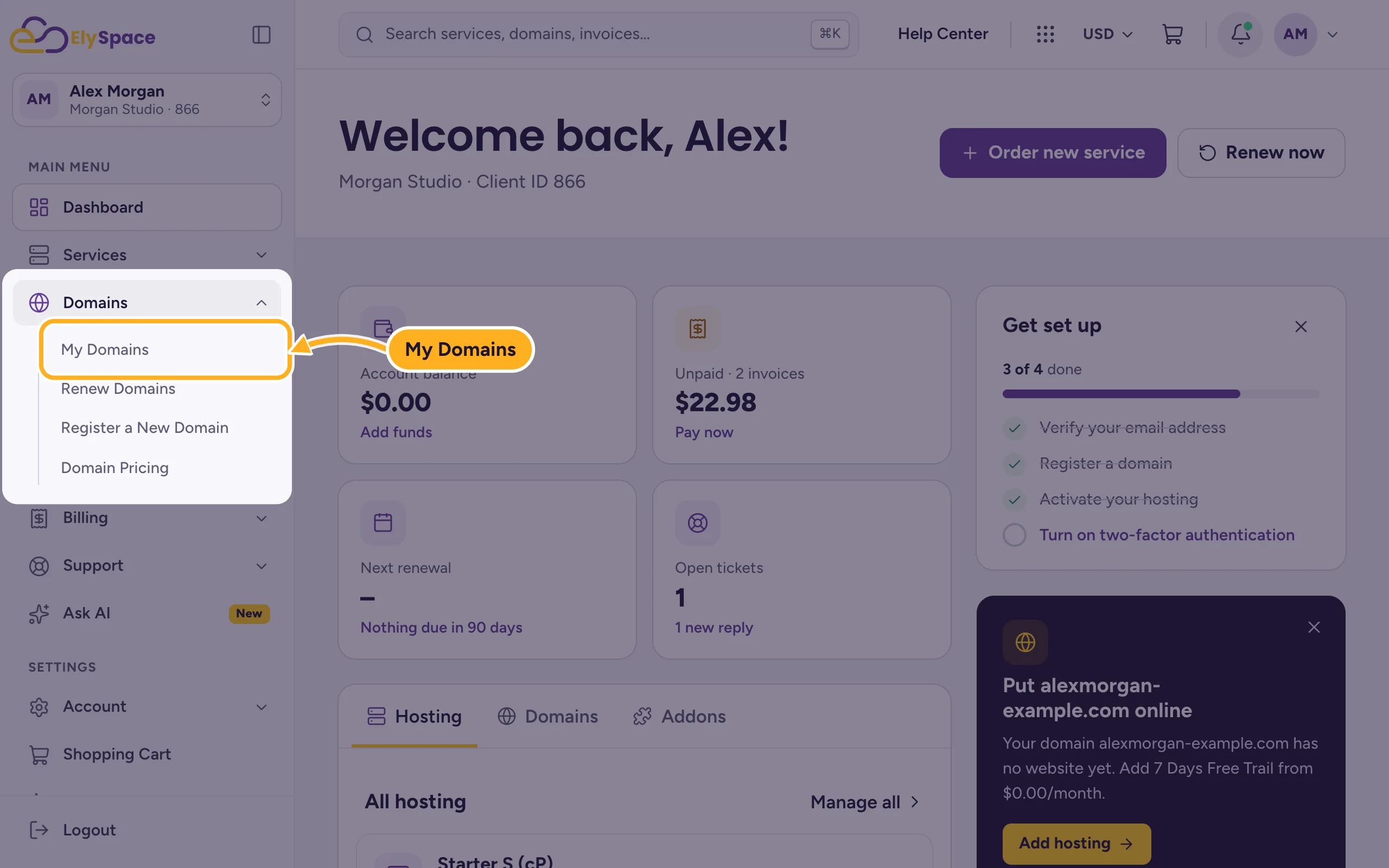
Log in to the client area and click Domains > My Domains in the menu on the left.
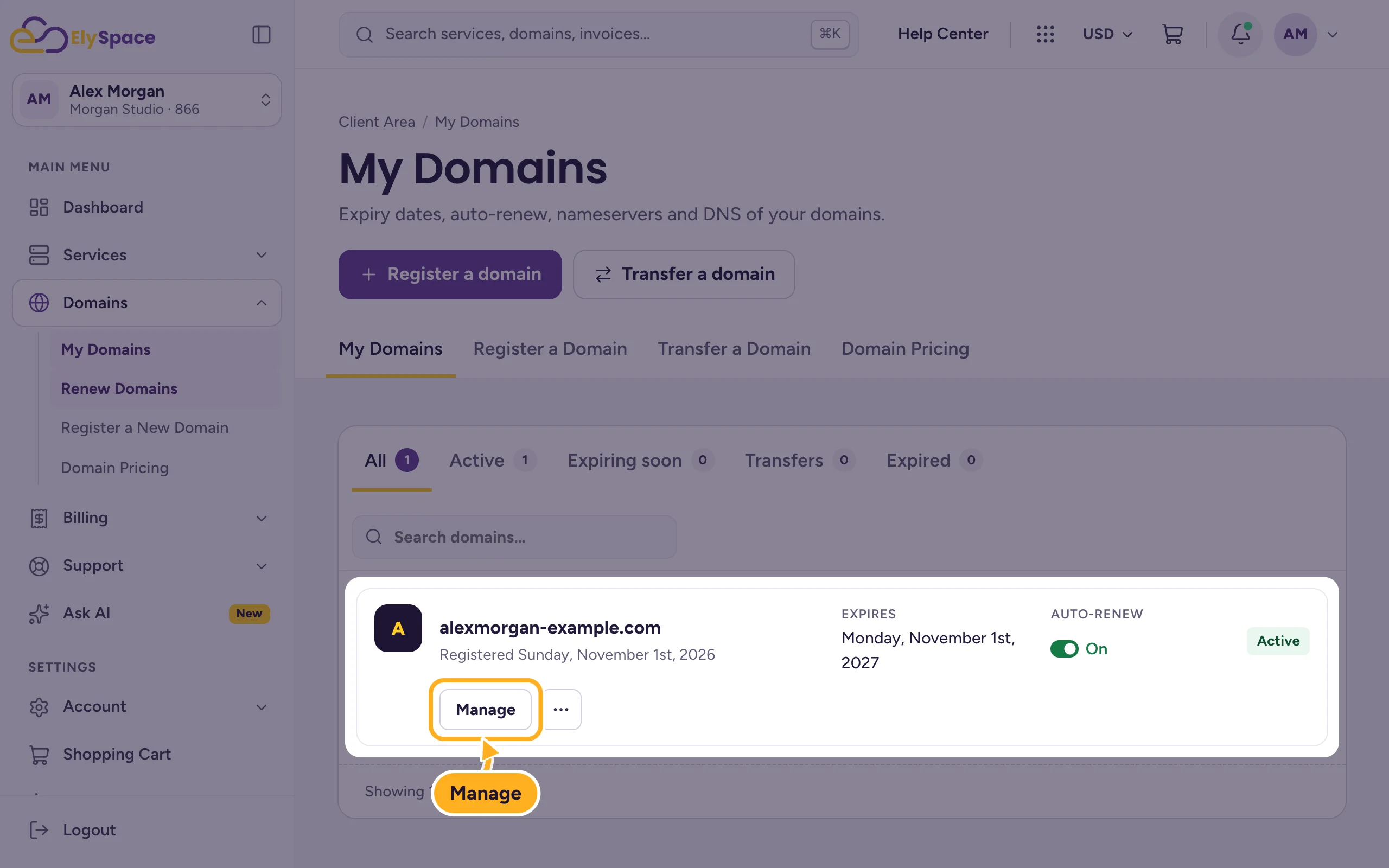
Each domain shows its registration date, Expires date, Auto-renew status and its status (for example Active). The tabs above the list filter it: All, Active, Expiring soon, Transfers and Expired. With many domains, use Search domains.
Click Manage to open a domain.
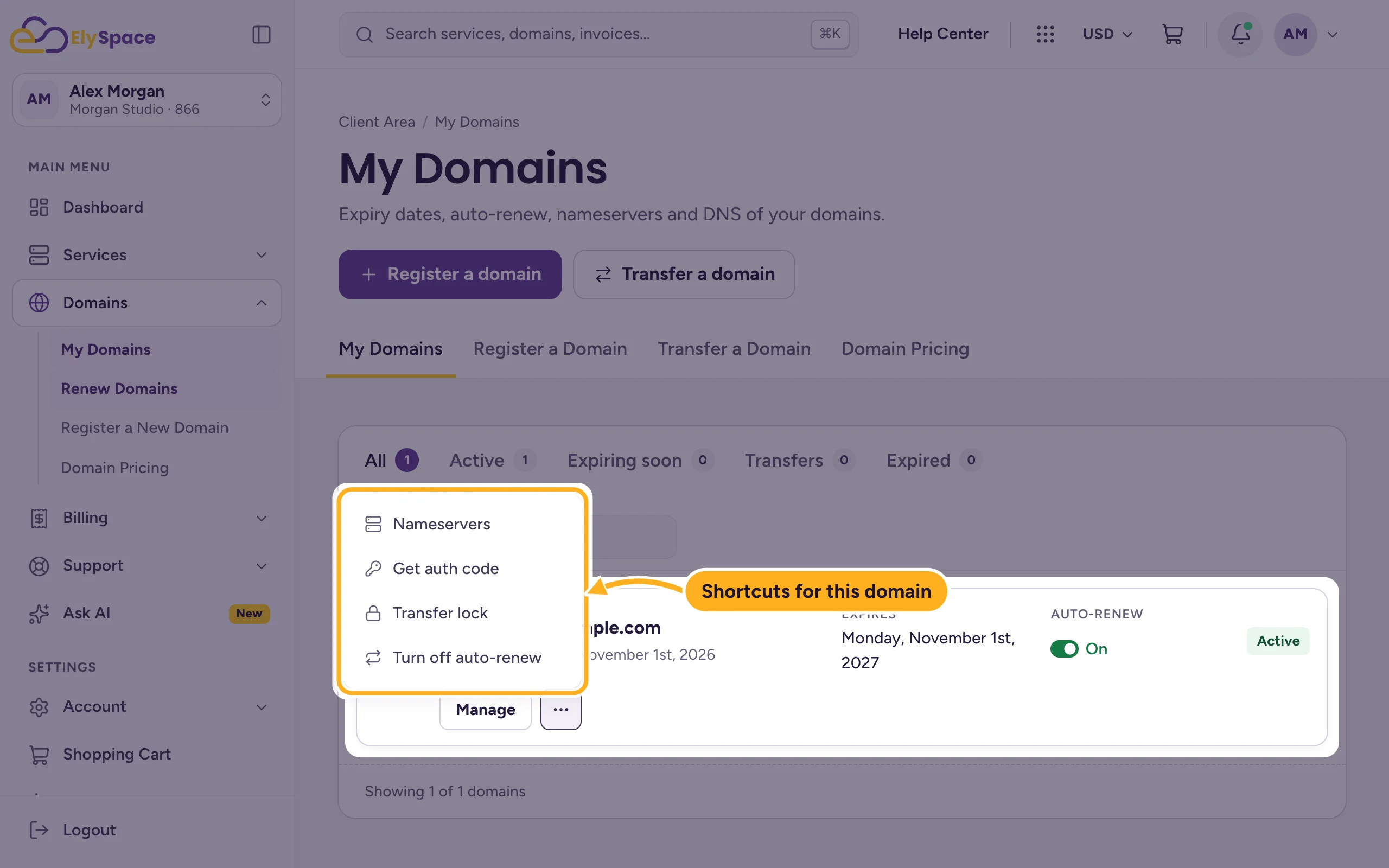
The three dots next to Manage open shortcuts for that domain: Nameservers, Get auth code, Transfer lock and Turn off auto-renew.
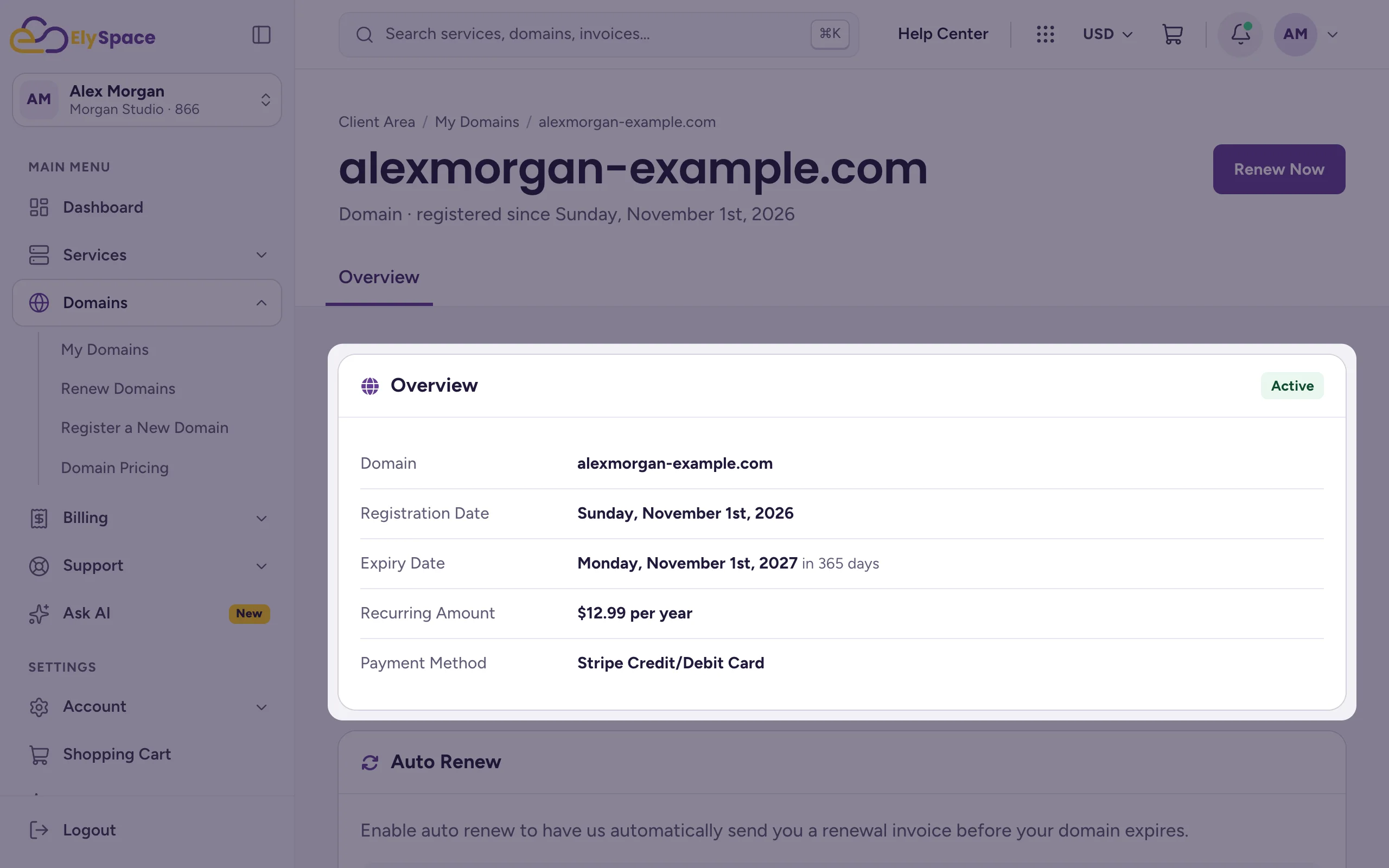
What you find on the domain page
| Section | What it's for |
|---|---|
| Renew Now (top right) | Renew the domain for one or more years now (see Renew a domain). |
| Overview | Status, registration date, expiry date, the yearly price and the payment method used for renewals. |
| Auto Renew | Whether we send a renewal invoice automatically before the domain expires (see Turn auto-renew on or off). |
| Nameservers | Where the domain points: our nameservers or another service (see Change your domain's nameservers). |
| Registrar Lock | Protects the domain from being transferred away. Keep it on unless you move the domain. |
| Auth Code | The code you need to move the domain to another provider (see Transfer a domain away from ElySpace). |
| Addons | Extras for the domain, such as ID Protection and DNS Host Record Management. |
Nameservers, the switch for the registrar lock and the auth code appear for domains that we manage at the registry. Tabs at the top of the domain page (for example Nameservers or DNS Management) jump to them.
Common problems
A domain is missing from the list
Check the All tab and the search field. If you have several client accounts, switch to the right one (see Switch between accounts). Domains registered at another provider only appear here after you transfer them to us.
The domain says "Pending" or "Transfer Pending"
The order isn't finished yet. Pay the open invoice, or wait until the transfer is complete.
Where are the DNS records?
If the domain uses our nameservers and your hosting, edit its records in cPanel (see Edit DNS records in cPanel).
Related articles
Still stuck? Open a support ticket and we'll help.
