

Sign up at my.elyspace.com/register.php, or create your account during your first order. Both take a few minutes and only need an email address and a password.
Sign up with the form
Open my.elyspace.com/register.php. On the login page you get there with Create account.
Fill in Personal Information and Billing Address:
- Email Address: you'll log in with this address, and we send invoices and important messages to it. Use one you check often.
- Country: choose the country of your billing address. It's needed for correct invoices and taxes.
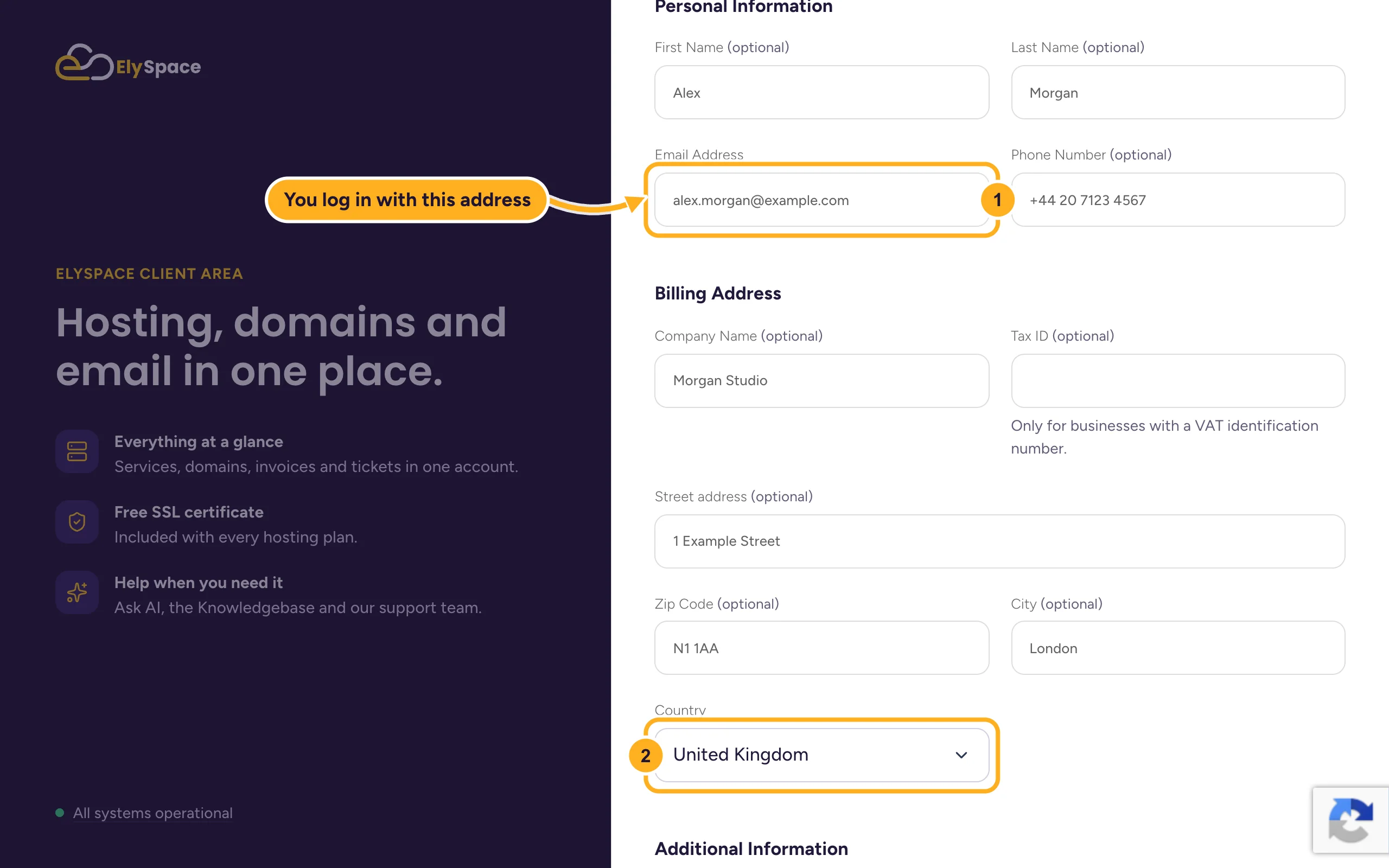
Fields marked "optional" can stay empty. If you order for a business, add the Company Name and, if you have one, your VAT number under Tax ID. It then appears on your invoices.
Finish the form:
- Choose Currency: USD, INR or GBP. Your invoices use this currency.
- Password and Confirm Password: at least 10 characters. A long sentence or a password from a password manager is safest. The bar below the field shows how strong it is.
- Tick the box to accept the Terms of Service.
- Click Register.
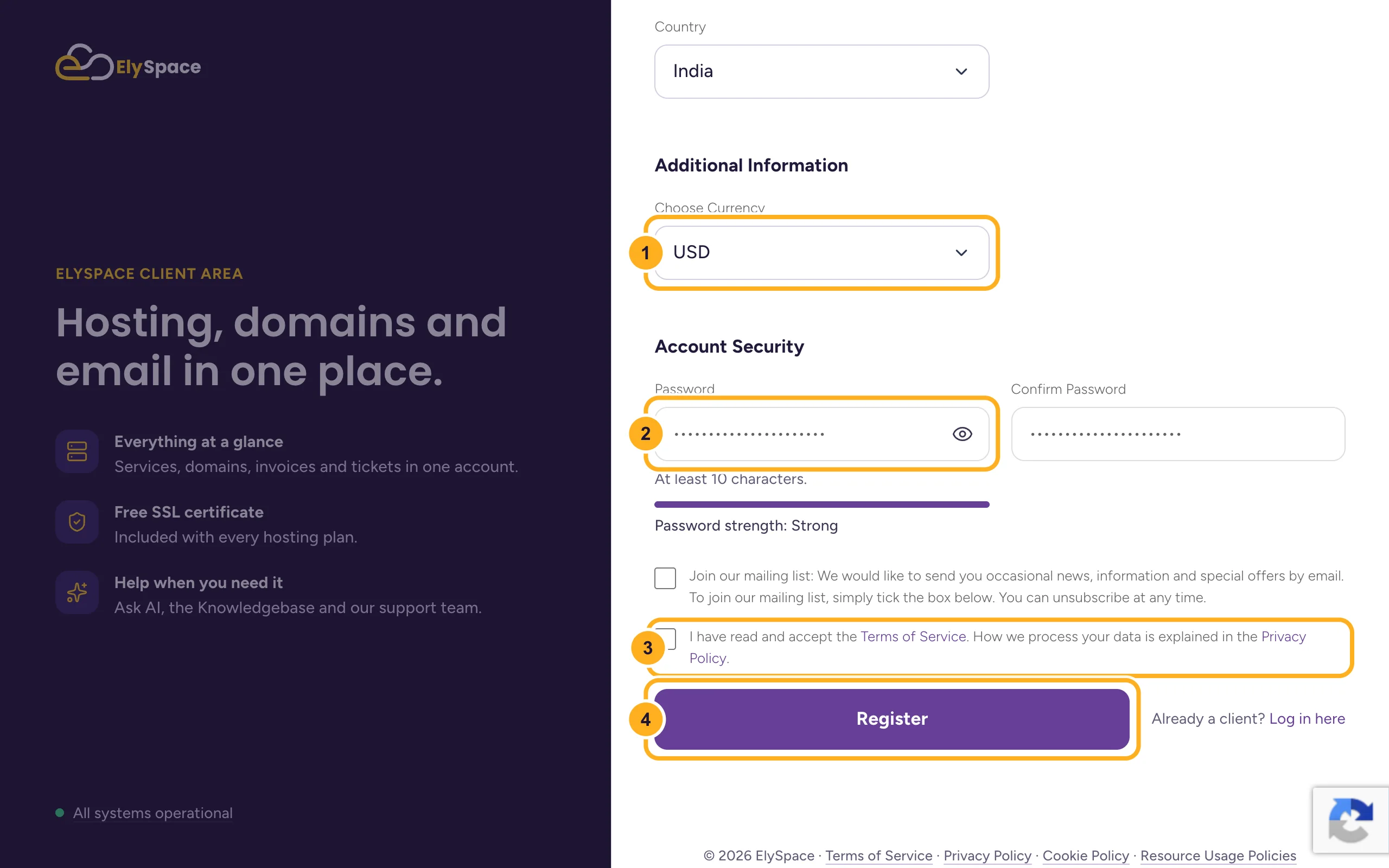
The box Join our mailing list is for news and offers. It's your choice, and you can change it later (see Choose which emails you get).
Open the email we send you and click the link in it to confirm your address. See Verify your email address.
Sign up with Google
At the top of the form you can click Sign in with Google to use your Gmail or Google Workspace address, then follow the steps Google shows. Later you can log in with the same button on the login page.
Common problems
The form says the email address is already in use
You (or someone in your company) already has an account with this address. Log in instead, or reset the password if you don't remember it: Reset a forgotten client area password.
You chose the wrong currency
The currency is fixed once your account is created. Open a ticket before you place your first order and we'll check whether we can change it. See Change the language or currency.
The verification email doesn't arrive
Check your spam or junk folder and wait a few minutes. You can send the email again from the client area: Verify your email address.
Related articles
- Buy web hosting step by step
- Log in to and out of the client area
- Turn on two-factor authentication (2FA)
- The ElySpace client area at a glance
Still stuck? Use the contact form, no login needed, and we'll help.
