

Turn on 2FA under Account Security in the client area. After that, you log in with your password plus a code from an authenticator app on your phone.
Two-factor authentication protects your account even if someone learns your password. You need an authenticator app on your phone, for example Google Authenticator, Microsoft Authenticator or Duo.
Turn on 2FA
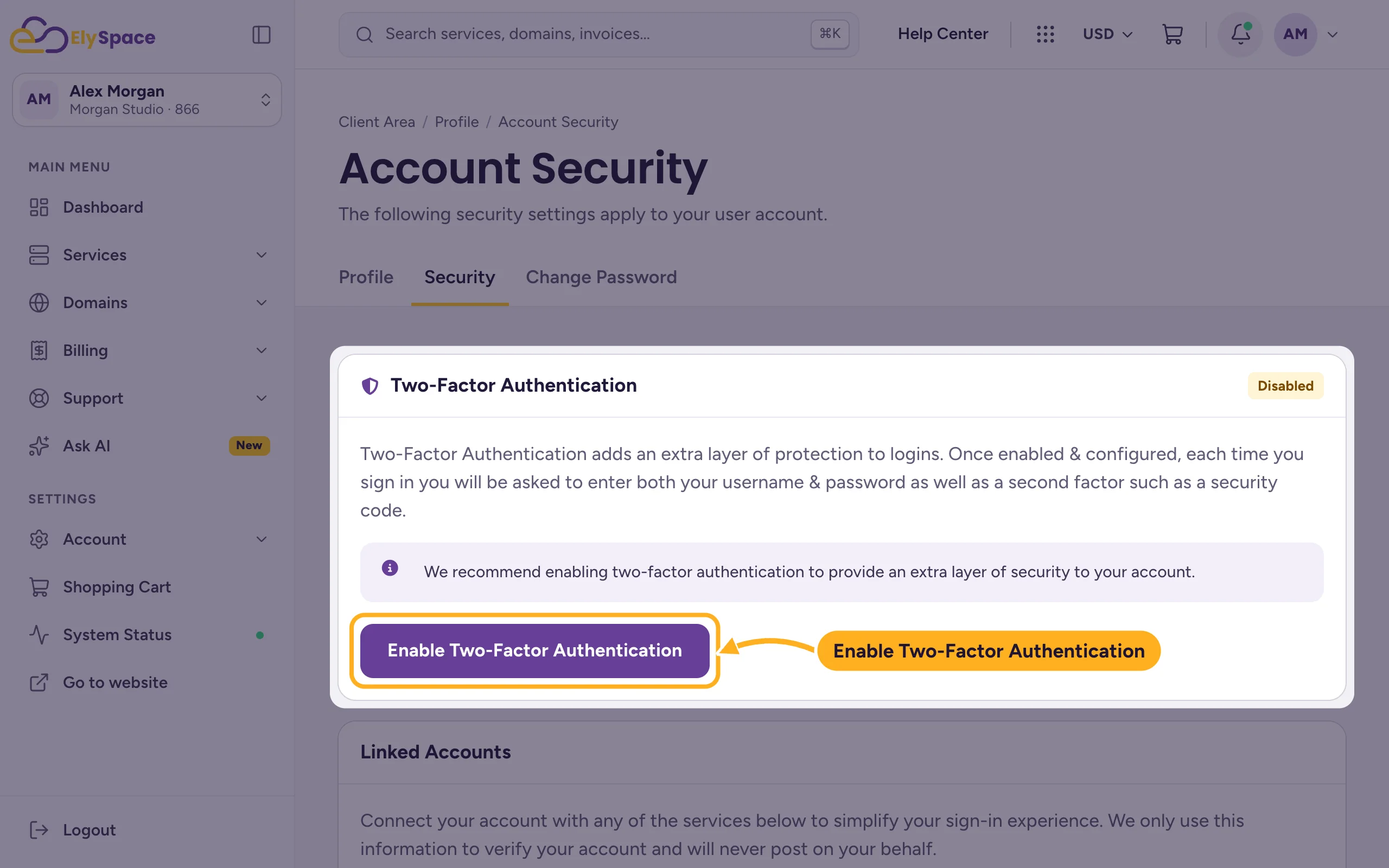
Log in to the client area. Click your initials at the top right and choose Account Security. (The Get set up box on the dashboard links there too.)
Under Two-Factor Authentication the status shows Disabled. Click Enable Two-Factor Authentication.
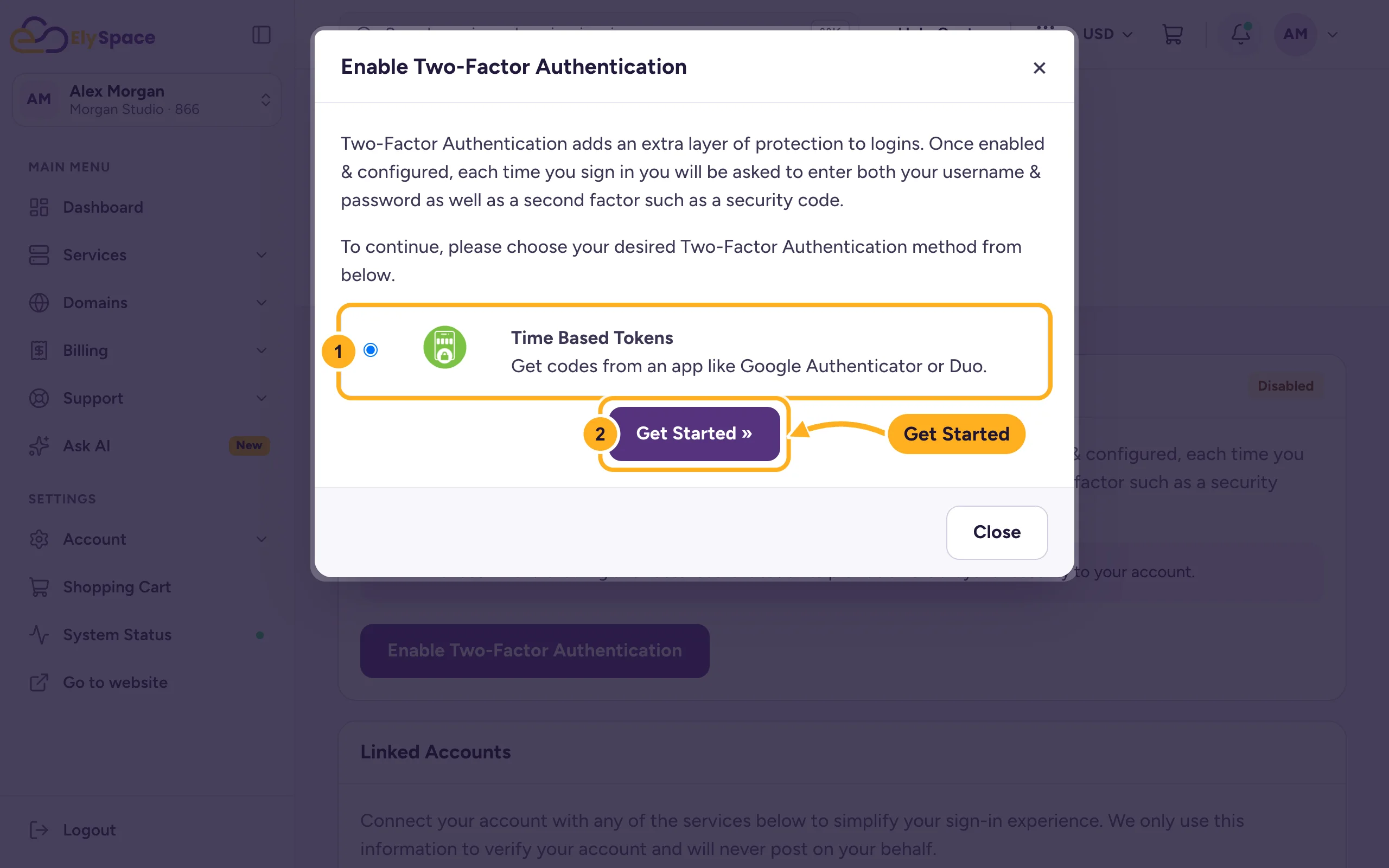
In the window that opens:
- Time Based Tokens is already selected. It works with any authenticator app.
- Click Get Started.
Open the authenticator app on your phone, add a new account and scan the QR code shown in the window.
The app now shows a 6-digit code for ElySpace that changes every 30 seconds. Type the current code into the window and confirm.
You then see a backup code. Write it down or save it in your password manager, and keep it somewhere safe. It's your way back in if you lose your phone.
From now on, after your email address and password, the login asks for the code from your app.
Turn 2FA off
Go back to Account Security, click Disable Two-Factor Authentication and confirm with your password. Got a new phone? Turn 2FA off and straight back on, and scan the new QR code with the new phone.
Common problems
The code is rejected
The codes depend on the time. Make sure the time on your phone is set automatically, then try the newest code. Don't use a code that's about to change.
You lost your phone or deleted the app
On the screen that asks for the code, click Can't Access Your 2nd Factor Device? and log in with your backup code. A backup code works once only: you get a new one afterwards, so write that down too. Then set up 2FA on your new phone. No backup code? Use the contact form. We'll check that the account is yours before we remove 2FA.
You use Sign in with Google
The Linked Accounts box on the same page shows which Google account is connected. Keep 2FA turned on for your Google account as well.
Related articles
- Change your client area password
- Security tips for your ElySpace account
- Give other people access to your account (users)
- Can't log in? What to check
Still stuck? Open a support ticket and we'll help.
