

Choose which account emails you get under Account > Account Details, and whether you want news and offers under Account > Email preferences.
There are two kinds of email from ElySpace: emails about your account (invoices, renewals, tickets, your services) and marketing emails (news and offers). You set them in two places.
Account emails
Log in to the client area and open Account > Account Details. Scroll down to Email Preferences.
Choose your emails:
- Tick the types you want and untick the others: General Emails, Invoice Emails, Support Emails, Product Emails, Domain Emails and Affiliate Emails.
- Join our mailing list: tick it if you'd like occasional news and offers.
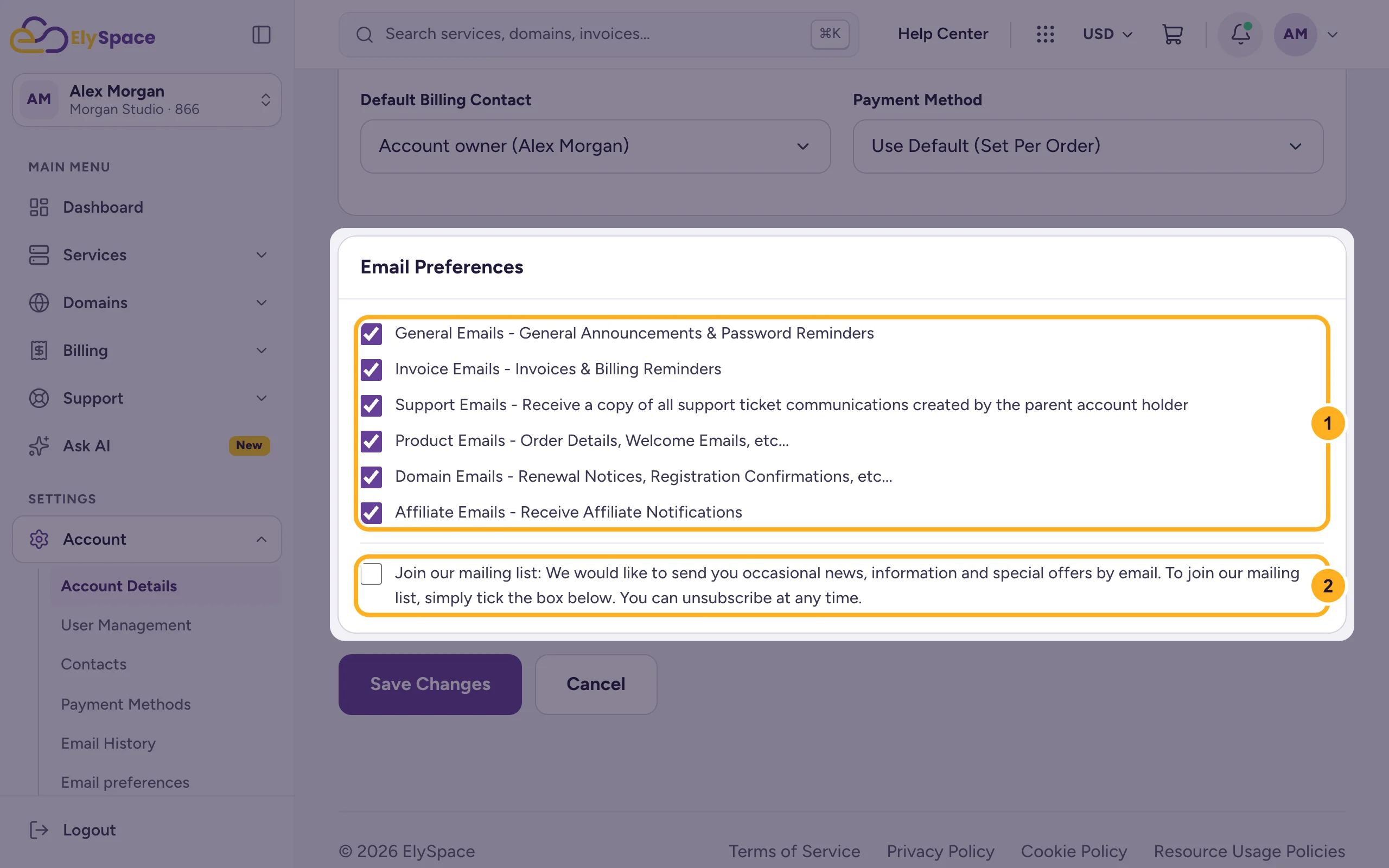
Click Save Changes below the box.
Marketing emails
Open Account > Email preferences. The Marketing emails box shows your status: Subscribed or Not subscribed.
- To get news and offers, choose Yes, send me news and offers and click Save.
- To stop them, choose No marketing emails and click Save.
Every marketing email also has an unsubscribe link at the bottom. Emails about your services, invoices, domains and tickets aren't marketing: they always reach you.
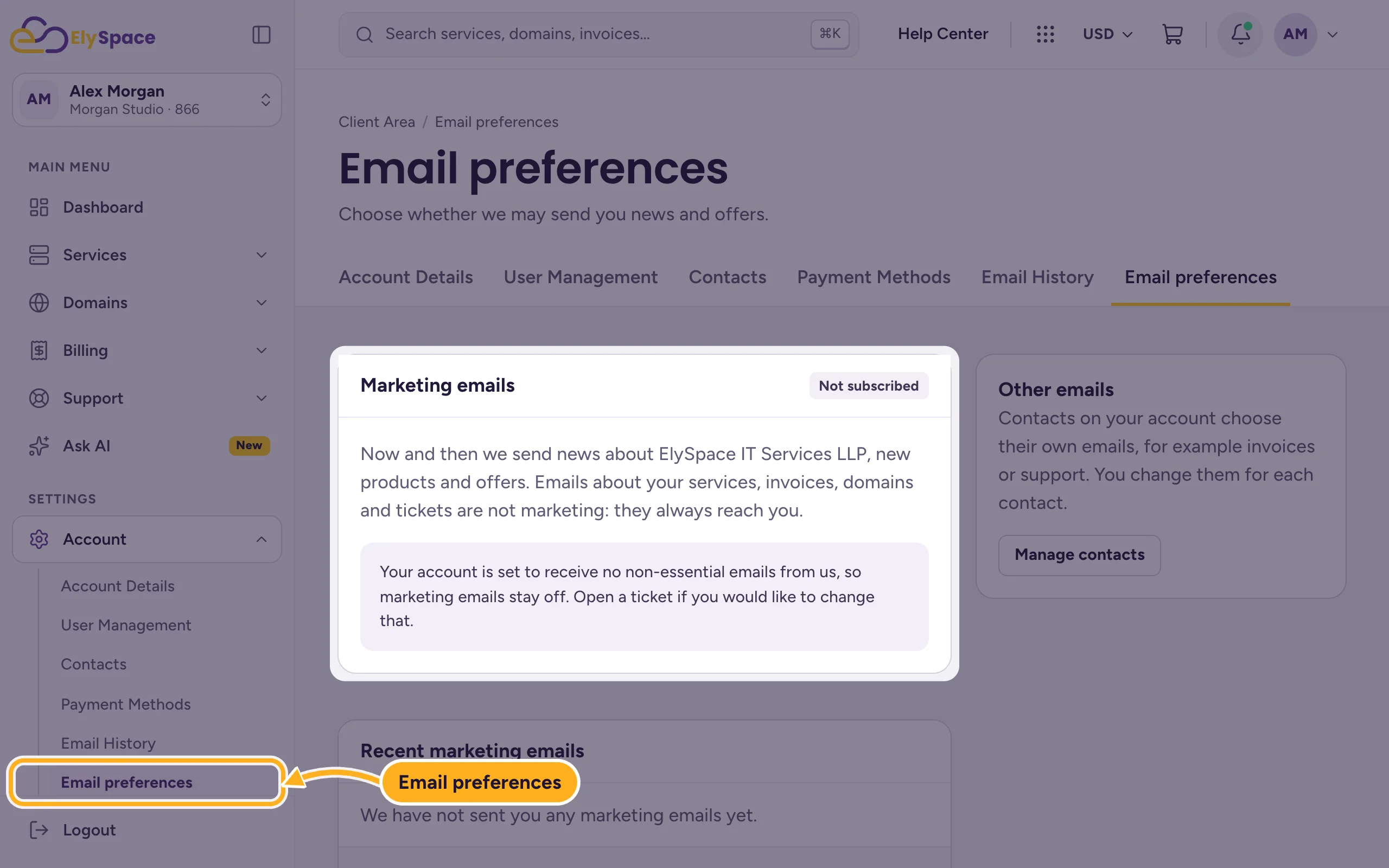
If the box says "Your account is set to receive no non-essential emails from us", marketing emails are switched off for your account and can't be turned on here. Open a ticket if you'd like to change that.
The Other emails box links to your contacts: each contact chooses its own emails.
Common problems
You can't turn off Domain Emails
Someone on your account must always get domain notifications, because domain registries require it. Tick Domain Emails for a contact first, then untick it for yourself.
You still get emails you turned off
Check whether a contact on your account has the same address and its own email preferences. See Add contacts. To check what we sent and when, see See the emails we have sent you.
Related articles
- Add contacts (for example a billing contact)
- See the emails we have sent you
- Update your profile and billing address
- Renewals, due dates and suspension explained
Still stuck? Open a support ticket and we'll help.
