

Forgot your ElySpace password? Click Forgot Password? on the login page, enter your account's email address and follow the link we email you.
Reset your password
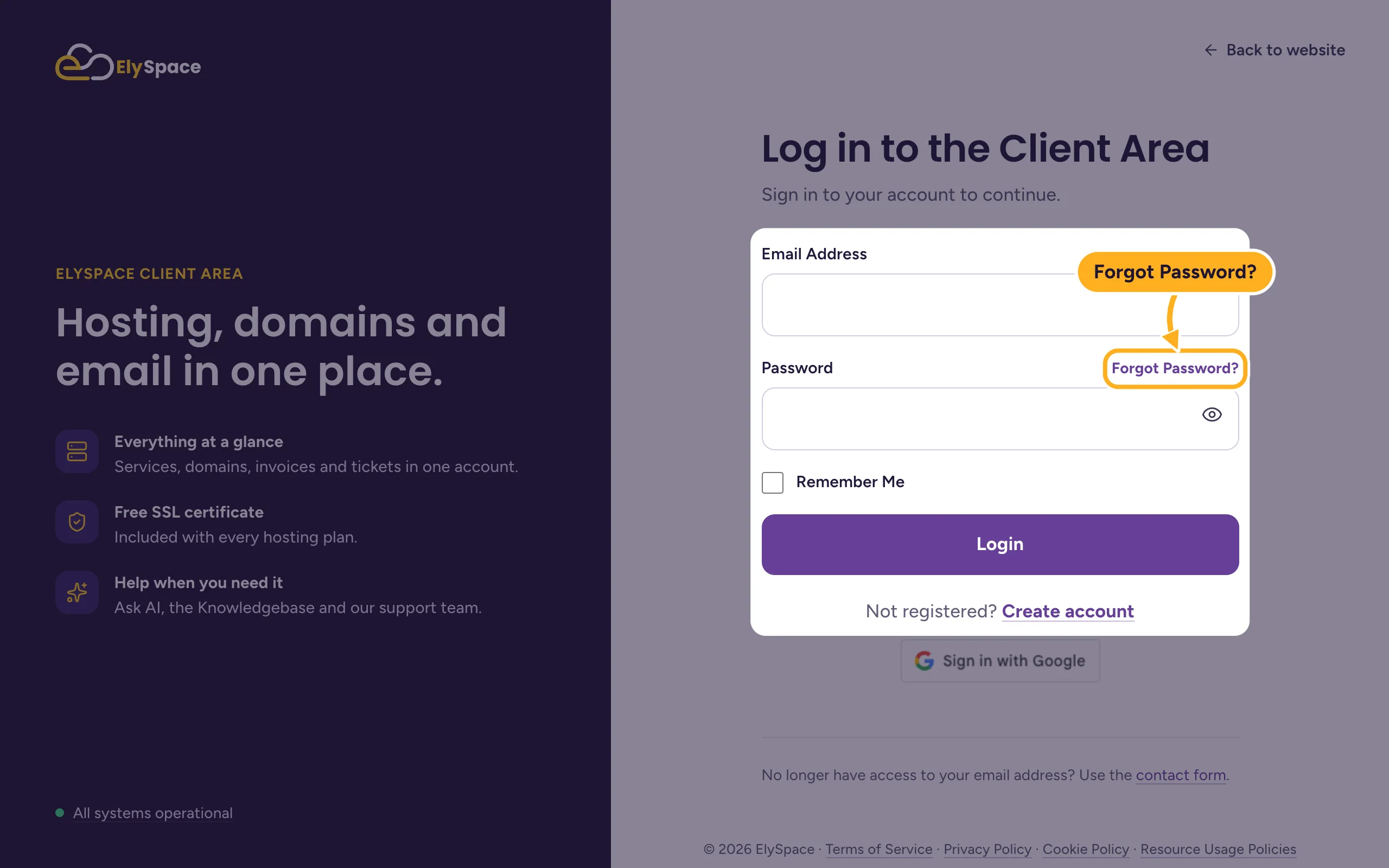
Open my.elyspace.com/login and click Forgot Password? above the password field.
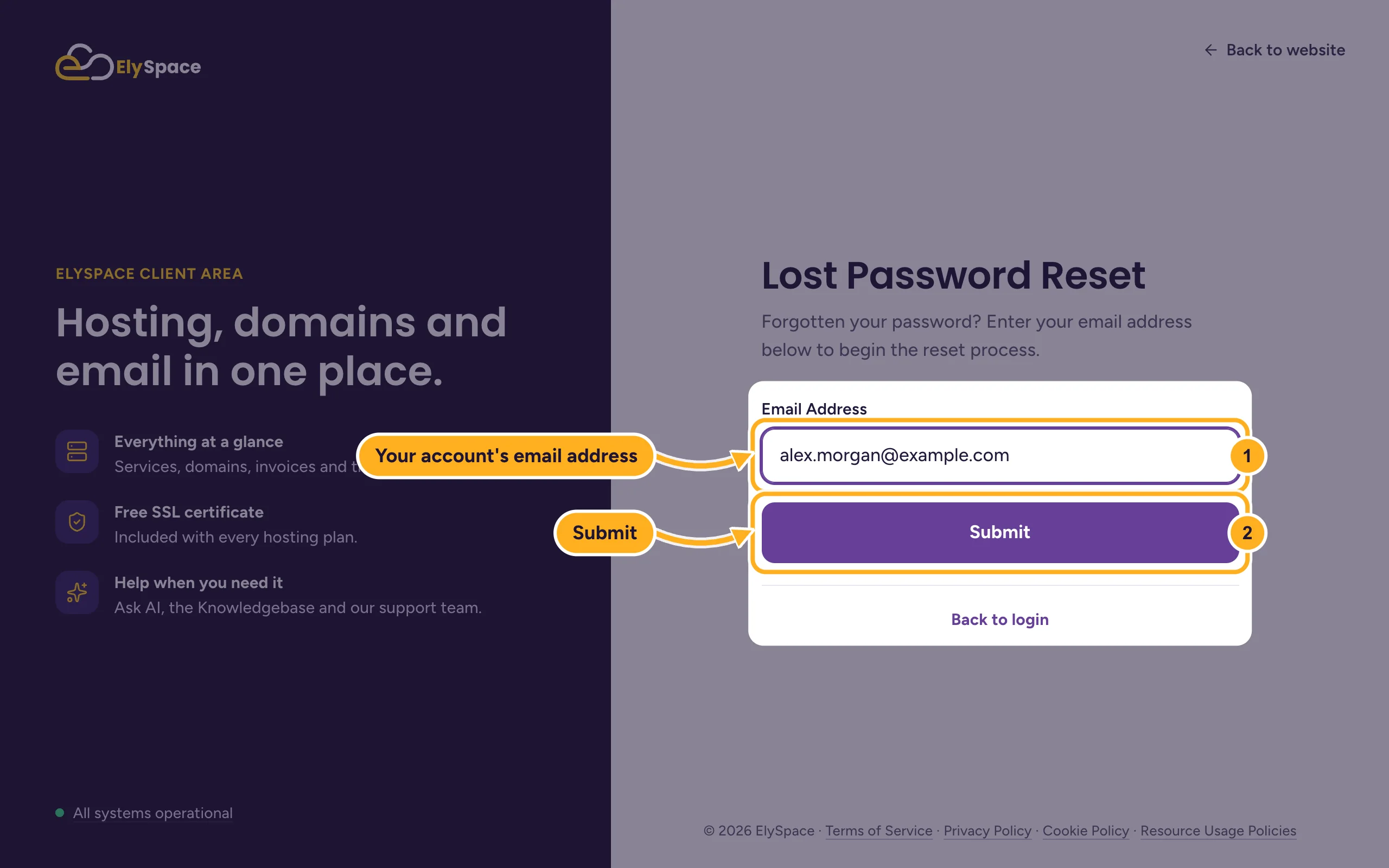
On the Lost Password Reset page:
- Enter the Email Address you log in with.
- Click Submit.
Open the email we send you and click the reset link in it. If your account has a security question, answer it when you're asked.
Choose your new password, at least 10 characters, type it in New Password and Confirm New Password, and click Save Changes. You can log in with it right away.
Common problems
The reset email doesn't arrive
Wait a few minutes and check your spam or junk folder. For your safety the page doesn't tell you whether an address belongs to an account, so check that you typed the address you signed up with. Still nothing? Try the other addresses you use.
The link in the email doesn't work
Reset links stop working after a while and after they've been used once. Start again at my.elyspace.com/password/reset and use the newest email.
You no longer have access to that email address
Use the contact form, which works without logging in. Tell us your name, company and domain, and we'll check that the account is yours before we change anything.
Related articles
- Log in to and out of the client area
- Change your client area password
- Can't log in? What to check
- Turn on two-factor authentication (2FA)
Still stuck? Use the contact form, no login needed, and we'll help.
