

Email hosting gives you mailboxes on your own domain without a website plan. Pick a plan under Email Hosting in the store, choose your domain and check out.
Which email product to choose
The store has three kinds of email:
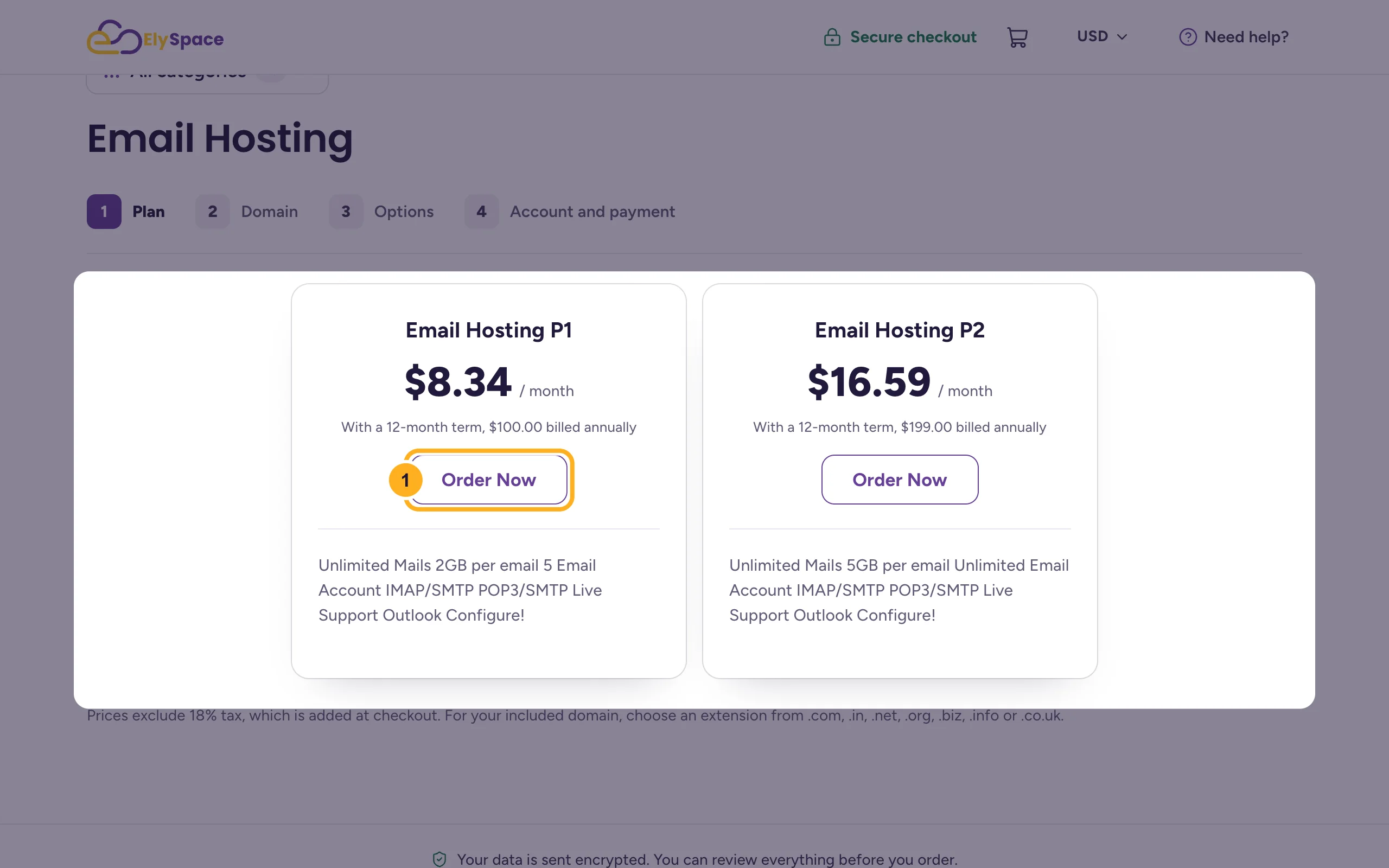
- Email Hosting (store/email-hosting): plans Email Hosting P1 and P2. They differ in the number of email accounts and the storage per mailbox. Both work with IMAP, POP3 and SMTP, so you can use any email app.
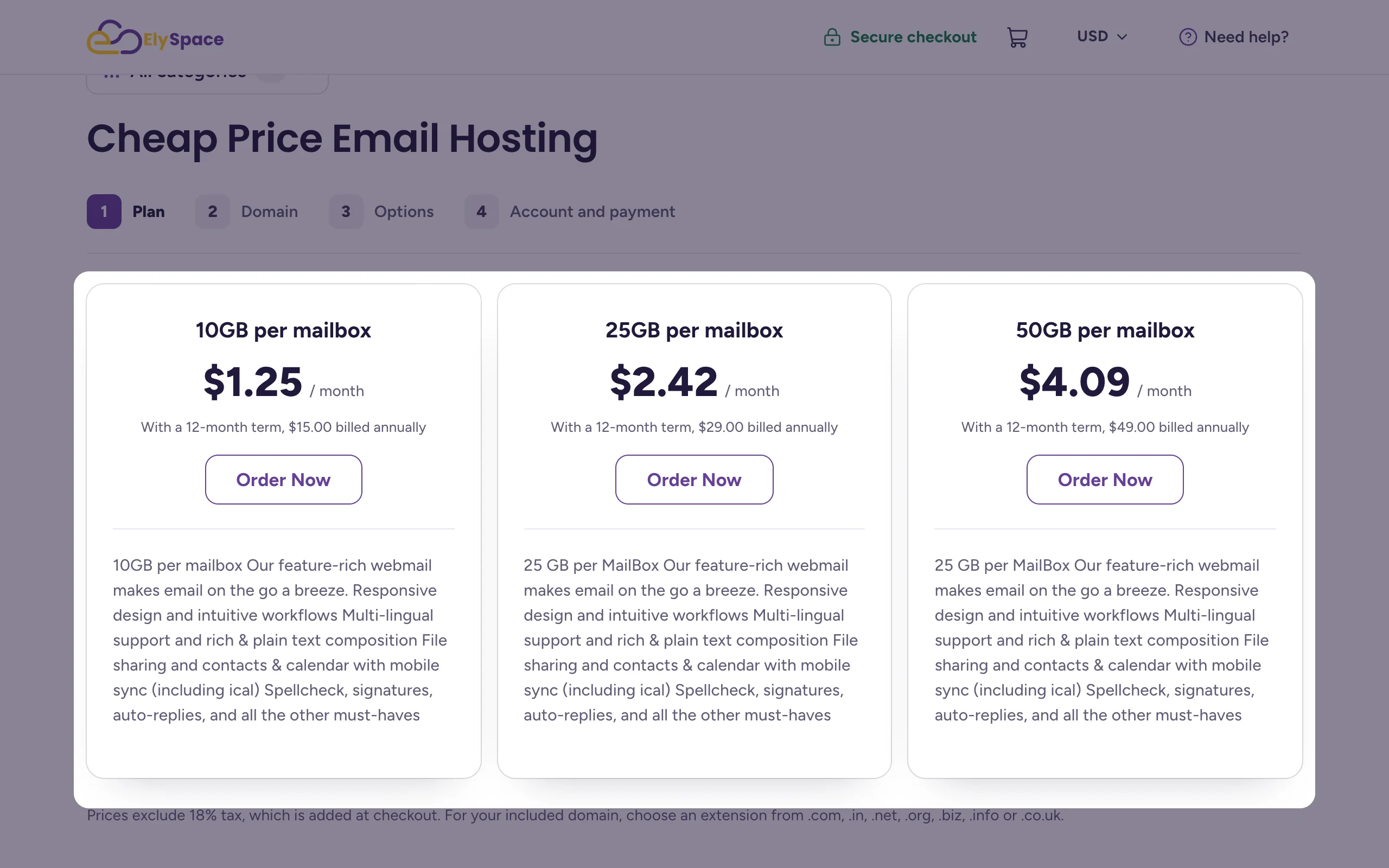
- Cheap Price Email Hosting (store/cheap-price-email-hosting): plans named after the storage per mailbox, with webmail, contacts and calendar.
- OX App Suite: professional email with webmail, calendar and file sharing, priced per mailbox. It has its own guides: OX App Suite email from ElySpace: what you get.
What each plan includes and costs is listed on its card in the store.
Order email hosting
On the plan you want, click Order Now.
Under Which domain should your plan get?, choose the domain for your email addresses:
- I already have a domain if you own it already, here or elsewhere. Register a new domain and Domain transfer are the other options.
- Type the domain name and pick the extension, for example
morgan-studioand.com. - Click Continue. If the next screen offers extra domains, you can skip it.
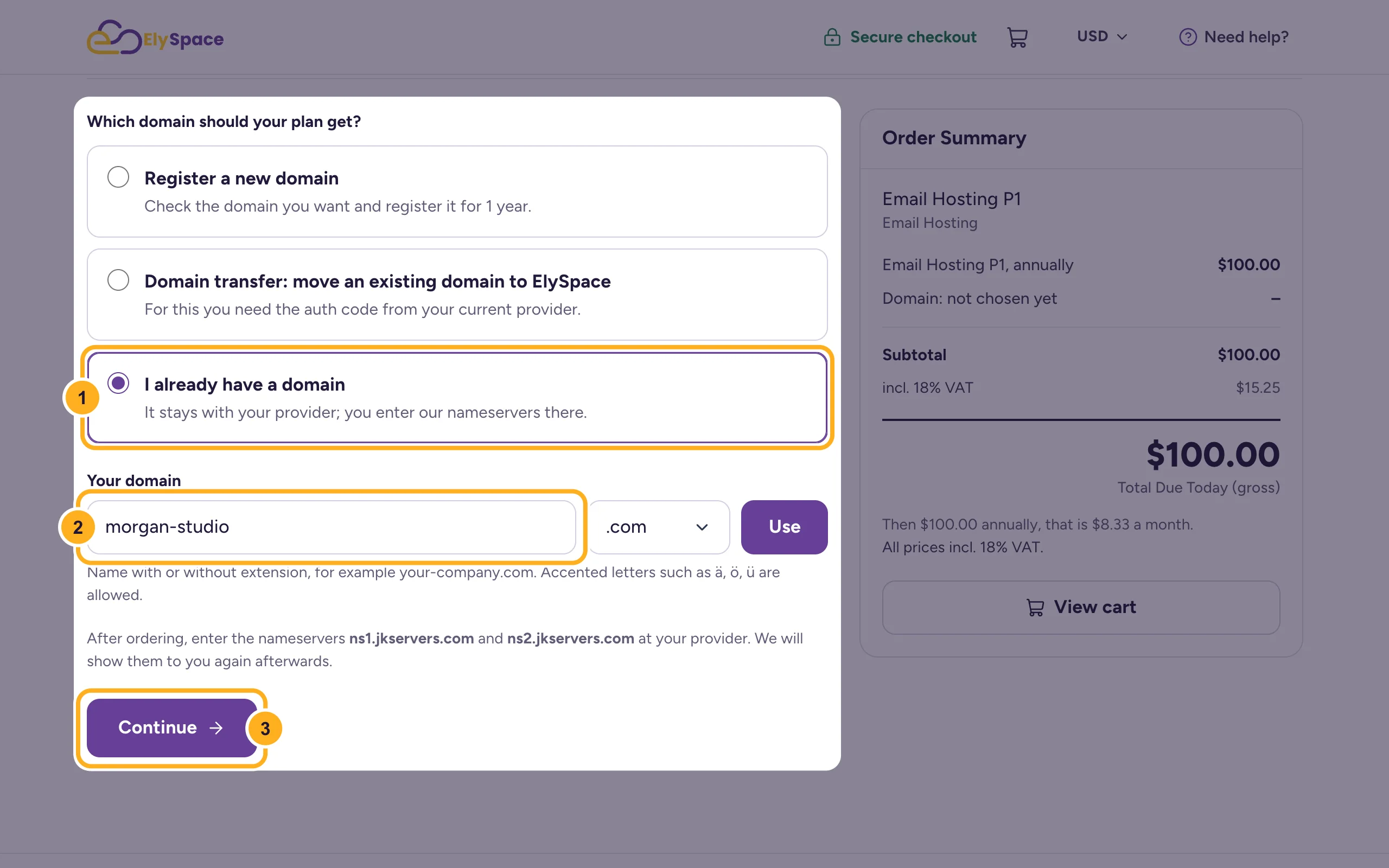
Below the field, the form shows the nameservers this service uses. Read the note on DNS below before you change anything at your domain provider.
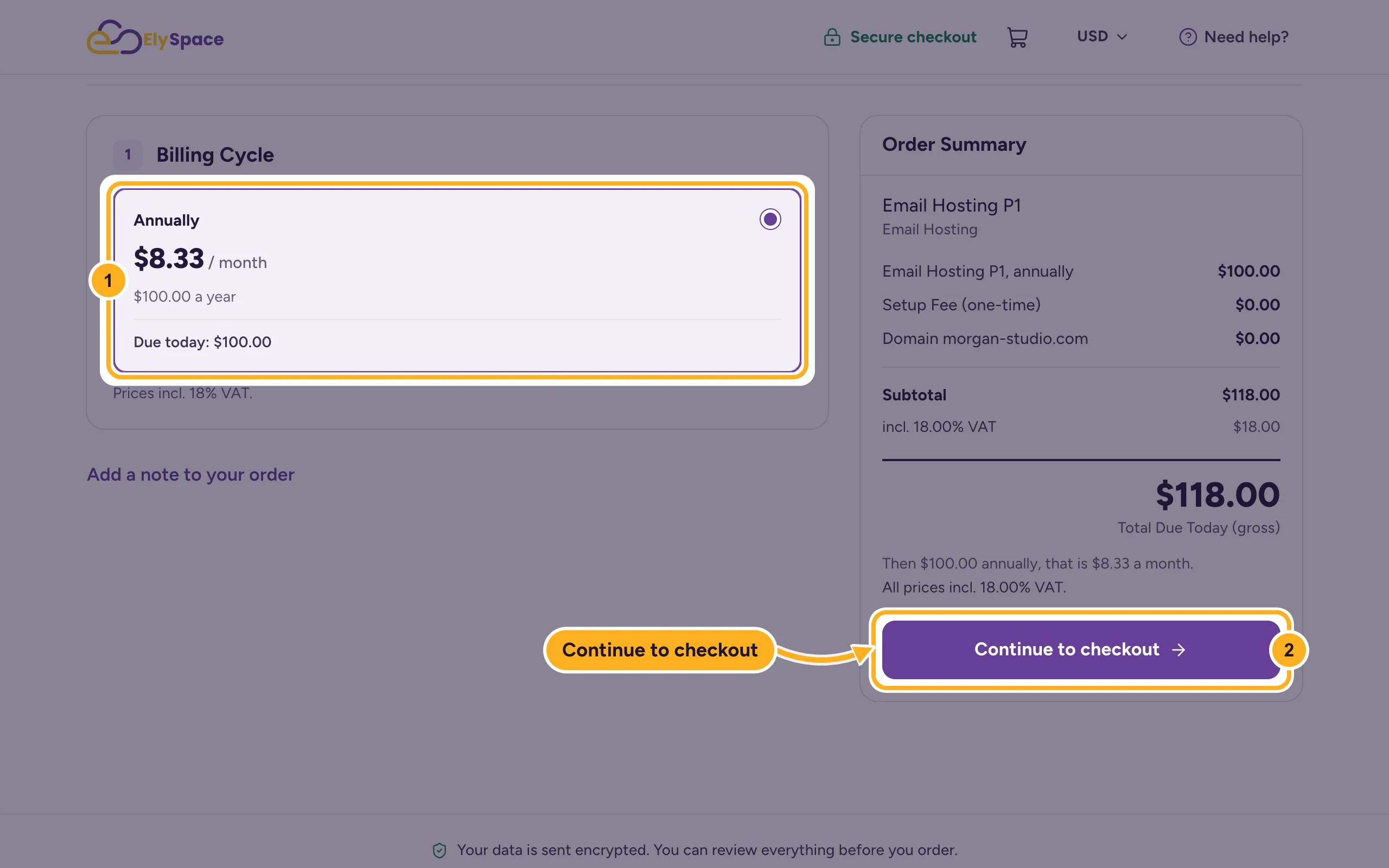
On Configure, choose the Billing Cycle. The Order Summary on the right shows the total. Click Continue to checkout.
Complete the checkout: your details or login, payment method, terms and Complete Order. These screens are the same as for hosting: Buy web hosting step by step.
After payment the service is set up and appears under Services > My Services. See After your order: what happens next.
Your domain's DNS
Mail for your domain only reaches the new mailboxes once the domain's MX records point to the email service.
- The domain is used only for email: enter the nameservers shown in the order form at your domain provider (see Change your domain's nameservers).
- Your website runs somewhere else: changing the nameservers moves all DNS records, including the website's. Don't change them; open a ticket in Sales Support and we'll tell you which records to set instead.
How nameservers and MX records work: What DNS, nameservers and A records mean.
Common problems
Mail still arrives at the old provider
DNS changes take time to reach every network, up to 24 hours for nameservers. Check that the MX records point to the new service, then wait.
You need more mailboxes or more space
Each plan has its own number of mailboxes and storage. Open a ticket in Sales Support, tell us what you need, and we'll suggest the right plan.
Related articles
- OX App Suite email from ElySpace: what you get
- Email server settings and ports (IMAP, POP3, SMTP)
- Add or change MX records in cPanel
- Buy web hosting step by step
Still stuck? Open a support ticket and we'll help.
