

After your order you get an invoice by email. Once it's paid, we set up your hosting and email you the details. Then connect your domain and start building.
1. Order confirmation and invoice
Right after you click Complete Order, we email you an order confirmation and the invoice to the address you gave at checkout. Paid by card or PayPal during checkout? Then the invoice is already marked as paid.
If it's still unpaid, for example with bank transfer, pay it from Billing > My Invoices in the client area. See Pay an invoice. With bank transfer, the bank details are on the invoice and we set up your plan once your payment arrives.
2. Your hosting is set up
Once the invoice is paid, we create your hosting account. You get a welcome email with your hosting details, and the plan shows up under Services > My Services.
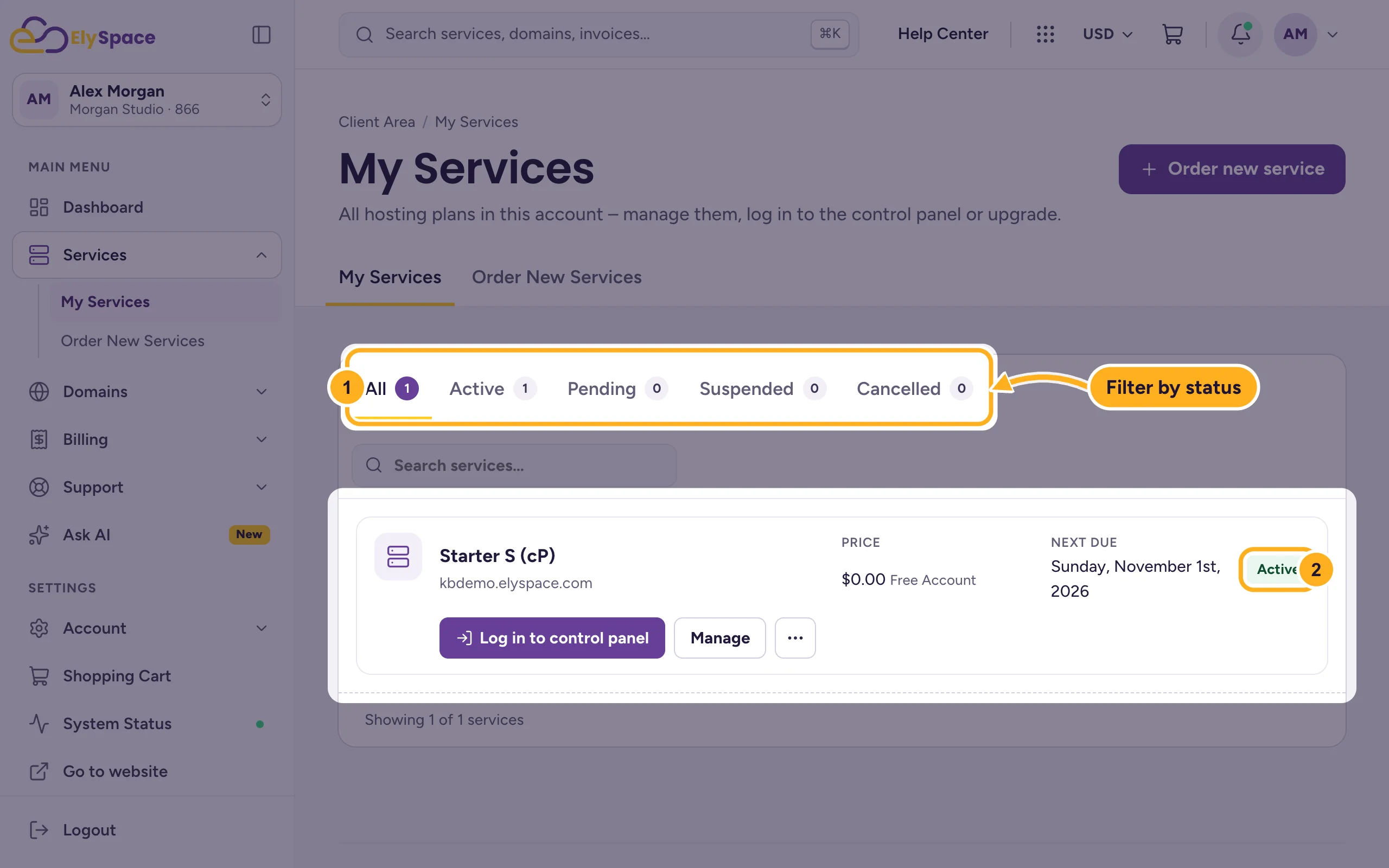
The status tells you where your order is:
- Pending: the order is waiting for payment or for setup.
- Active: your hosting is ready to use.
- Suspended: the service is paused, usually because an invoice is overdue. Pay the invoice to unpause it. See Renewals, due dates and suspension explained.
Keep the welcome email. If you lose it, the details are still in your email history and on the service page.
3. Point your domain to ElySpace
- You registered or transferred the domain with us: we set it up to use your hosting. Nothing to do.
- The domain stays with another provider: log in there and change the domain's nameservers to ours. You'll find the right nameservers on your service page under Hosting Information. See Find your server name, IP address and nameservers and Point a domain from GoDaddy or another registrar.
After a nameserver change it can take a few hours, sometimes longer, until your domain shows your new site everywhere. That delay is normal and comes from DNS caches around the internet.
4. Start building
- Open your plan in My Services and click Log in to control panel. You're logged in to cPanel without a separate password. See Log in to cPanel from the client area.
- Install WordPress or upload your website, and create your email addresses. The quick start shows the order to do it in.
- Moving an existing site? Our free migration does it for you: Move your website to ElySpace.
Common problems
The service still says Pending
Check under Billing > My Invoices that the order's invoice is paid. A bank transfer takes some time to arrive. If the invoice is paid and the service is still pending, open a ticket in Sales Support with your invoice number.
You didn't get the welcome email
Look in your spam or junk folder, then in Email History in the client area. Every email we sent you is listed there.
Related articles
- Get your first website online: quick start
- Manage your services
- Pay an invoice
- Find your server name, IP address and nameservers
Still stuck? Open a support ticket and we'll help.
