

The default address decides what happens to mail sent to addresses that don't exist on your domain: bounce it (recommended) or collect it in one mailbox.
Choose what happens to unknown addresses
Log in to cPanel (see Log in to cPanel from the client area) and click Default Address in the Email section.
Under Send all unrouted email for the following domain:, pick the domain. Current Setting shows what happens now; a new account usually sends this mail to your cPanel username (the system account).
Choose one option:
- Discard the email while your server processes it by SMTP time with an error message.: the sender gets an error right away with the Failure Message (seen by sender), for example "No such person at this address." This is our recommendation: you get no spam for made-up addresses, and real senders know their message didn't arrive.
- Forward to Email Address: a catch-all. Every message to any unknown address goes to the mailbox you type in Forward to Email Address:, for example
[email protected]. - Click Change.
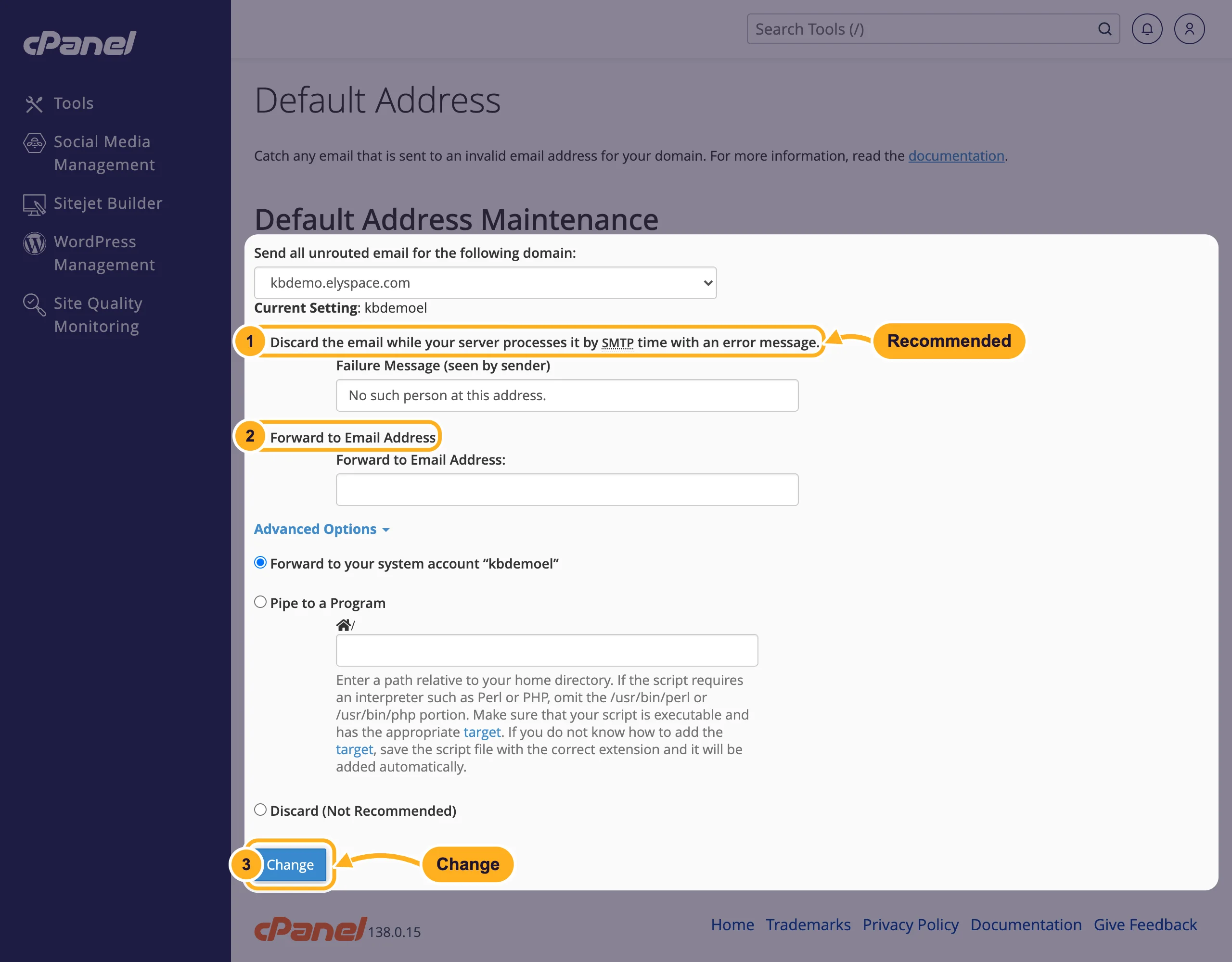
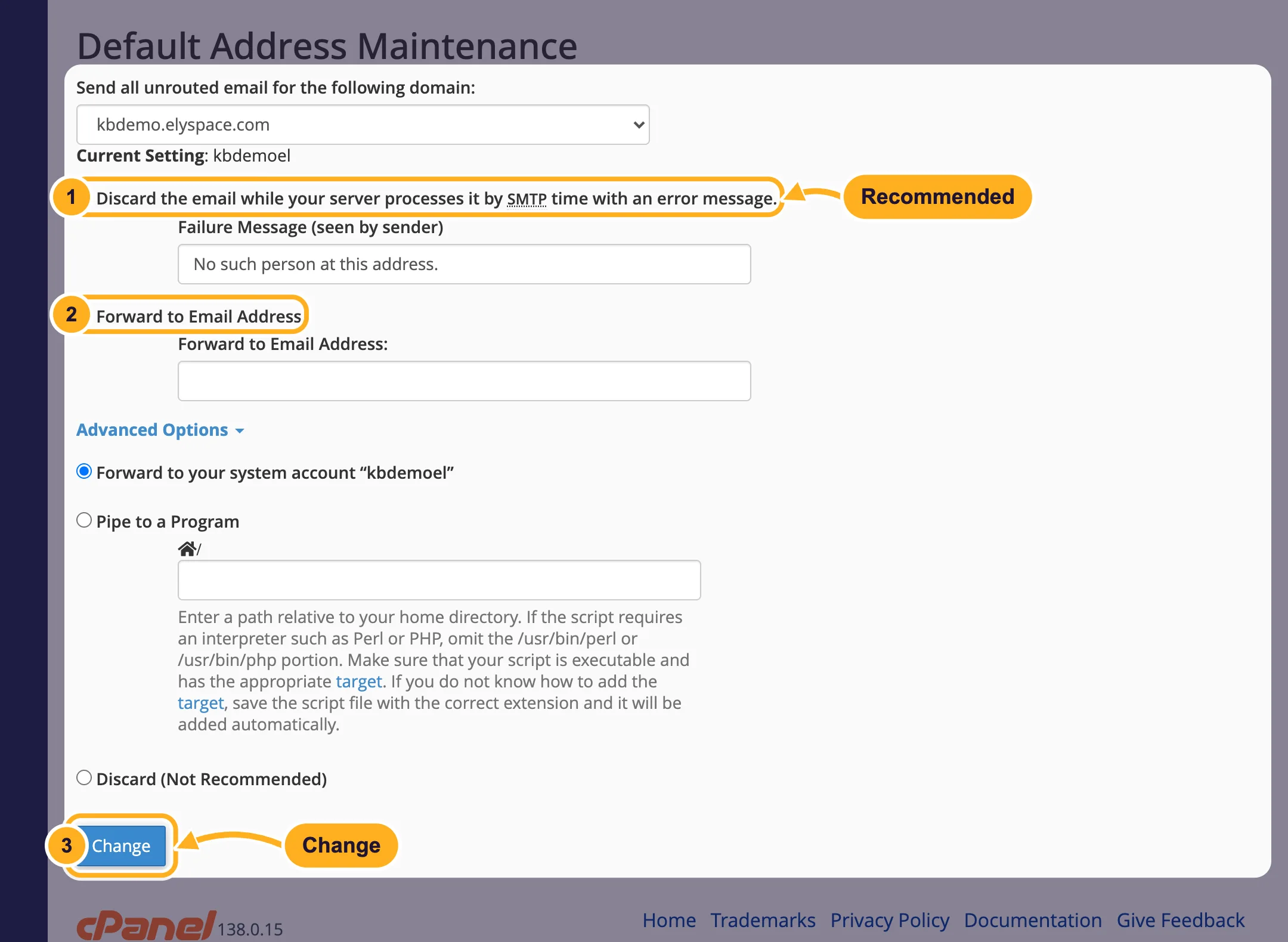
Under Advanced Options you also find Forward to your system account, Pipe to a Program (for developers) and Discard (Not Recommended), which deletes the mail without telling the sender.
Should you use a catch-all?
A catch-all makes sure you never miss mail with a typo in the address. The downside: spammers send to random addresses such as info1@, sales2024@ or abc@ at your domain, and all of it lands in your mailbox. If you only need a few addresses, create them as mailboxes or forwarders and let everything else bounce.
Common problems
Lots of spam to addresses you never created
Your default address is a catch-all. Switch it to the discard option with an error message.
Mail to a new address still bounces
Check the spelling in Email Accounts or Forwarders. Only addresses that exist there, or a catch-all, receive mail.
Related articles
Still stuck? Open a support ticket and we'll help.
