

Send a copy of every message for one address to another, for example to your Gmail: in cPanel open Forwarders, click Add Forwarder and enter both addresses.
Add a forwarder
Log in to cPanel (see Log in to cPanel from the client area) and click Forwarders in the Email section.
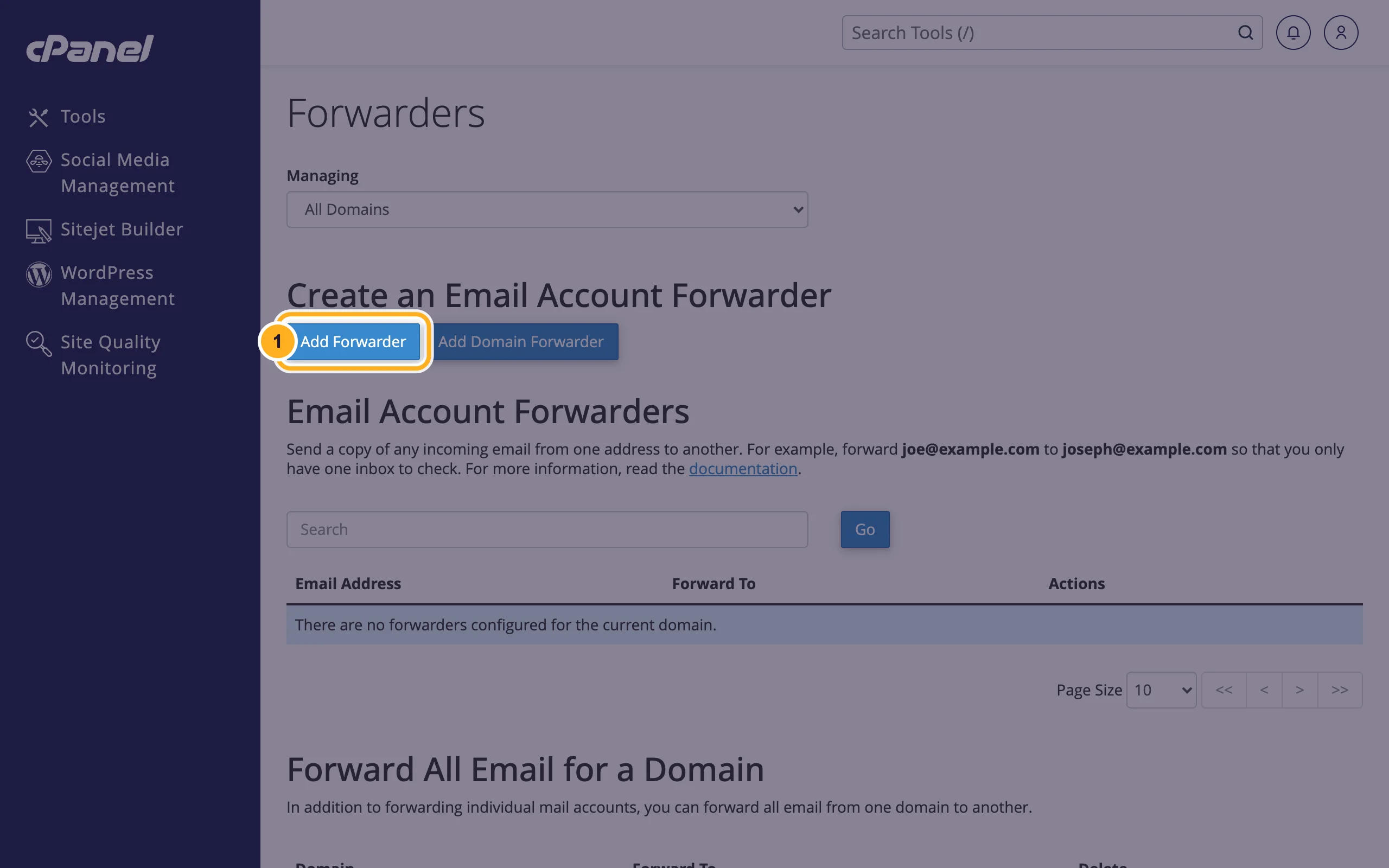
Under Create an Email Account Forwarder, click Add Forwarder.
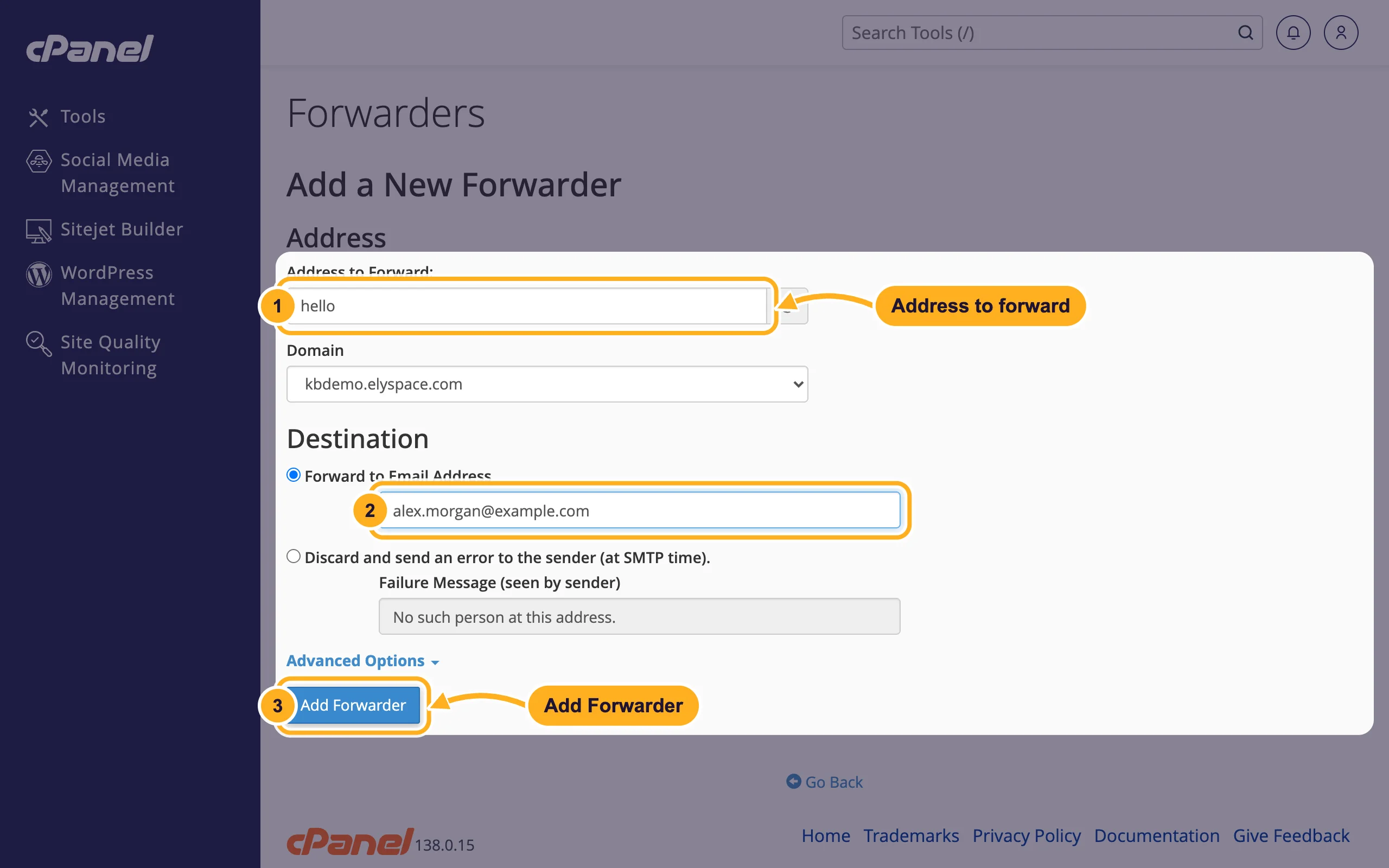
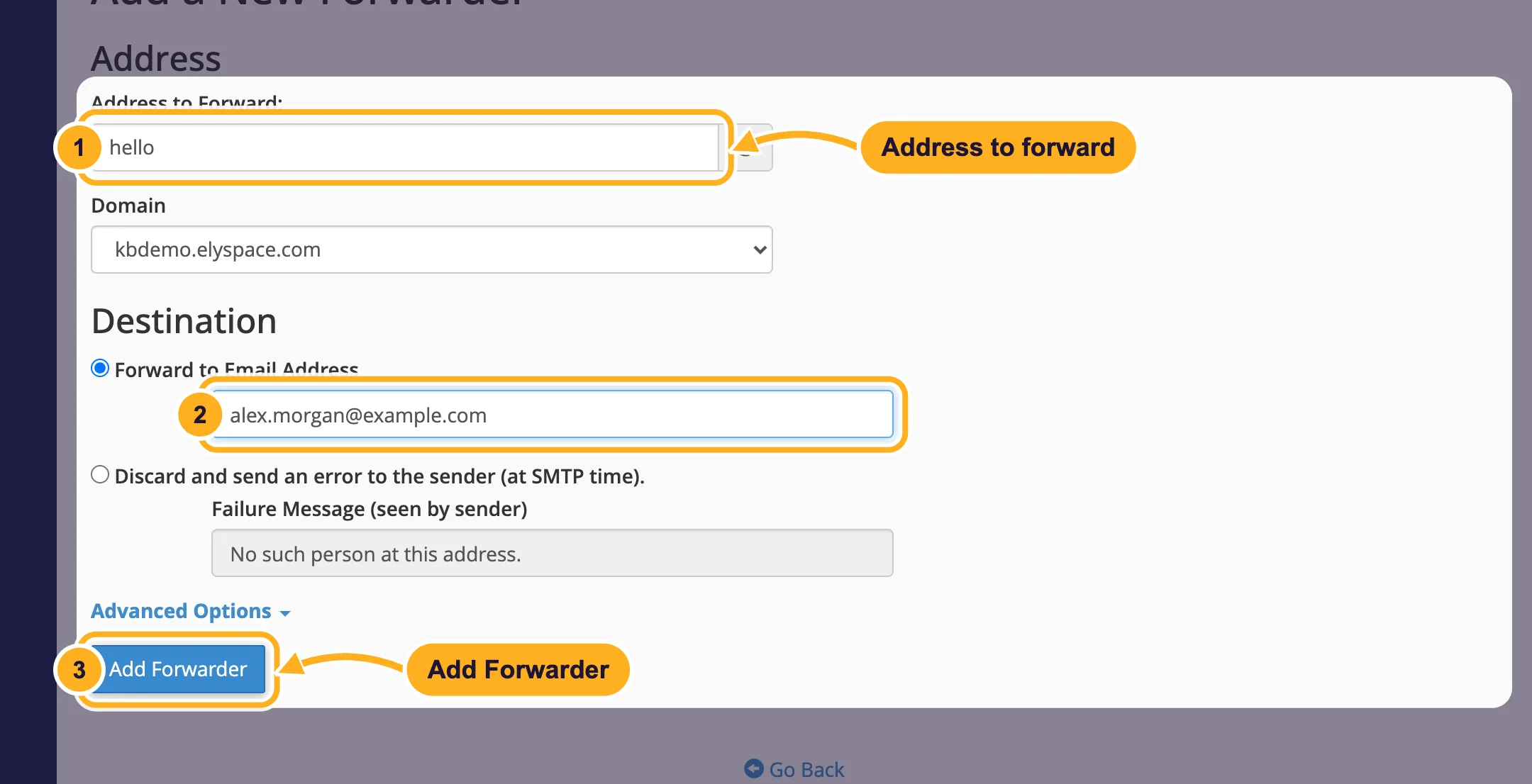
Fill in the form:
- Address to Forward: the part before the @, for example
hello. Pick the right Domain below it. - Under Destination, keep Forward to Email Address and type the address that should receive the copies, for example
[email protected]. - Click Add Forwarder.
- Address to Forward: the part before the @, for example
The forwarder then appears under Email Account Forwarders. To stop forwarding, delete it in the Actions column of that list.
Forwarder with or without a mailbox
- With a mailbox: if an email account with the same address exists, mail is delivered to the mailbox and a copy goes to the destination. You keep everything on our server too.
- Without a mailbox: the address only forwards. Nothing is stored here, and it doesn't count towards your plan's email accounts.
Mailbox users can also add their own forwarders: webmail start page, Forwarders.
Forward a whole domain
To send all mail for one domain to another domain (info@ to info@, sales@ to sales@ and so on), click Add Domain Forwarder instead and enter the domain that should receive the mail. It's listed under Forward All Email for a Domain.
To bounce mail for an address instead of forwarding it, choose Discard and send an error to the sender (at SMTP time). and enter the Failure Message (seen by sender).
Common problems
Forwarded mail doesn't show up at the destination
Look in the destination's spam folder first. Large providers such as Gmail sometimes reject or filter forwarded messages, especially spam that was forwarded along with real mail. Turning on spam filters helps, because less spam gets forwarded.
You want a reply to come from your domain address
A forwarder only receives. To send from [email protected] in Gmail or another app, add the mailbox to that app with our SMTP settings (see Email server settings and ports).
Related articles
- Create an email account
- Set a default address (catch-all)
- Set up an autoresponder (out-of-office reply)
- Sort incoming mail with email filters
Still stuck? Open a support ticket and we'll help.
