

cPanel's Spam Filters (Apache SpamAssassin) mark spam and move it to a separate Spam folder. Check that both switches are on and keep Auto-Delete off.
Check the spam filter switches
Log in to cPanel (see Log in to cPanel from the client area) and click Spam Filters in the Email section.
Look at the three switches. A blue switch is on.
- Process New Emails and Mark them as Spam: must be on. SpamAssassin gives each new message a spam score and marks it as spam when the score reaches the Spam Threshold Score (5).
- Move New Spam to a Separate Folder (Spam Box): turn it on. Marked spam then goes to the Spam folder instead of your inbox.
- Automatically Delete New Spam (Auto-Delete): we recommend leaving it off. It deletes spam for good, including the occasional real message that was marked by mistake.
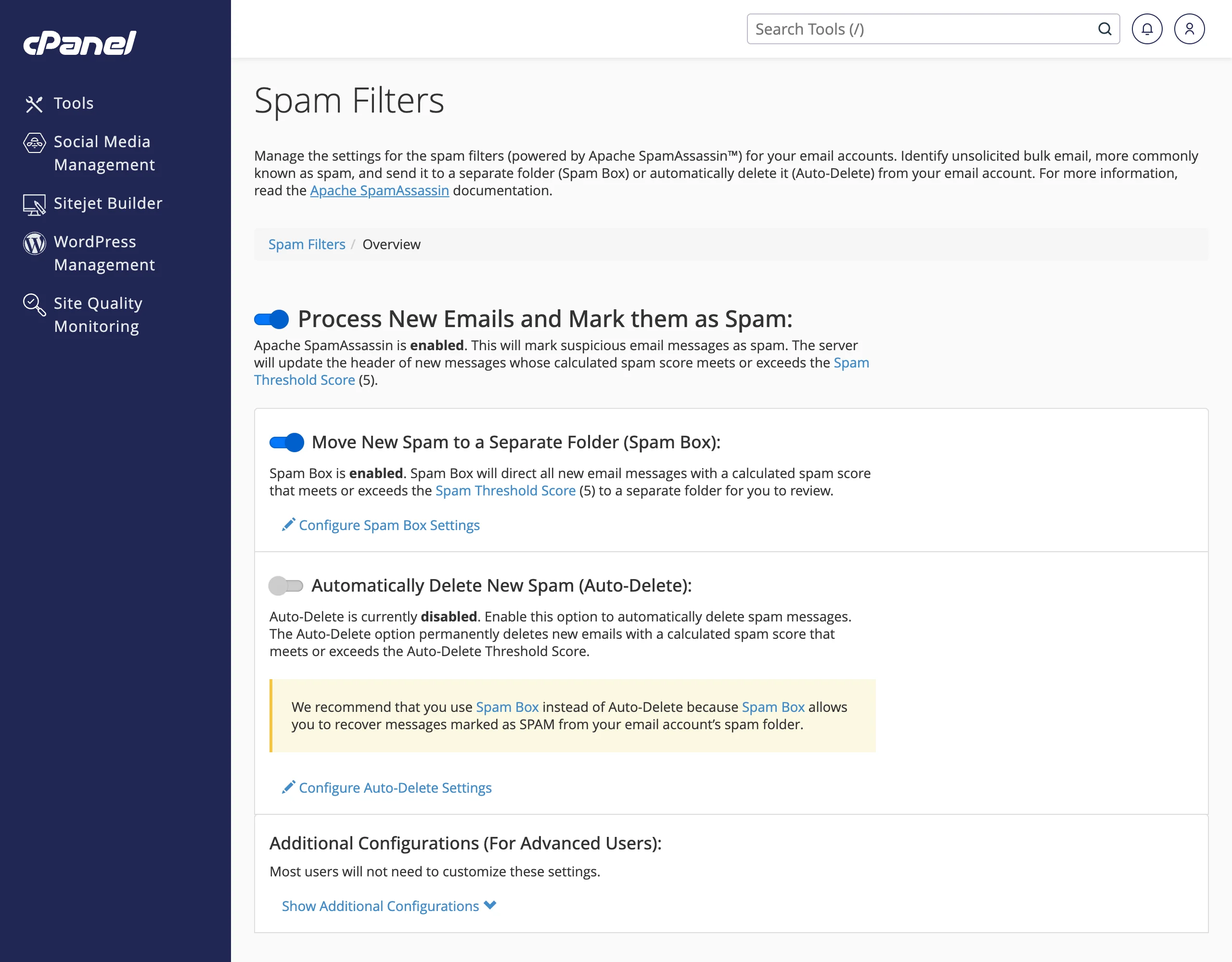
Check the Spam folder in webmail or your mail app now and then. Configure Spam Box Settings lets you empty the Spam Box folders when they get big.
Always allow or always block a sender
On the Spam Filters page, click Show Additional Configurations.
Choose the list:
- Edit Spam Whitelist Settings: senders here are never treated as spam. Use it for customers or suppliers whose mail lands in Spam.
- Edit Spam Blacklist Settings: senders here are always treated as spam.
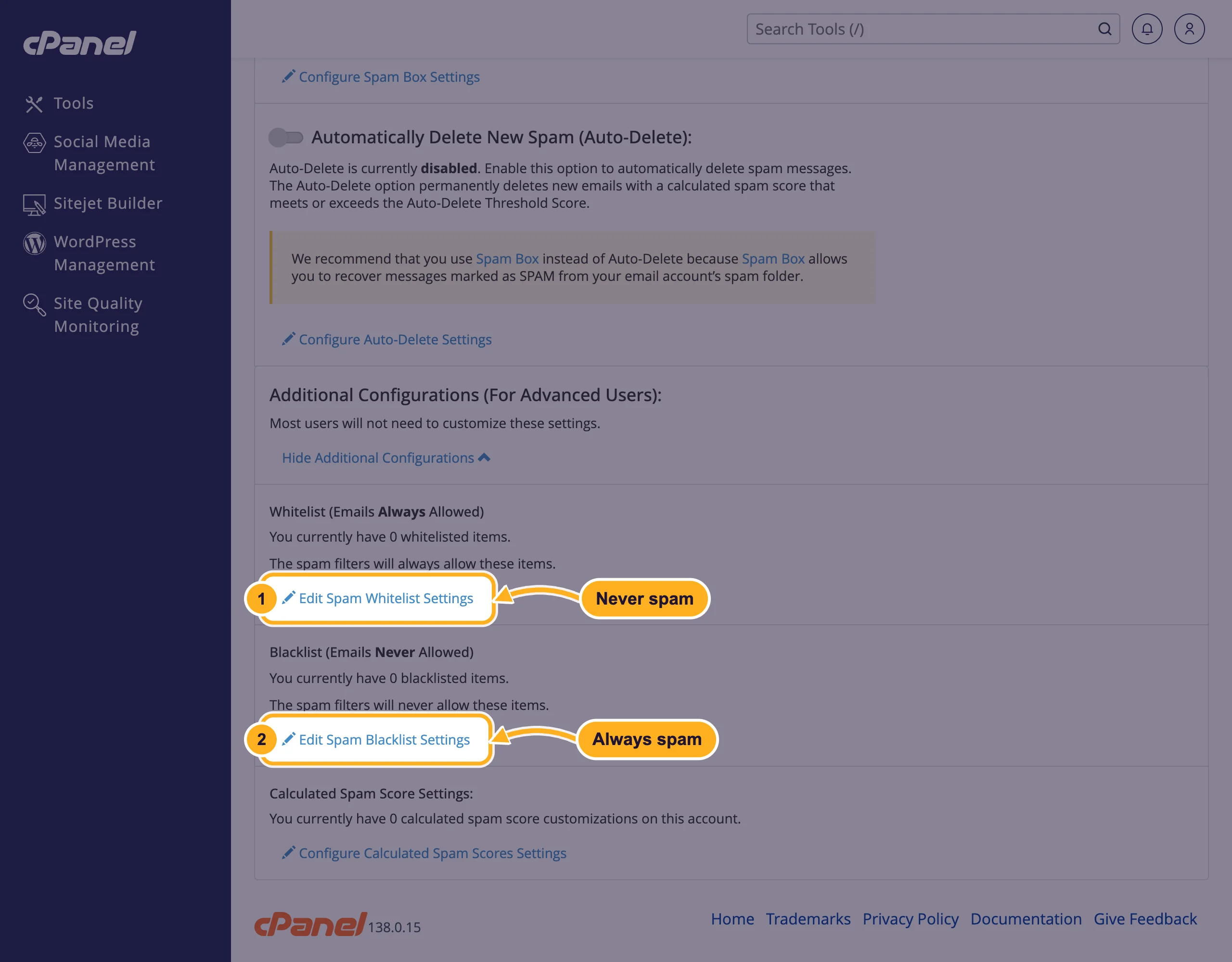
Click Add A New "whitelist_from" Item (or the blacklist equivalent), enter an address such as
[email protected]or a whole domain as*@example.com, and click Update Whitelist (whitelist_from).
Leave Configure Calculated Spam Scores Settings alone unless you know SpamAssassin well; most people never need it.
What about BoxTrapper?
BoxTrapper (also in the Email section) is a different tool: it holds mail from unknown senders and sends them a message asking them to confirm before their mail reaches you. It stops nearly all spam, but many real senders never confirm, and you need to check its queue regularly. For most people the spam filters above are the better choice.
Common problems
Real mail ends up in the Spam folder
Add the sender to the whitelist. If your own messages land in other people's spam, that's a different problem: see Fix email going to spam: SPF, DKIM and DMARC.
Still a lot of spam in the inbox
Make sure Spam Box is on, and block repeat senders with the blacklist or an email filter. If your domain has a catch-all, switch it off (see Set a default address (catch-all)).
Related articles
- Sort incoming mail with email filters
- Fix email going to spam: SPF, DKIM and DMARC
- Set a default address (catch-all)
Still stuck? Open a support ticket and we'll help.
