

Link your Google account under Account Security once. After that, click Sign in with Google on the login page instead of typing your password.
Link your Google account
Log in to the client area with your email address and password. Click your initials at the top right and choose Account Security.
Scroll to Linked Accounts:
- Click Sign in with Google and choose the Google account you want to use. Google asks you to confirm.
- The table below lists the linked account with its Provider, Name and Email Address. Until you link one, it says No linked accounts found.
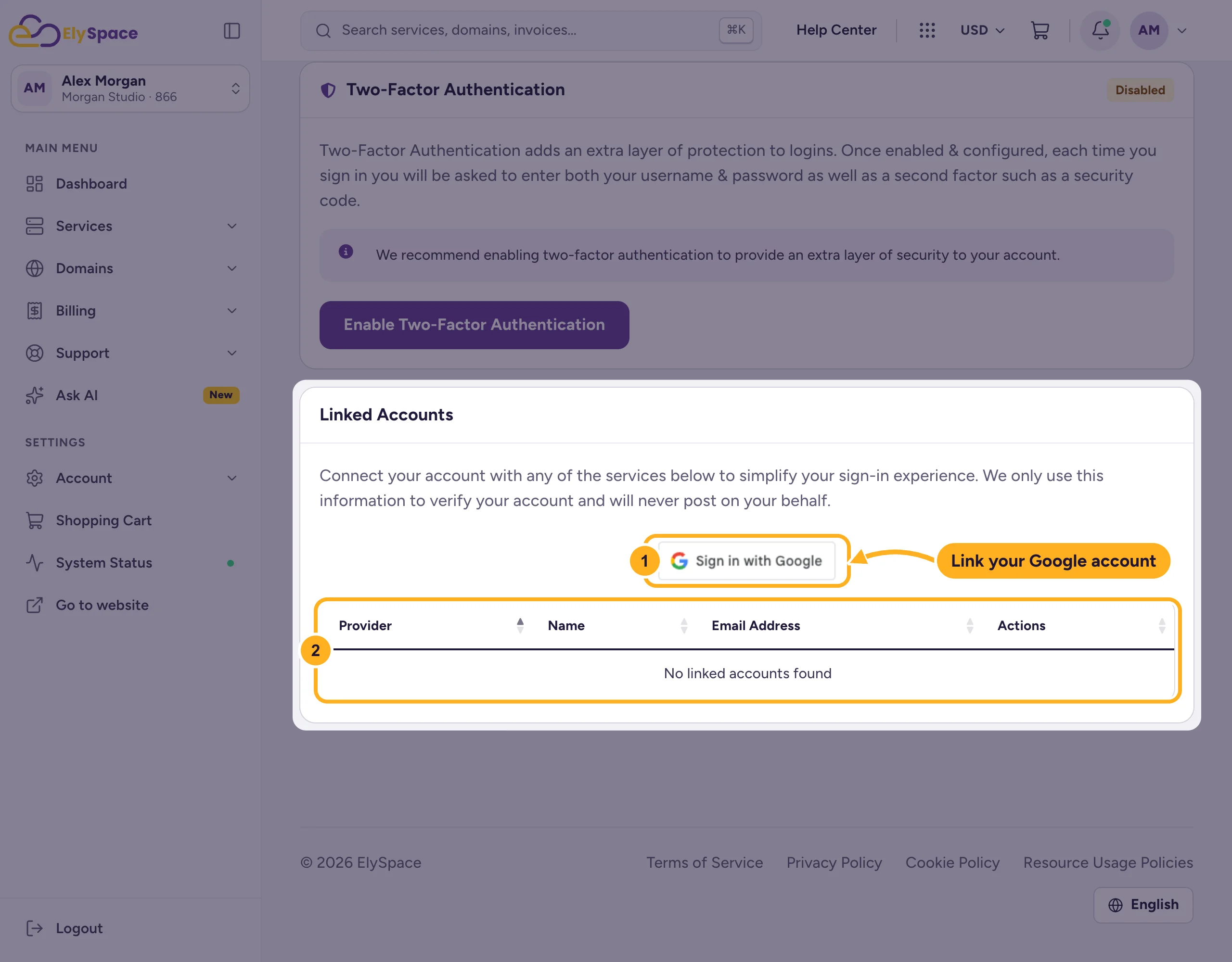
We only use the Google account to confirm it's you when you log in. We never post anything on your behalf.
Sign in with Google
On the login page, click Sign in with Google below the Login button and pick your linked Google account.
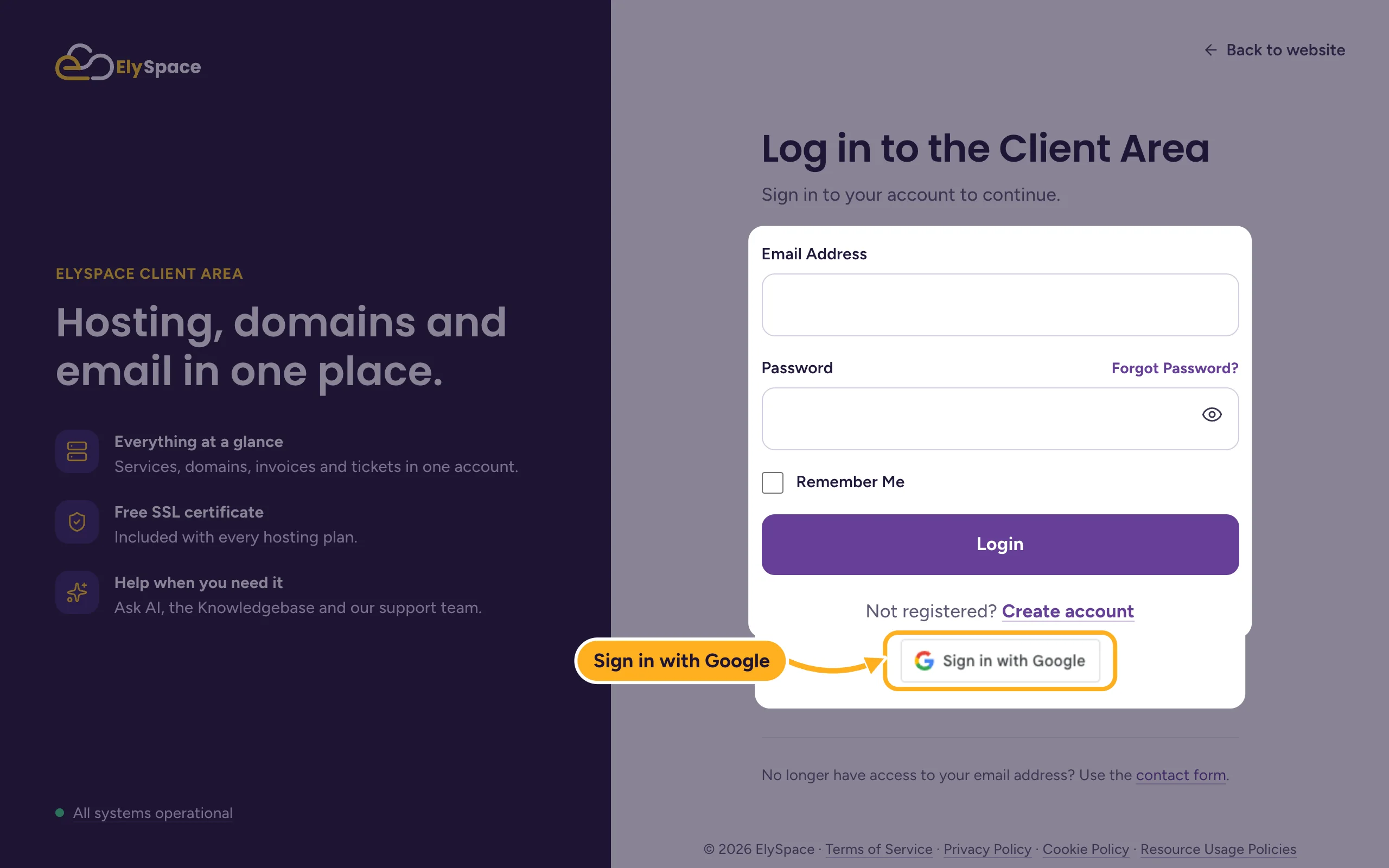
Your email address and password still work as before. Keep them: you need them if you can't use Google one day.
New to ElySpace?
The Create Your Client Account page also has a Sign in with Google button at the top. You still fill in the rest of the form. See Create an ElySpace account.
Common problems
Google sign-in doesn't open your account
The Google account probably isn't linked yet, or you picked a different one. Log in with your email address and password, then link it under Account Security as shown above.
The Google account is already connected to another account
One Google account can only be linked to one ElySpace login. Choose a different Google account, or remove the link from the other login first.
The button doesn't appear
Browser extensions that block trackers or third-party content can hide it, because the button is loaded from Google. Allow it for my.elyspace.com or try another browser.
You lost access to the Google account
Log in with your email address and password. If you've forgotten the password, see Reset a forgotten client area password.
Related articles
- Log in to and out of the client area
- Turn on two-factor authentication (2FA)
- Can't log in? What to check
Still stuck? Open a support ticket and we'll help.
