

The client area at my.elyspace.com is where you manage your hosting, domains, invoices and support tickets. Here's what each part of the screen does.
The dashboard
After you log in, you land on the dashboard. The four boxes at the top show your account balance, unpaid invoices, your next renewal and open tickets. Each box has a link that takes you straight to the right page, for example Pay now or Add funds.
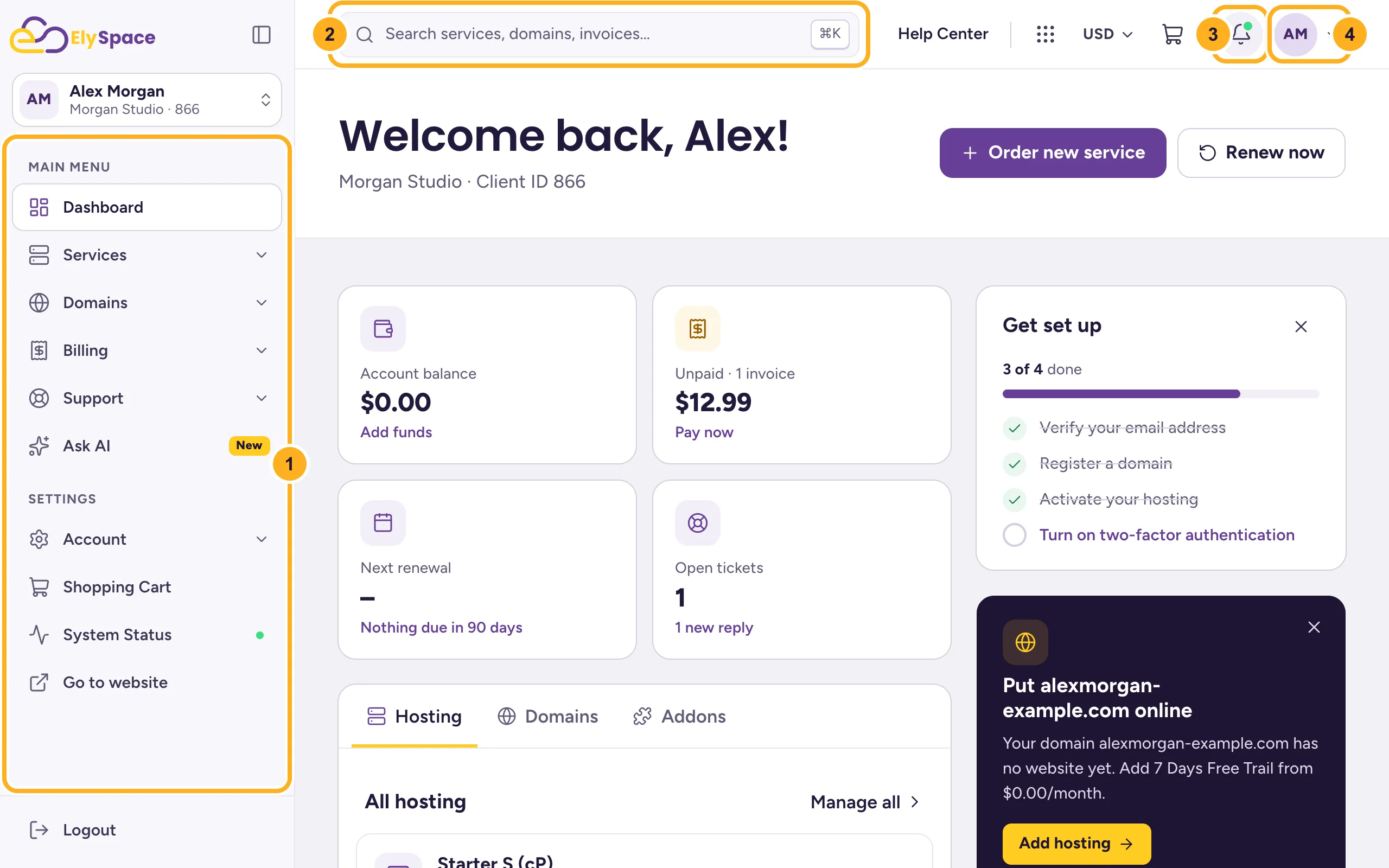
- Left menu: every section of the client area (more below).
- Search: type part of a domain, a service or an invoice number to jump to it. On a computer you can also press Ctrl+K (Cmd+K on a Mac).
- Notifications: the bell shows new replies to your tickets and unpaid invoices.
- Account menu: click your initials for your profile, account security and Logout.
Further down the dashboard you'll find your hosting, domains and addons, upcoming renewals, recent activity and a Get set up checklist. Use the buttons Order new service and Renew now at the top right to buy something new or renew early.
The left menu
Click a section to open it. The arrow next to it shows that it has more pages.
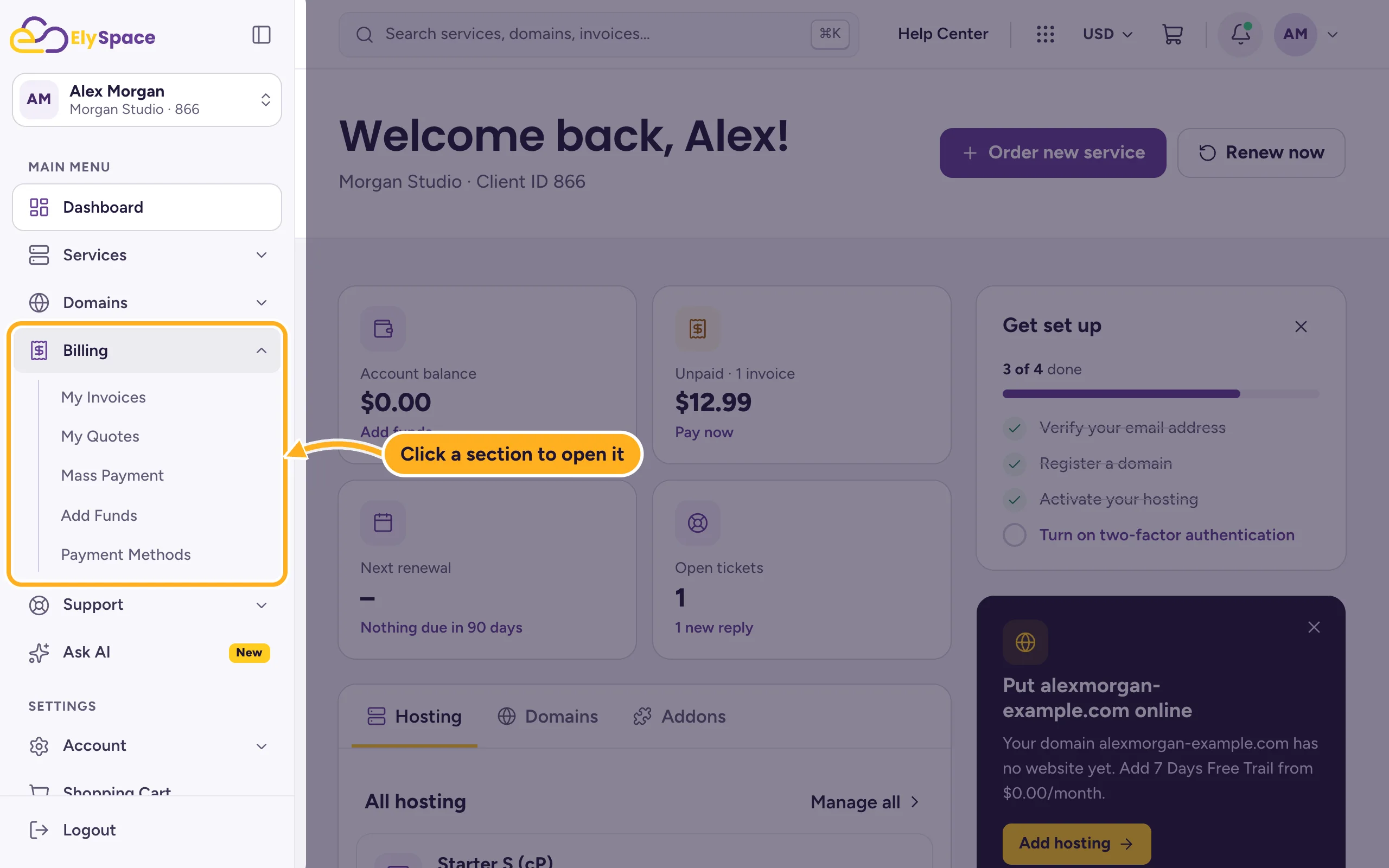
| Section | What you find there |
|---|---|
| Services | Your hosting plans (My Services) and Order New Services. |
| Domains | Your domains, renewals, a new domain search and domain prices. |
| Billing | Invoices, quotes, Mass Payment, Add Funds and your saved payment methods. |
| Support | Your tickets, Open Ticket, the knowledgebase, announcements, downloads, network status and Unblock IP Address. |
| Ask AI | A chat that answers questions about your account and hosting right away. |
| Account | Account details, users, contacts, email history, email preferences and the affiliate program. |
At the bottom of the menu you'll also find Shopping Cart, System Status, Go to website and Logout. The button with the square icon next to the ElySpace logo makes the menu narrower if you want more room.
On a phone
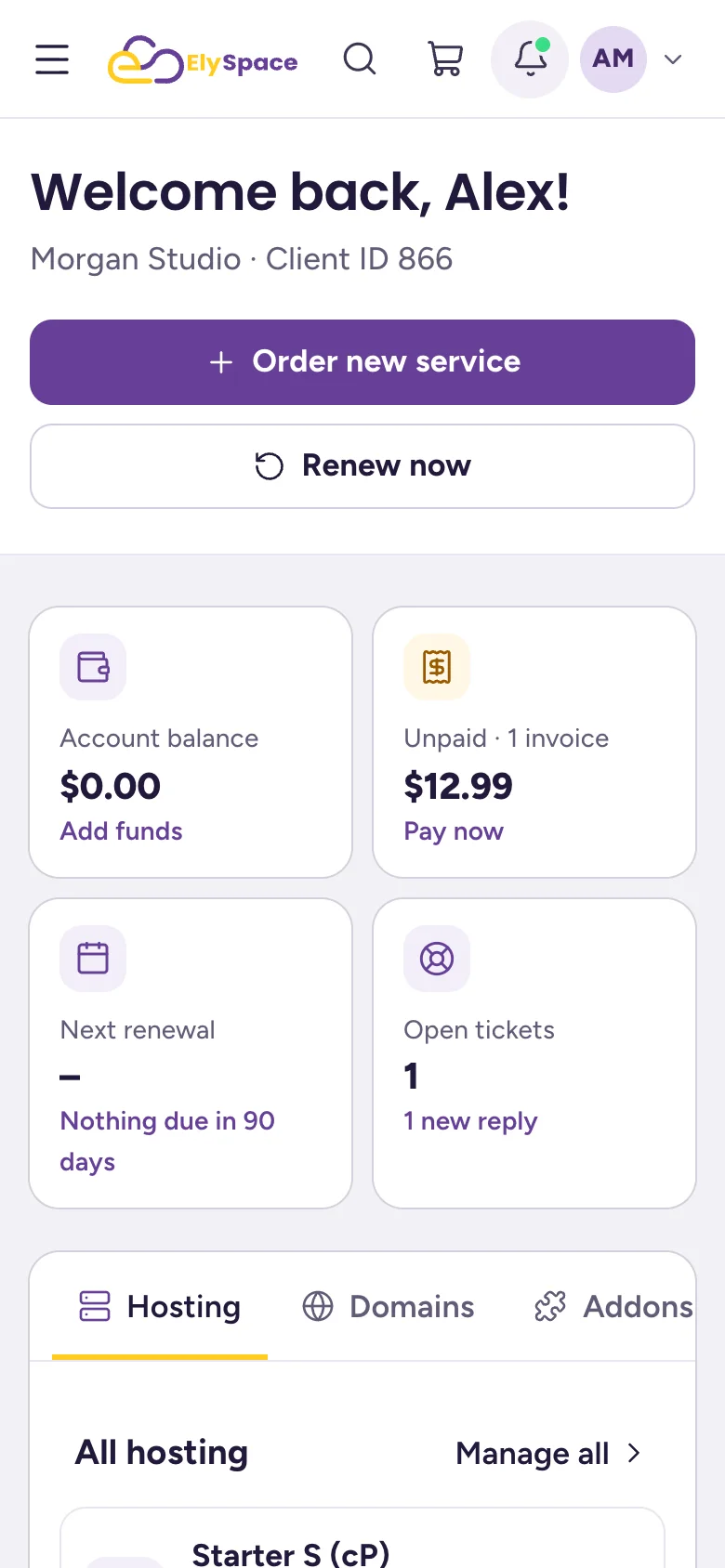
On a small screen the left menu is hidden. Tap the three lines at the top left to open it. Search, the cart, notifications and your account menu stay at the top.
Common problems
You don't see your hosting or domain
Check that you're in the right account. If you have access to more than one client account, the name under your initials at the top of the left menu shows which one is open. See Switch between accounts.
You're looking for cPanel
cPanel isn't a page of the client area. Open Services > My Services and click Log in to control panel next to your hosting plan. See Log in to cPanel from the client area.
Related articles
- Log in to and out of the client area
- Manage your services
- Invoices, quotes and transactions: the billing section
- Update your profile and billing address
Still stuck? Open a support ticket and we'll help.
