

MX records decide which server receives your domain's email. Change them in cPanel's Zone Editor, then set Email Routing to match.
Change the existing MX record
In cPanel, open Domains > Zone Editor and click Manage next to your domain. Click MX next to Filter to see only MX records.
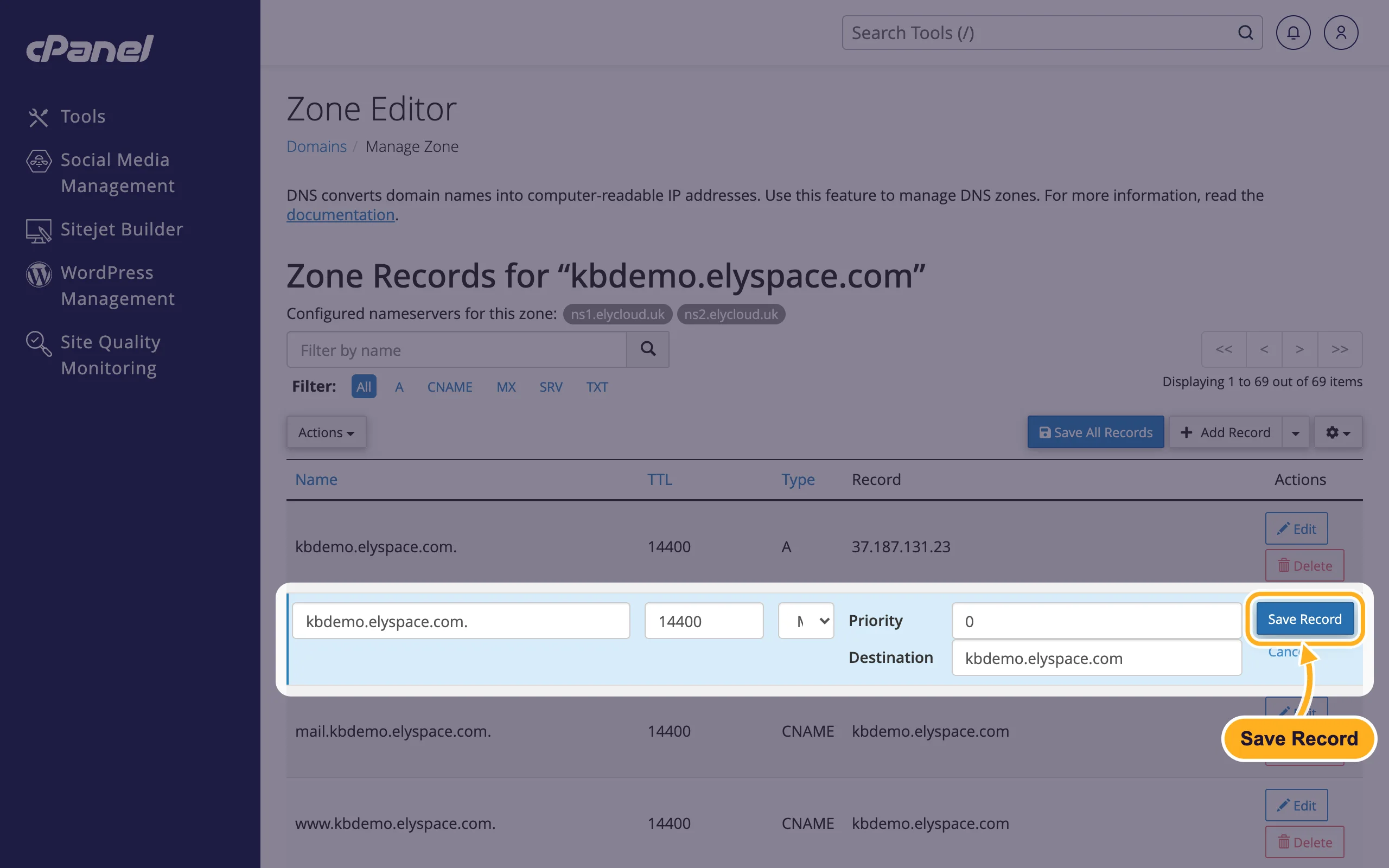
Click Edit on the MX record, enter the values your email provider gives you and click Save Record:
- Priority: a number. The server with the lowest number is tried first.
- Destination: the provider's mail server name, for example
mx1.mail-provider.example.
Add another MX record
Providers often give you two or more mail servers. For each extra one, click Add Record, choose MX as Type, enter your domain with a dot at the end as Name (for example yourdomain.com.), then Priority and Destination, and click Save Record.
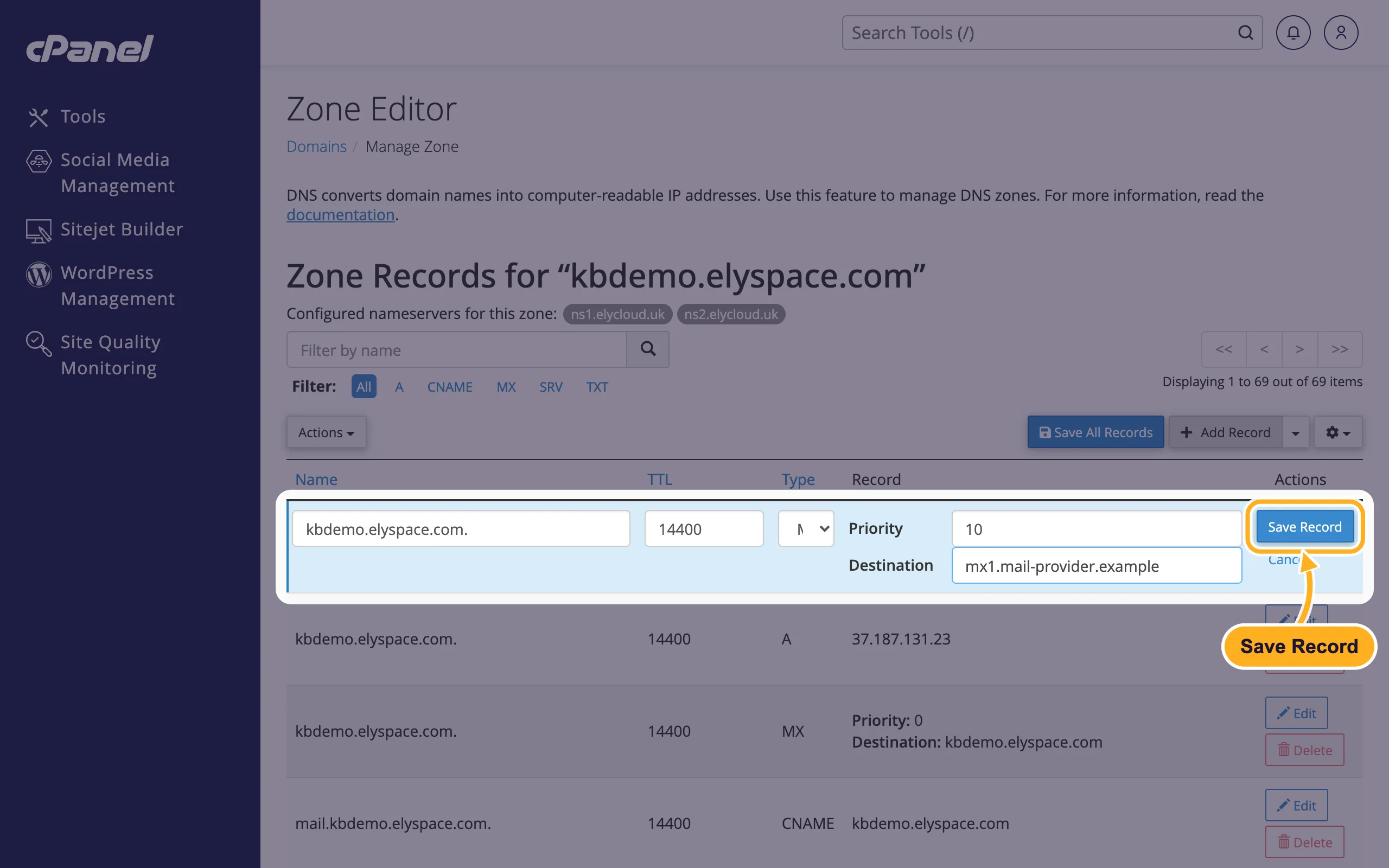
When you move your email to another provider, delete the old MX record that points to your own domain, so that no mail is delivered to the old mailboxes.
Set Email Routing
Email Routing tells the server whether to deliver your domain's mail locally or send it on. Set it after you change MX records:
In cPanel, open Email > Email Routing:
- Under Domain, pick your domain.
- Choose Remote Mail Exchanger if another service handles your email. Choose Local Mail Exchanger if your mailboxes are in cPanel. Automatically Detect Configuration (recommended) picks the right one from your MX records.
- Click Change.
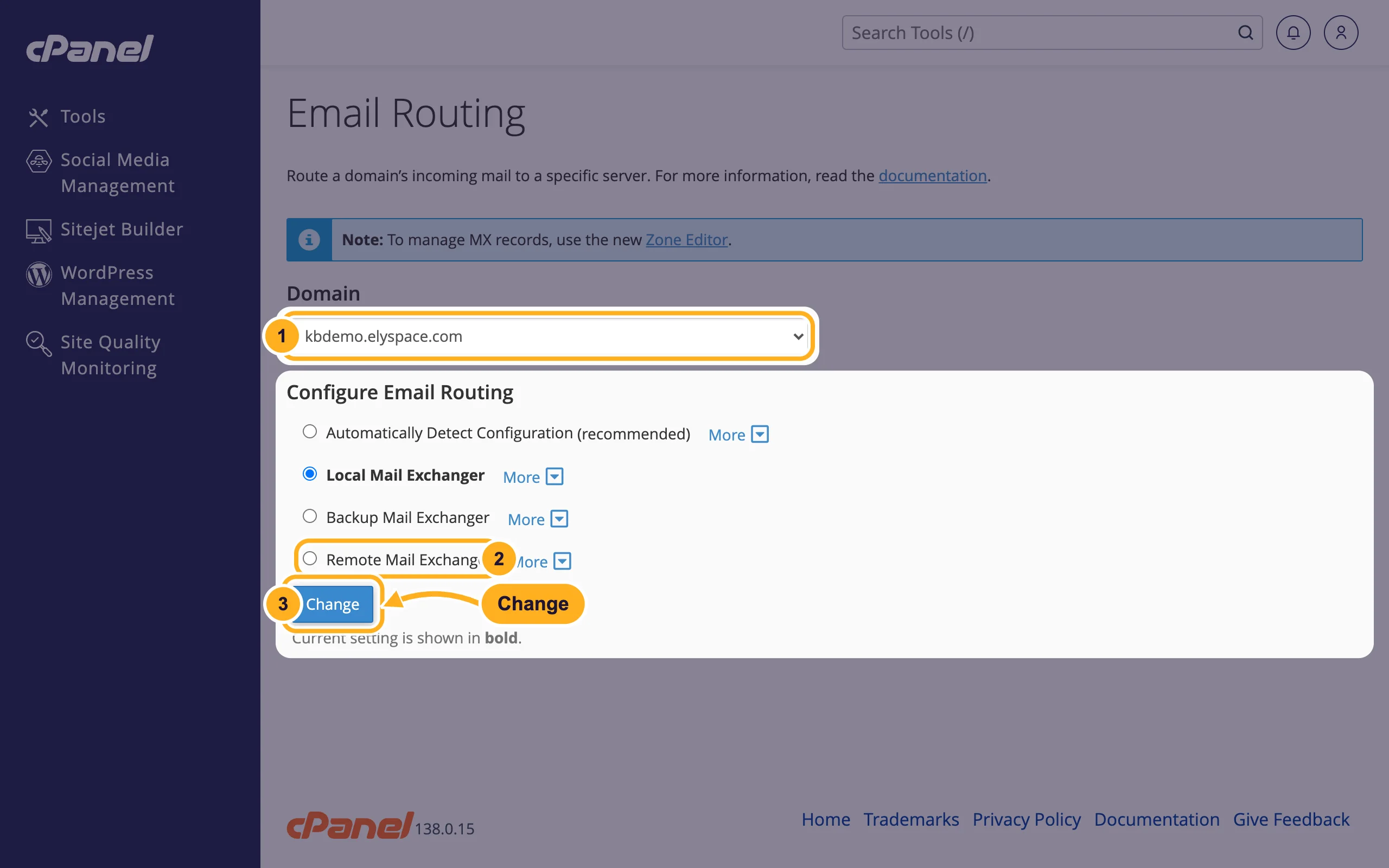
The current setting is shown in bold.
Common problems
Mail from your website or other cPanel accounts doesn't arrive at the new provider
Email Routing is still on Local Mail Exchanger, so the server delivers those messages to the local mailboxes. Switch it to Remote Mail Exchanger.
Some mail still arrives in the old mailbox
Other mail servers may remember the old MX record for up to its TTL (by default 4 hours). Wait, and keep the old mailbox until no new mail arrives there.
Mail bounces after the change
Check the spelling of the destination and that the mailboxes exist at the new provider. Also update SPF so the new provider may send for your domain (see Fix email going to spam: SPF, DKIM and DMARC).
Related articles
- Use Google Workspace with your domain
- Edit DNS records in cPanel (A, CNAME, TXT)
- Email server settings and ports (IMAP, POP3, SMTP)
Still stuck? Open a support ticket and we'll help.
