

Use your server's name (for example node111.elycloud.com) as incoming and outgoing server, IMAP port 993, POP3 port 995 and SMTP port 465, all with SSL/TLS.
The settings at a glance
| Setting | Value |
|---|---|
| Username | Your full email address, for example [email protected] |
| Password | The password of this mailbox |
| Incoming server (IMAP or POP3) | Your server name, for example node111.elycloud.com |
| IMAP port | 993, security SSL/TLS |
| POP3 port | 995, security SSL/TLS |
| Outgoing server (SMTP) | The same server name |
| SMTP port | 465, security SSL/TLS |
| Authentication | Required for IMAP, POP3 and SMTP (normal password) |
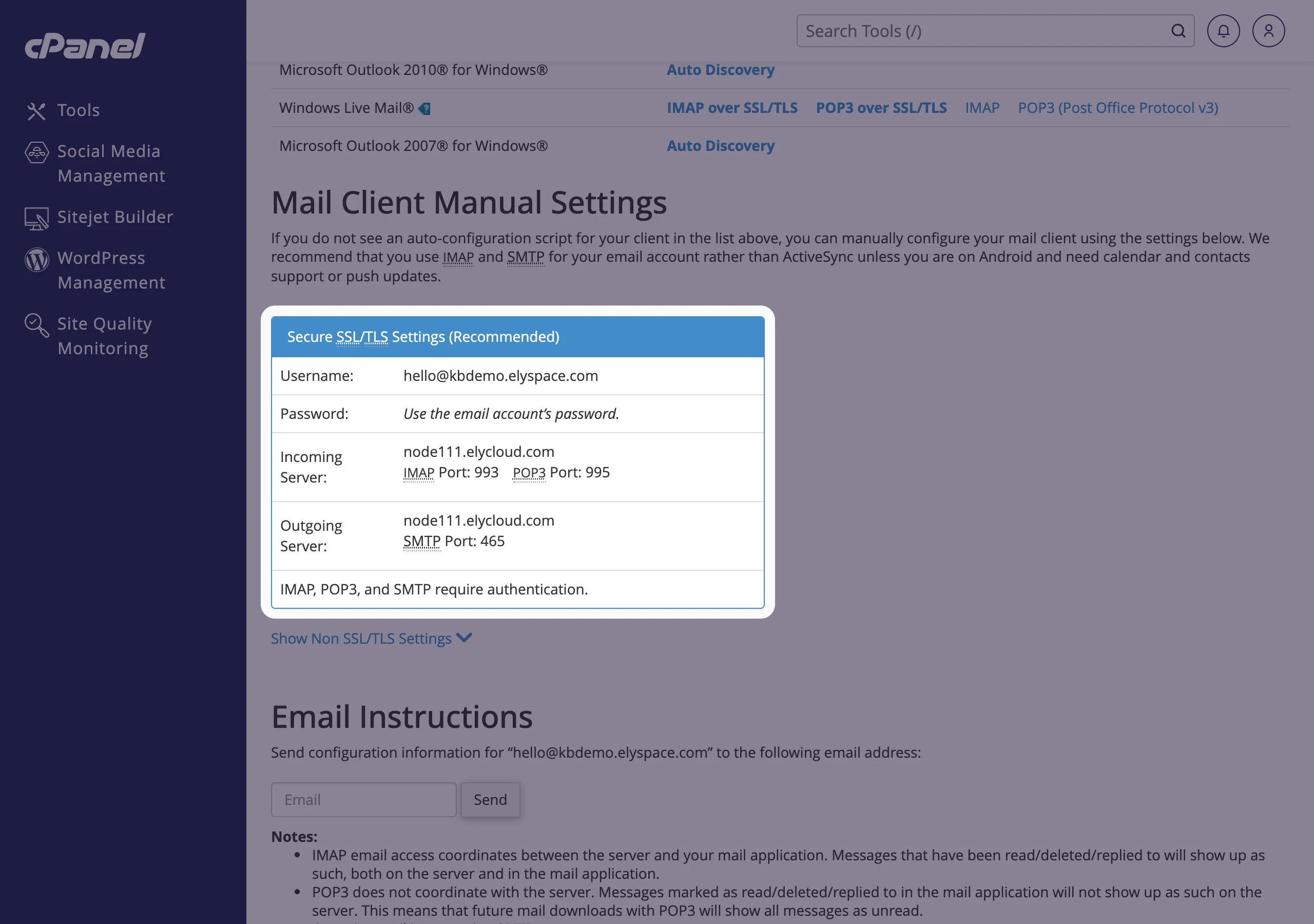
Your server name depends on the server your hosting is on, so check it for your account as shown below. Using the server name rather than mail.yourdomain.com means the connection always matches the server's SSL certificate, so your mail app won't show certificate warnings.
Find the exact settings for your mailbox
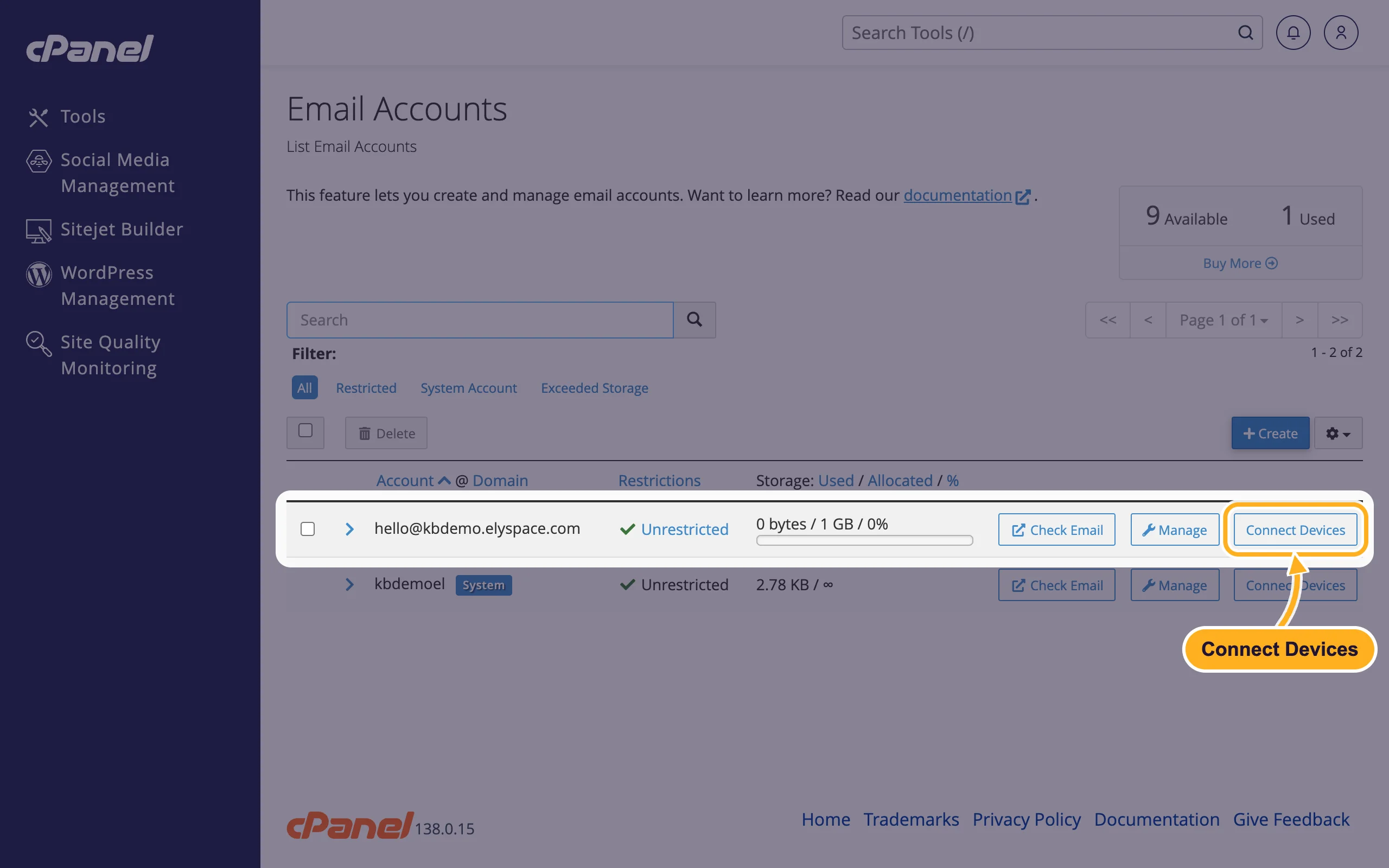
Log in to cPanel (see Log in to cPanel from the client area) and open Email Accounts.
Click Connect Devices next to the address.
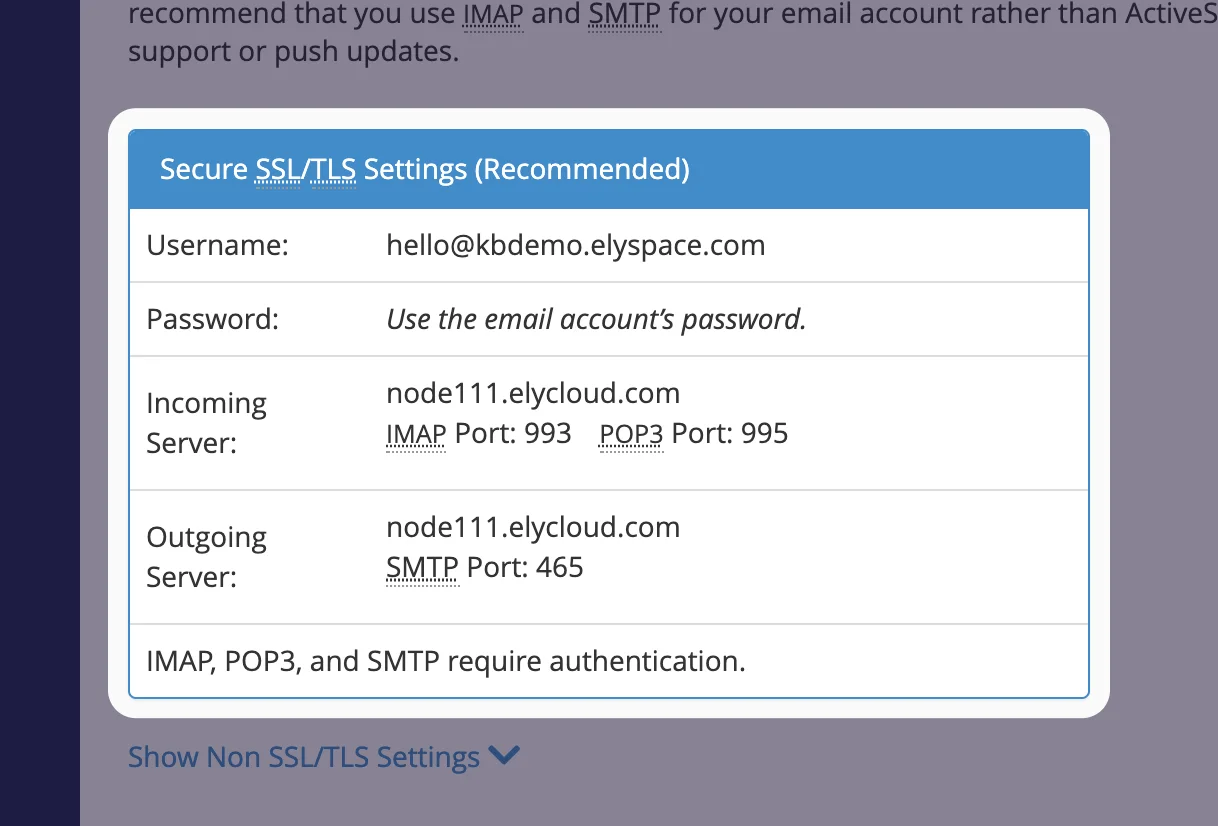
Under Mail Client Manual Settings, the box Secure SSL/TLS Settings (Recommended) shows your username, incoming server, outgoing server and ports.
The same page has automatic setup files for some mail apps (for example Apple Mail and Thunderbird) under Mail Client Automatic Configuration Scripts. Webmail users find it under Configure Mail Client on the Webmail start page.
IMAP or POP3?
- IMAP (recommended): your mail stays on the server. Phone, laptop and webmail all show the same folders, and read or deleted messages stay in sync.
- POP3: the app downloads the mail to one device. Other devices don't see what you read, moved or deleted there. Use it only if you want your mail on a single computer.
Outgoing mail always uses SMTP.
Other ports
Some networks block port 465. Then use port 587 with STARTTLS for SMTP, with the same server name. For incoming mail, ports 143 (IMAP) and 110 (POP3) also work with STARTTLS. cPanel lists these under Show Non SSL/TLS Settings with mail.yourdomain.com as server; we recommend the SSL/TLS settings above.
| Service | Recommended | Alternative |
|---|---|---|
| IMAP | 993 SSL/TLS | 143 STARTTLS |
| POP3 | 995 SSL/TLS | 110 STARTTLS |
| SMTP | 465 SSL/TLS | 587 STARTTLS |
| Webmail | https://yourdomain.com/webmail or port 2096 | |
| cPanel | port 2083, for example https://node111.elycloud.com:2083 | |
Common problems
Receiving works, sending fails
Turn on authentication for the outgoing server ("My outgoing server requires authentication" or similar) and use the same username and password as for incoming mail. If it still fails, switch SMTP to port 587 with STARTTLS: your internet provider may block port 465.
Certificate warning in the mail app
You used mail.yourdomain.com as server name. Change the incoming and outgoing server to your server name from the Connect Devices page.
The app says the username or password is wrong
The username is the full email address. If you're not sure about the password, set a new one (see Change an email account password).
Related articles
Still stuck? Open a support ticket and we'll help.
