

Open SSL Certificates in the store, pick a certificate, click Buy Now, choose the term and your domain, then check out. Most sites only need the free SSL.
Choose the type of certificate
Open my.elyspace.com/store/ssl-certificates. Choose your level of security shows three common picks; View All SSL Certificates and Help Me Choose below them show the full range.
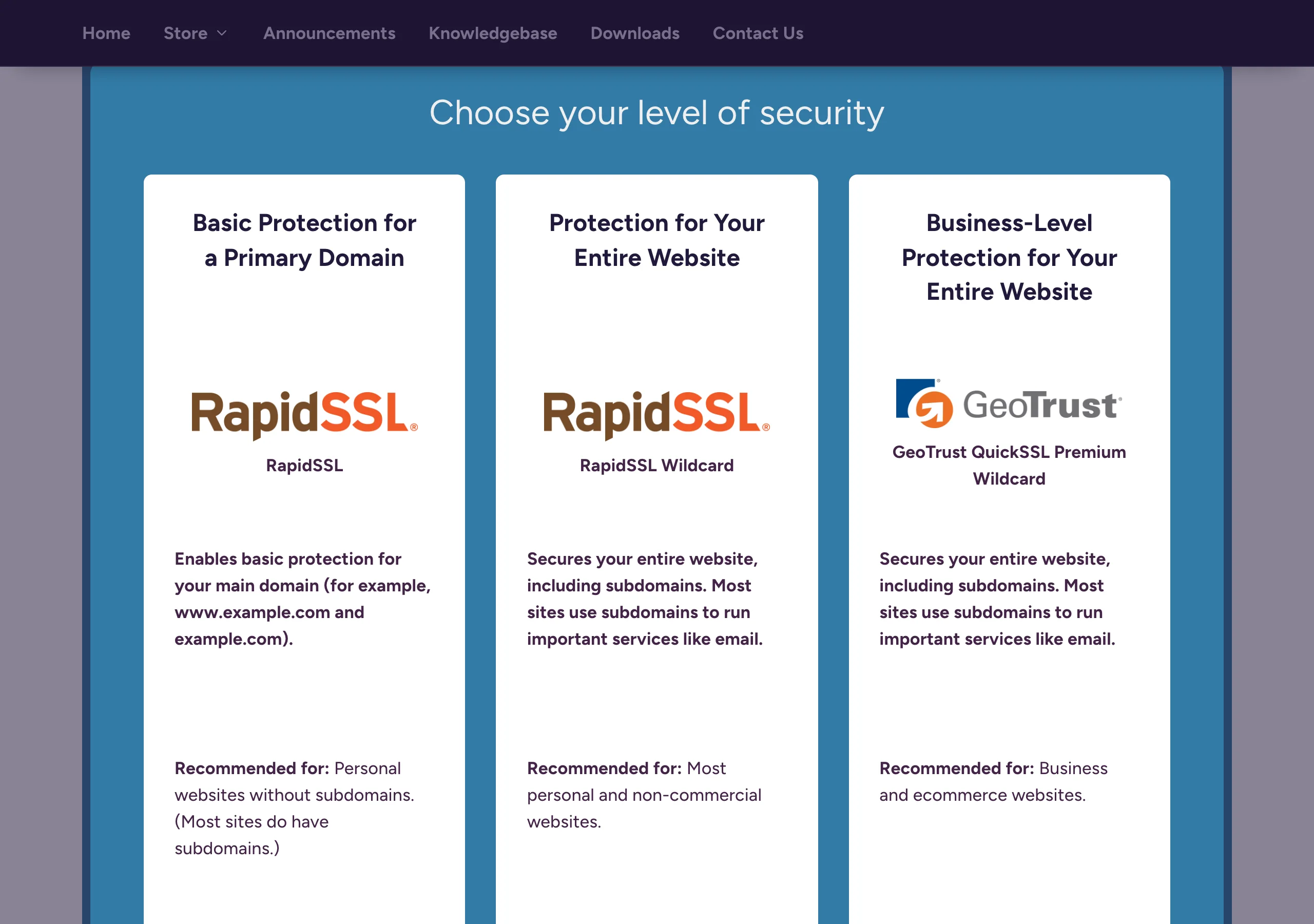
| Type | What is checked | Issued (as the store states) | Good for |
|---|---|---|---|
| Basic SSL (DV), domain validated | Only that you control the domain | In minutes | Blogs, personal and information sites |
| Wildcard SSL | As DV or OV, but for the domain and all its subdomains | In minutes (DV wildcard) | Sites with subdomains such as shop. or mail. |
| Organization Validation (OV) | The domain and your company's identity | Within one day | Login pages and company sites |
| Extended Validation (EV) | The strictest company checks | Typically 1 to 3 days | Shops, payments, account sign-ups |
Prices per year are on each type's page. Two or three years cost less per year.
Order the certificate
Open the type you want, for example Basic SSL (DV) in the menu bar of the SSL pages. Under Certificate Pricing, click Buy Now under the certificate.
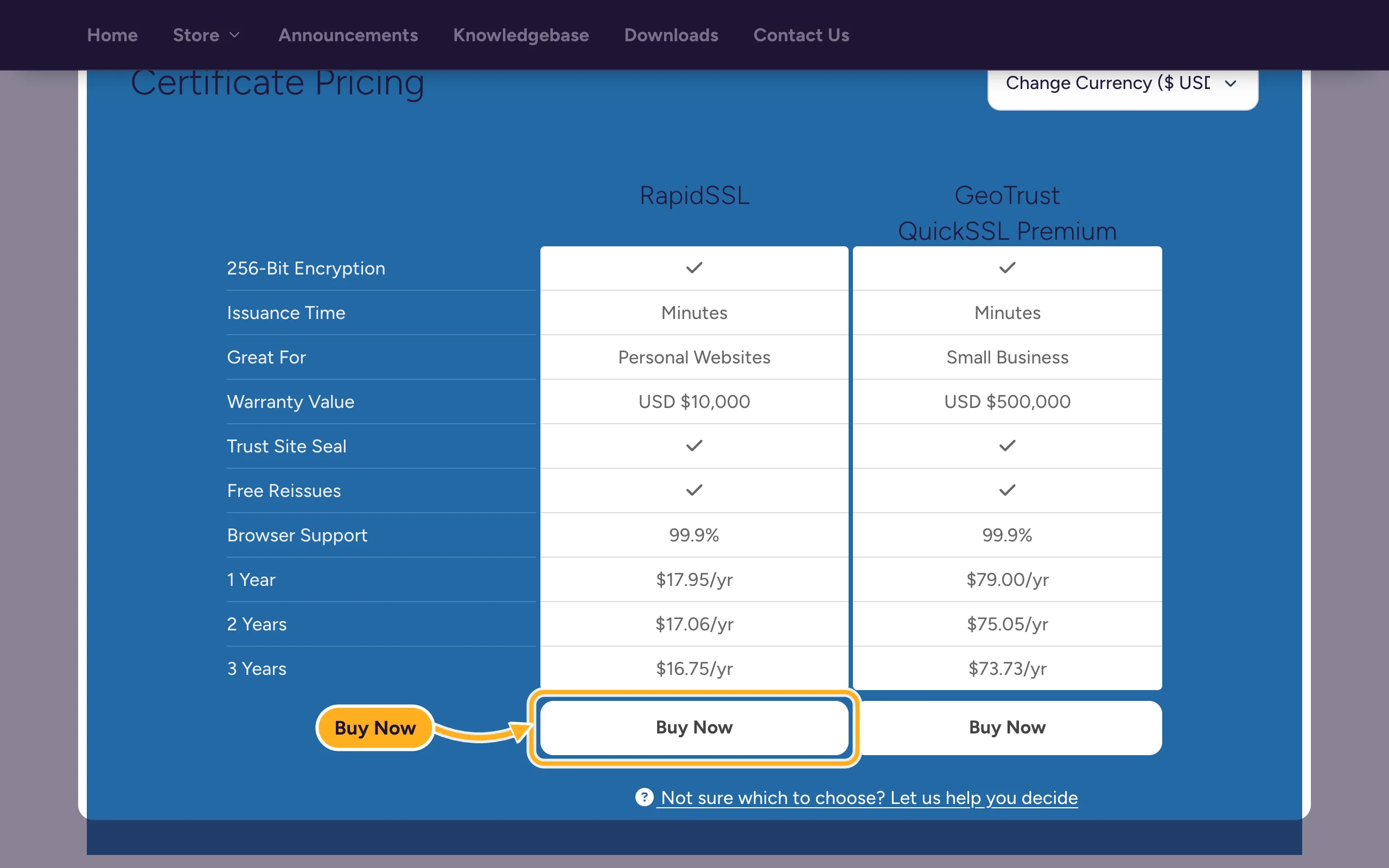
On Configure Product:
- Choose Payment Term: 1 Year, 2 Years or 3 Years. Each option shows its price per year.
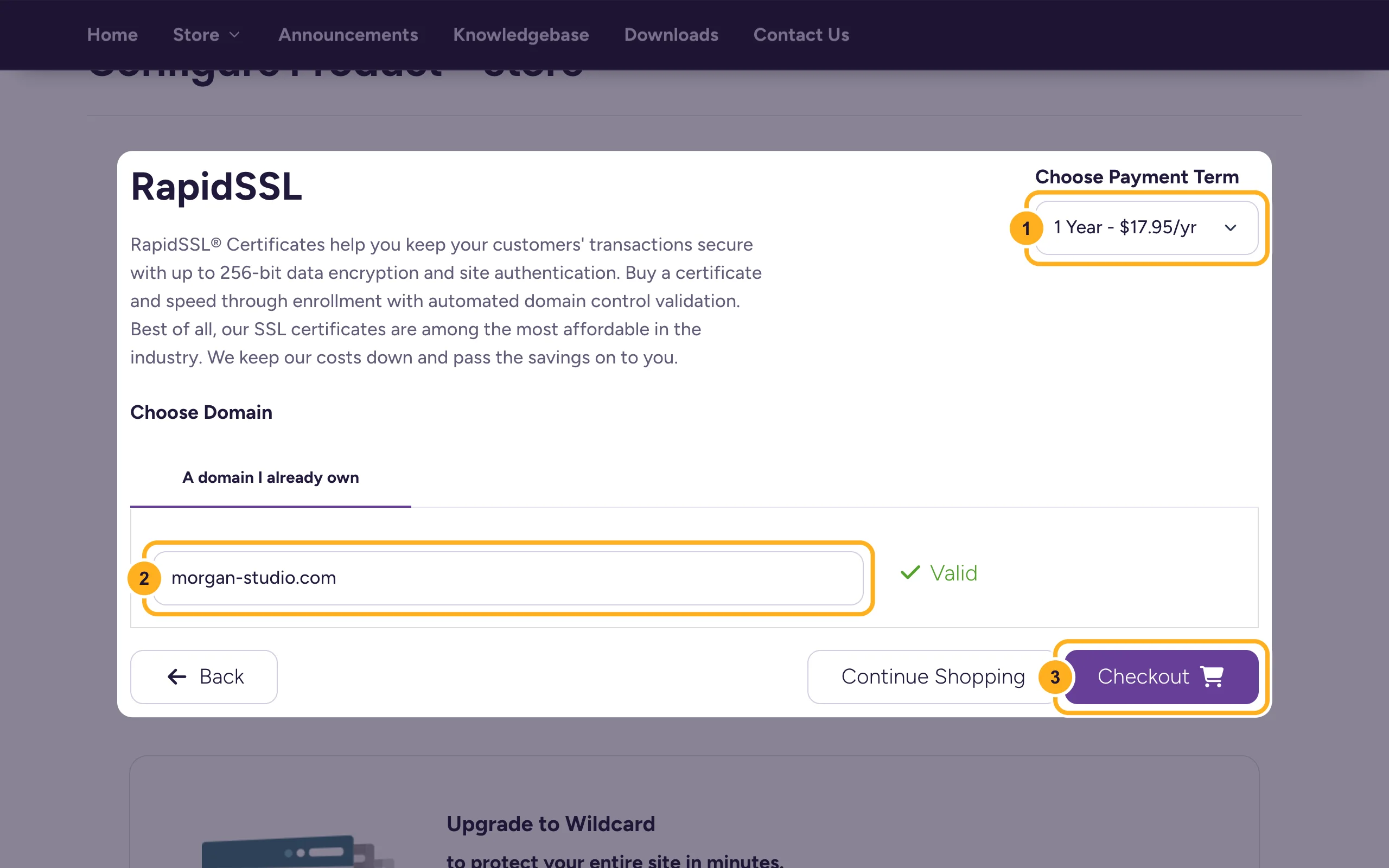
- Under Choose Domain, type the domain the certificate is for, without
www, for exampleexample.com. Wait until Valid appears. - Click Checkout. Continue Shopping also adds the certificate to the cart, so you can add other products first.
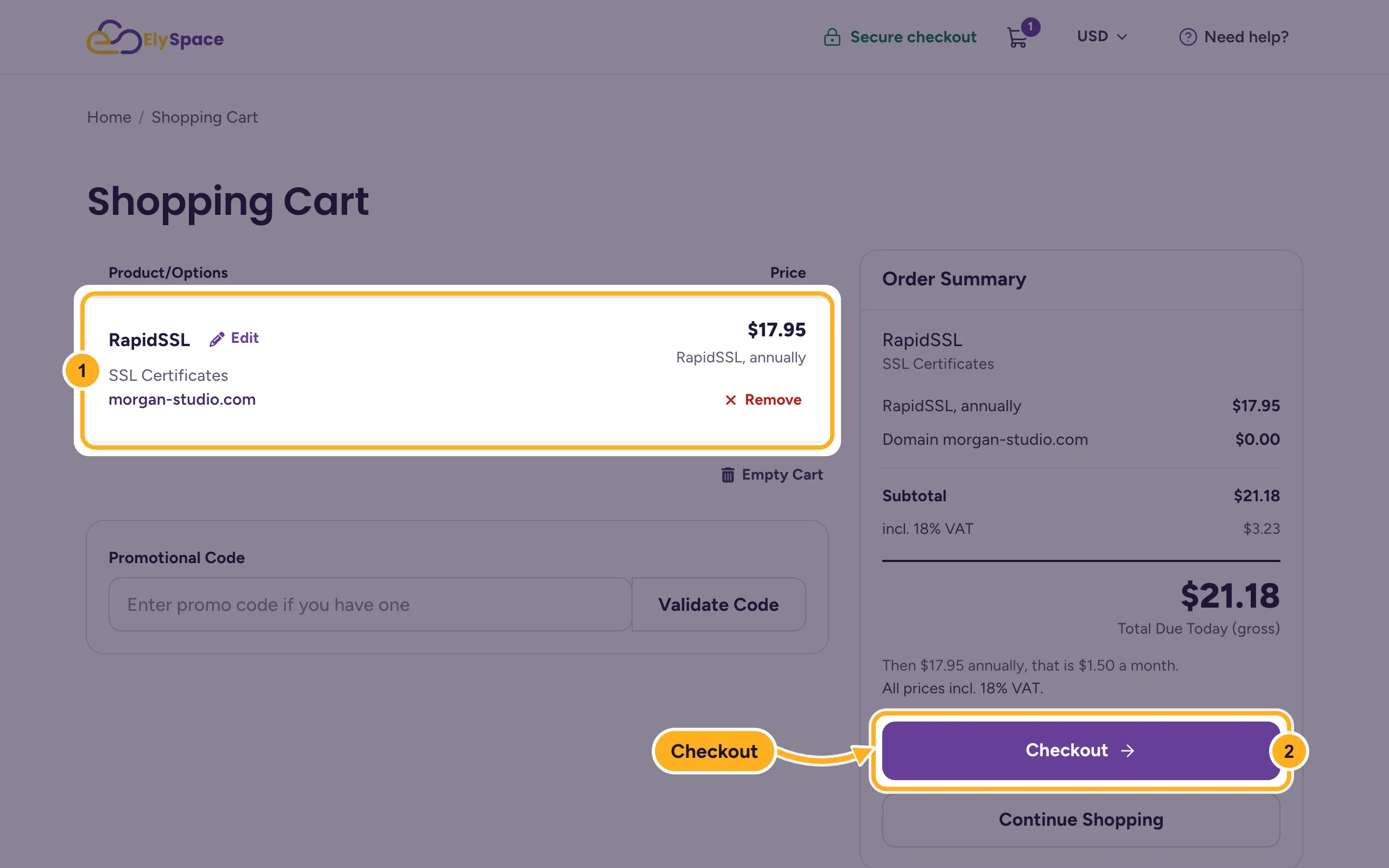
The Shopping Cart shows the certificate with your domain. Use Edit to change it or Remove to take it out, then click Checkout.
Complete the checkout: log in or enter your details, choose a payment method, accept the terms and click Complete Order. These screens are the same as for hosting: Buy web hosting step by step.
After the order
- Pay the invoice (see Pay an invoice). The certificate then appears in the client area under your services.
- The certificate authority validates the order. For DV it checks that you control the domain; for OV and EV it also checks your company, so keep your company details at hand and answer their emails.
- The store says certificates for domains hosted with us on cPanel are set up and renewed automatically: before a certificate ends, a renewal order is created, and after payment the new one is validated and installed for you.
- If you need to install a certificate in cPanel yourself, follow Install an SSL certificate you bought.
Common problems
The domain field doesn't show Valid
Type the domain without https:// and without www, for example example.com.
The site still shows the old certificate
A paid certificate is only used once it's installed on the server that hosts the site. Check in cPanel under SSL/TLS Status, or open a ticket in Sales Support with your domain.
You're not sure which certificate to buy
Click Help Me Choose on the SSL page, or ask us in a ticket to Sales Support before you order.
Related articles
- Free SSL: check and fix your certificate (AutoSSL)
- Install an SSL certificate you bought
- Redirect HTTP to HTTPS
- Buy web hosting step by step
Still stuck? Open a support ticket and we'll help.
