

Open yourdomain.com/webmail in your phone's browser and log in. Roundcube switches to a phone layout, so you can read and send mail without an app.
Log in on the phone
Open Safari, Chrome or another browser and go to
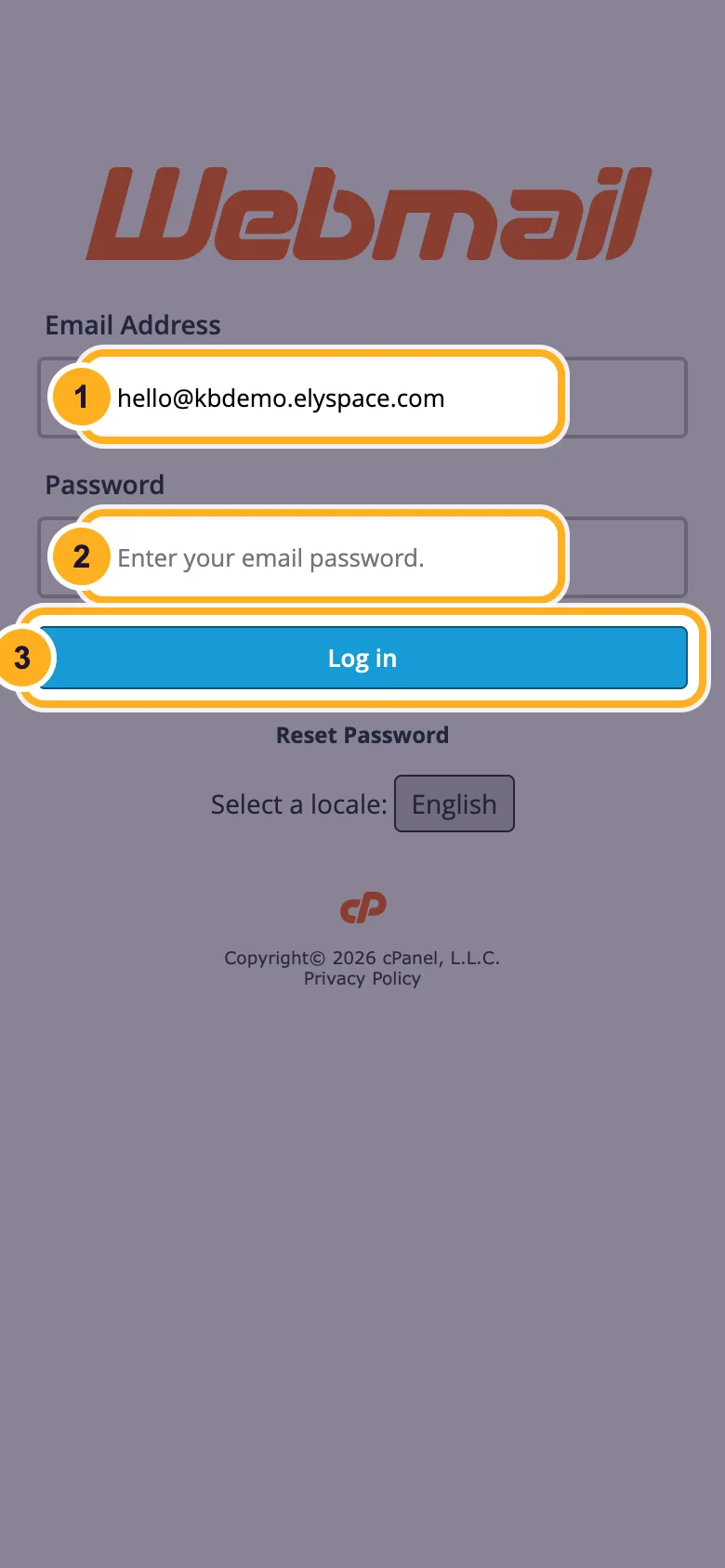
yourdomain.com/webmail(with your own domain). If your domain doesn't point to our servers yet, use your server name with port 2096, for examplehttps://node111.elycloud.com:2096.Enter the full Email Address and the mailbox Password, then tap Log in.
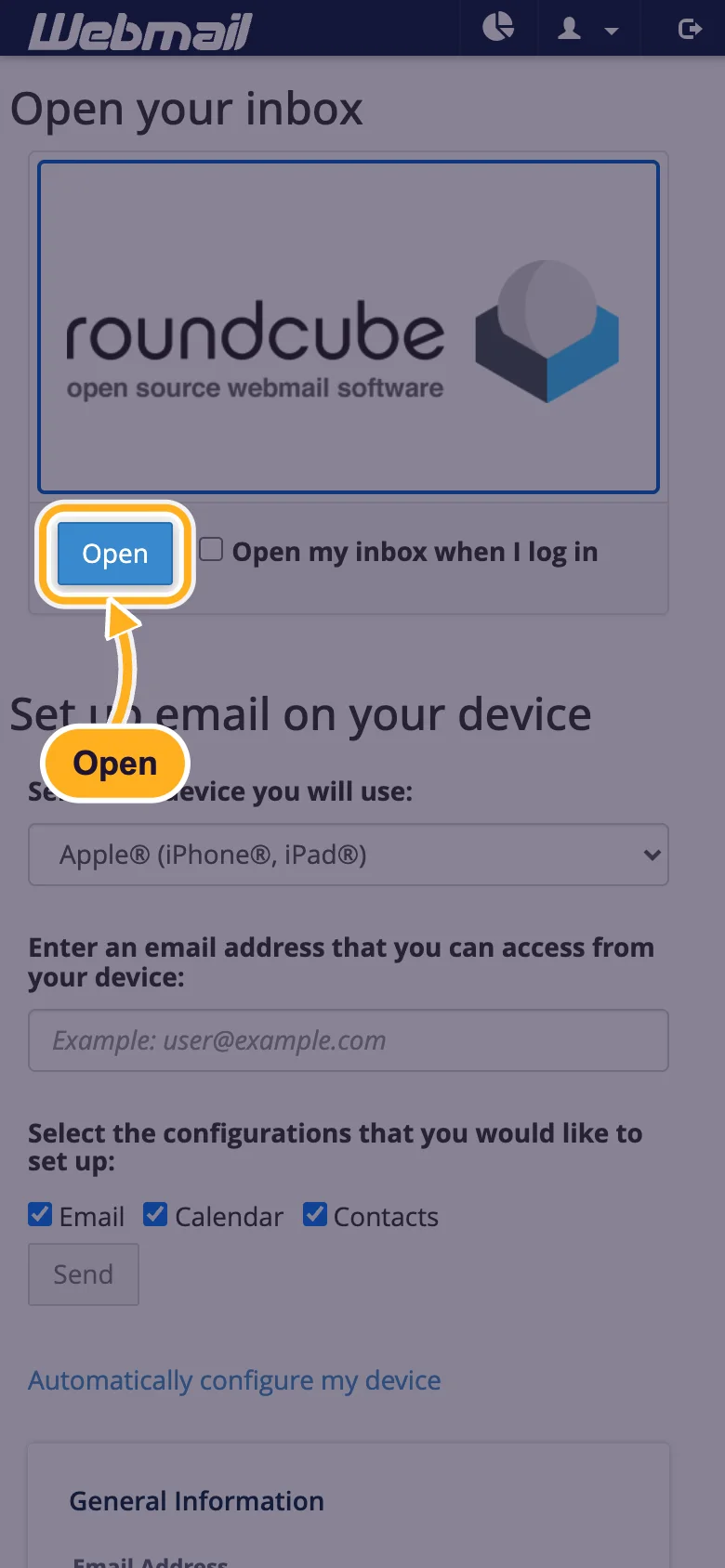
On the Webmail start page, tap Open under the Roundcube logo. Tick Open my inbox when I log in first if you want to skip this page next time.
Find your way around
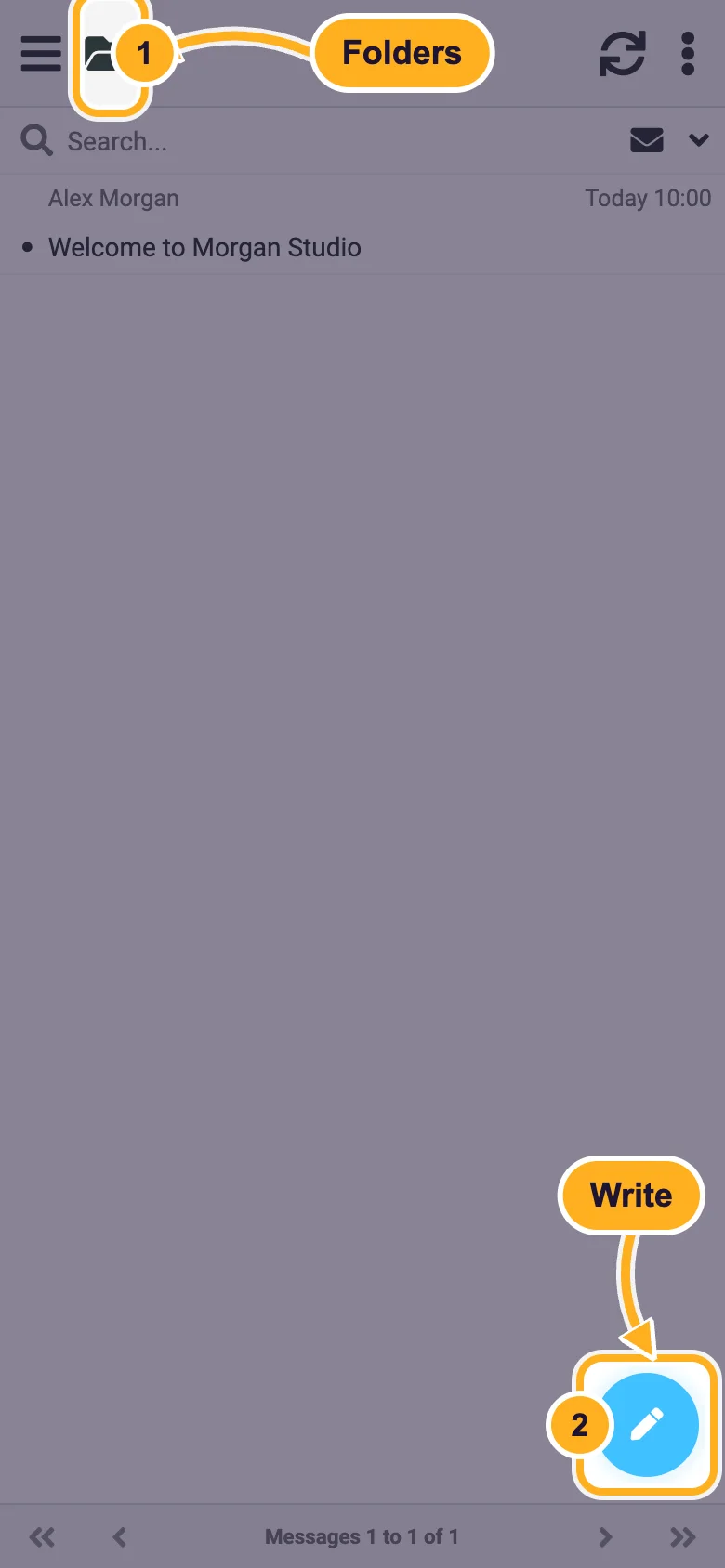
Roundcube opens your Inbox. Tap a message to read it. The folder icon at the top shows your folders, and the round pencil button at the bottom right writes a new message.
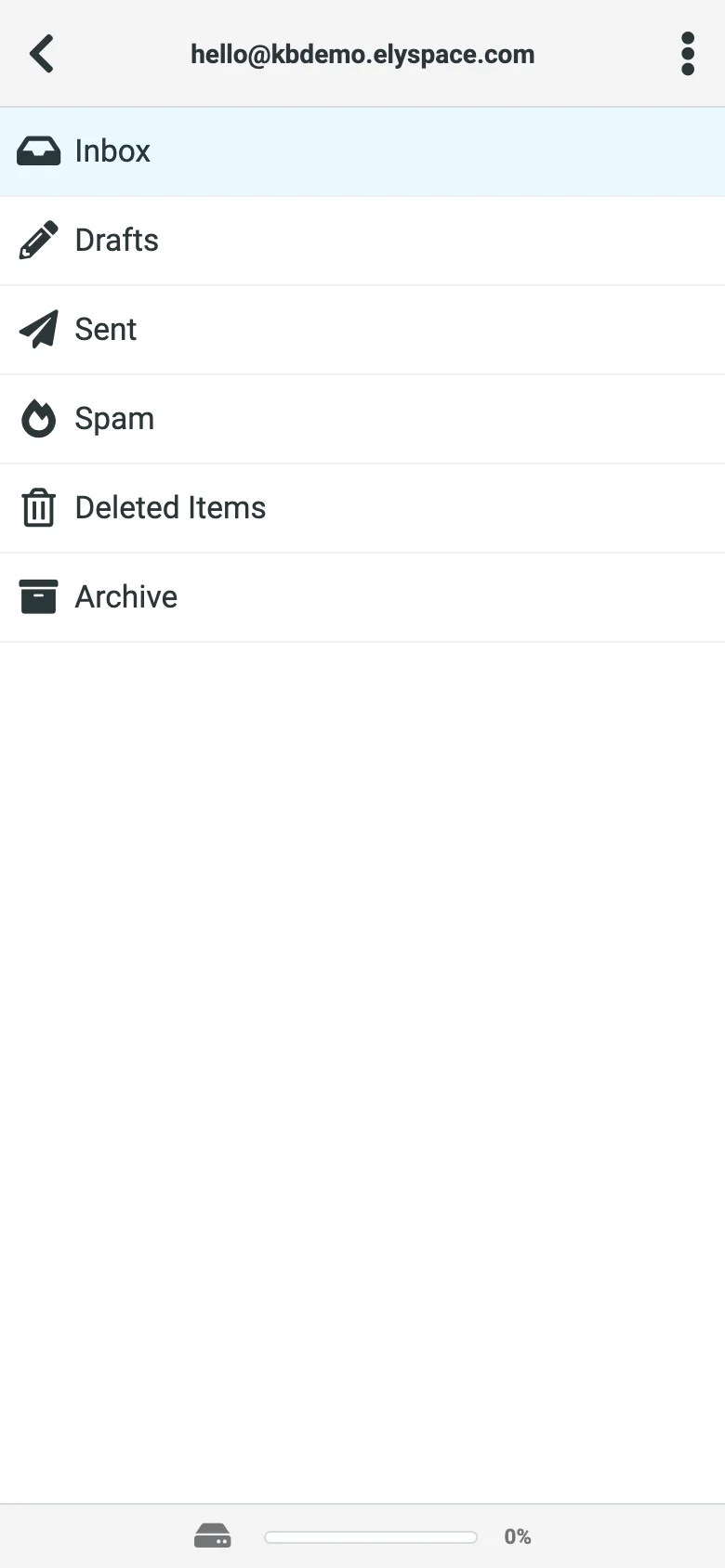
In the folder list you switch between Inbox, Drafts, Sent, Spam, Deleted Items and Archive. The bar at the bottom shows how full the mailbox is. The arrow at the top left takes you back.
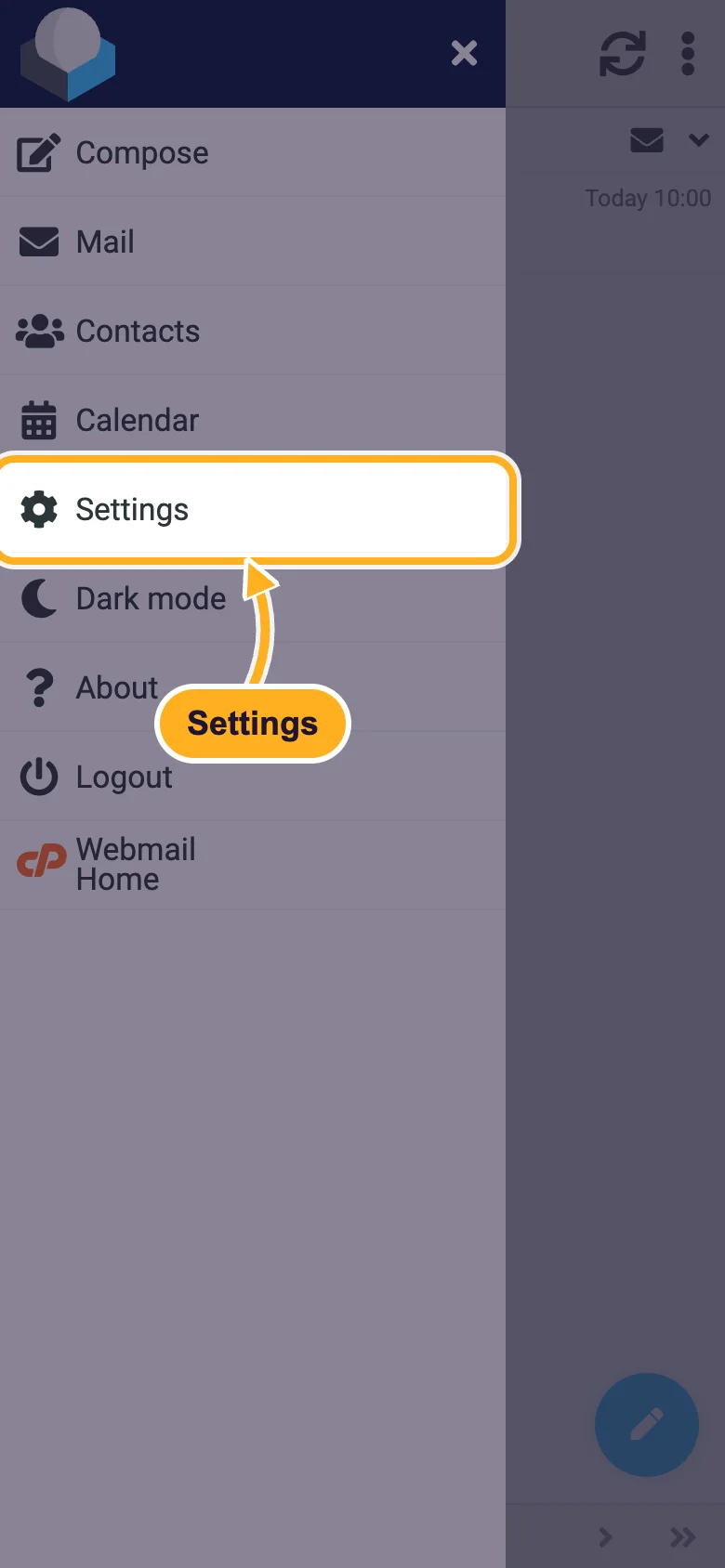
The menu button (three lines, top left) opens Compose, Mail, Contacts, Calendar, Settings, Dark mode, Logout and Webmail Home (the start page with forwarders, autoresponders and the password change).
Put webmail on your home screen
A home screen icon opens webmail like an app:
- iPhone (Safari): open the webmail page, tap the Share button and choose Add to Home Screen.
- Android (Chrome): open the webmail page, tap the three-dot menu and choose Add to Home screen.
Webmail doesn't send new-mail notifications to your phone. If you want those, add the mailbox to the phone's mail app instead: iPhone or iPad, Android, Outlook app or Samsung Email.
Common problems
"The login is invalid"
Type the whole email address, not only the part before the @. Phone keyboards often add a capital letter or a space at the start: check both. Forgot the password? Set a new one in cPanel (see Change an email account password).
The browser shows a security warning
Your domain's SSL certificate isn't in place yet. Use the server address with port 2096 in the meantime, for example https://node111.elycloud.com:2096.
Webmail logs me out
A webmail session can end when your phone switches networks (for example from Wi-Fi to mobile data), because your IP address changes (see Fix "Your IP address has changed"). Log in again. On a shared or borrowed phone, always tap Logout in the menu when you're done.
Related articles
- Log in to webmail
- Add an email signature in webmail (Roundcube)
- Set up email on iPhone or iPad
- Set up email on Android
Still stuck? Open a support ticket and we'll help.
