

Add your mailbox to the Samsung Email app on a Galaxy phone or tablet: choose Other, Manual setup and IMAP account, then enter your server name and ports.
Add the account
Open Samsung Email. On first start it shows the account choice. If you already have an account in the app, open the menu (three lines), tap the gear icon and then Add account.
Tap Other. Enter your Email address and Password, then tap Manual setup at the bottom.
In Select account type, tap IMAP account.
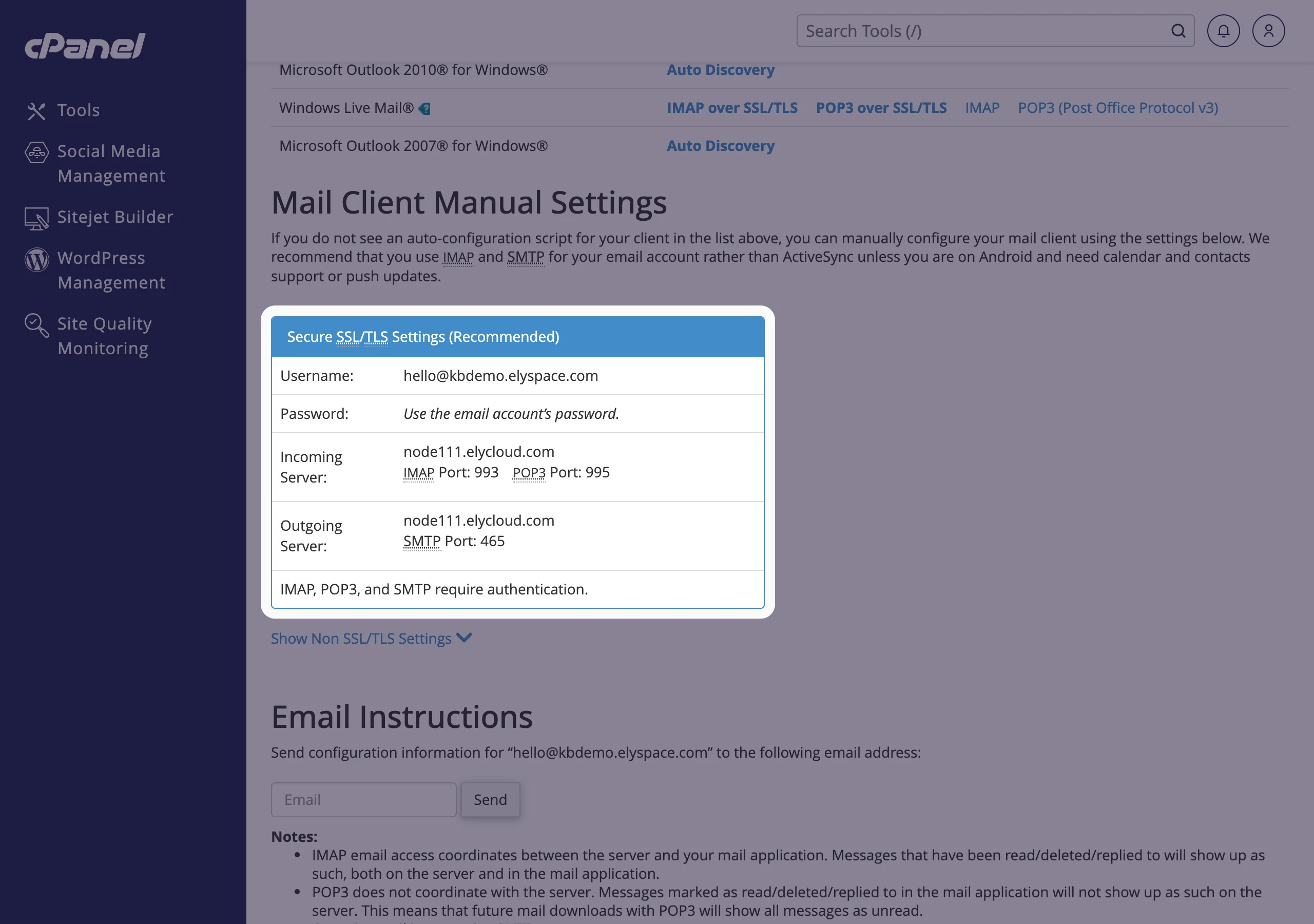
Fill in the server settings:
Field Value Incoming server Username your full email address Password the mailbox password IMAP server your server name, for example node111.elycloud.comSecurity type SSL Port 993IMAP path prefix leave empty Outgoing server SMTP server the same server name Security type SSL Port 465Require authentication to send emails on, with the same username and password Tap Sign in. The app checks the settings and opens your inbox.
You don't need the "Accept all certificates" security types: with your server name, the certificate is valid. Choose plain SSL.
Common problems
"Unable to connect to server" or "Check your server settings"
Check the server name, port and security type: 993 with SSL for incoming, 465 with SSL for outgoing. If your mobile network blocks 465, set the outgoing server to port 587 with security type TLS.
"Incorrect username or password"
The username is the full email address, for incoming and outgoing. Test the password in webmail and set a new one if needed (see Change an email account password).
Certificate warning
You entered mail.yourdomain.com. Use your server name from the Connect Devices page instead.
Mail arrives late
Samsung Email checks for new mail on a schedule. Open the app settings, tap your account and look for the sync settings to make the interval shorter. Also check that battery saving doesn't stop the app in the background.
Related articles
- Set up email on Android
- Email server settings and ports (IMAP, POP3, SMTP)
- Set up email in the Outlook app on iPhone or Android
- Use webmail on your phone
Still stuck? Open a support ticket and we'll help.
