

Open cPanel from your hosting service in the client area with one click, or go to yourdomain.com/cpanel and log in with your cPanel username and password.
From the client area (no password needed)
Log in to the client area and open your hosting service under Services > My Services.
Click Log in to control panel. cPanel opens in the same window, already logged in.
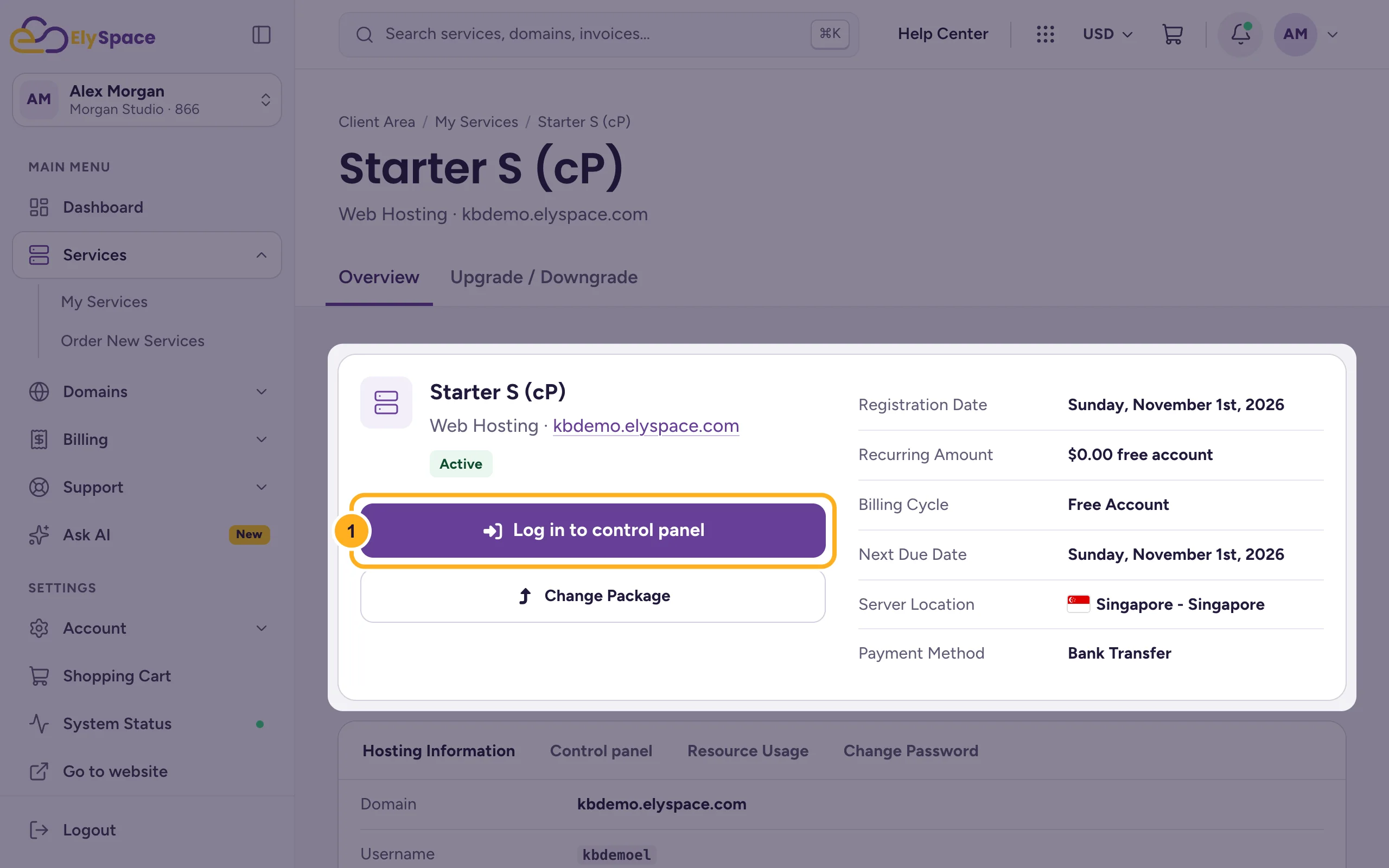
This is the easiest way, because you don't need to remember a separate password. More about it: Log in to cPanel from the client area.
With your cPanel username and password
Find your login details. On your hosting service in the client area, the Hosting Information tab shows:
- Username: your cPanel username (not your email address).
- Server Name: the server your account is on.
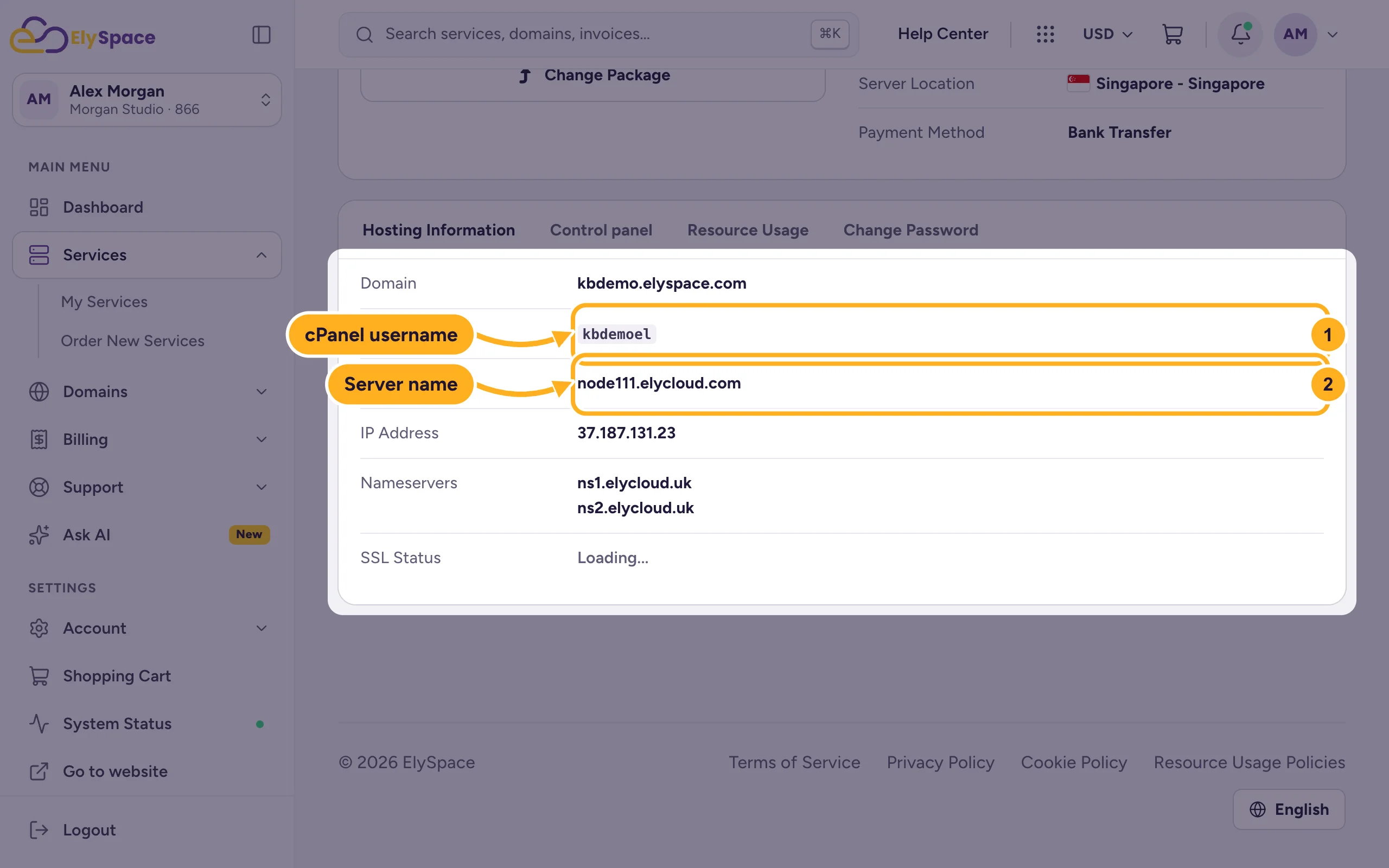
The password is in the welcome email for your hosting. If you don't have it, set a new one on the Change Password tab, see Change or reset your cPanel password.
In your browser, go to
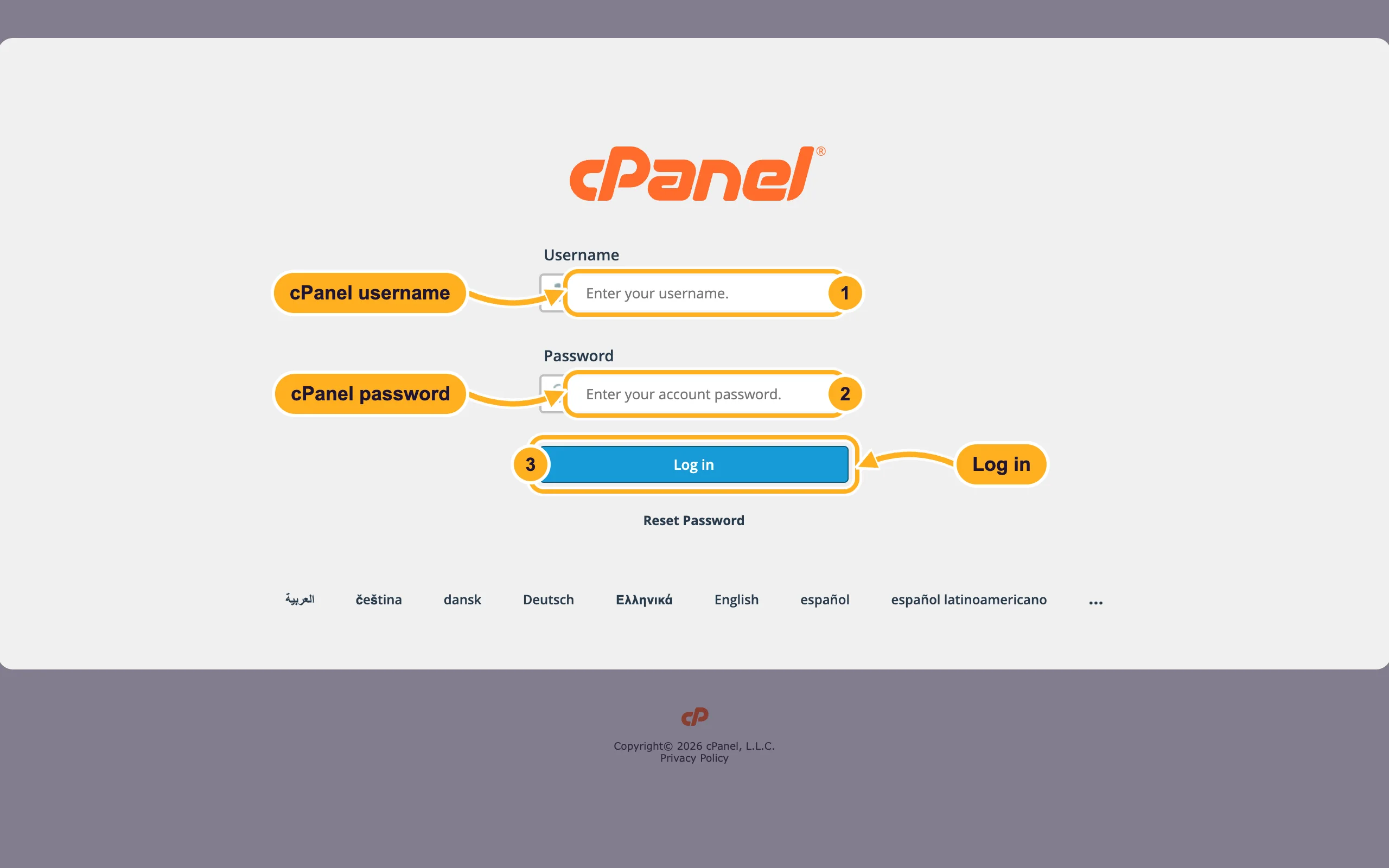
https://yourdomain.com/cpanel(with your own domain). It forwards you to the cPanel login page of your server. If your domain doesn't point to us yet, use the server name with port 2083 instead, for examplehttps://node111.elycloud.com:2083.Fill in the login form:
- Username: your cPanel username.
- Password: your cPanel password.
- Click Log in.
Log out
Click the person icon in the top right corner of cPanel.
Click Log Out.
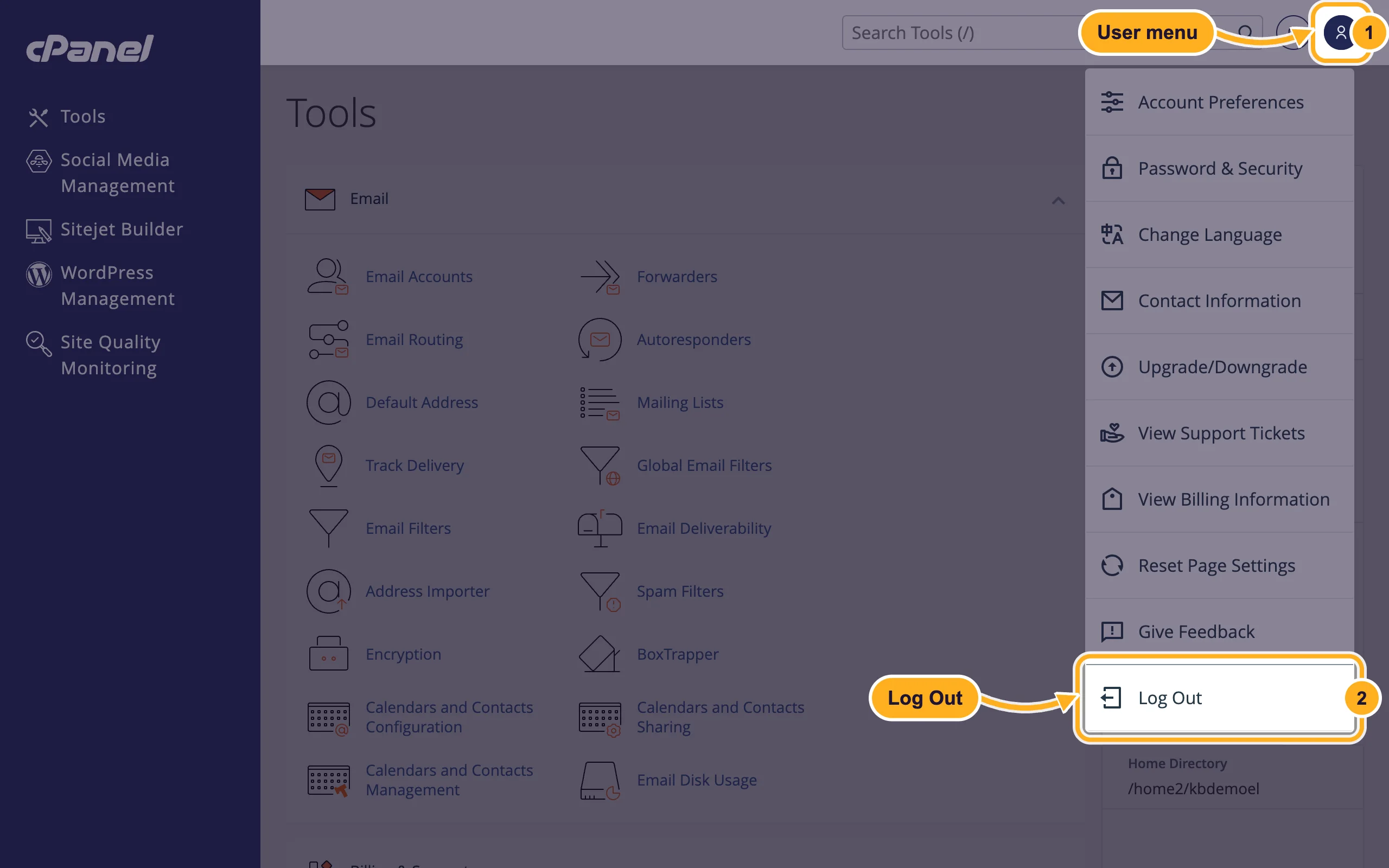
Log out when you're done, especially on a computer that other people use.
Common problems
"The login is invalid"
Check that you typed the cPanel username from the Hosting Information tab, not your email address or domain, and that Caps Lock is off. If it still fails, set a new password from the client area or log in with Log in to control panel.
yourdomain.com/cpanel doesn't open
Your domain probably doesn't point to our nameservers yet, or the change is still spreading. Use the server name with :2083 instead, or the button in the client area.
"Your IP address has changed. Please log in again"
Your internet address changed during the session, often because of a VPN or a mobile connection. See Fix "Your IP address has changed. Please log in again".
Related articles
- Log in to cPanel from the client area
- Change or reset your cPanel password
- cPanel at a glance: the most-used tools
- Find your server name, IP address and nameservers
Still stuck? Open a support ticket and we'll help.
