

Add your domain mailbox to the Gmail app on your phone with IMAP to read and send, or forward new mail to your Gmail inbox to read it there.
Option 1: add the mailbox to the Gmail app (read and send)
The Gmail app on Android, iPhone and iPad connects to your mailbox with IMAP. Your mail stays on our server, so webmail and your other devices see the same messages, and replies go out from your domain address.
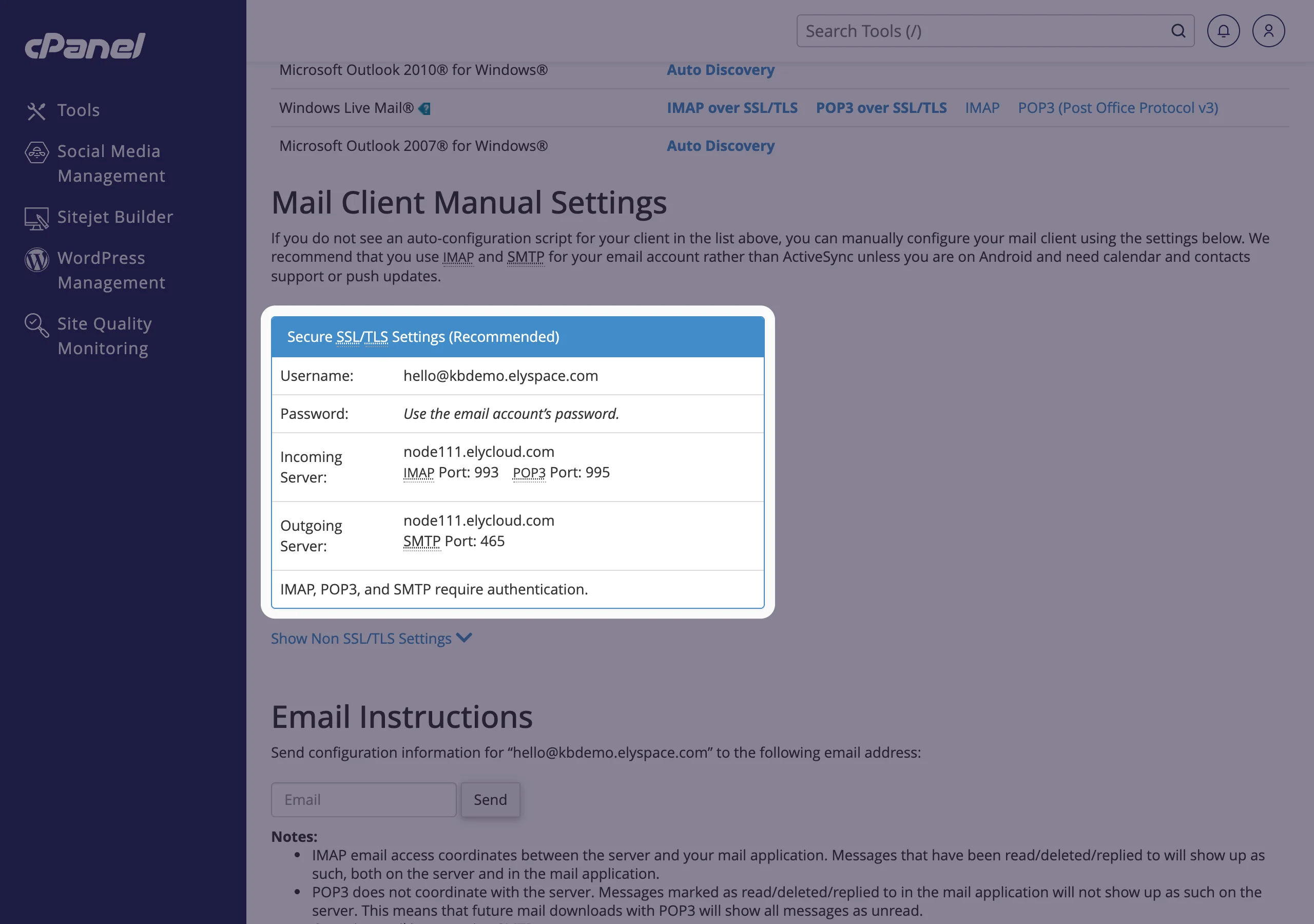
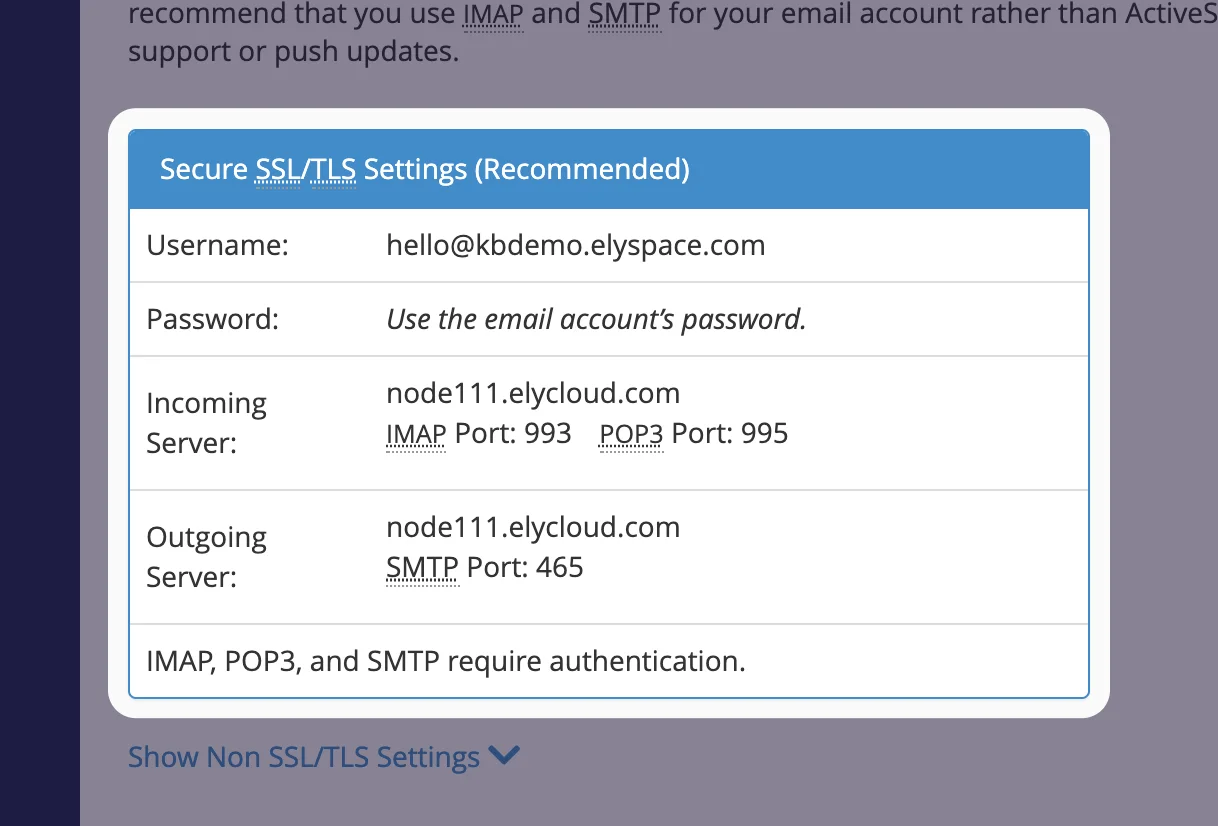
Find your settings in cPanel: Email Accounts, Connect Devices next to the address, box Secure SSL/TLS Settings (Recommended) (see Email server settings and ports).
Open the Gmail app, tap your profile picture at the top right and tap Add another account.
Choose Other (on iPhone: Other (IMAP)), enter your full email address and tap Next. On Android, pick Personal (IMAP).
Enter the mailbox password and the incoming server settings:
- Username: your full email address
- Server: your server name, for example
node111.elycloud.com - Port
993, Security type SSL/TLS
Then the outgoing server: keep sign-in required, use the same username and password, the same server name, port
465and SSL/TLS.Choose how often the app checks for mail, give the account a name and finish. The mailbox now appears in the account list of the app.
Option 2: forward new mail to Gmail (read only)
Set up a forwarder in cPanel from your domain address to your Gmail address (see Forward email to another address). New mail then also arrives in Gmail. Keep in mind:
- A forwarder copies new mail only. Older messages stay in your mailbox.
- Replies you write in Gmail go out from your Gmail address, not from your domain address. To reply as your domain address, use the Gmail app (option 1), webmail or a mail app.
- Spam sent to your domain is forwarded too. Turn on spam filtering first so that less of it reaches Gmail (see Turn on spam filters).
Common problems
The Gmail app says the username or password is wrong
The username is the full email address. Test the password in webmail (see Log in to webmail) and set a new one if needed (see Change an email account password).
Gmail on the computer doesn't show the domain mailbox
That's expected: an account added in the Gmail app is only shown in the app. On a computer, use webmail or a mail app such as Outlook or Thunderbird.
Forwarded mail doesn't reach Gmail
Check the forwarder's target address and look in Gmail's spam folder. In cPanel, Track Delivery shows whether Google accepted the message.
I used "Check mail from other accounts" before
Google is ending this feature. Switch to one of the two options above before it stops working for you.
Related articles
- Email server settings and ports (IMAP, POP3, SMTP)
- Set up email on Android
- Forward email to another address
- Use Google Workspace with your domain
Still stuck? Open a support ticket and we'll help.
