

Send an automatic reply, for example while you're on holiday: in cPanel open Autoresponders, click Add Autoresponder, write the message and click Create.
Create the autoresponder
Log in to cPanel (see Log in to cPanel from the client area) and click Autoresponders in the Email section.
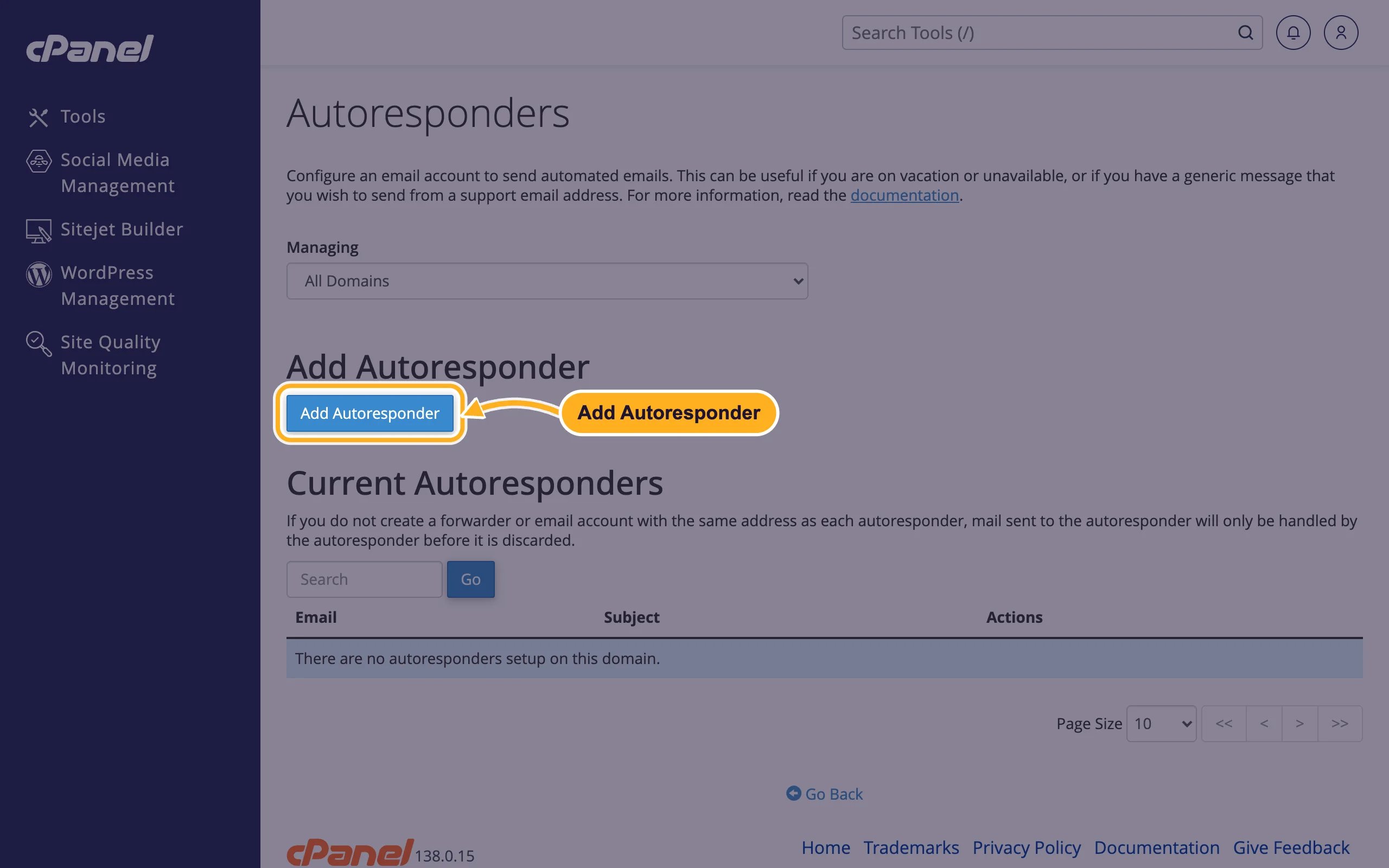
Click Add Autoresponder.
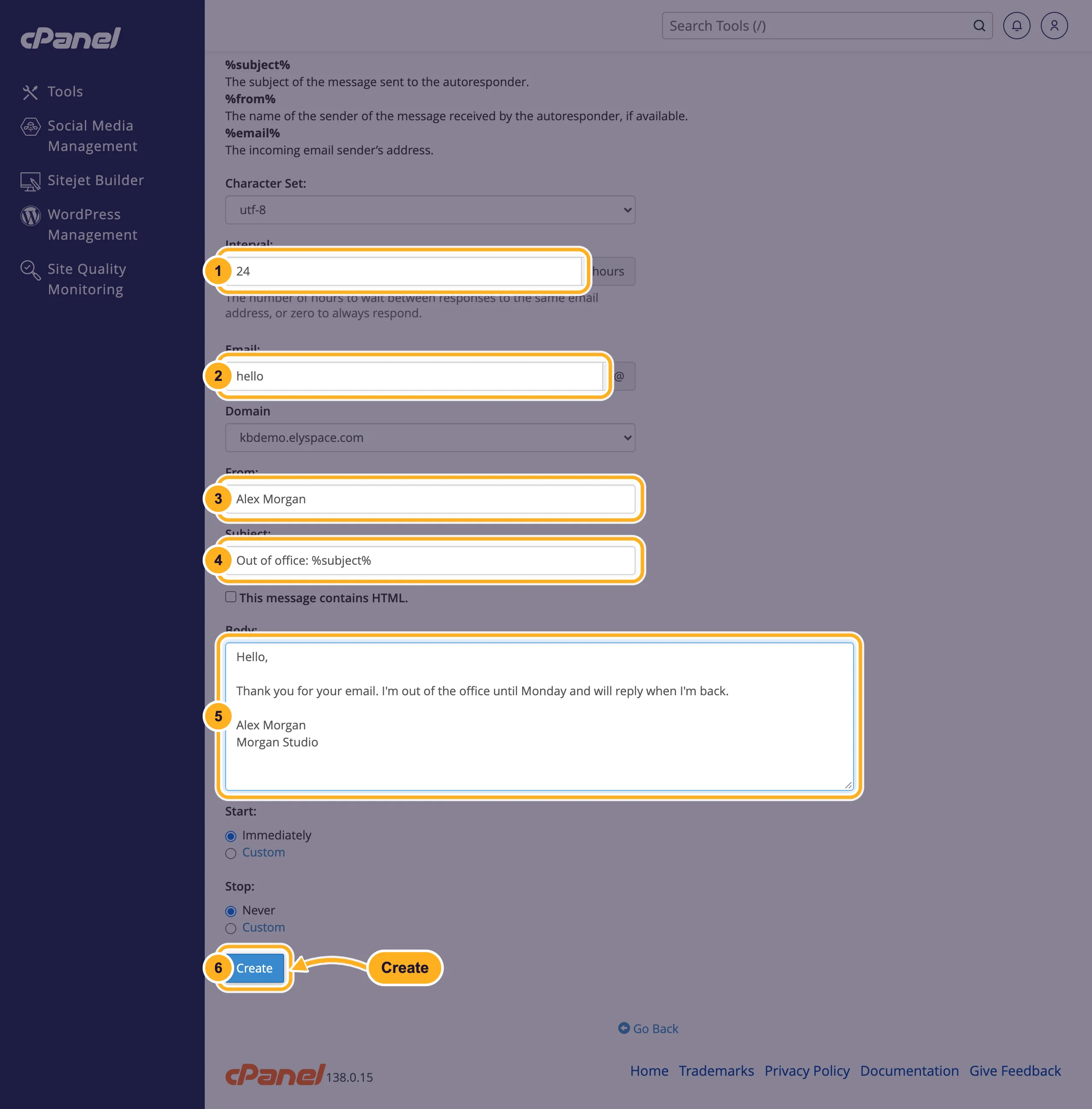
Fill in the form. Leave Character Set at
utf-8.- Interval: how many hours to wait before the same sender gets the reply again, for example
24.0replies to every single message, which can annoy people who write often. - Email: the address that answers, for example
hello, with the right Domain below. - From: the name shown as sender, for example your name or company.
- Subject: for example
Out of office: %subject%.%subject%repeats the subject of the message you received. - Body: your message. Say when you're back and who to contact in the meantime. Tick This message contains HTML. only if you write HTML code.
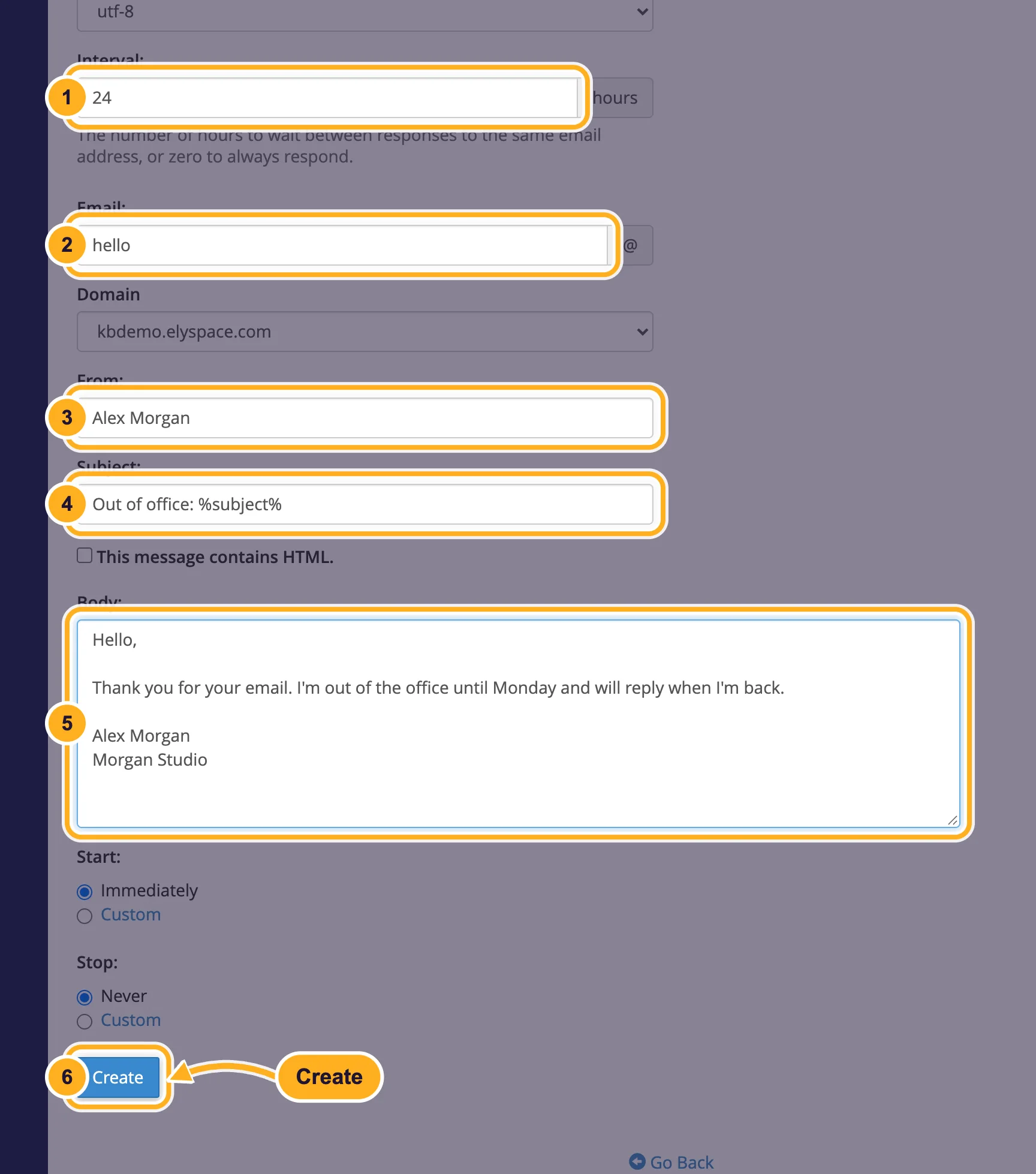
- Under Start and Stop, keep Immediately and Never, or choose Custom to set dates. Then click Create.
- Interval: how many hours to wait before the same sender gets the reply again, for example
You can use these tags in the subject and body: %subject% (subject of the received message), %from% (sender's name, if available) and %email% (sender's address).
Turn the autoresponder off
Open Autoresponders again. Your reply is listed under Current Autoresponders; delete it in the Actions column, or edit it there to change the text or dates.
Mailbox users can manage their own autoresponder too: webmail start page, Autoresponders.
Common problems
Messages to the address get lost
An autoresponder doesn't store mail by itself. cPanel warns: without an email account or forwarder for the same address, mail is answered and then discarded. Create the mailbox first (see Create an email account) or add a forwarder.
You don't receive the automatic reply when you test it
The reply goes to each sender only once per interval. Test from an address that hasn't written to this mailbox recently, and check its spam folder.
Related articles
Still stuck? Open a support ticket and we'll help.
