

The email address you log in with can't be edited in the client area. Open a ticket and we'll change it for you after we've checked that the account is yours.
Where to see your login email
Click your initials at the top right, or your name at the top of the left menu, and choose Profile. The box Change Email Address shows the address you log in with. Next to the title you see whether it's verified.
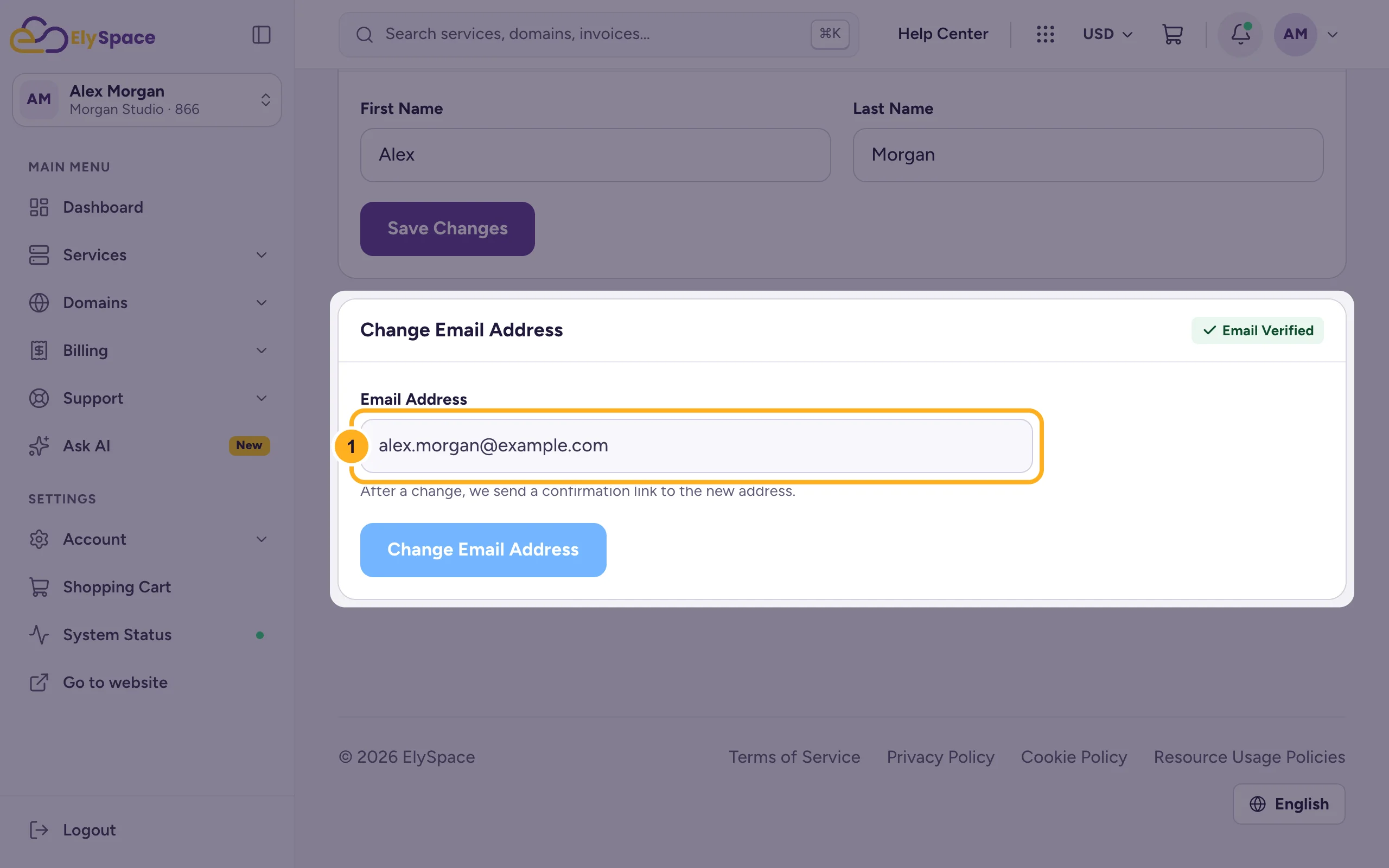
The field is greyed out, so the address can only be changed by our team. The same goes for the Email Address on Account Details.
Ask us to change it
Go to Support > Open Ticket and choose Client Area Support.
Write the old and the new address in the message. If invoices or other emails should also go to the new address, say so.
Click Submit Ticket. We'll reply in the ticket once the change is done.
Afterwards you log in with the new address and the same password. If you're asked to confirm the new address, click the link in the email we send: Verify your email address.
Only invoices should go to another address
You don't need to change your login for that. Add a contact with the other address and tick Invoice Emails: Add contacts (for example a billing contact).
You can't log in anymore
If you've lost access to your old mailbox and can't log in, use the contact form. It works without logging in. Tell us your name, company and domain, and we'll check that the account is yours before we change anything.
Related articles
- Update your profile and billing address
- Verify your email address
- Add contacts (for example a billing contact)
- Can't log in? What to check
Still stuck? Open a support ticket and we'll help.
