

Auto-renew is on for new domains. Turn it off or on for one domain in the client area: open the domain and click Disable Auto Renew or Enable Auto Renew.
Check the status
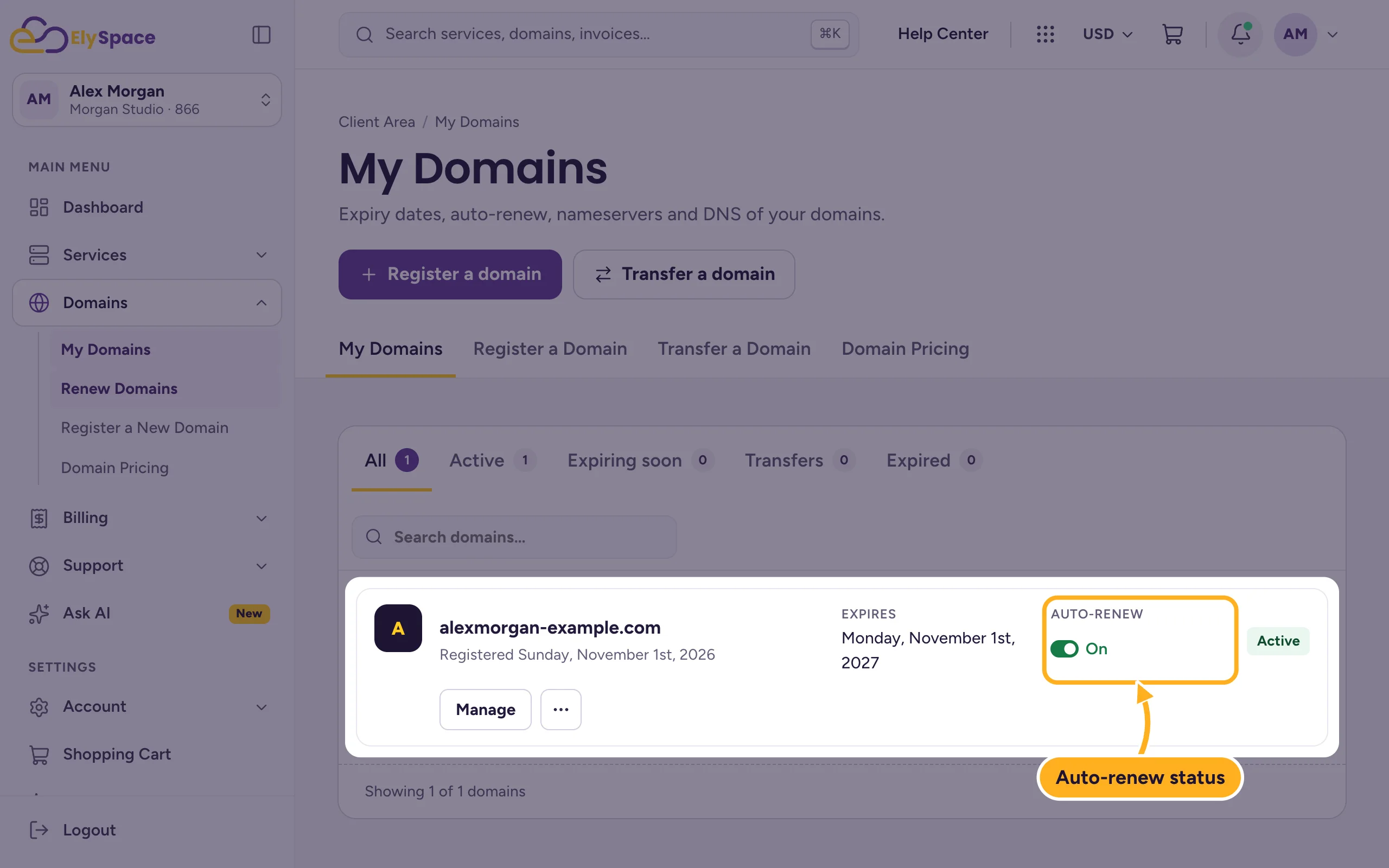
Go to Domains > My Domains. The Auto-renew column shows On or Off for every domain.
Turn auto-renew off or on
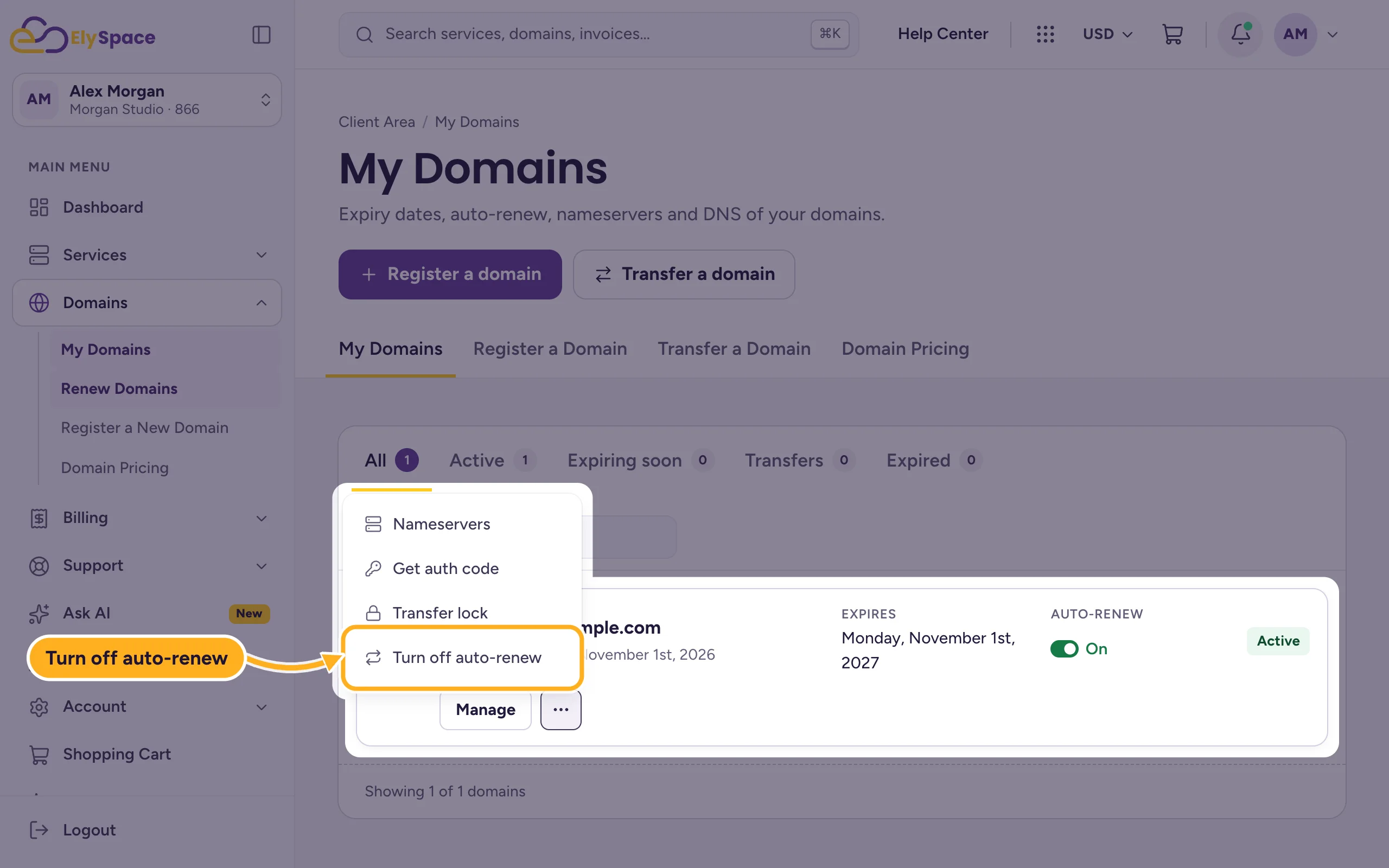
In My Domains, click Manage next to the domain. You can also click the three dots and choose Turn off auto-renew, which takes you to the same place.
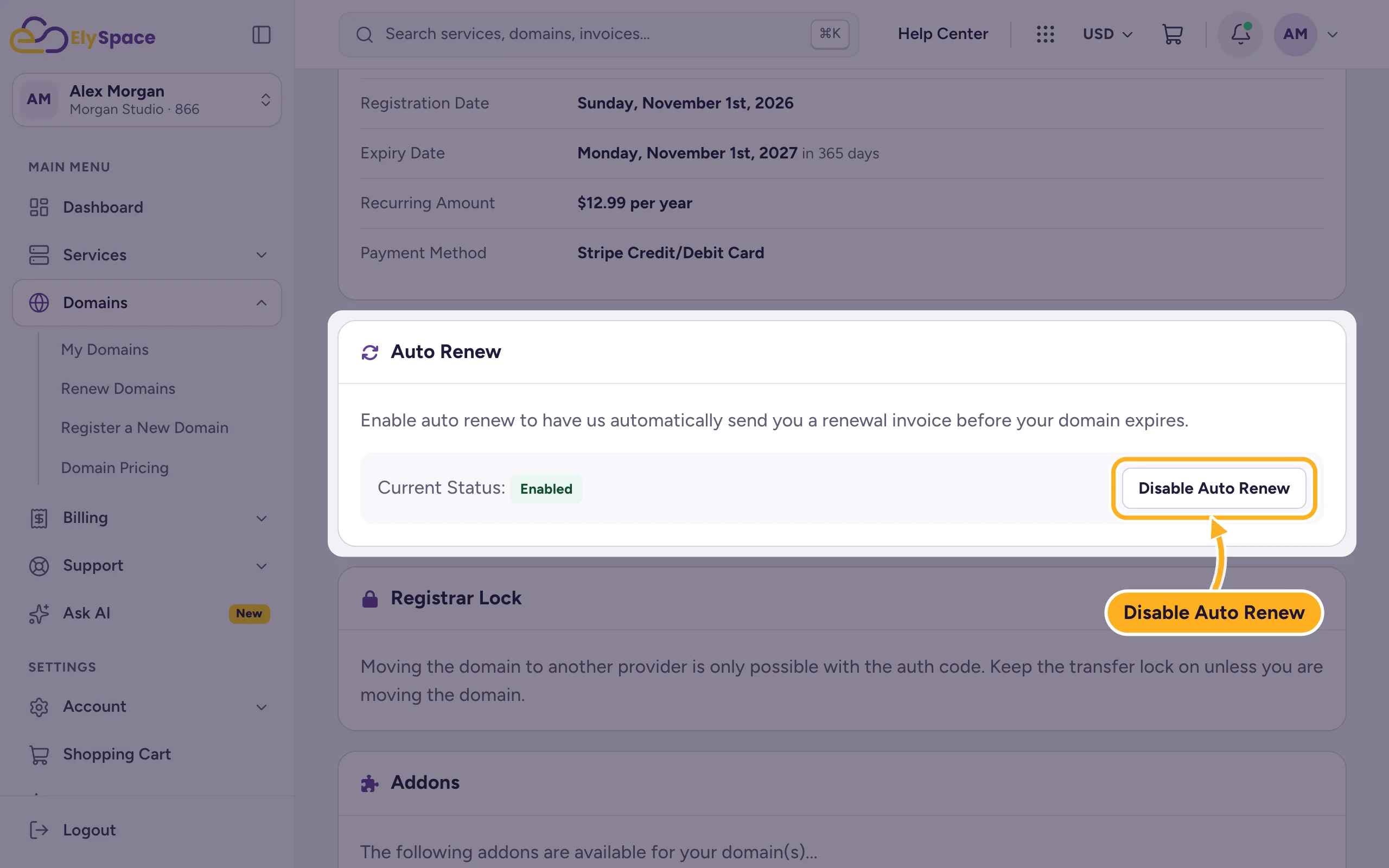
In the Auto Renew section, Current Status shows Enabled or Disabled. Click Disable Auto Renew to turn it off, or Enable Auto Renew to turn it on.
The page reloads with "Your changes have been saved." When auto-renew is off, a yellow note on the domain page reminds you that the domain expires at the end of its term unless you renew it.
When to turn it off
- You no longer need the domain and want it to expire.
- You're moving the domain to another provider (see Transfer a domain away from ElySpace).
Keep it on for every domain your website or email uses. An expired domain takes your website and email offline.
Common problems
Auto-renew is on, but the domain was not renewed
Auto-renew creates the invoice, the renewal happens once it's paid. Check Billing > My Invoices for an unpaid domain invoice and pay it (see Pay an invoice).
You turned it off by mistake
Click Enable Auto Renew again. As long as the domain hasn't expired, nothing is lost.
Related articles
Still stuck? Open a support ticket and we'll help.
