

To let a user work with a database, add it under Add User To Database in Manage My Databases, then choose its privileges, usually ALL PRIVILEGES.
Add the user to the database
In cPanel, open Databases > Manage My Databases.
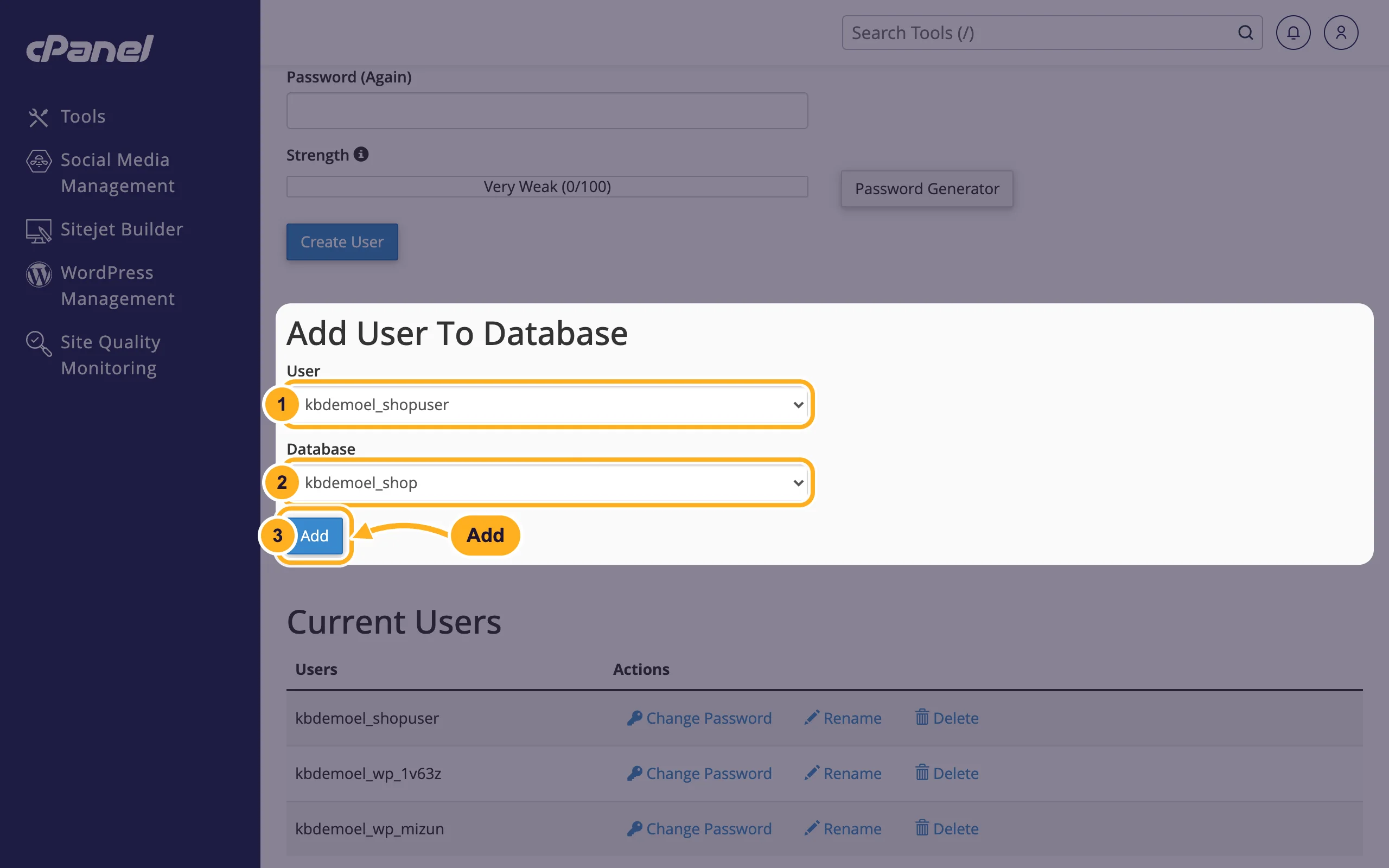
Scroll down to Add User To Database:
- User: pick the user.
- Database: pick the database.
- Click Add.
The Manage User Privileges page opens:
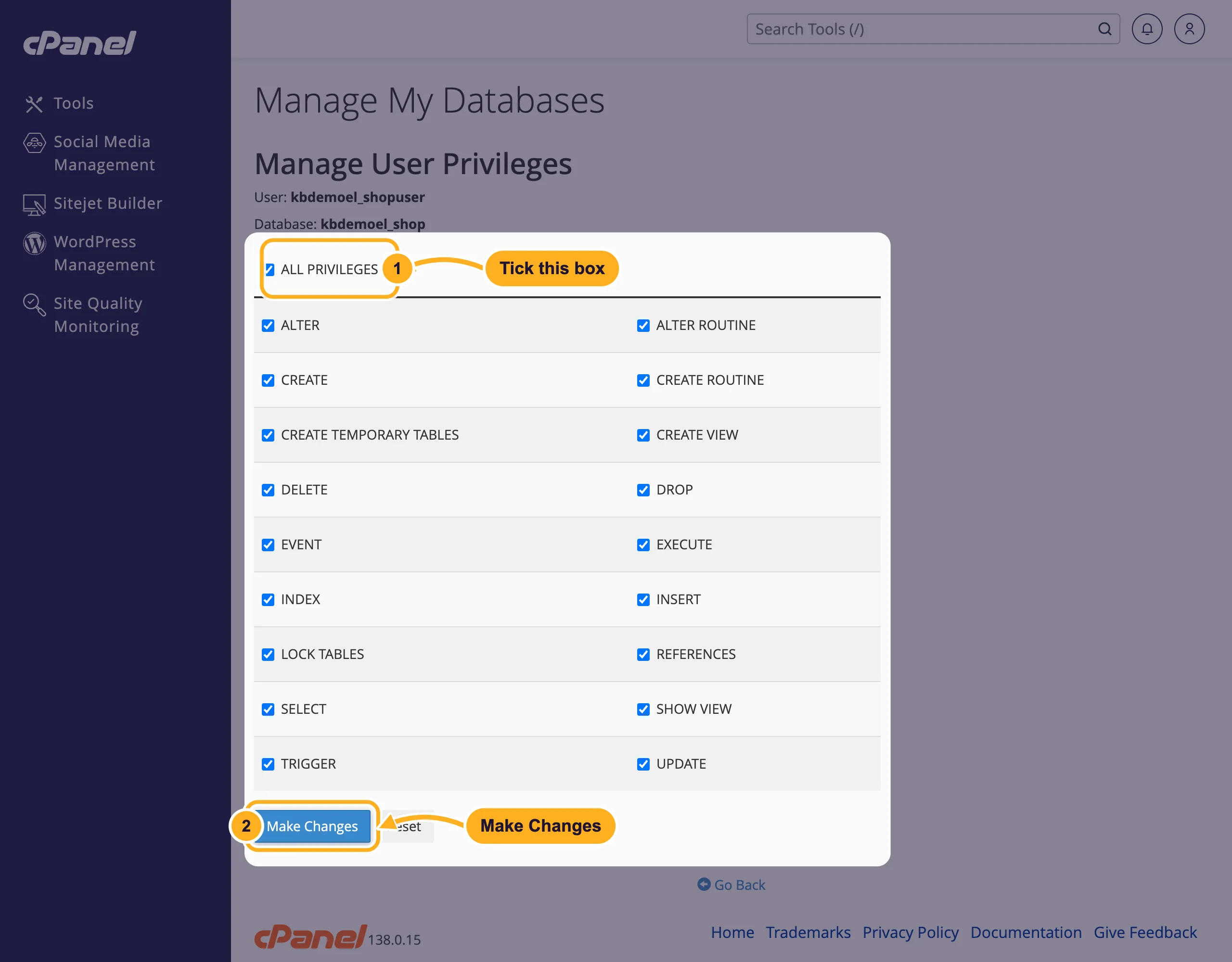
- Tick ALL PRIVILEGES. This ticks every box below it. WordPress and most other applications need all of them.
- Click Make Changes.
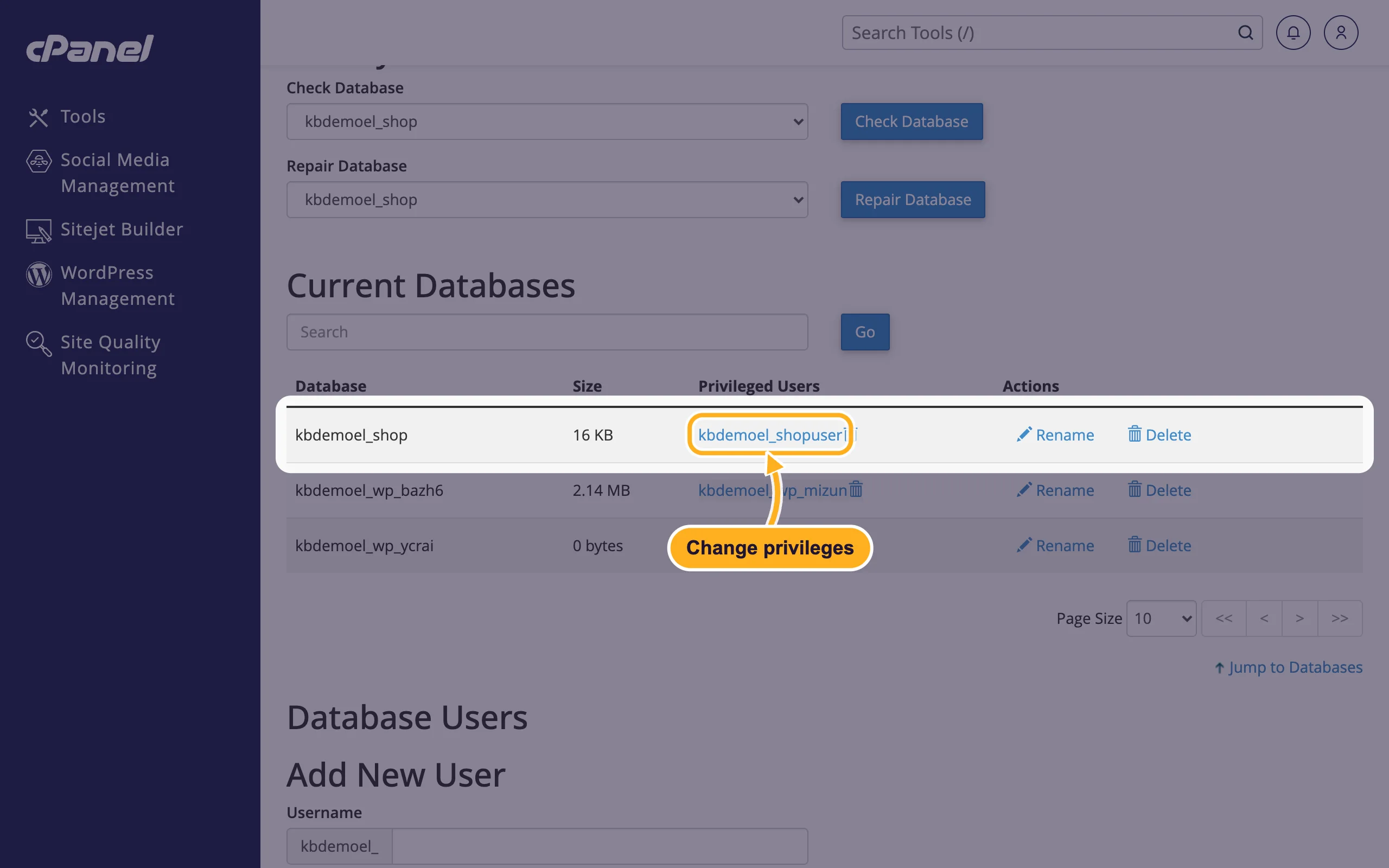
Back in Manage My Databases, the user now appears under Privileged Users next to the database.
Change the privileges later
In Manage My Databases, go to Current Databases and click the user's name in the Privileged Users column.
Tick or untick the boxes and click Make Changes.
Common problems
The user or database isn't in the list
Create it first: create a database user, or create a database under Create New Database at the top of the page.
Your application says "access denied for user"
The user exists but isn't added to this database, or the password in the application is wrong. Check Privileged Users and, if needed, set a new password and enter it in the application's settings.
Related articles
- Remove a user from a database
- Create a MySQL database user
- Create a MySQL database with the Database Wizard
Still stuck? Open a support ticket and we'll help.
