

Create a MySQL database user in cPanel under Manage My Databases, in the Add New User section. Then add the user to a database so it can use it.
Create the user
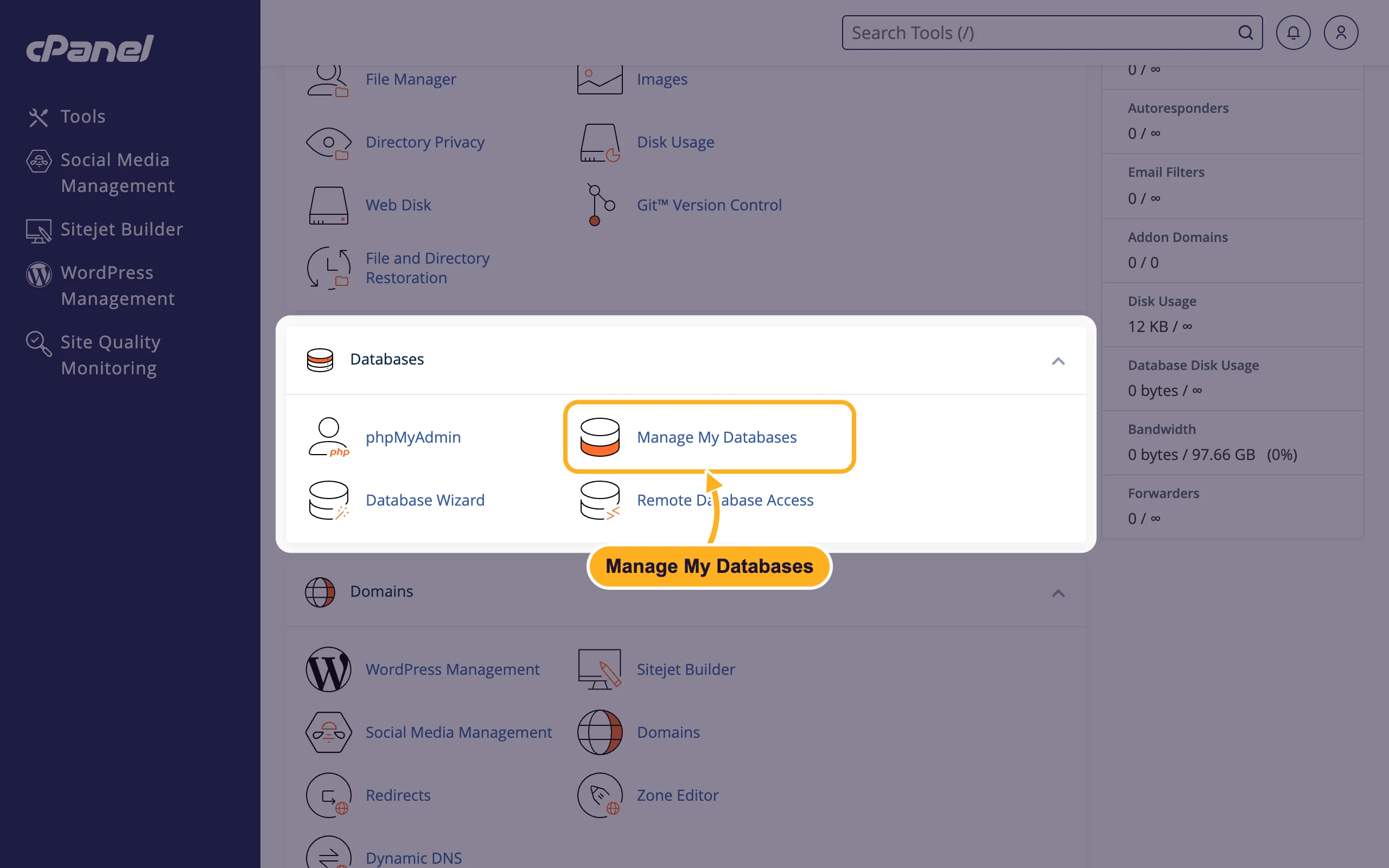
Log in to cPanel (see Log in to cPanel from the client area). In the Databases section, click Manage My Databases.
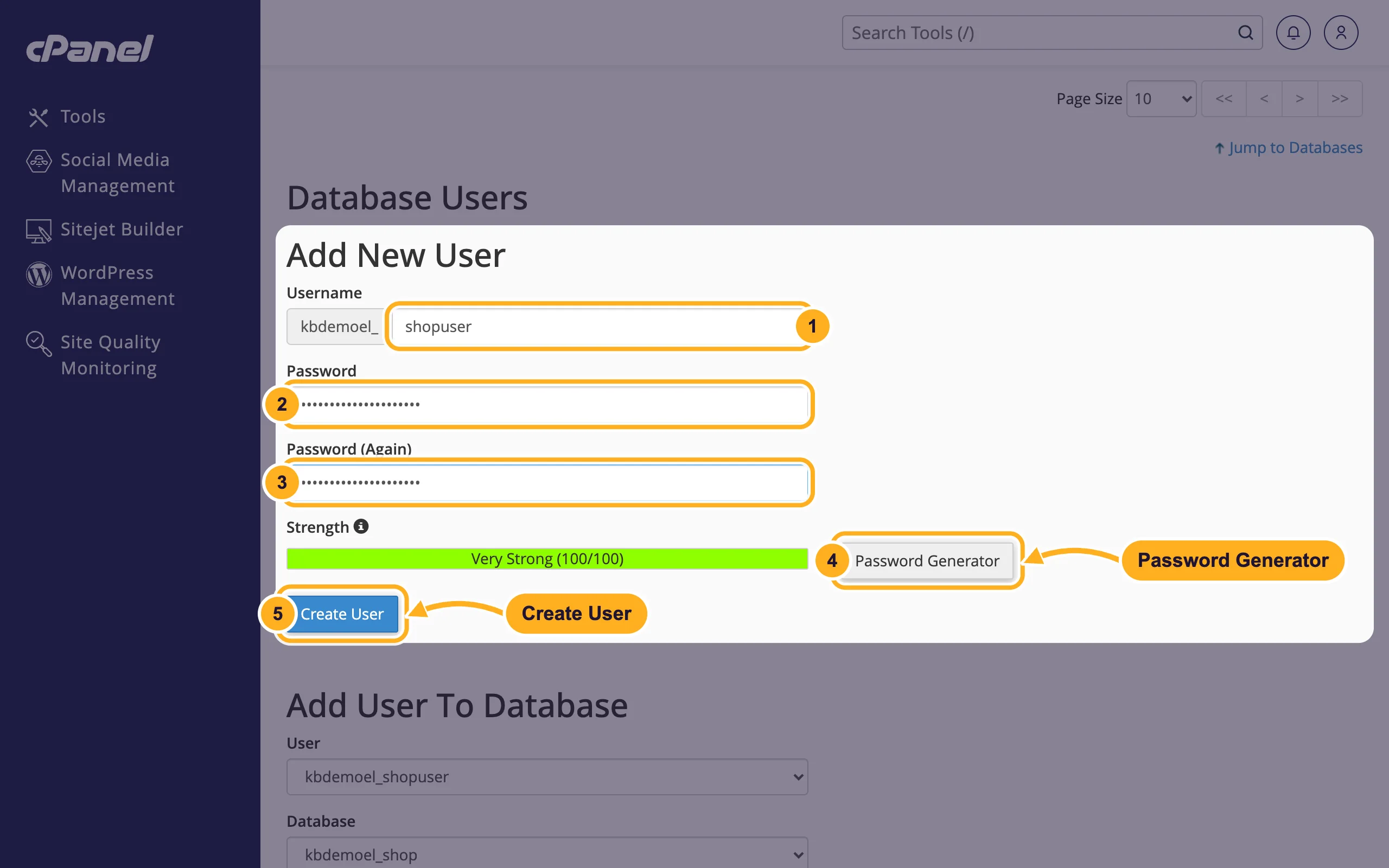
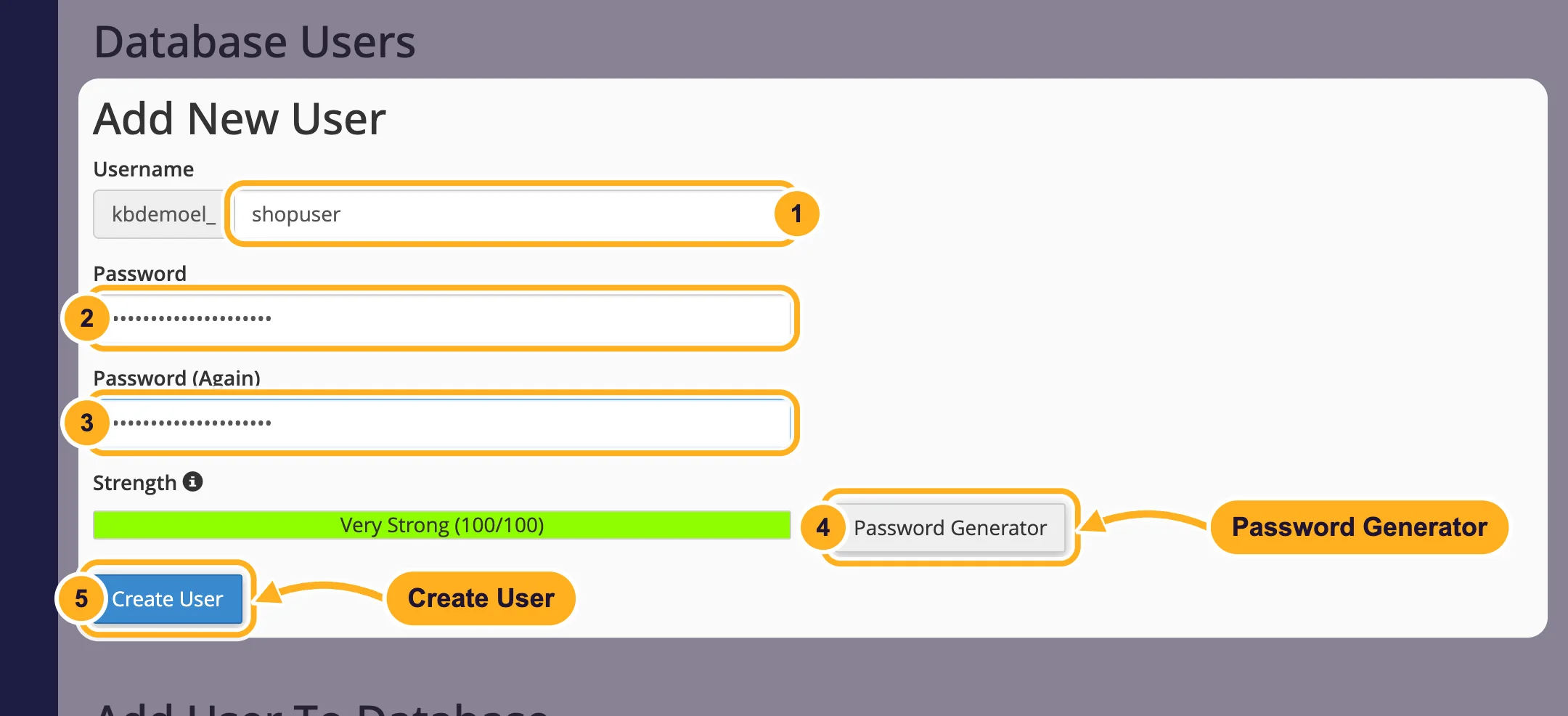
Scroll down to Database Users > Add New User and fill in the form:
- Username: a short name, for example
shopuser. cPanel adds your account name and an underscore in front, so the full name is something likeyouraccount_shopuser. - Password: a long, unique password.
- Password (Again): the same password once more. The Strength bar shows how strong it is.
- Or click Password Generator for a strong random password, and copy it before you close the window.
- Click Create User.
- Username: a short name, for example
The new user appears at the bottom of the page under Current Users.
A new user can't use any database yet. Next, add the user to a database. If you want a database and a user in one go, use the Database Wizard instead.
Common problems
cPanel says the password is too weak
cPanel only accepts passwords above a minimum strength. Make it longer, mix upper and lower case, numbers and symbols, or use Password Generator.
The username is too long
The prefix counts towards the maximum length that cPanel shows under the field. Choose a shorter name.
Your website still can't connect
Check that you use the full user name with the prefix and that the user is listed next to the database under Privileged Users.
Related articles
- Add a user to a database and set privileges
- Change a database user's password
- Delete a database or a database user
- Create a MySQL database with the Database Wizard
Still stuck? Open a support ticket and we'll help.
