

Change a MySQL user's password in cPanel under Manage My Databases > Current Users > Change Password. Then update the password in your website's settings.
DB_PASSWORD in wp-config.php).Set a new password
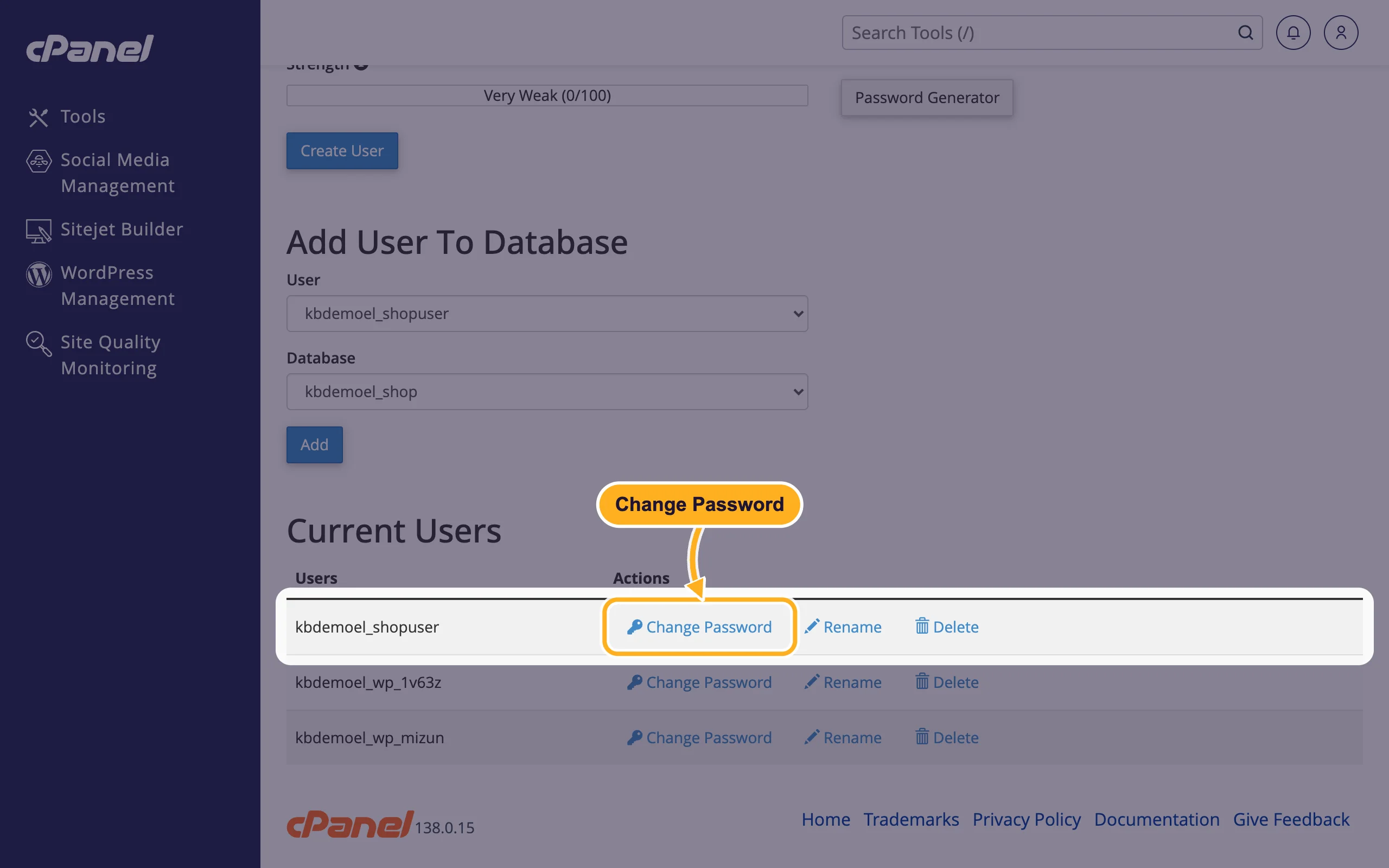
In cPanel, open Databases > Manage My Databases and scroll down to Current Users.
Click Change Password next to the user.
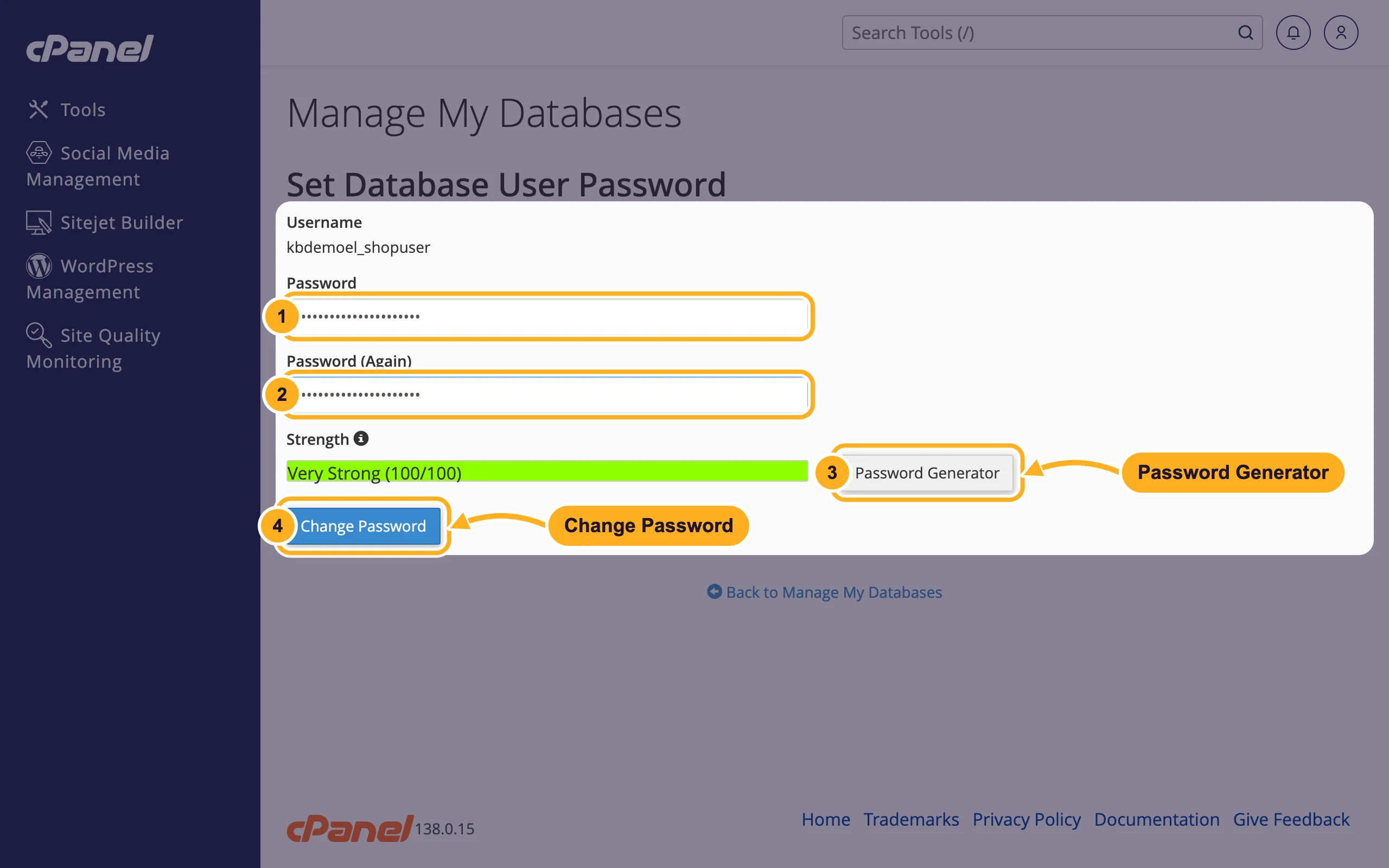
On Set Database User Password:
- Password: the new password.
- Password (Again): the same password once more.
- Or click Password Generator for a strong random password. Copy it first.
- Click Change Password.
Enter the new password in your application's database settings and reload your website to check it works.
To edit wp-config.php or another configuration file, use the File Manager (see Manage files: edit, move, zip and set permissions).
Common problems
"Error establishing a database connection" after the change
The application still uses the old password. Update it in the configuration file, keeping the quotes around it, and save the file.
You don't know which user your website uses
Look in the configuration file. In WordPress, DB_USER in wp-config.php holds the user name.
Related articles
- Create a MySQL database user
- Add a user to a database and set privileges
- Change or reset your cPanel password
Still stuck? Open a support ticket and we'll help.
