

Go to Account > User Management, click Remove Access next to the person and confirm. They can no longer open or manage your account.
Remove the user
Log in to the client area and find the person:
- Go to Account > User Management.
- The Actions column has the buttons for each user. The account owner has no buttons there: the owner always keeps all permissions and can't be removed.
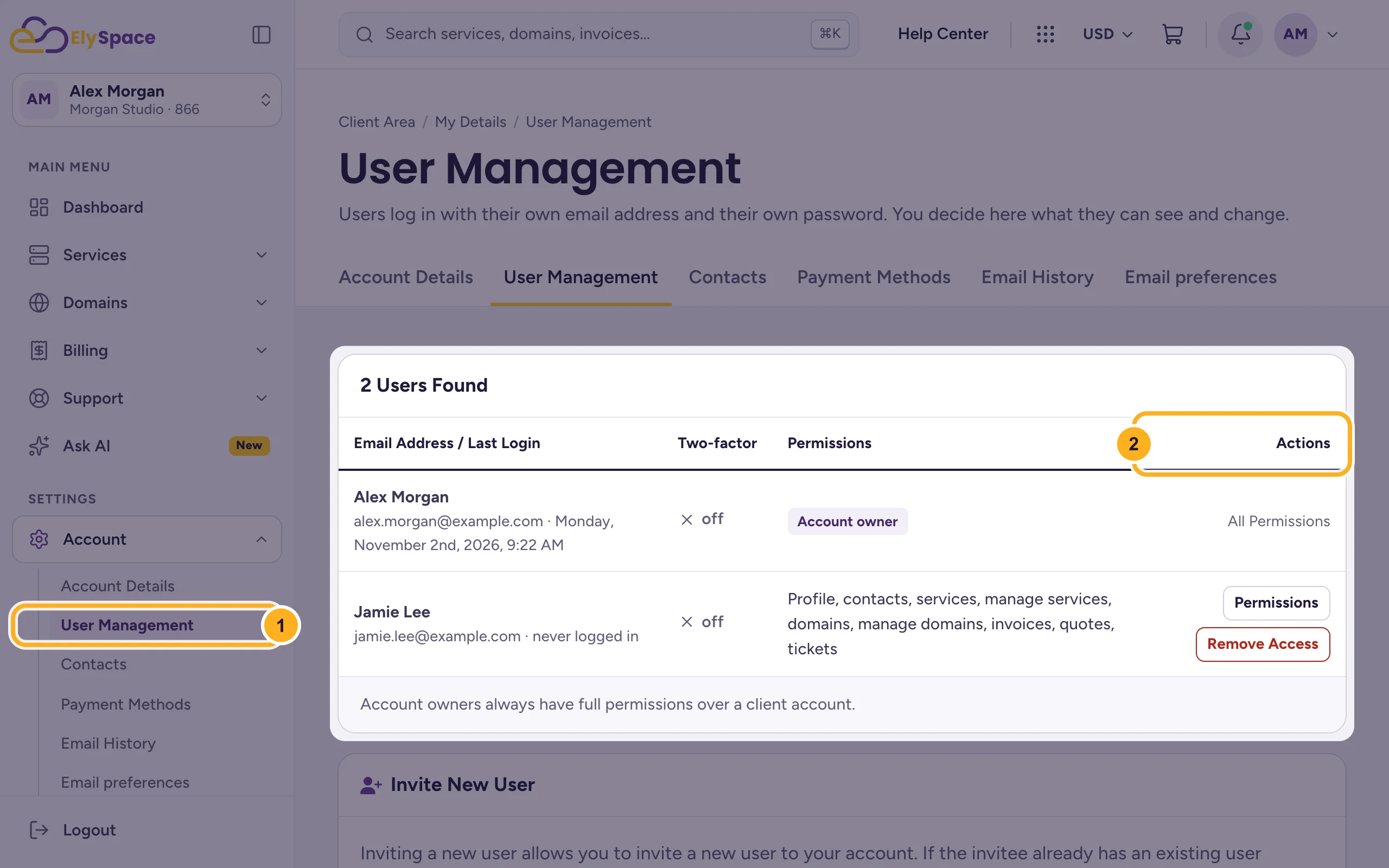
Click Remove Access in the person's row.
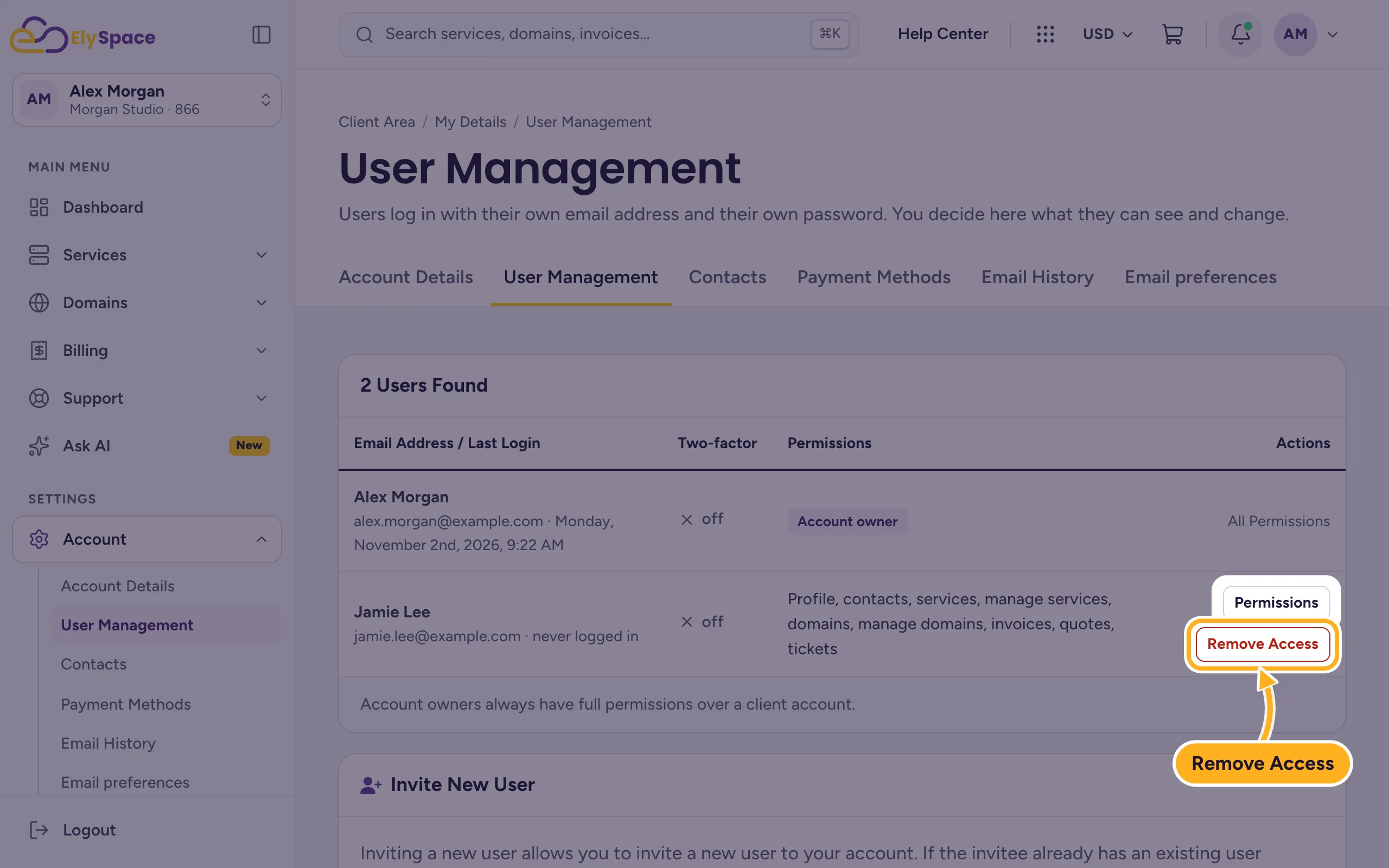
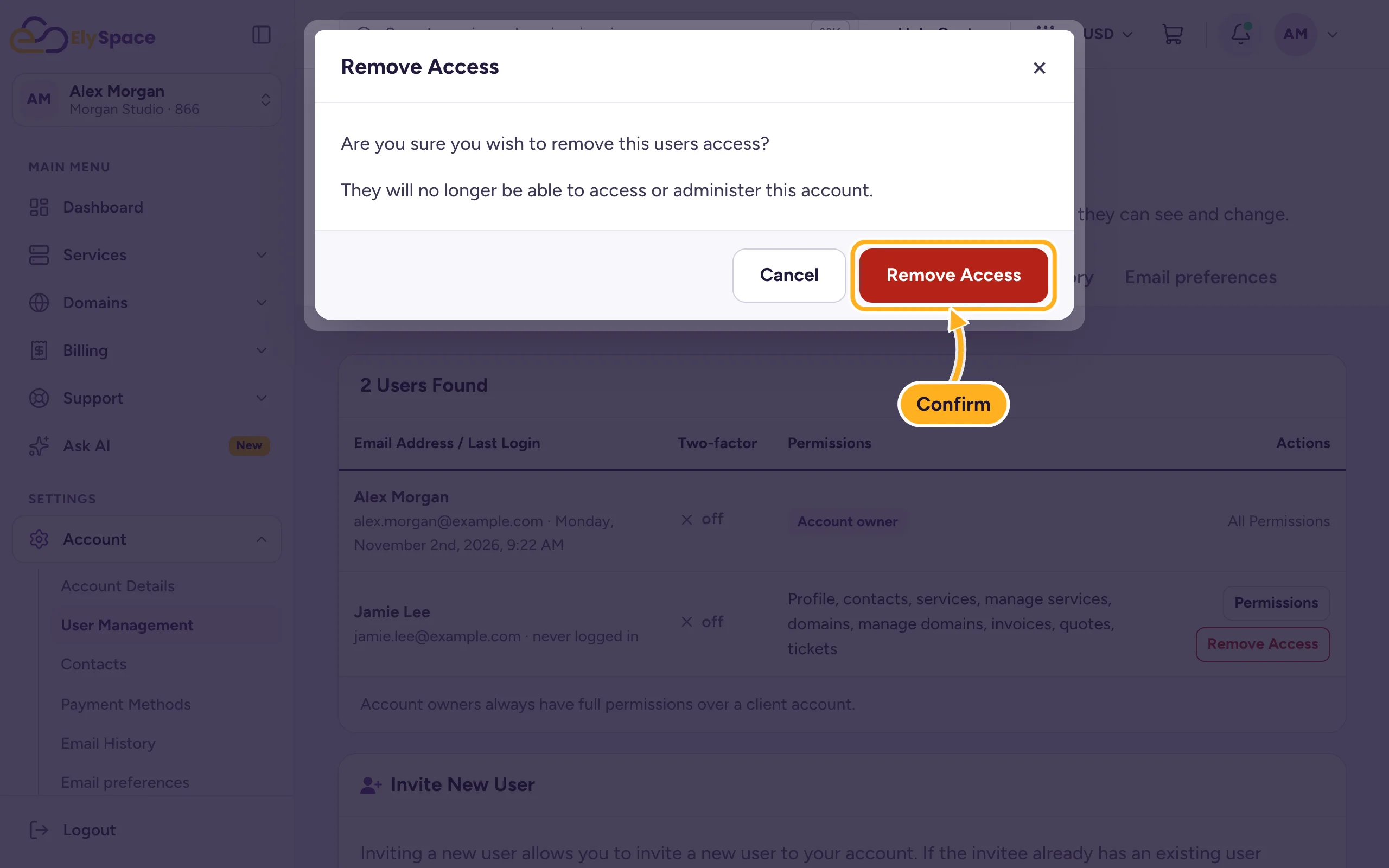
The dialog asks Are you sure you wish to remove this users access? and explains that they will no longer be able to access or administer this account. Click Remove Access to confirm, or Cancel.
The person's own login isn't deleted. They can still log in to their own ElySpace account, if they have one, but your account is no longer available to them.
Only limit what they can do
If the person should keep some access, click Permissions instead of Remove Access and untick what they no longer need. See Give other people access to your account (users).
Cancel an invitation that wasn't accepted
Invitations that haven't been accepted yet are listed under Pending Invites on the same page. Click Cancel Invite next to the address, so the invitation can no longer be used.
After you remove someone
Removing access stops them from logging in to your client area, but not from using passwords they already know. If they could see passwords or log in to your control panel, change these too:
- your cPanel password: Change or reset your cPanel password
- passwords of email accounts they used: Change an email account password
- your client area password, if you ever shared it: Change your client area password
Common problems
There's no Remove Access button
You're looking at the account owner's row: the owner can't be removed. If the button is missing for another user, ask the account owner to remove them.
You want to give the account to someone else
The owner can't be removed in User Management. Open a ticket in Client Area Support and tell us what you'd like to change.
Related articles
- Give other people access to your account (users)
- Security tips for your ElySpace account
- Switch between accounts
Still stuck? Open a support ticket and we'll help.
