

Add an identity in Roundcube (Settings, Identities, Create) to send from another address on your domain, such as info@, without logging in to a second mailbox.
[email protected] is forwarded to your mailbox (see Forward email to another address), and you want to answer as info@ instead of your personal address. Use identities only for addresses on your own domain that you control.Create the identity
In Roundcube (see Log in to webmail), click Settings, then Identities and Create.
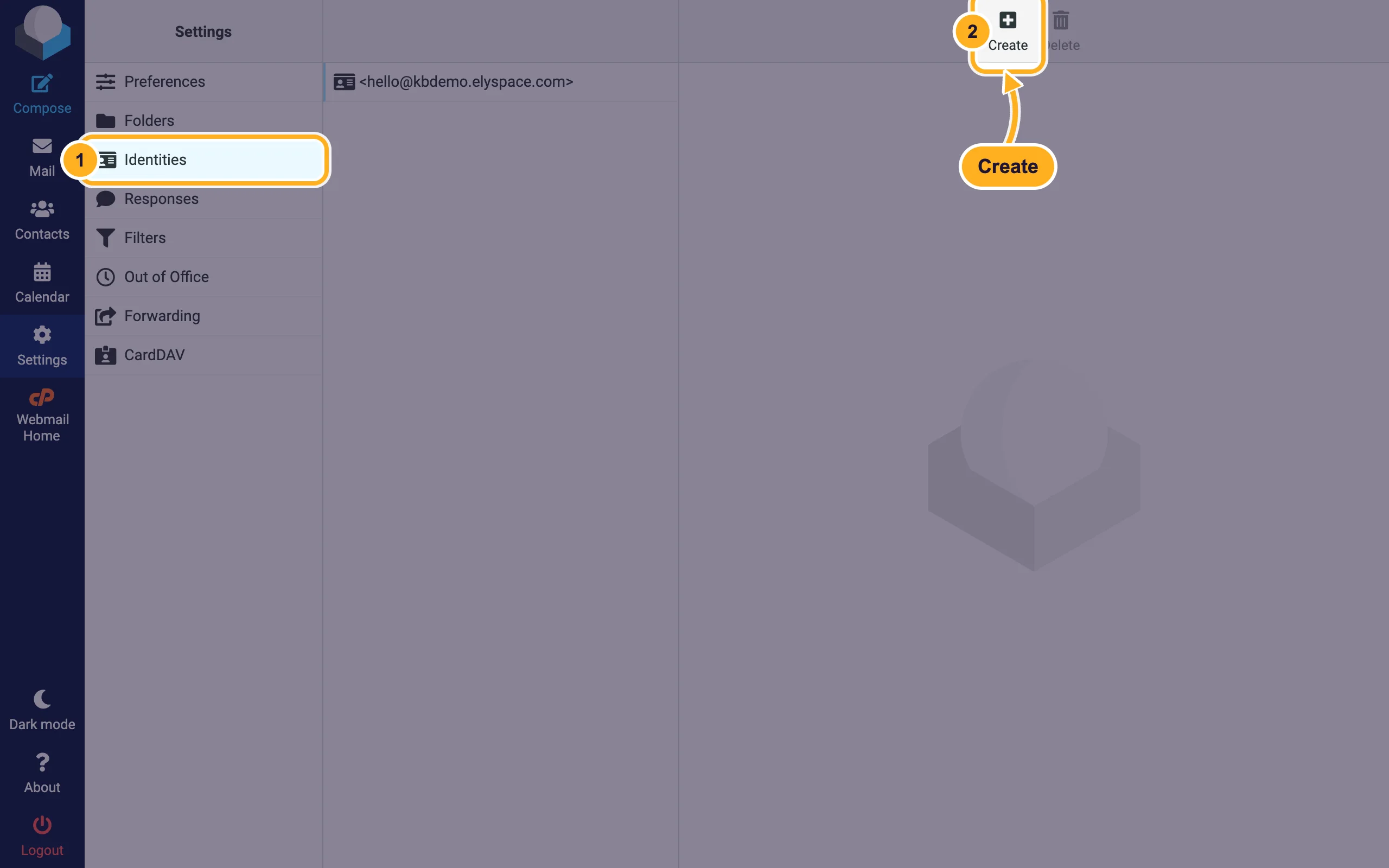
Fill in the form:
- Display Name: the name recipients see, for example your company name.
- Email: the address you want to send from, for example
[email protected]. - Reply-To (optional): where replies should go. Fill it in with the same address if you want replies to arrive at info@ and not at your own mailbox address.
- Add a Signature for this address if you like (see Add an email signature in webmail), then click Save.
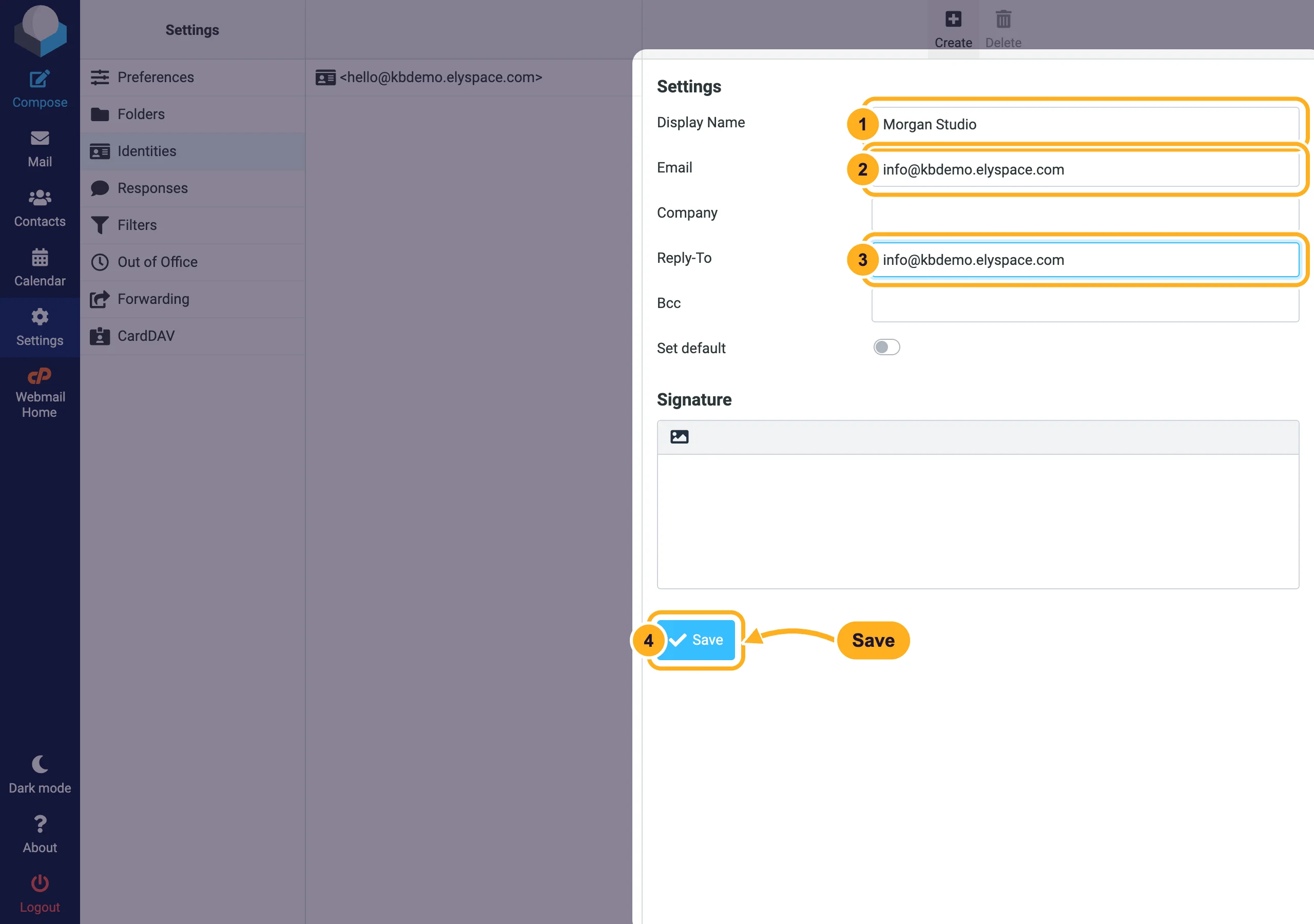
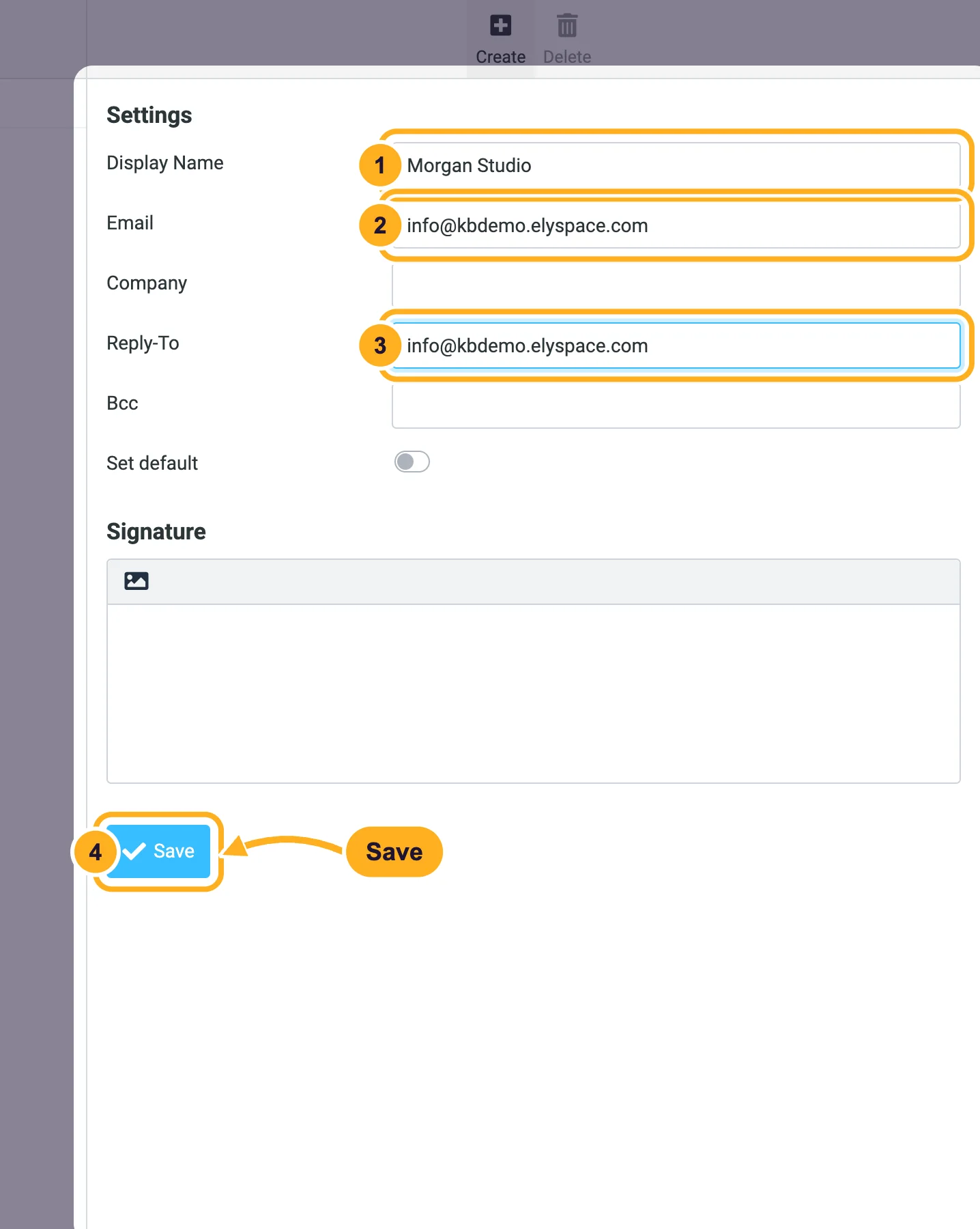
Set default in the form makes an identity the one Roundcube picks for new messages. Bcc sends a hidden copy of every message from this identity to the address you enter there.
Send from the other address
Click Compose. Choose the address in the From menu at the top of the message.
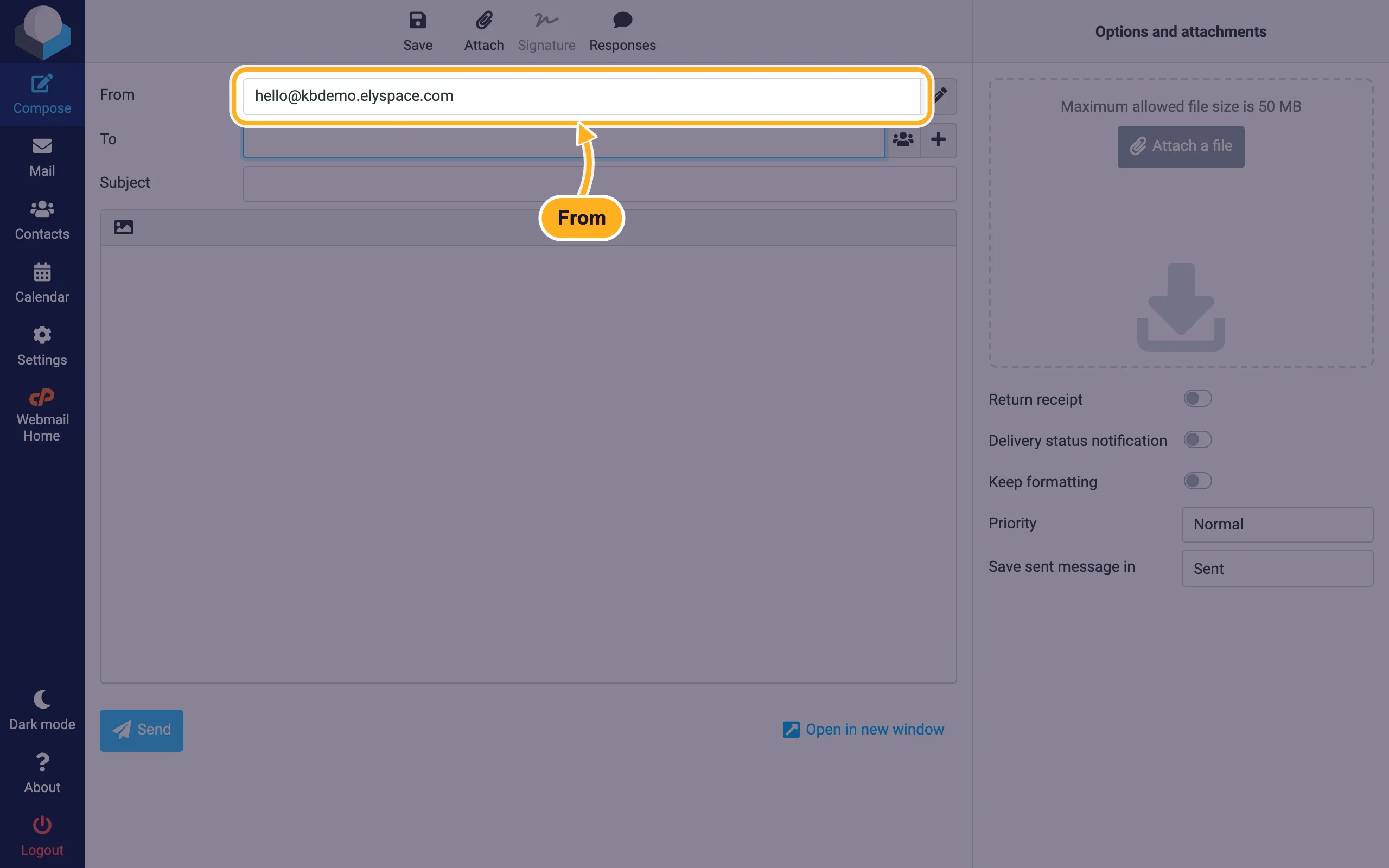
When you reply to a message that was sent to one of your identities, Roundcube usually selects that identity for you. Check the From line before you click Send.
The pencil icon next to the From menu (Edit identities) takes you straight to the identity settings.
Common problems
Replies go to the wrong mailbox
Without Reply-To, replies go to the From address. Make sure that address really receives mail: it must be a mailbox or a forwarder on your hosting (see Create an email account or Forward email to another address).
Mail sent as a Gmail or other outside address lands in spam
Don't use identities for addresses at Gmail, Outlook.com or other providers. Their domains publish rules (SPF and DMARC) that say only their own servers may send for them, so receiving servers reject or filter such mail. Send those messages from the provider's own app.
The identity disappears in Outlook or on the phone
Identities belong to webmail only. Mail apps have their own setting for extra sender addresses, or you add the other address as its own mailbox there.
Related articles
- Add an email signature in webmail (Roundcube)
- Forward email to another address
- Log in to webmail
- Fix email going to spam: SPF, DKIM and DMARC
Still stuck? Open a support ticket and we'll help.
