

Set your cPanel contact email under Contact Information. cPanel sends account warnings and password reset links there, so keep it up to date.
Change the contact email
Log in to cPanel and click Contact Information in the Preferences section.
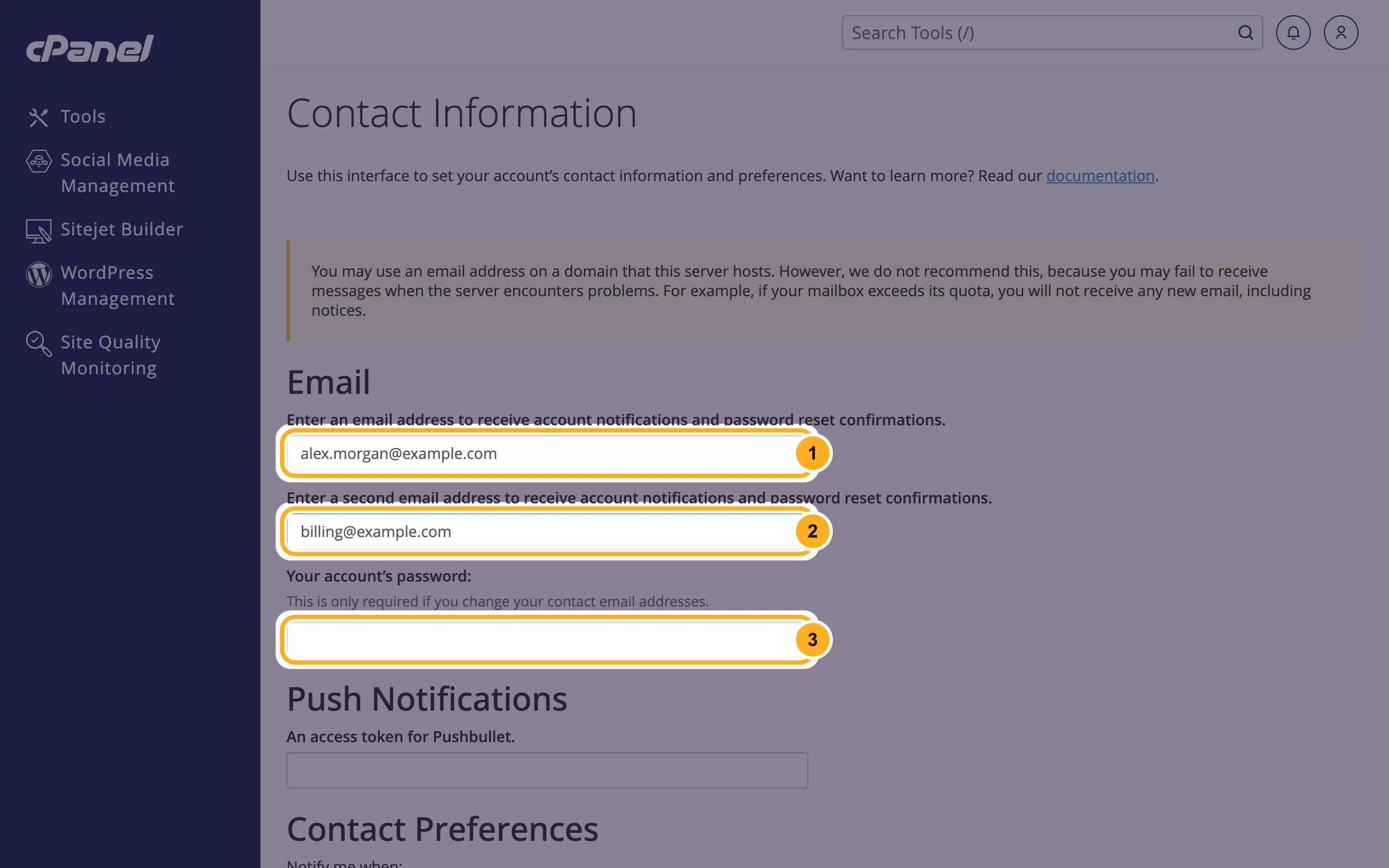
Under Email:
- The first field is your main contact address. Type the new address here.
- The second field is optional: a second address that gets the same messages, for example a colleague or your web designer.
- Your account's password: enter your cPanel password. cPanel asks for it only when you change a contact address.
Scroll down and click Save.
Use an address at another provider, such as Gmail or Outlook.com, not a mailbox on the same hosting. cPanel says this too: if your hosting has a problem, for example a full mailbox, you might not get the warning about it.
If you don't know your cPanel password, you can log in through the client area instead and set a new one: see Change or reset your cPanel password.
Choose your notifications
On the same page, choose what cPanel tells you about:
- Under Contact Preferences, tick the events you want an email for. The most useful ones: My account approaches its disk quota., My account approaches its bandwidth usage limit. and My account's password changes. Tick Someone logs in to my account. if you want an email for every cPanel login.
- Under AutoSSL Notifications, choose which messages about your free SSL certificates you get. The default, AutoSSL failures and deferrals only., tells you when a certificate couldn't be issued or renewed.
- Click Save.
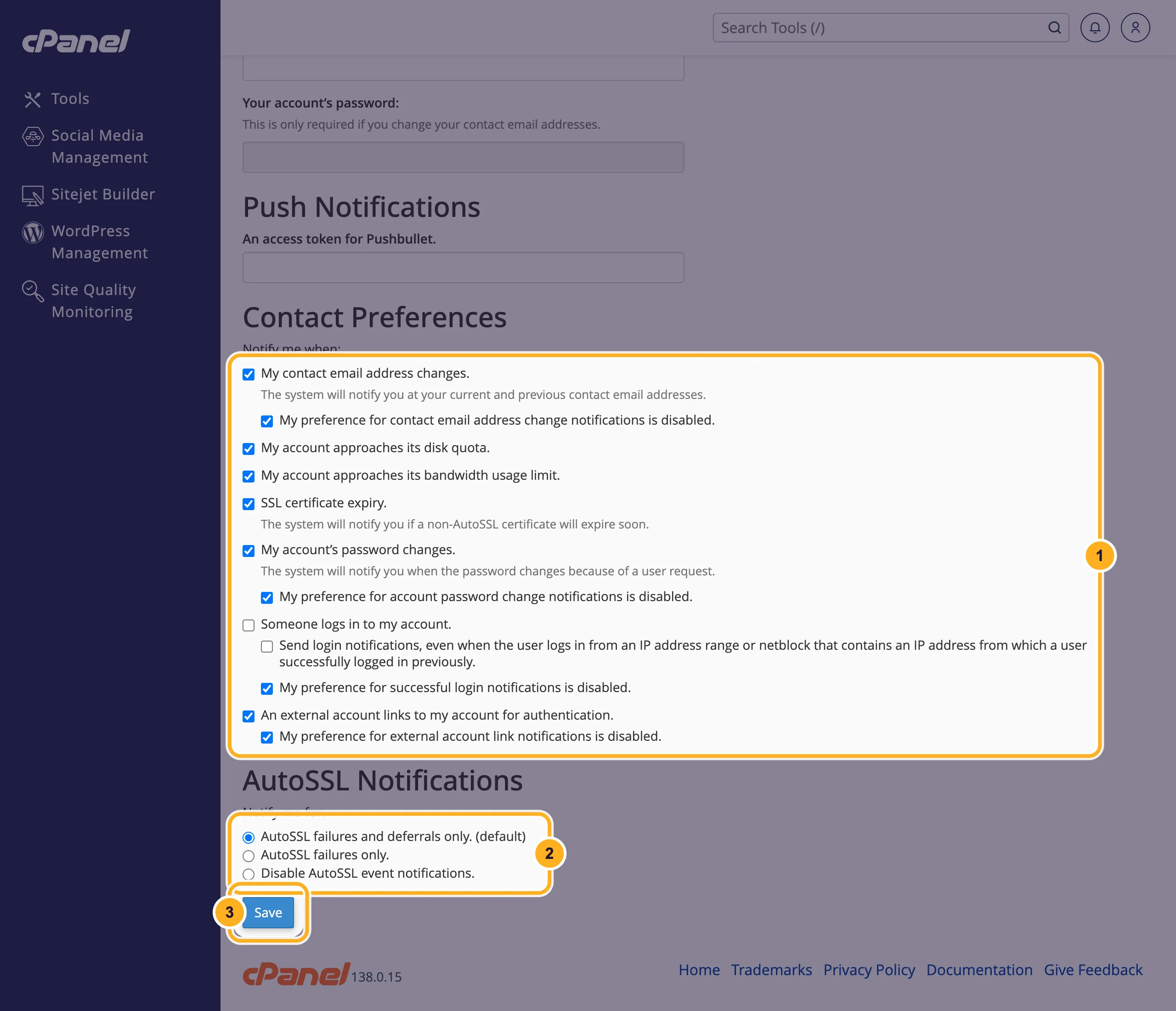
The options that start with My preference for … notifications is disabled. mean: also email me if someone switches that notification off. Leave them ticked. They warn you if someone else changes your settings.
Push Notifications takes an access token from the Pushbullet app, if you want the same messages on your phone.
Common problems
The password field is grey
It only becomes active after you change one of the email addresses. You don't need it to change the notifications.
You don't get the cPanel emails
Check your spam folder and add the sender to your contacts. Then check that the address on this page is spelled right and isn't a mailbox on the same hosting that is full.
You get an email for every login
Untick Someone logs in to my account. and click Save. If the logins weren't you, change your password at once and open a ticket.
Related articles
- Change or reset your cPanel password
- Check disk space and bandwidth usage
- Free SSL: check and fix your certificate (AutoSSL)
- Update your profile and billing address
Still stuck? Open a support ticket and we'll help.
