

Create a cPanel API token under Manage API Tokens: name it, set an expiry date, click Create and copy the token at once. It is shown only one time.
What an API token is for
Scripts, apps and services (for example a backup tool, a deployment script or a monitoring service) can use a token to work with your cPanel account through the cPanel API, without knowing your password. If the token leaks, you revoke it and your password stays safe.
Create a token
Log in to cPanel, click Manage API Tokens in the Security section, then click Create.
Fill in the form:
- API Token Name: a name that tells you where the token is used, for example
deploy-script. Letters, numbers, dashes and underscores are allowed. - Should the API Token Expire?: choose Specify an expiration date. A token that expires on its own is safer than one that lasts for ever.
- API Token Expiration Date: pick the date with the calendar button.
- Click Create.
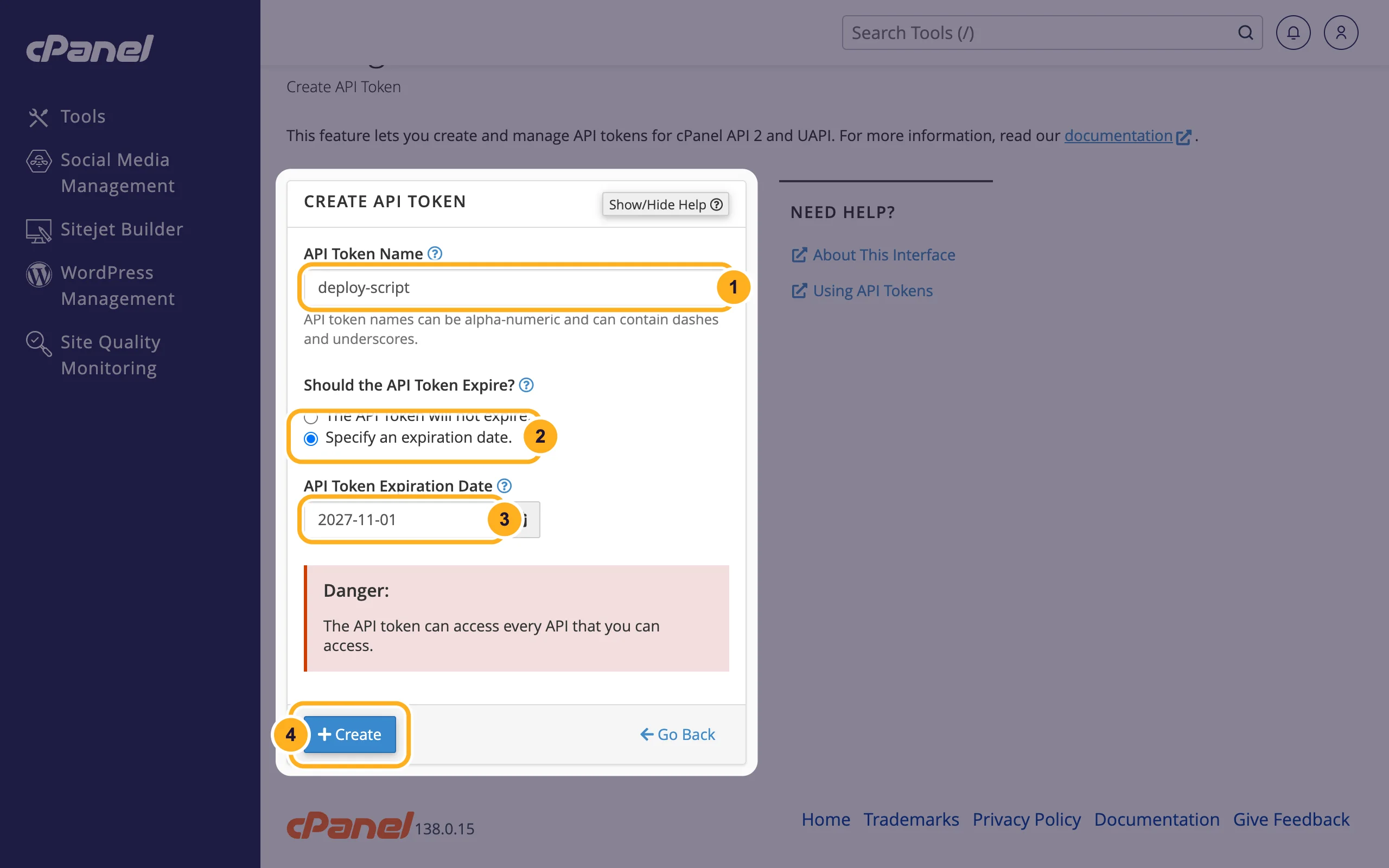
- API Token Name: a name that tells you where the token is used, for example
cPanel shows TOKEN CREATED SUCCESSFULLY and the token. Click Copy and save it in a safe place, such as a password manager. This is your only opportunity to copy this token!
Click Yes, I Saved My Token to close the page.
When the date passes, the token stops working. cPanel doesn't delete it: it stays in the list until you revoke it.
Use the token
The software asks for your cPanel username, the server name and the token. You find the username and server name in the client area, see Find your server name, IP address and nameservers. Developers send the token in an HTTP header to port 2083:
curl -H "Authorization: cpanel USERNAME:TOKEN" \
  "https://SERVERNAME:2083/execute/Quota/get_quota_info"
Replace USERNAME, TOKEN and SERVERNAME with your own values. The answer comes back as JSON.
Rename or revoke a token
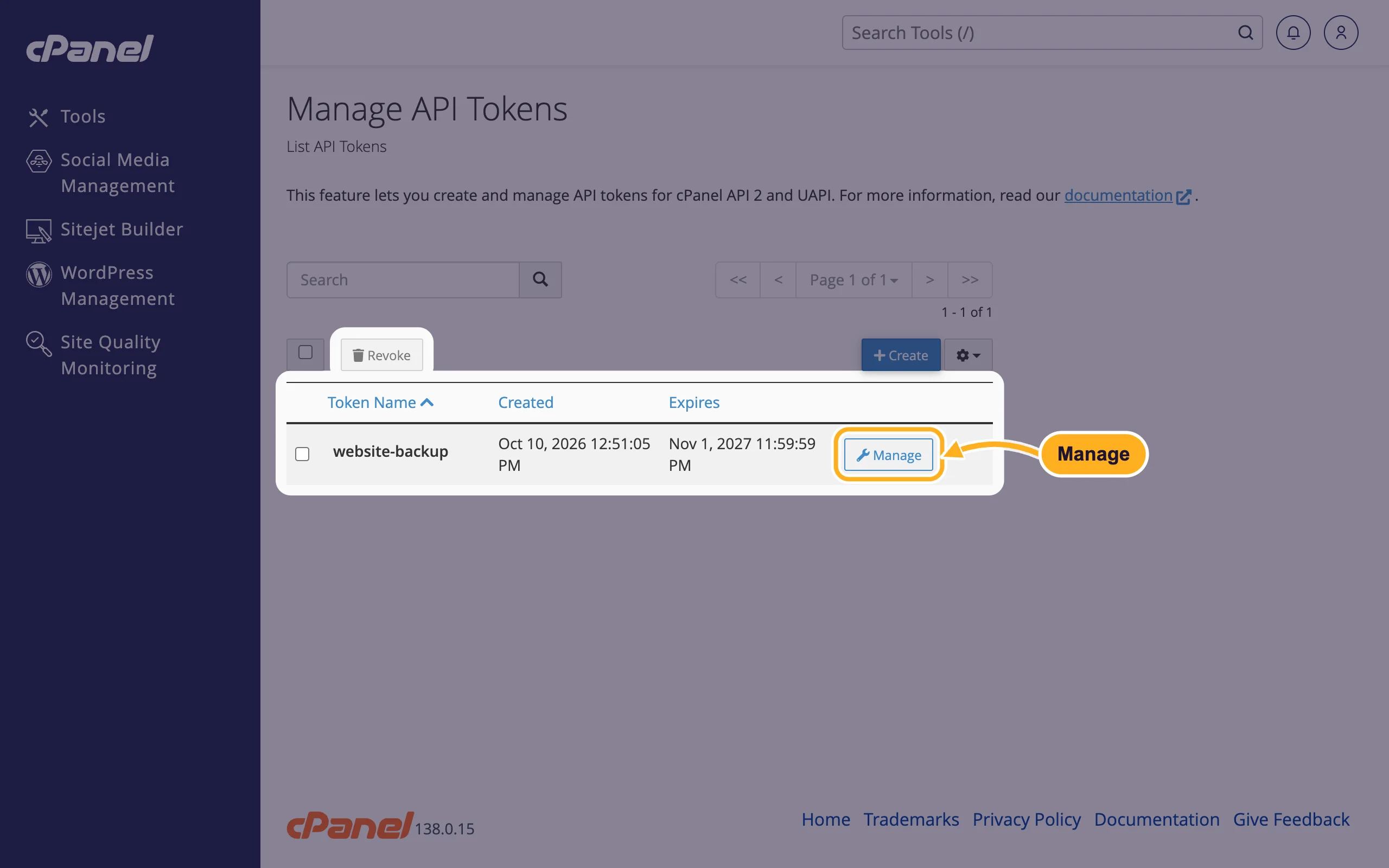
In Manage API Tokens, click Manage next to the token.
Under RENAME TOKEN, type a new name and click Update. Or, to stop the token from working, click Revoke The Token.
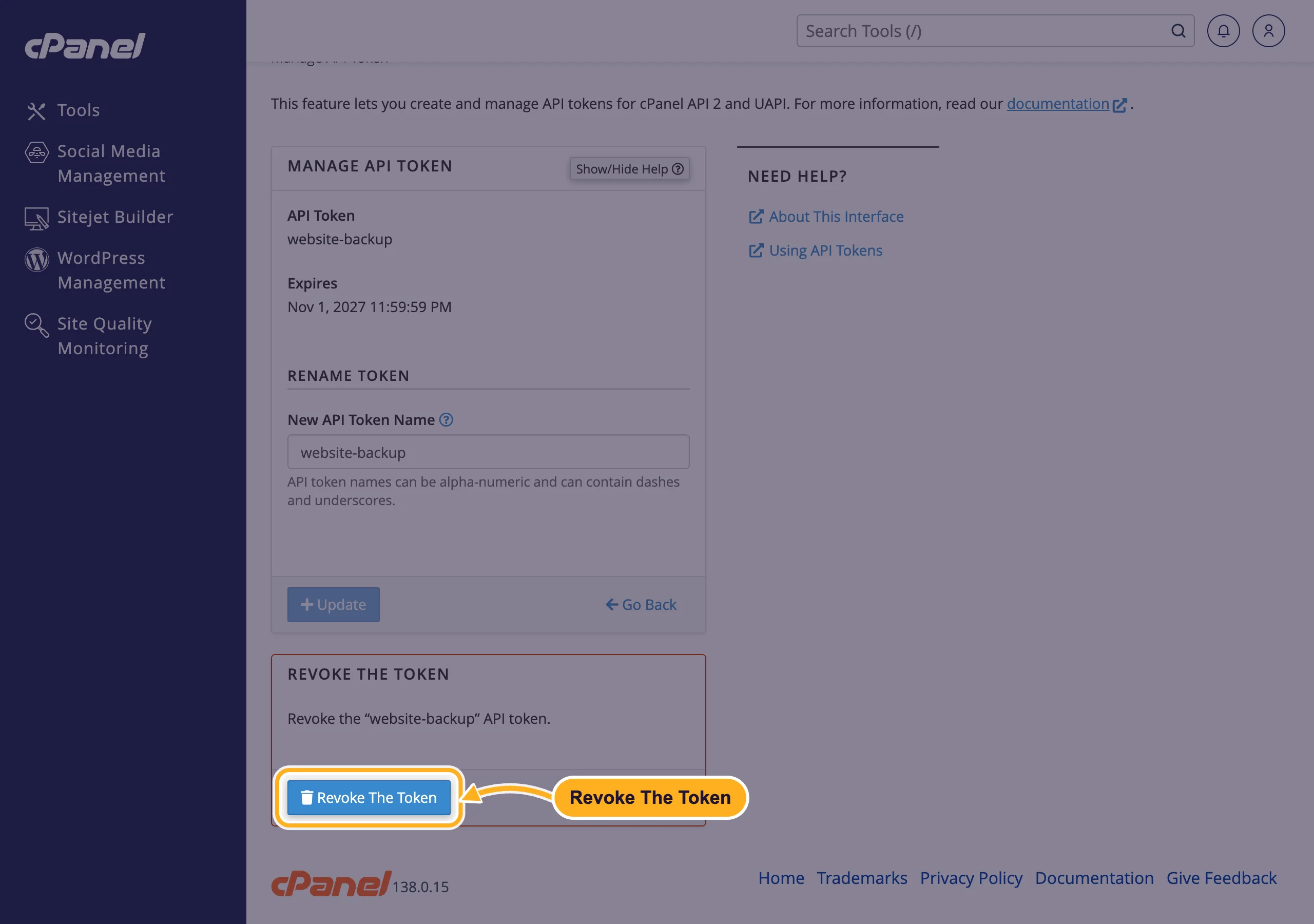
To revoke several tokens at once, tick them in the list and click Revoke above the list.
Common problems
You lost the token
cPanel can't show it again. Revoke the old token and create a new one, then enter the new token in your software.
"This API token name already exists on this account"
Each name can only be used once. Choose another name, or revoke the old token with that name first.
The software says access denied
Check that the token hasn't expired or been revoked, that the username is your cPanel username (not your client area email) and that the software connects to port 2083 over https.
Related articles
- Change or reset your cPanel password
- Find your server name, IP address and nameservers
- Manage cPanel users (User Manager)
- Security tips for your ElySpace account
Still stuck? Open a support ticket and we'll help.
