

In cPanel, open Raw Access and click your domain to download its access log as a .gz file. It lists every request to your site, line by line.
Download the current log
Log in to cPanel and click Raw Access in the Metrics section.
Under Download Current Raw Access Logs, click the domain name. Each domain has two lines: the one marked (SSL) holds the visits over https, the other one the visits over plain http. Last Update and Disk Usage show how recent and how large each log is.
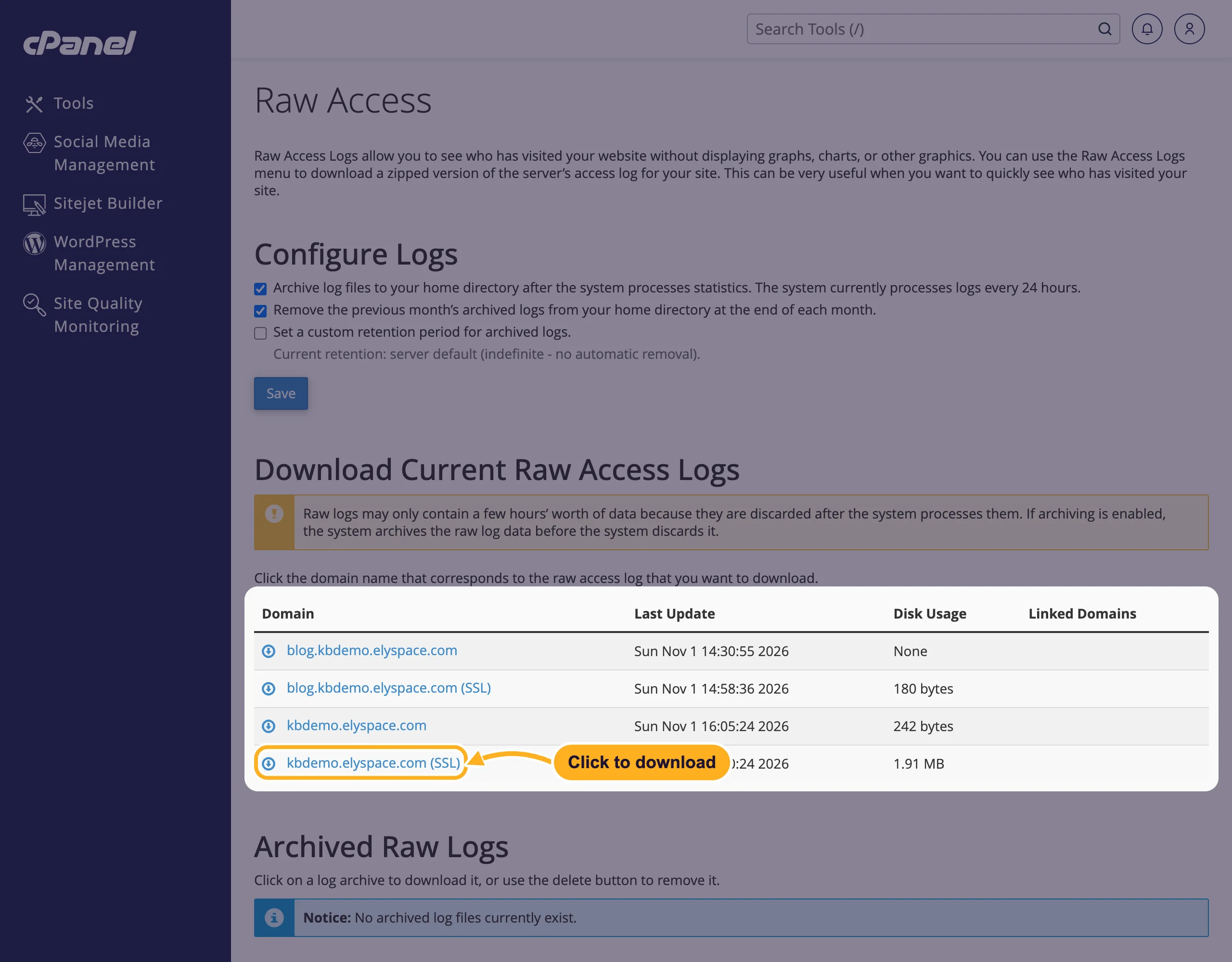
Your browser saves a file such as
sslaccesslog_yourdomain.com_….gz. Unpack it (Windows: 7-Zip; Mac: double-click it) and open the file inside with a text editor.
The current log only holds the requests since the server last processed the statistics, which happens every 24 hours. The page warns about this: Raw logs may only contain a few hours' worth of data.
Read a log line
Each line is one request in the common "combined" format:
203.0.113.50 - - [01/Nov/2026:14:16:24 +0000] "GET /about.html HTTP/2" 200 5120 "https://www.google.com/" "Mozilla/5.0 (…)"203.0.113.50: the visitor's IP address.[01/Nov/2026:14:16:24 +0000]: date and time of the request."GET /about.html HTTP/2": the method and the page or file asked for.200: the status code.200is OK,301and302are redirects,404is not found,500is a server error.5120: bytes sent.- The last two parts: the page the visitor came from and their browser.
To search a large log, open it in a spreadsheet program or a text editor with a search function and look for an IP address, a page or a status code such as 404 .
Keep older logs (archive)
To keep a log of more than the last day, let cPanel archive the logs:
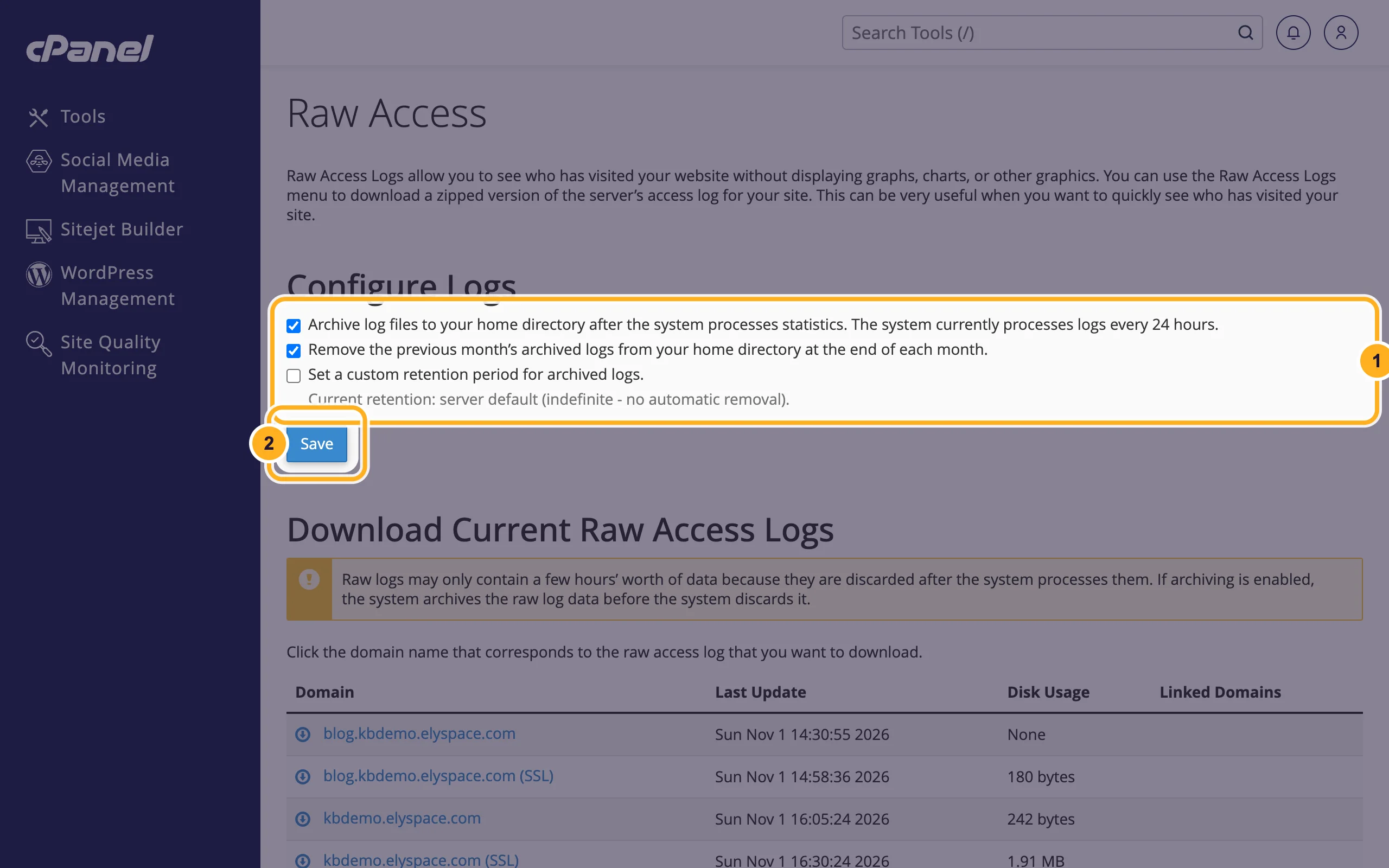
Under Configure Logs at the top of the Raw Access page:
- Tick Archive log files to your home directory after the system processes statistics. To stop the archive from growing, also tick Remove the previous month's archived logs from your home directory at the end of each month., or tick Set a custom retention period for archived logs. and enter the number of days to keep them.
- Click Save.
Archived logs appear under Archived Raw Logs on the same page, where you can download or delete them. They are stored in your account and count toward your disk space.
Common problems
The downloaded log is empty or very short
The current log was just processed and started again. Turn on archiving as shown above, then download the archive for the period you need the next day.
Your disk space is filling up
Archived logs of a busy site can grow large. Tick the monthly removal or set a retention period, and delete old archives you don't need. See See what uses your disk space.
Related articles
Still stuck? Open a support ticket and we'll help.
