

When a mailbox is full, open Email Disk Usage in cPanel, pick the mailbox and folder, and delete old or large messages in one step.
See which folders use the space
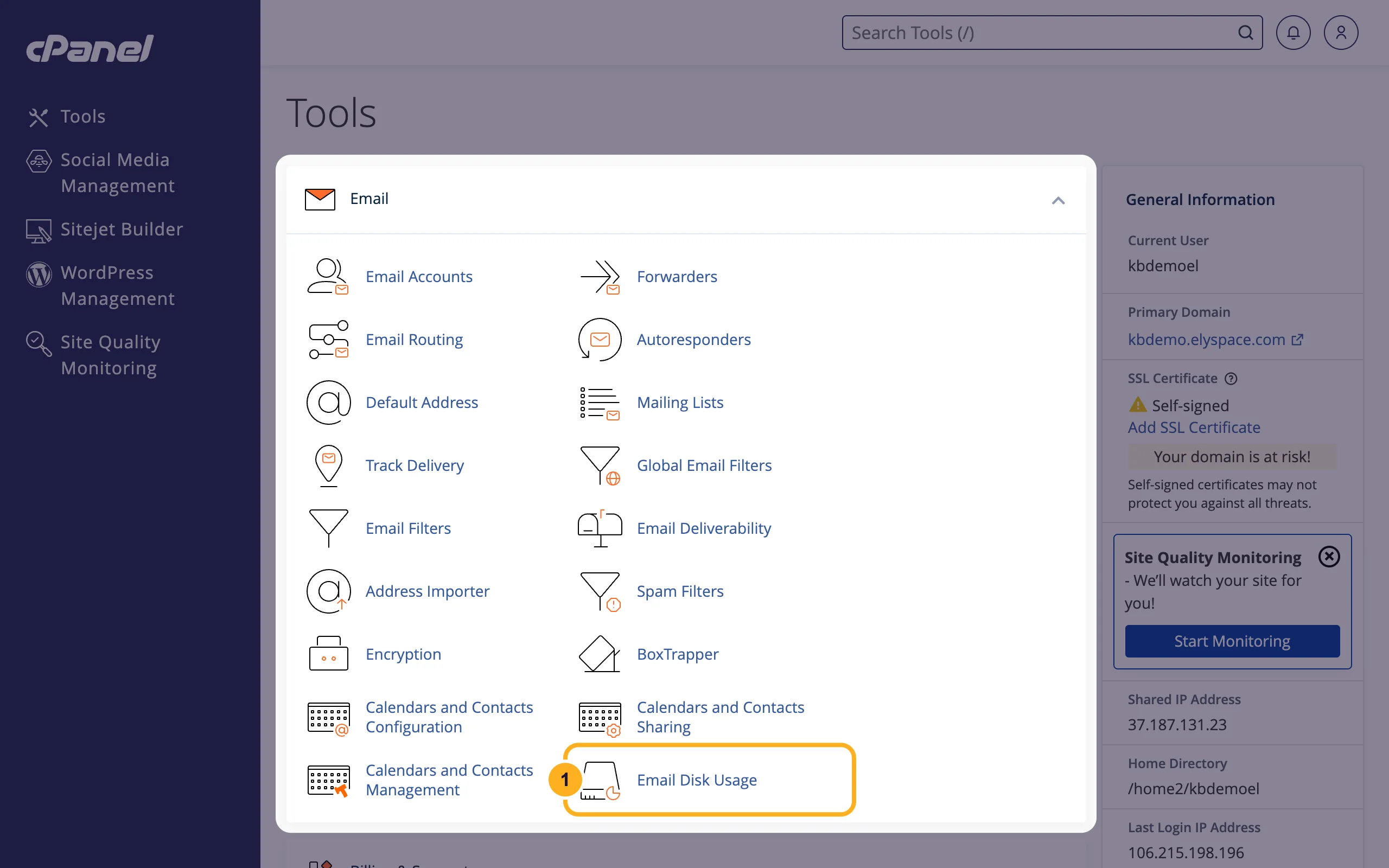
Log in to cPanel (see Log in to cPanel from the client area). In the Email section, click Email Disk Usage.
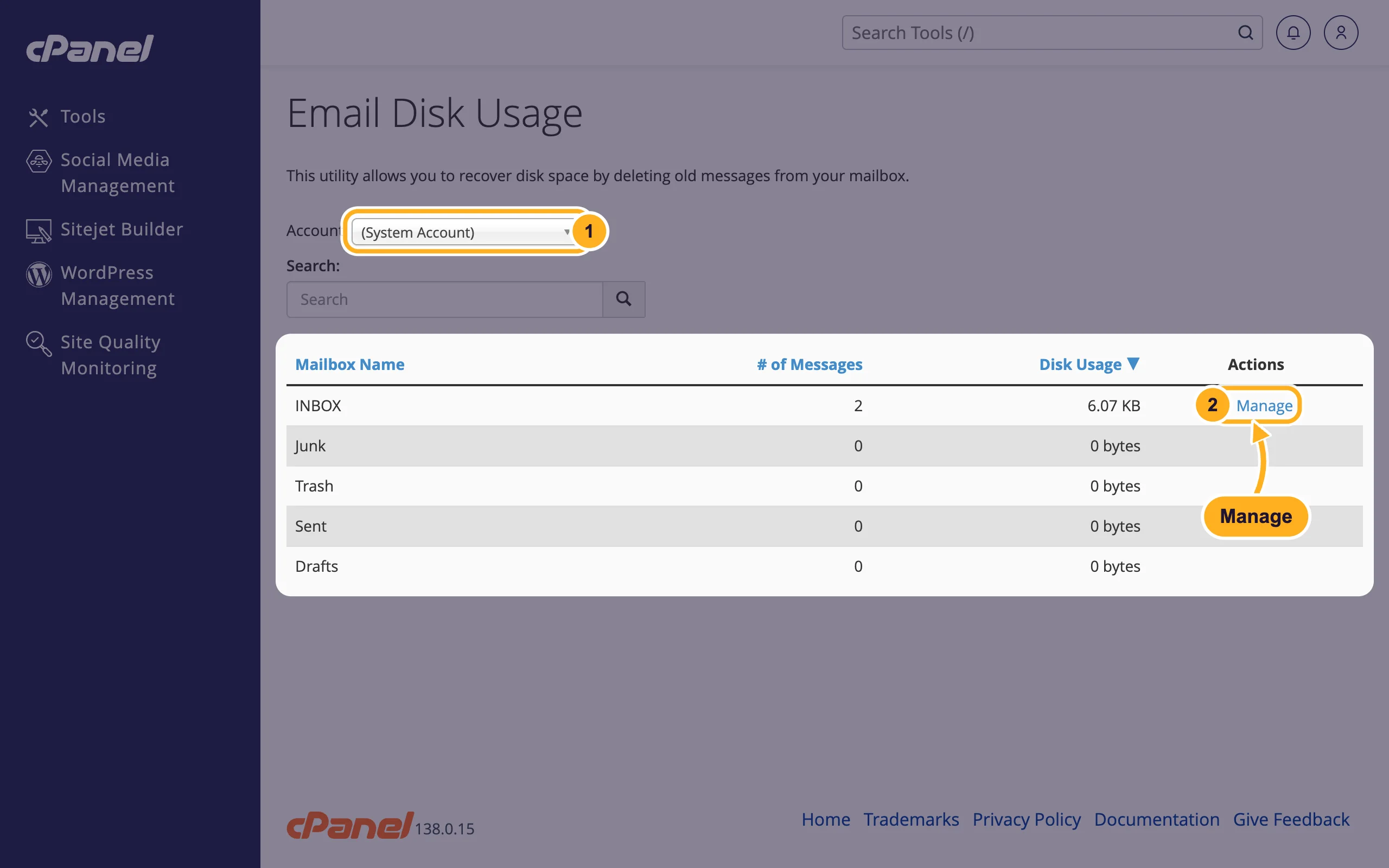
Check the list of folders:
- Account: choose the mailbox, for example
[email protected]. (System Account) is the mailbox of your cPanel user that collects system messages. - The table shows each folder (INBOX, Sent, Trash, Junk and your own folders) with # of Messages and Disk Usage. Click Disk Usage to sort the biggest folder to the top. Folders that contain messages have a Manage link.
- Account: choose the mailbox, for example
Delete old or large messages
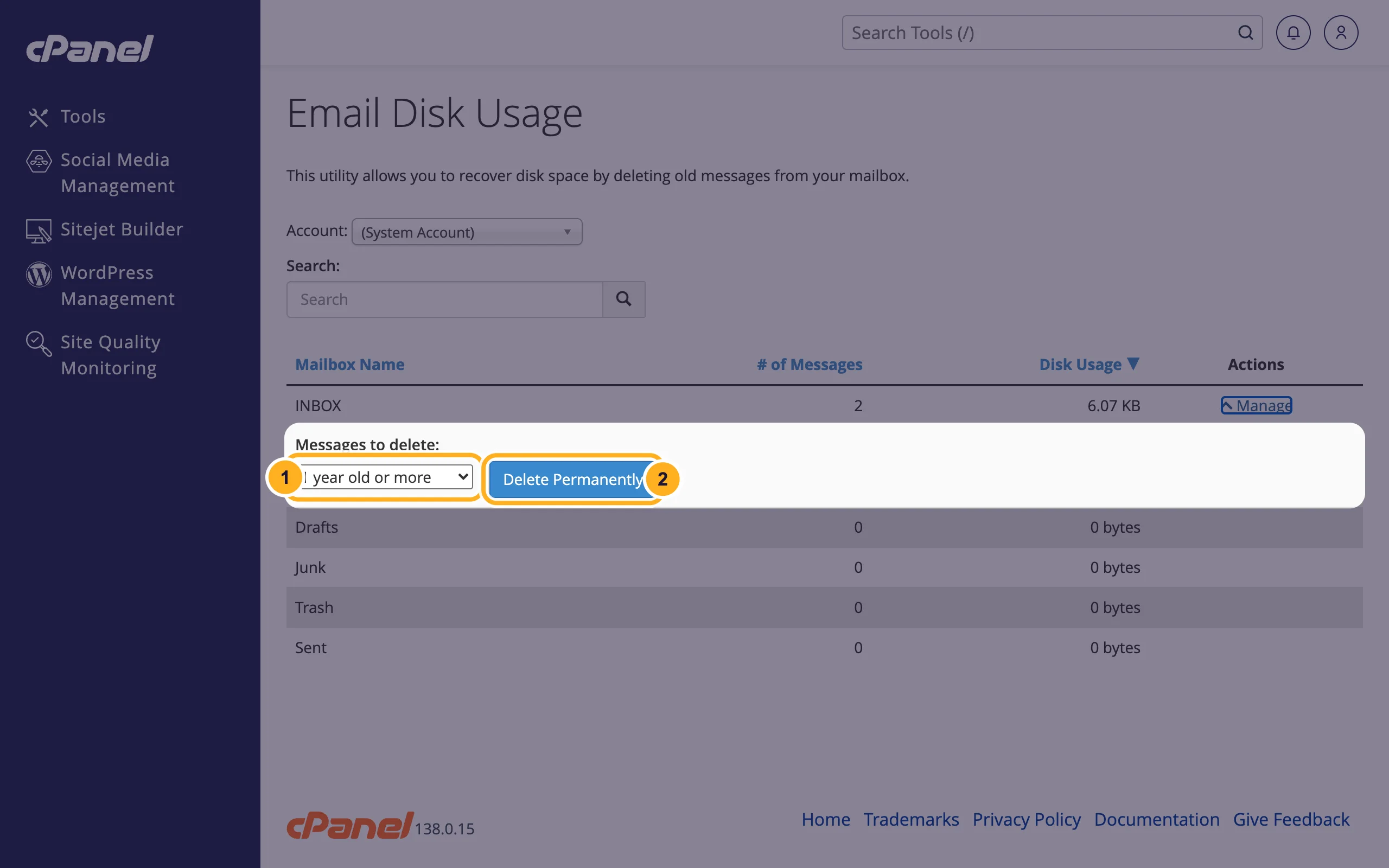
Click Manage next to the folder. A box Messages to delete opens below it.
Choose which messages to remove and confirm:
- Pick an option:
- 1 year old or more
- 30 MB in size or more (large attachments)
- Previously viewed (messages already marked as read)
- All messages in this folder
- Custom query …: type your own rule. The page shows the example
savedbefore 2weeks(messages saved more than two weeks ago).
- Click Delete Permanently.

- Pick an option:
The folder's Disk Usage goes down. Repeat for other big folders. Trash, Junk and Sent are good places to start, because they are often large and rarely needed.
The same tool is in webmail: on the webmail start page, click Manage Disk Usage. That way a mailbox user can clean up without access to cPanel (see Log in to webmail).
Other ways to get space
- Give the mailbox more room. The Storage column of Email Accounts shows how much each mailbox uses and allows. You can raise the limit as long as your hosting plan has disk space left (see Change the storage space of a mailbox).
- Empty Trash and Junk in your mail app or webmail. Deleting a message often only moves it to Trash, which still counts towards the mailbox size.
- Keep less mail on the server. If you use POP3 on one computer, set the app to remove messages from the server after downloading them.
Common problems
There is no Manage link
The folder is empty, or you picked the wrong mailbox under Account.
The mailbox is still full after deleting
Check the other folders, especially Sent and your own folders, and the size shown under Storage in Email Accounts. If your whole hosting account is out of disk space, see See what uses your disk space in cPanel.
People get a "mailbox full" bounce
Mail sent while the mailbox was full was returned to the sender. It won't come back on its own: ask the sender to send it again once you have space. More in Mailbox full, bounces and other common email errors.
Related articles
- Change the storage space of a mailbox
- Mailbox full, bounces and other common email errors
- See what uses your disk space in cPanel
- Log in to webmail
Still stuck? Open a support ticket and we'll help.
