

Open the Professional Email page in the store, click Buy Now, pick a payment term and your domain, then check out. OX is set up after payment.
Order OX App Suite
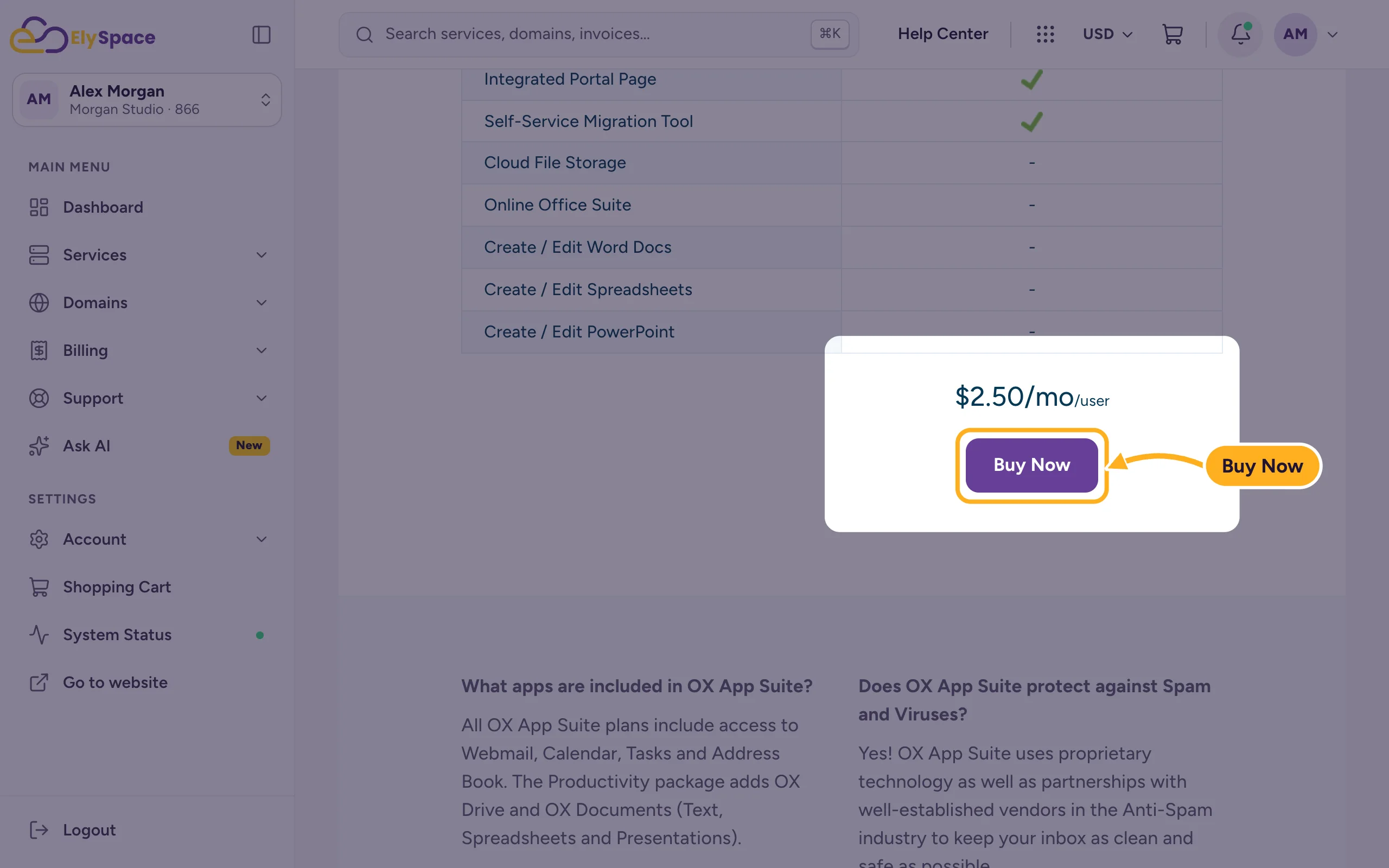
Open my.elyspace.com/store/professional-email. Scroll to Pricing & Plans, check what the plan includes and click Buy Now. The price shown is per user (per mailbox).
On Configure Product, choose your domain and payment term:
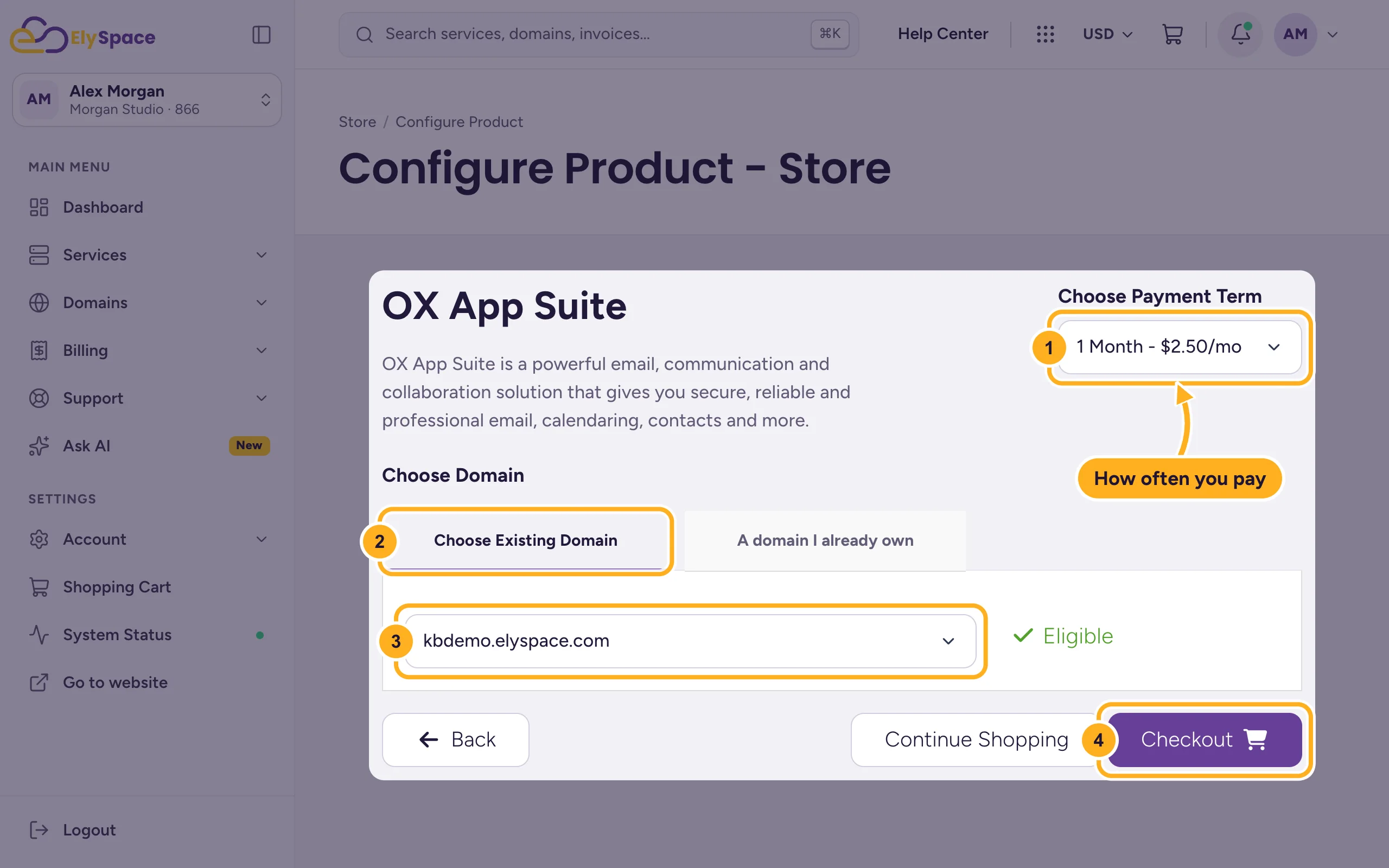
- Choose Payment Term: how often you pay, from 1 Month to 3 Years. Each option shows its price.
- Choose Existing Domain: this tab lists the domains in your ElySpace account.
- Select the domain for your email addresses. Eligible appears next to it when OX can be used with it.
- Click Checkout. Continue Shopping also adds OX to the cart, so you can add other products first.
Is the domain registered somewhere else, or not in the list? Click A domain I already own and type it without www, for example
yourdomain.com. Wait until Valid appears, then click Checkout. If you aren't logged in, this is the only tab you see.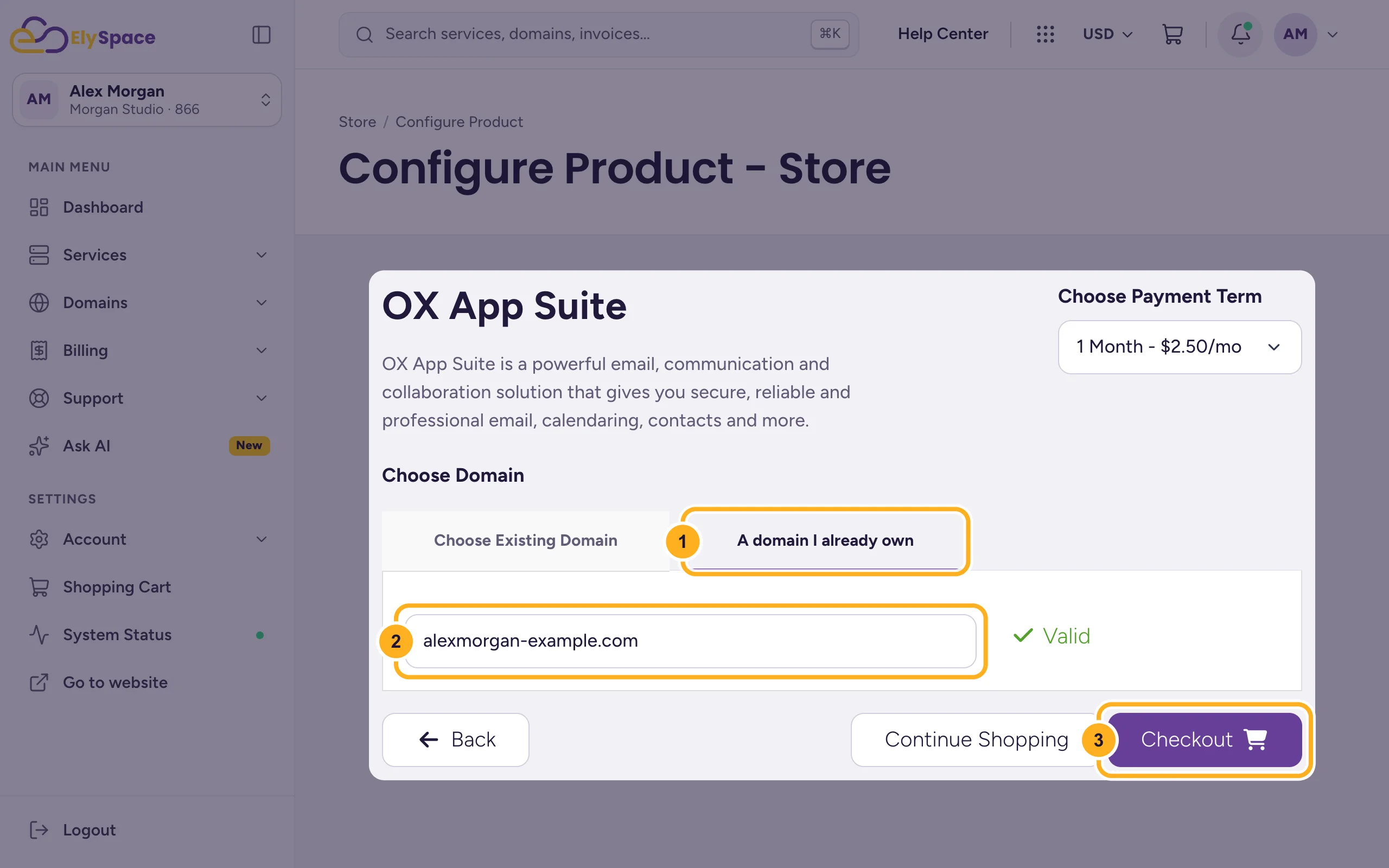
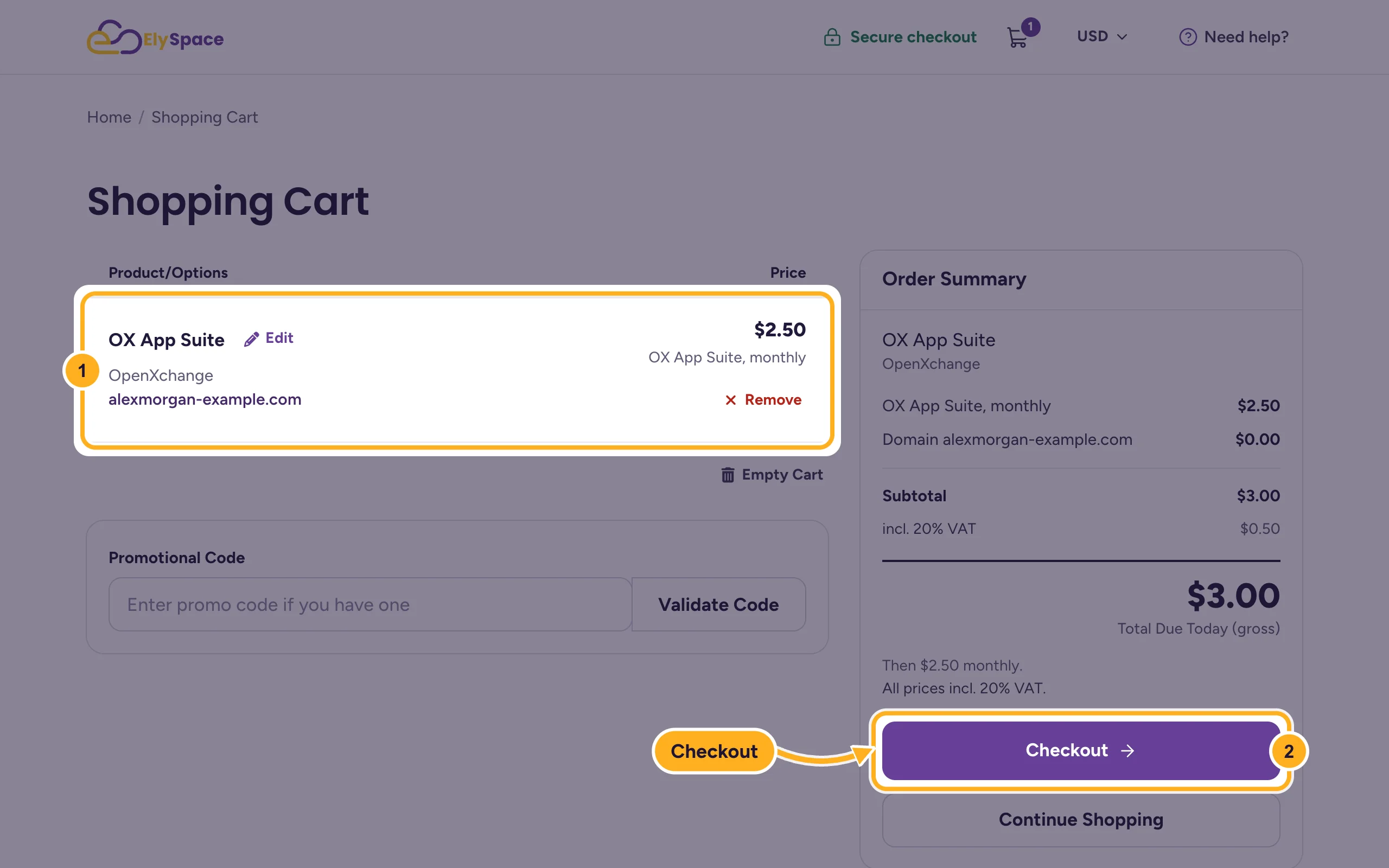
The Shopping Cart shows OX App Suite with your domain and term. Use Edit to change them or Remove to take it out. Click Checkout to continue.
Complete the checkout: your details (or log in), payment method, accept the terms and click Complete Order. These screens are the same as for hosting, see Buy web hosting step by step.
How many mailboxes you get
The order form has no field for the number of mailboxes. After the order, the Manage Email Accounts page shows how many you can create, in the line "You have created ... of ... available accounts". To get more, click Upgrade there and enter the new total. See Create OX mailboxes and log in to OX webmail.
After the order
Pay the invoice (see Pay an invoice). The OX service is then set up automatically and you get a welcome email.
DNS: if the domain is hosted on an ElySpace cPanel account, our system points its MX records to OX and adds the OX SPF record for you. For any other domain, add the records yourself as shown in OX App Suite: point your domain's email DNS. Until then, mail for your domain doesn't reach OX.
Create your mailboxes in the client area and log in to webmail (see Create OX mailboxes and log in to OX webmail).
Common problems
Checkout stays grey after typing the domain
The page checks the domain first. Type the full name with its ending (yourdomain.com, not www.yourdomain.com or yourdomain), then click outside the field and wait for Valid.
My domain isn't in the Choose Existing Domain list
The list shows only domains in this client account. Use A domain I already own, or switch to the right account first.
Related articles
- OX App Suite email from ElySpace: what you get
- Create OX mailboxes and log in to OX webmail
- OX App Suite: point your domain's email DNS
- Buy web hosting step by step
Still stuck? Open a support ticket and we'll help.
