

Read your email in any browser: open yourdomain.com/webmail and log in with your full email address and its password. Webmail uses Roundcube.
Log in with your email address
Open one of these addresses in your browser (replace yourdomain.com with your own domain):
https://yourdomain.com/webmailhttps://webmail.yourdomain.com
If your domain doesn't point to our servers yet, use your server's address with port 2096 instead, for example
https://node111.elycloud.com:2096. Your server name is in the client area (see Find your server name, IP address and nameservers).Log in:
- Email Address: the full address, for example
[email protected]. - Password: the password of this mailbox (not your client area password).
- Click Log in.
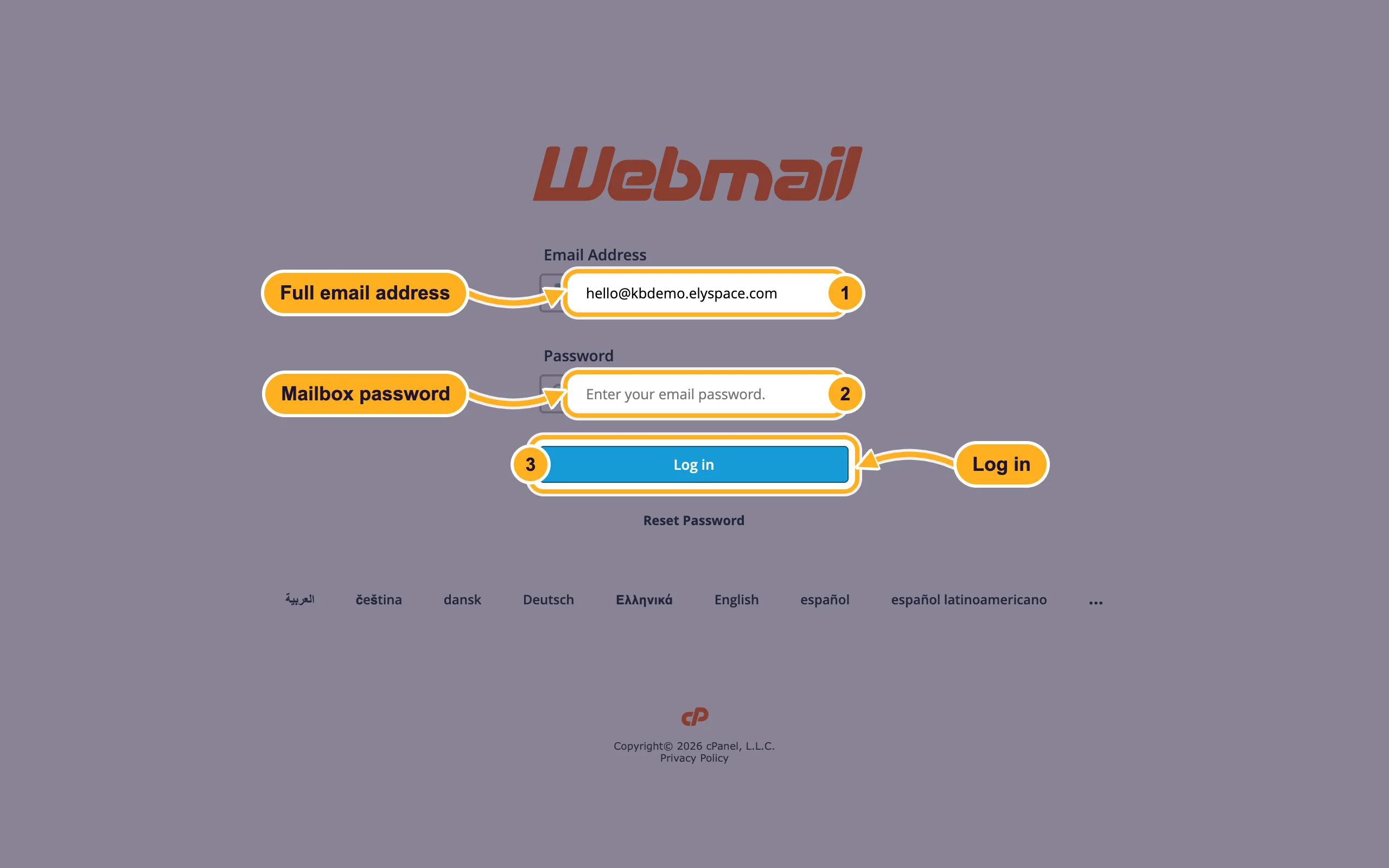
- Email Address: the full address, for example
Open webmail from cPanel
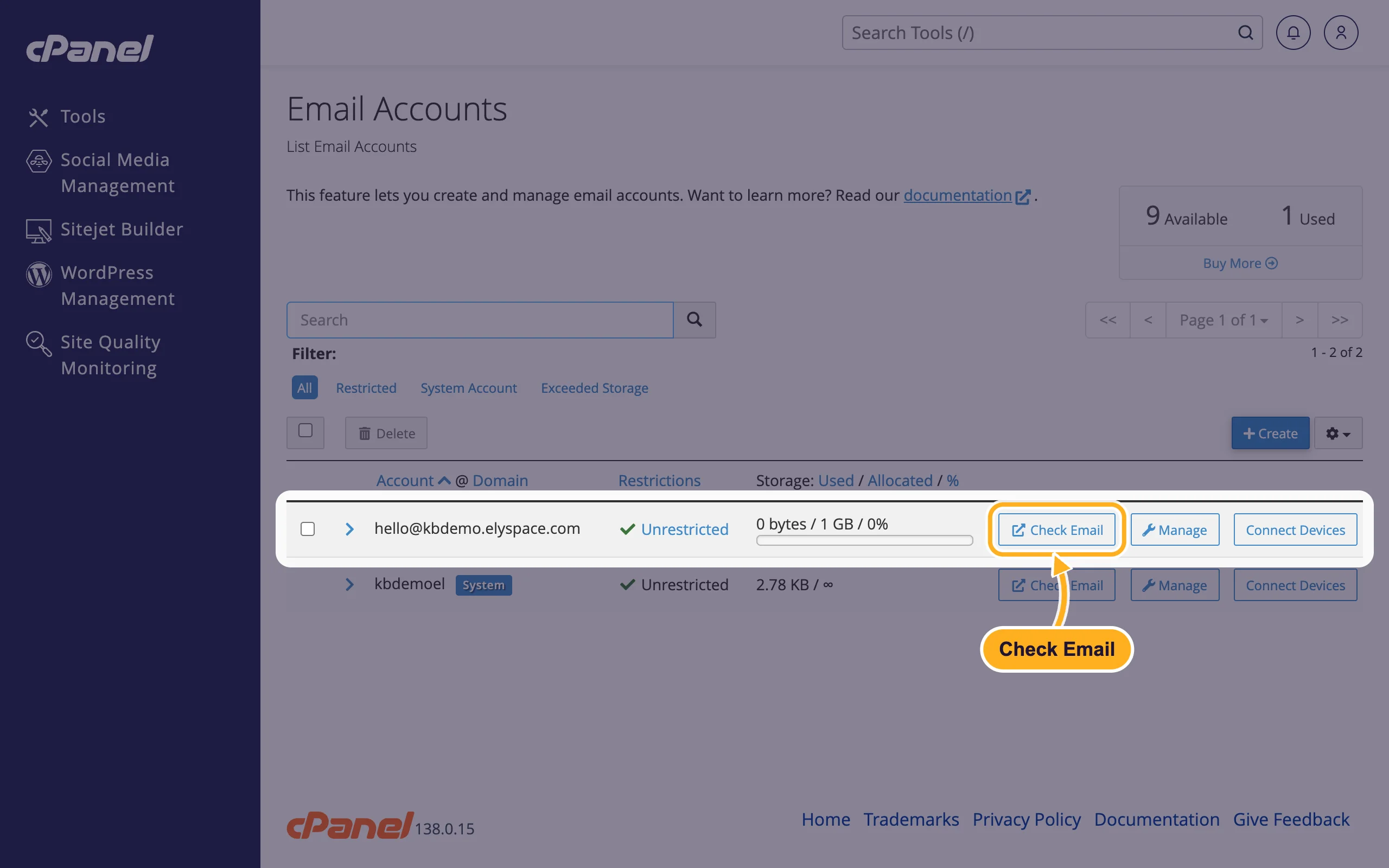
If you manage the hosting account, you can open any mailbox without typing its password.
In cPanel, open Email Accounts and click Check Email next to the address.
Open your inbox
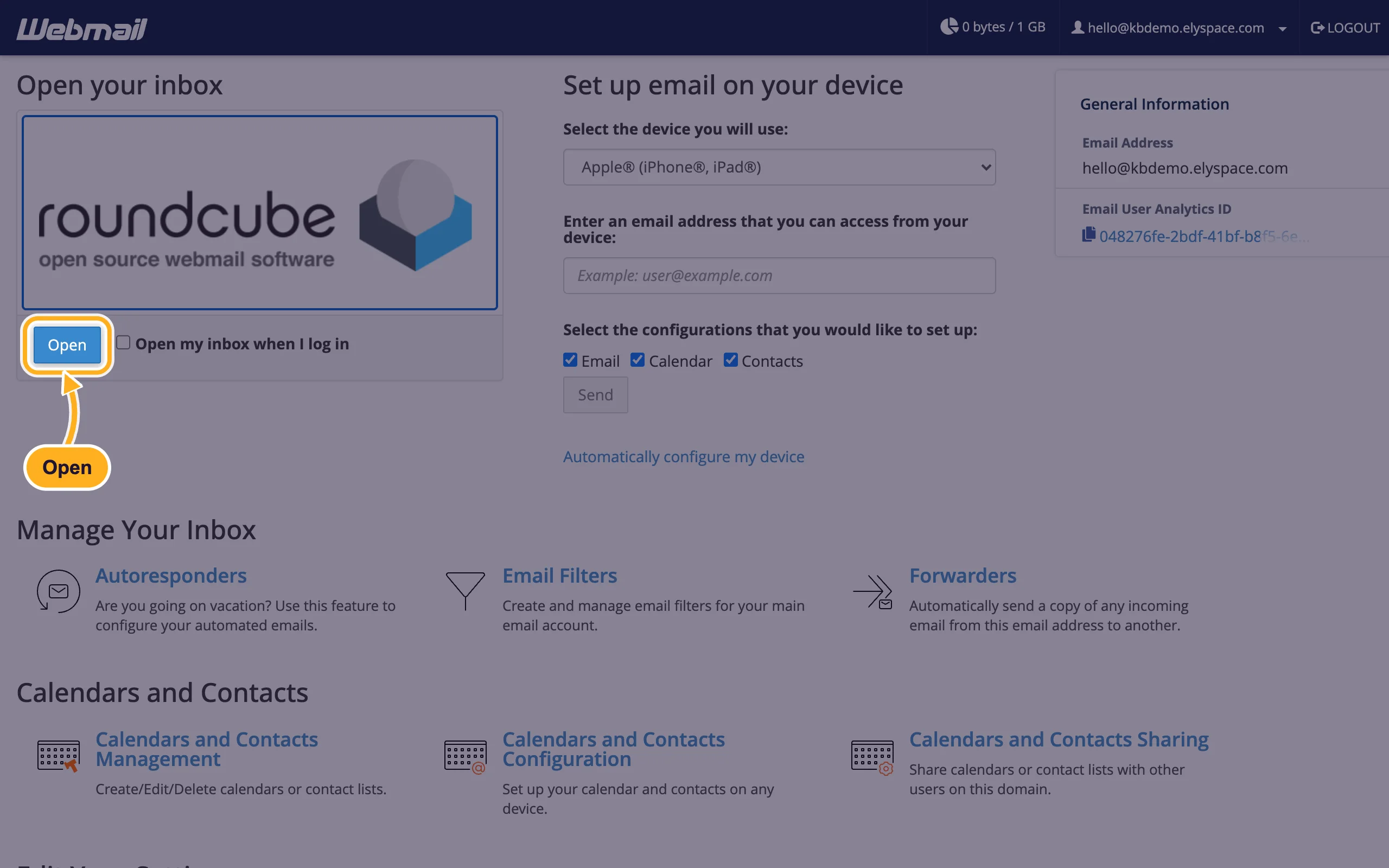
After logging in you see the Webmail start page. Under Open your inbox, click Open below the Roundcube logo. Tick Open my inbox when I log in to skip this page next time.
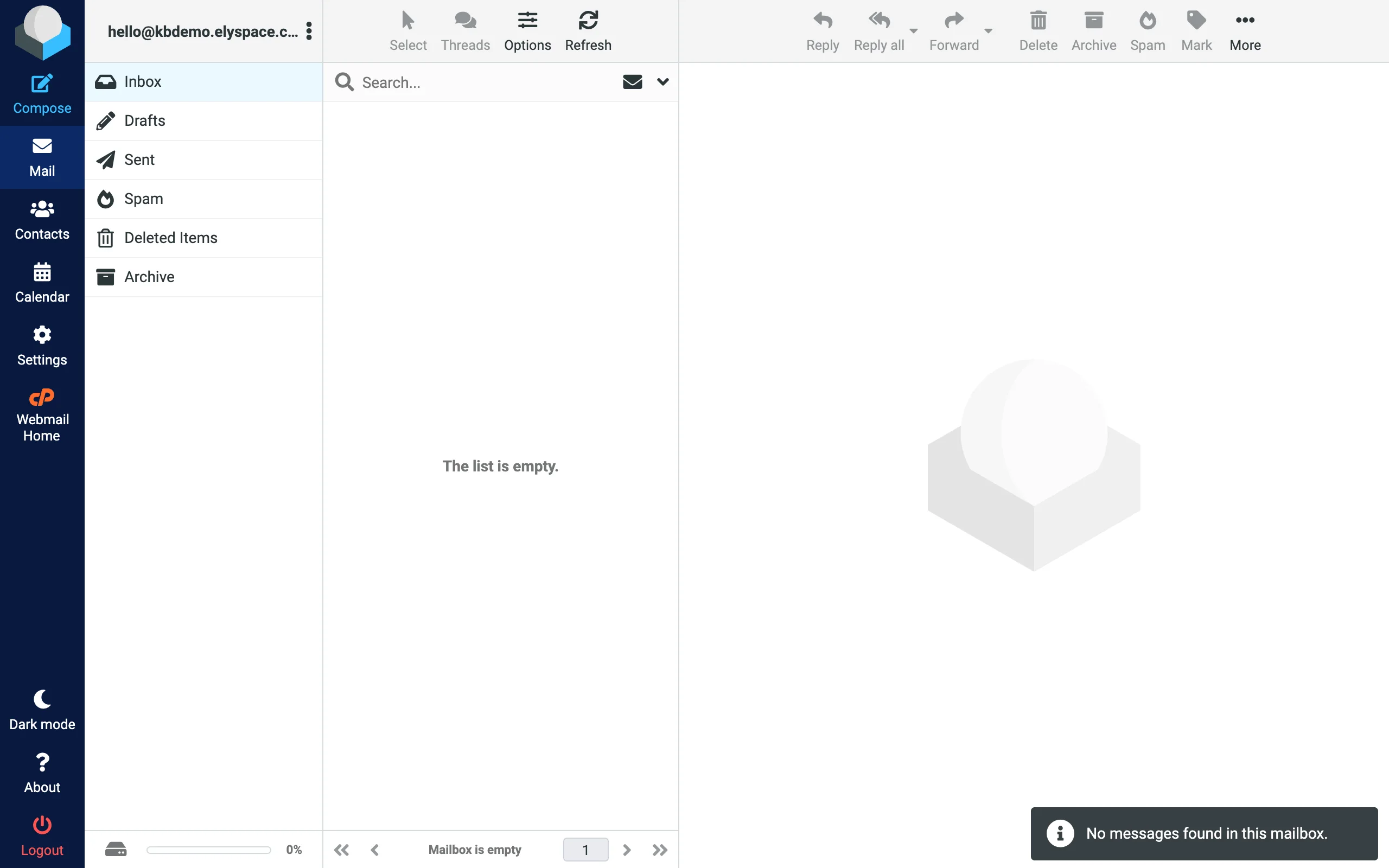
Roundcube opens with your folders on the left: Inbox, Drafts, Sent, Spam, Deleted Items and Archive. Click Compose to write a message. Webmail Home in the left menu takes you back to the start page with the settings.
The start page also has tools for your mailbox: Autoresponders, Email Filters, Forwarders, Spam Filters and Password & Security to change the password.
Common problems
"The login is invalid"
Check that you typed the whole email address, not only the part before the @, and that Caps Lock is off. If you've forgotten the password, set a new one in cPanel (see Change an email account password).
yourdomain.com/webmail doesn't load
Your domain probably doesn't point to our servers yet, or the DNS change is still spreading. Use the server address with port 2096 in the meantime.
The browser warns that the connection isn't private
Your domain's SSL certificate isn't in place yet. Open webmail with the server address (for example https://node111.elycloud.com:2096), which always has a valid certificate, and see Free SSL: check and fix your certificate (AutoSSL).
Related articles
- Create an email account
- Change an email account password
- Email server settings and ports (IMAP, POP3, SMTP)
Still stuck? Open a support ticket and we'll help.
