

Use IP Blocker in cPanel to stop an IP address, a range of addresses or a domain from opening your website. Blocked visitors get a "403 Forbidden" error.
Block an address
Log in to cPanel and click IP Blocker in the Security section.
Under Add an IP or Range:
- IP Address or Domain: enter the address to block, for example
198.51.100.25. - Click Add.
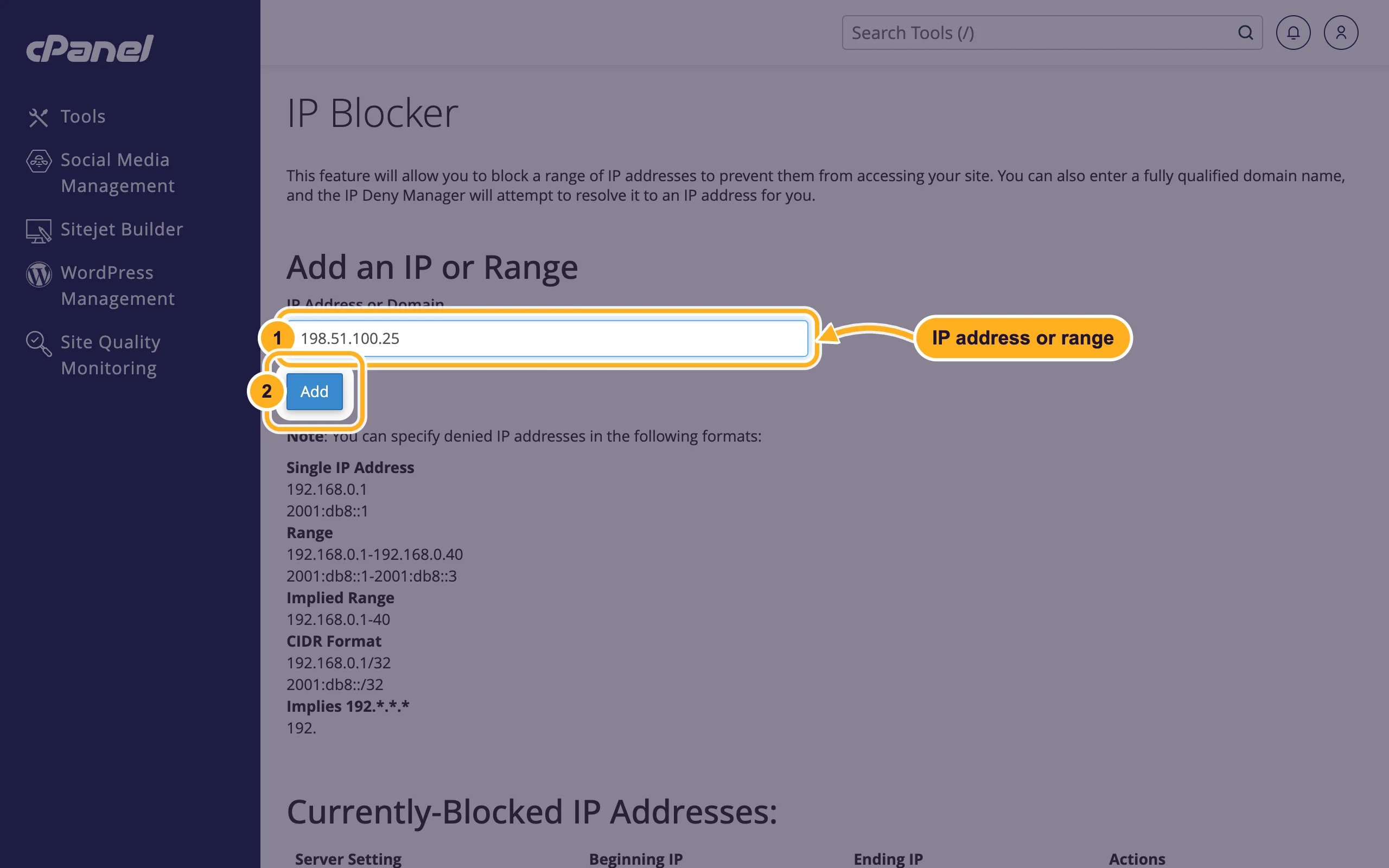
- IP Address or Domain: enter the address to block, for example
The block works at once for all websites in your account.
Formats you can use
| Format | Example | Blocks |
|---|---|---|
| Single IP address | 198.51.100.25 | One address |
| Range | 198.51.100.1-198.51.100.40 | Every address from the first to the last |
| Implied range | 198.51.100.1-40 | The same range, written shorter |
| CIDR | 198.51.100.0/24 | 198.51.100.0 to 198.51.100.255 |
| IPv6 | 2001:db8::1 | One IPv6 address |
| Domain name | bad-bot.example.com | The IP address the domain points to when you add it |
The page lists these formats under Note as well.
Unblock an address
Scroll down to Currently-Blocked IP Addresses and click Delete next to the address.
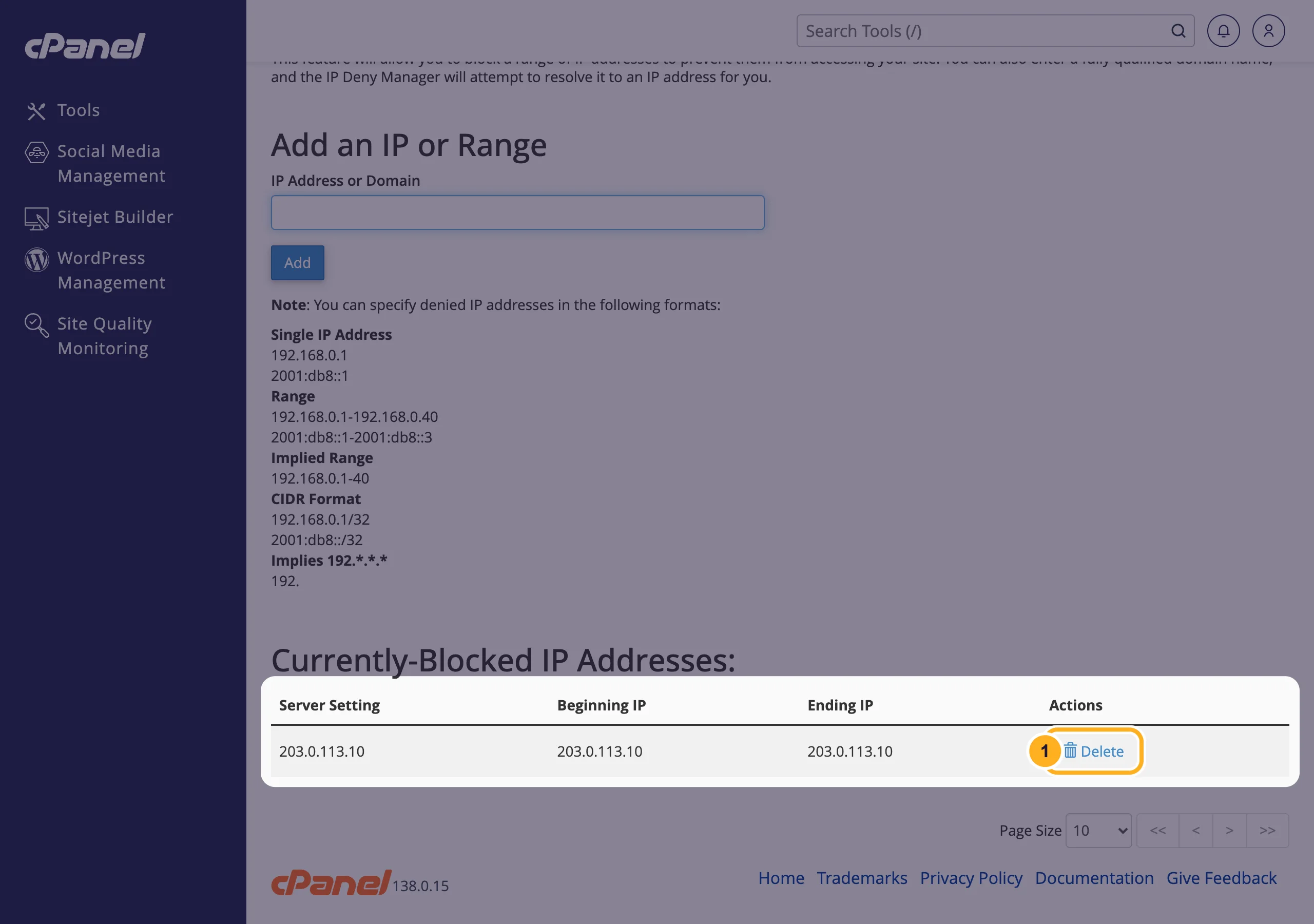
Click Remove IP to confirm.
Common problems
You blocked yourself
If your own IP address is in the list, your website shows "403 Forbidden" to you, but cPanel and the client area still work. Delete the entry in IP Blocker. To find your current IP address, search for "what is my IP".
The attacker keeps coming back from new addresses
Blocking single addresses helps against one annoying visitor or bot, not against attacks from many addresses. Run a malware scan with Imunify360 and see Your website was hacked: what to do first, or open a ticket in Website Security.
Blocking a domain stops working later
IP Blocker saves the IP address the domain had when you added it. If the domain moves to a new address, add it again.
Related articles
- Password-protect a folder
- Scan your website for malware with Imunify360
- Stop other sites from using your images (hotlink protection)
- Create custom error pages (404 and others)
Still stuck? Open a support ticket and we'll help.
