

In cPanel, open Domains, click Create A New Domain and type the full subdomain, for example blog.yourdomain.com. cPanel creates its folder and DNS record.
blog.yourdomain.com or shop.yourdomain.com is a separate website under your domain, with its own folder. It costs nothing extra. Your plan's limit is shown under Subdomains in the Statistics panel on the cPanel home page (Starter S: 10).Create the subdomain
Log in to cPanel, click Domains in the Domains section, then click Create A New Domain.
Fill in the form:
- Domain: type the whole subdomain, for example
shop.yourdomain.com. If cPanel suggests a different spelling under the field, pick the one that matches what you typed. - Document Root (File System Location): cPanel fills in a folder inside public_html named after the subdomain. Its files go there. You can keep it.
- Click Submit.
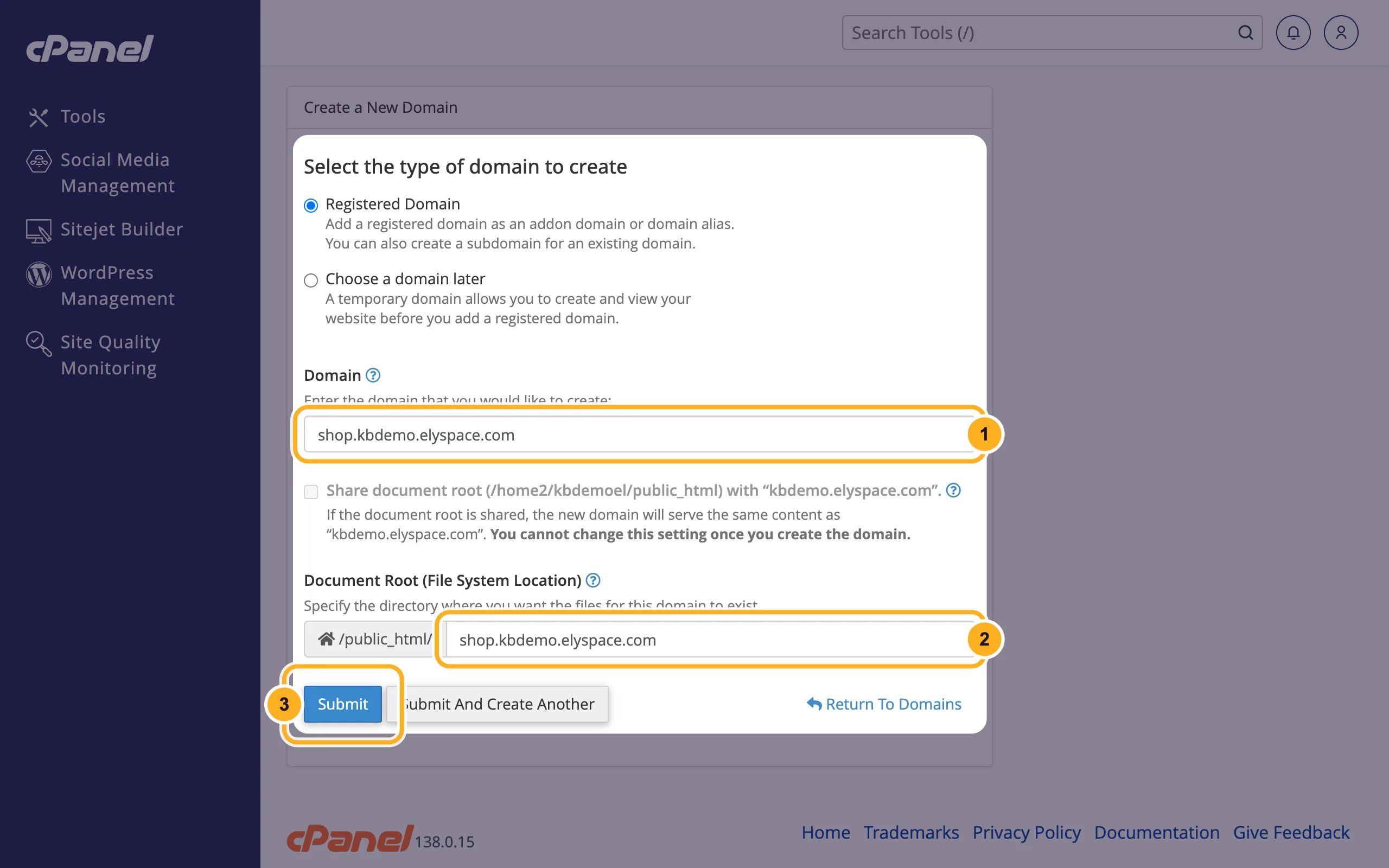
- Domain: type the whole subdomain, for example
The subdomain now appears in the list on the Domains page with its document root.
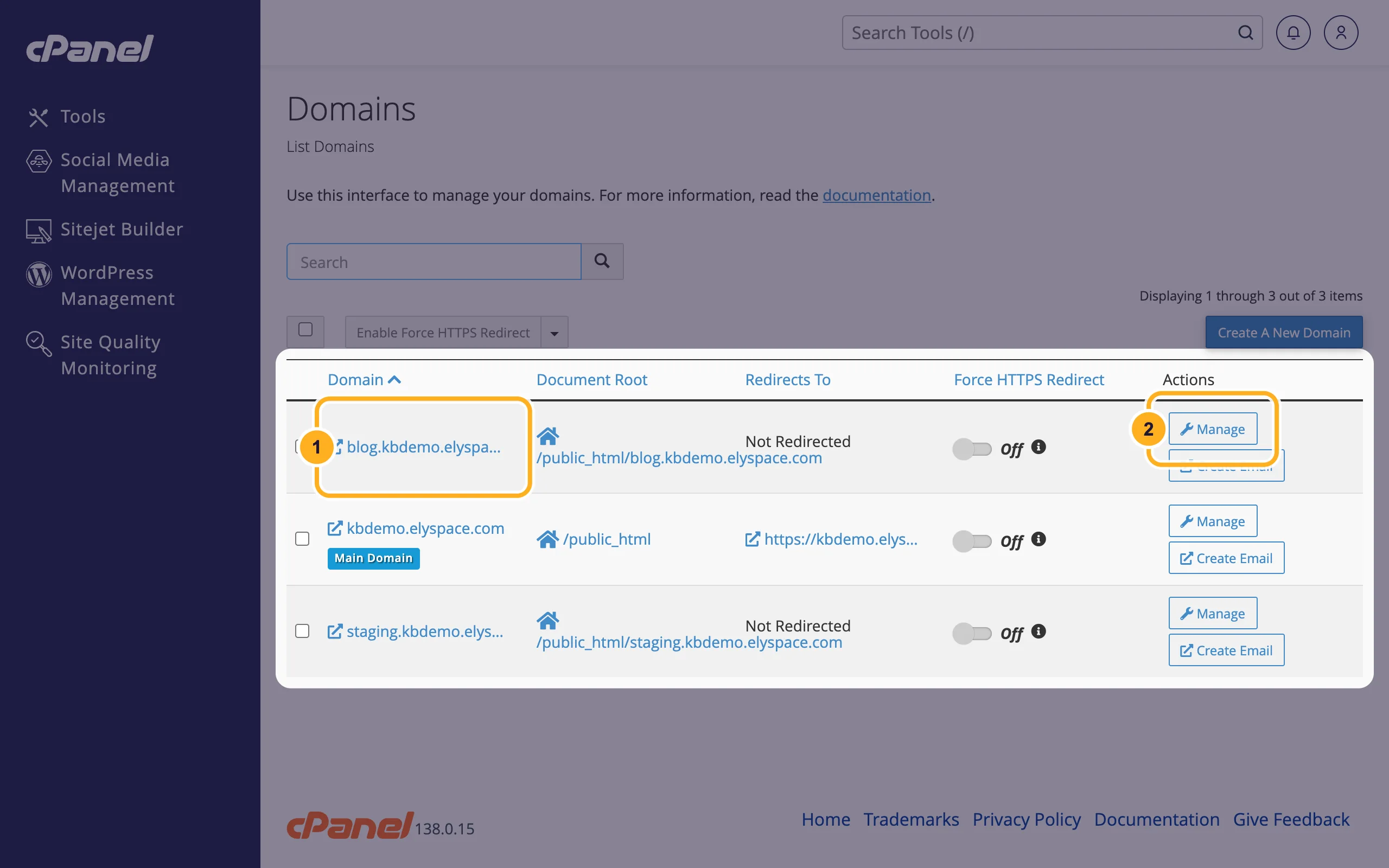
Put a website on it: upload files into its document root with the File Manager, or install WordPress on it with WordPress Management (see Install WordPress in cPanel).
The Share document root option is greyed out for subdomains: a subdomain always has its own folder. If you want the subdomain to forward somewhere else, add a redirect (see Redirect a domain or page).
Change or remove a subdomain
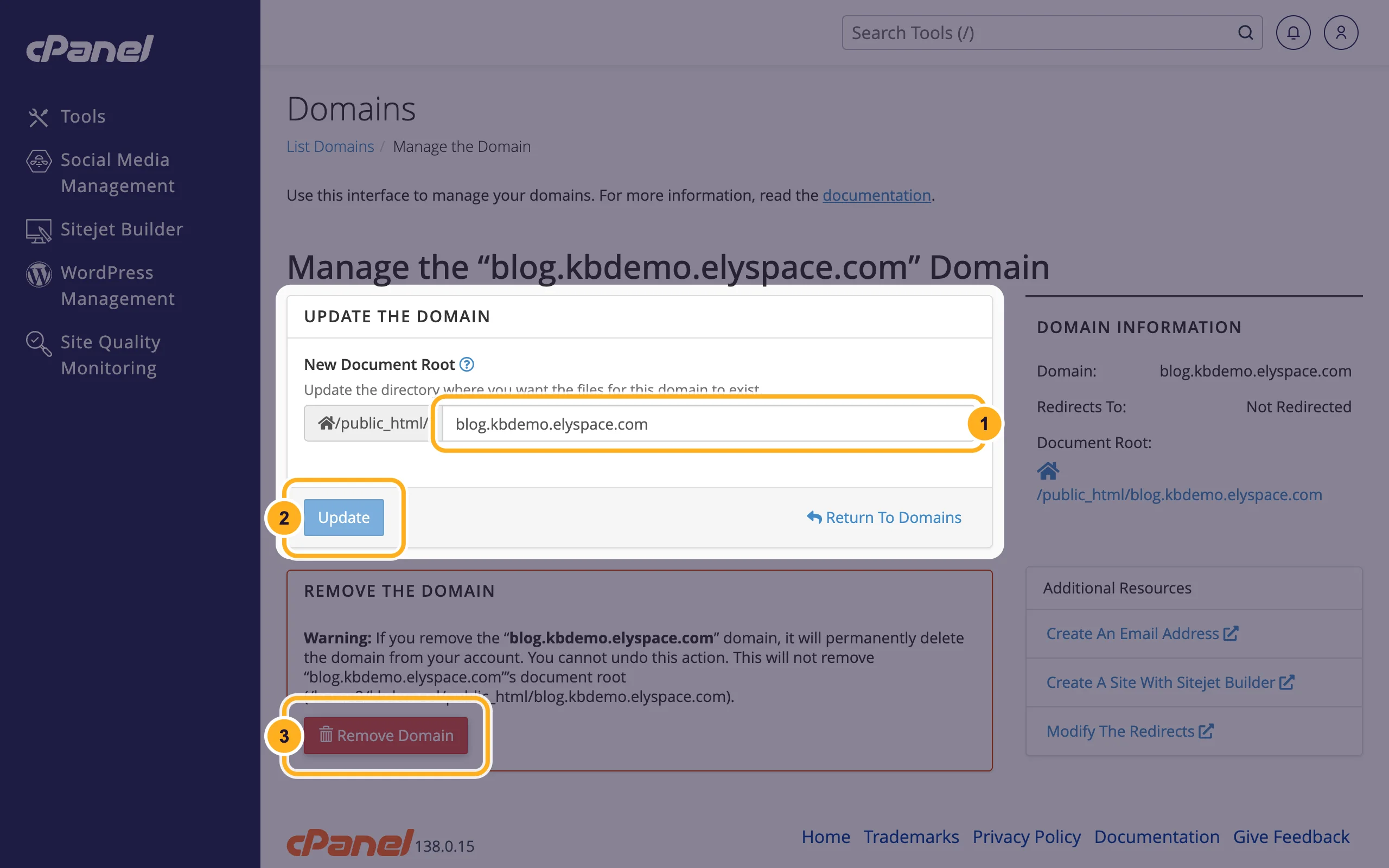
On the Domains page, click Manage next to the subdomain:
- New Document Root: change the folder the subdomain uses.
- Update: saves the new folder.
- Remove Domain: deletes the subdomain. Its files stay in the document root until you delete them.
Common problems
The subdomain doesn't open yet
If your domain uses our nameservers, the subdomain usually works within minutes, but your own network may need longer to see it. If your domain's DNS is managed somewhere else (for example at Cloudflare or your registrar), add an A record for the subdomain there that points to your server's IP address (see Find your server name, IP address and nameservers).
The browser warns that the connection isn't private
The free SSL certificate for a new subdomain is issued automatically once the subdomain points to us. Give it some time, then check Free SSL: check and fix your certificate.
The subdomain shows "Index of /" or an empty page
Its folder has no website yet. Upload an index.html or index.php into the document root.
Related articles
- Add another domain to your hosting (addon domain or alias)
- Redirect a domain or page
- Edit DNS records in cPanel (A, CNAME, TXT)
- Install WordPress in cPanel (WordPress Management)
Still stuck? Open a support ticket and we'll help.
