

Open a ticket under Support > Open Ticket in the client area: choose a department, describe the problem and click Submit Ticket. We reply by email.
Open the ticket
Log in to the client area and click Support > Open Ticket in the menu on the left. (Contact support on the dashboard and Open ticket in the quick links at the top lead there too.)
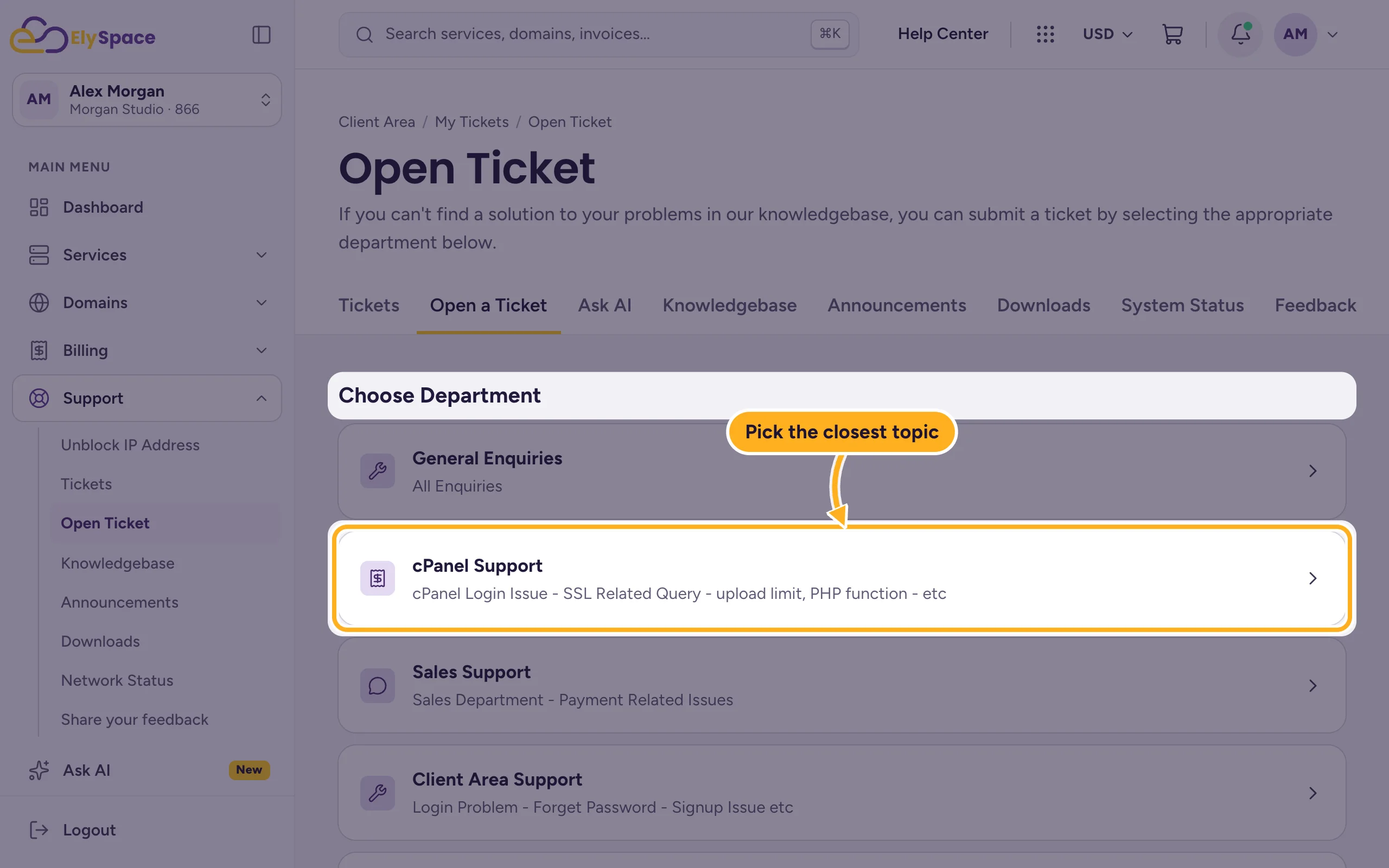
Under Choose Department, click the topic that fits your question best, for example cPanel Support for problems in cPanel, Sales Support for payments, Domains Support for DNS and nameservers or Website Migration Request to move a site to us.
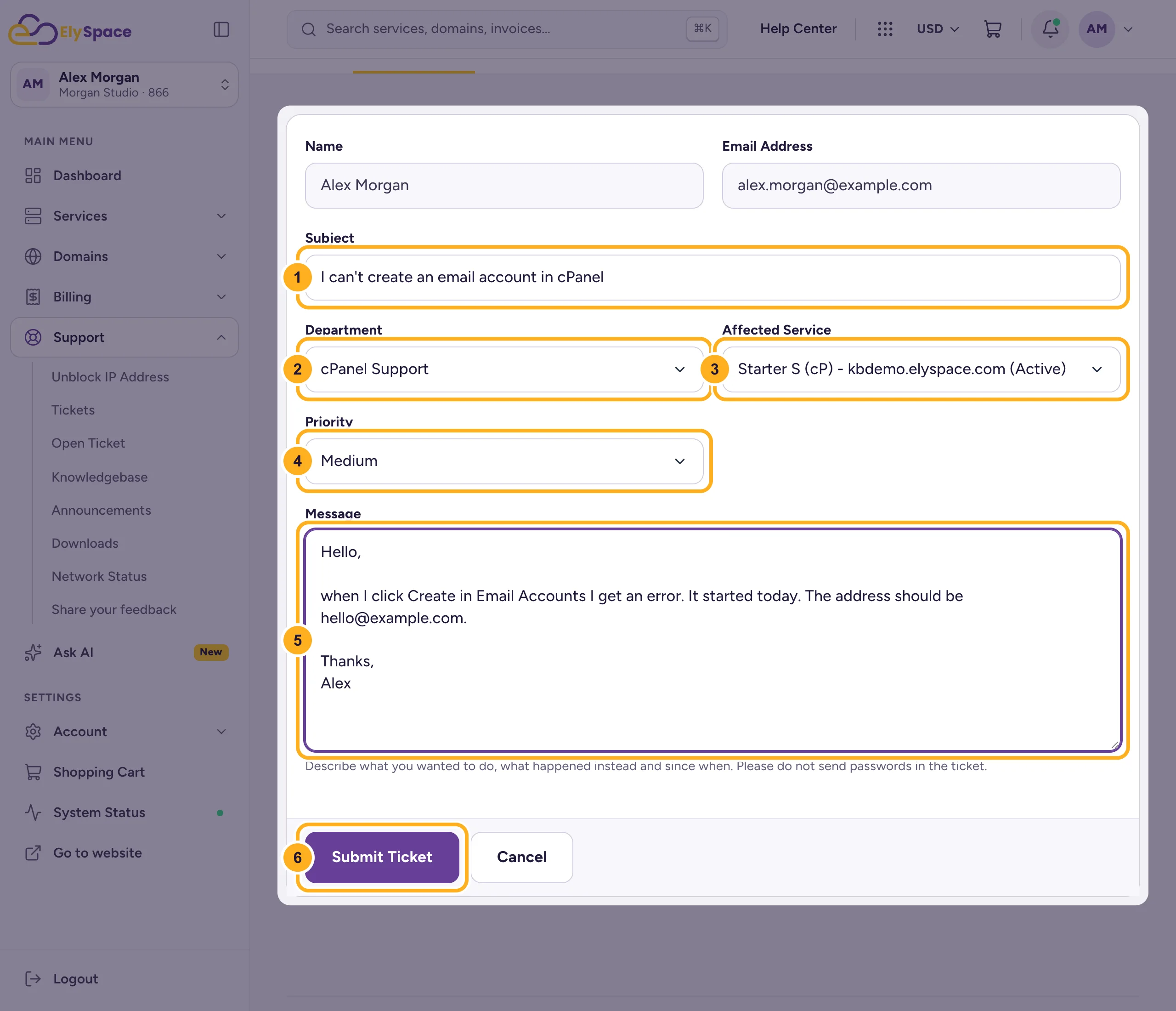
Fill in the form. Name and Email Address are filled in from your account.
- Subject: a short summary, for example
I can't create an email account in cPanel. - Department: change it here if you picked the wrong one.
- Affected Service: the hosting plan or domain the question is about. This saves time, because we see right away which account to check.
- Priority: High, Medium or Low. Use High when your website or email is down.
- Message: what you wanted to do, what happened instead and since when. Add the exact error message and the web address where it appears.
- Click Submit Ticket.
- Subject: a short summary, for example
Your ticket gets a 6-digit number. You'll get our replies by email and under Support > Tickets. See View and reply to your tickets.
Before you open a ticket
- Check System Status in the menu for a known outage. See Check server status.
- Search the knowledgebase or ask Ask AI: many answers are there right away.
Common problems
You can't log in to the client area
Use the contact form, which works without logging in, or see Can't log in? What to check.
You don't get our replies by email
Check your spam folder and the email address in your profile. Replies are always visible under Support > Tickets.
Related articles
- View and reply to your tickets
- Contact ElySpace: chat, phone, WhatsApp and email
- Find answers in the knowledgebase
Still stuck? Use the contact form, no login needed, and we'll help.
