

Open Help Center at the top of the client area to search the knowledgebase, or type your question in the search bar at the top of any page.
Open the knowledgebase
In the client area, use one of these:
- The search bar at the top of every page (see below).
- Help Center in the top bar, which opens the knowledgebase. It's also under Support > Knowledgebase in the menu.
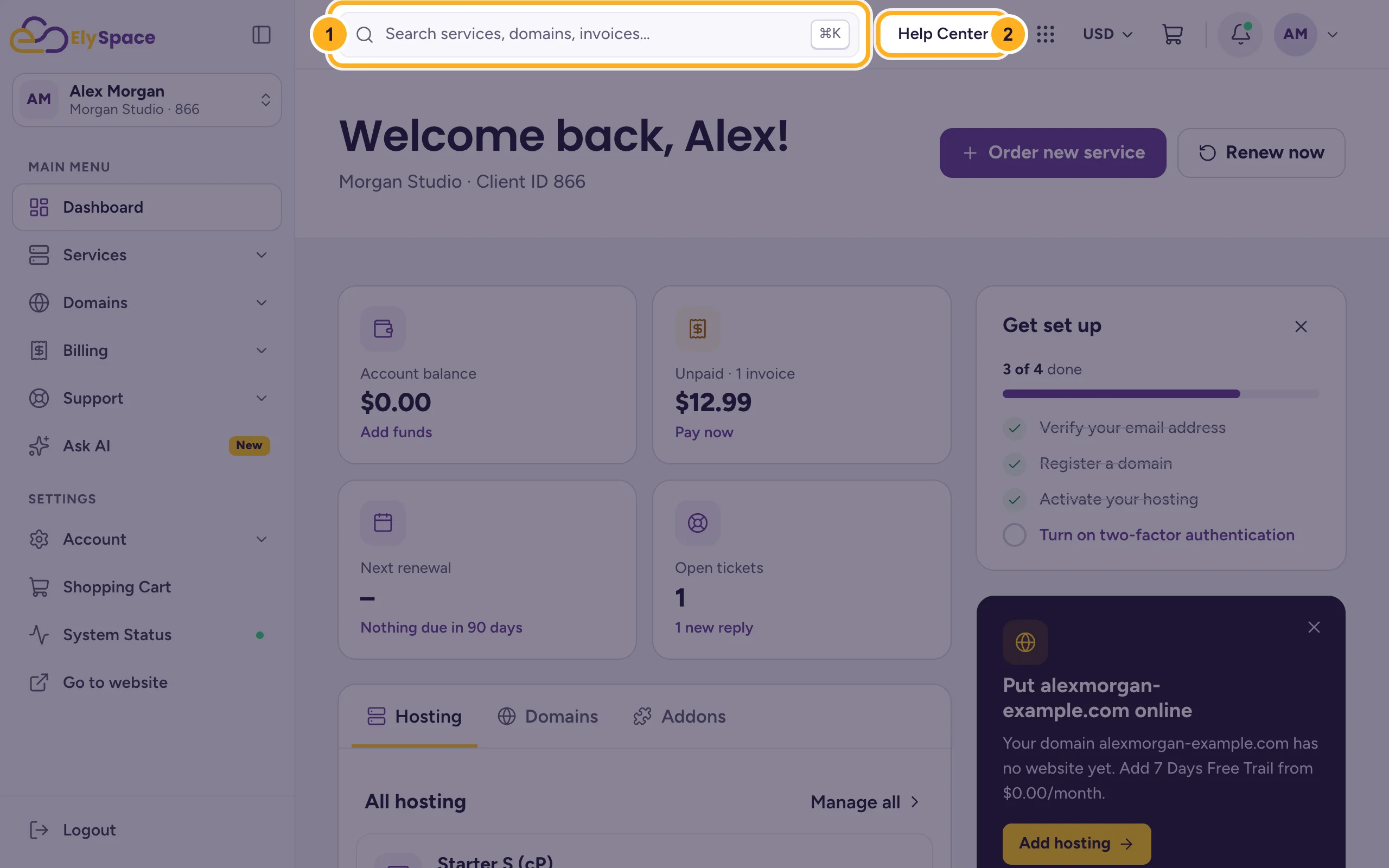
You don't have to be logged in: the knowledgebase is also open to everyone at my.elyspace.com/knowledgebase and through Knowledgebase at the bottom of elyspace.com.
Search for an answer
On the knowledgebase page:
- Type a few words in the search field, for example
emailorchange nameservers. - Click Search.
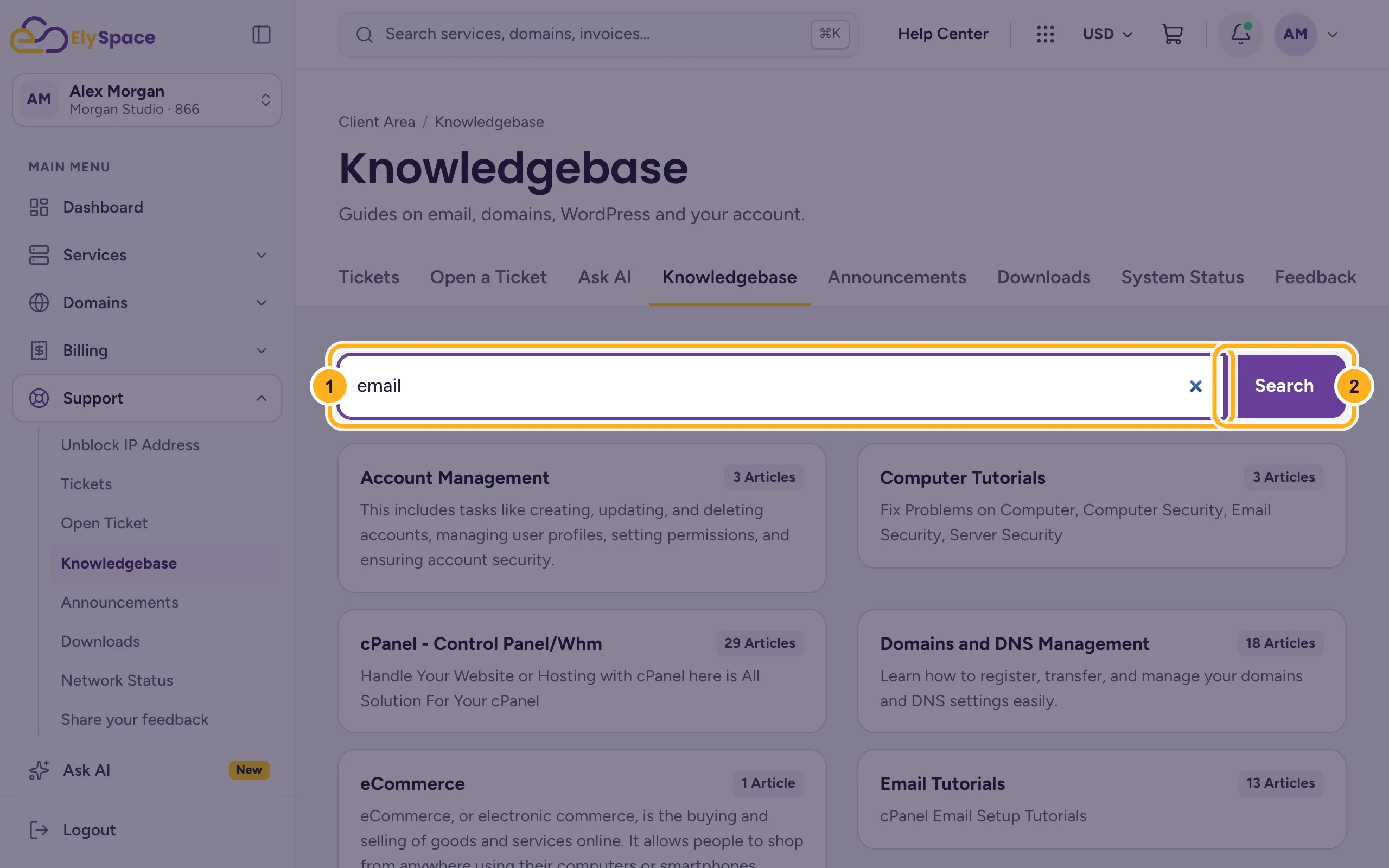
- Type a few words in the search field, for example
Click an article in the results to open it. You can also browse the categories below the search field.
Short searches work best: use the key word ("email", "SSL", "WordPress") rather than a whole sentence.
Search from any page
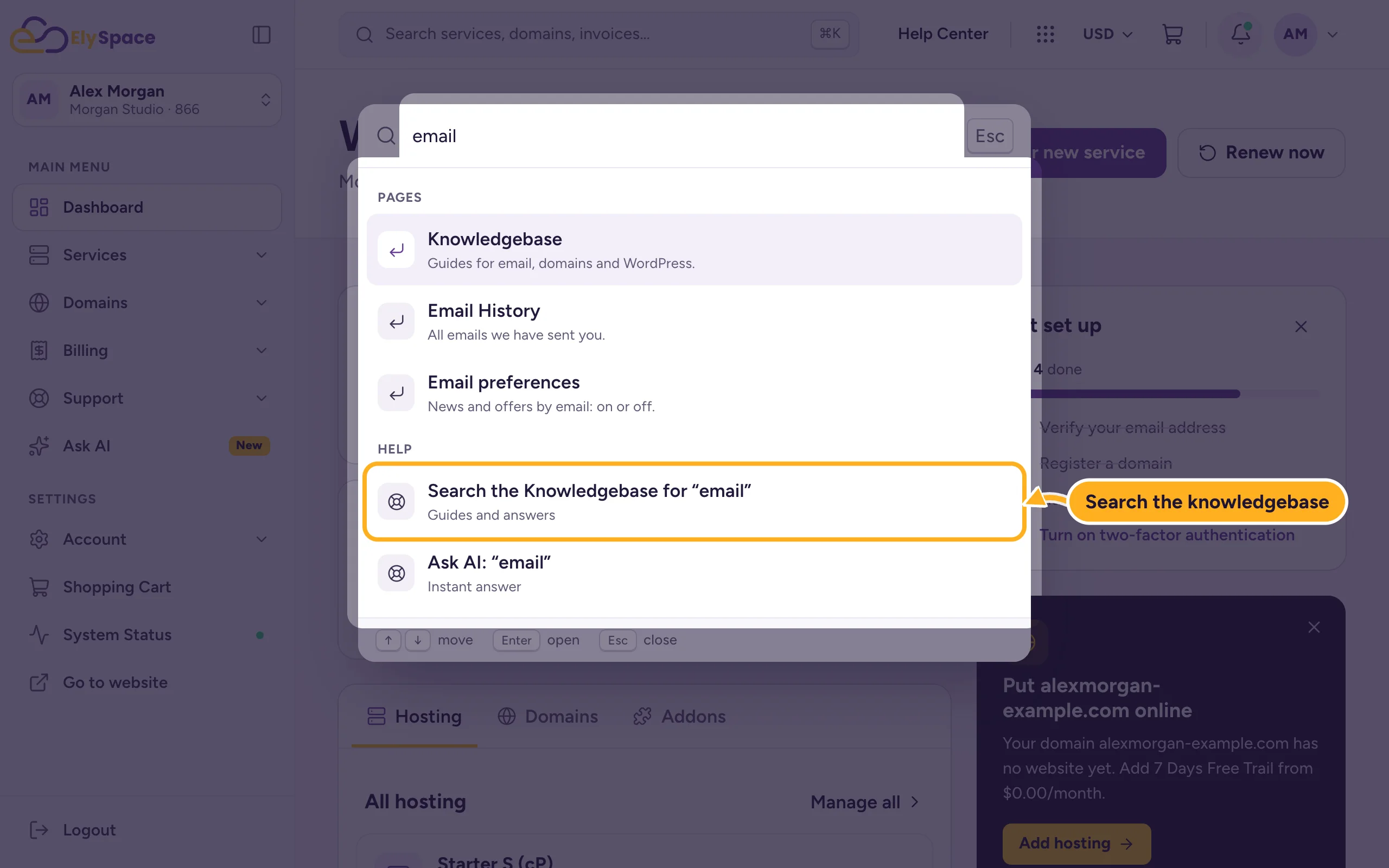
Click the search bar at the top of the client area (or press Ctrl+K, ⌘K on a Mac) and type your question. Choose Search the Knowledgebase for … to see matching articles, or Ask AI for a direct answer. See Ask AI: get instant answers.
Common problems
No results
Try a shorter or different word, for example "mail" instead of "mailbox setup". If you still find nothing, ask Ask AI or open a ticket.
The steps in an article don't match what you see
Tell us in a ticket which article and which step, so we can fix it.
Related articles
Still stuck? Open a support ticket and we'll help.
