

Open a ticket in the Website Migration Request department, pick the hosting plan to move to and list what to move. We reply in the ticket with the next steps.
Open the migration ticket
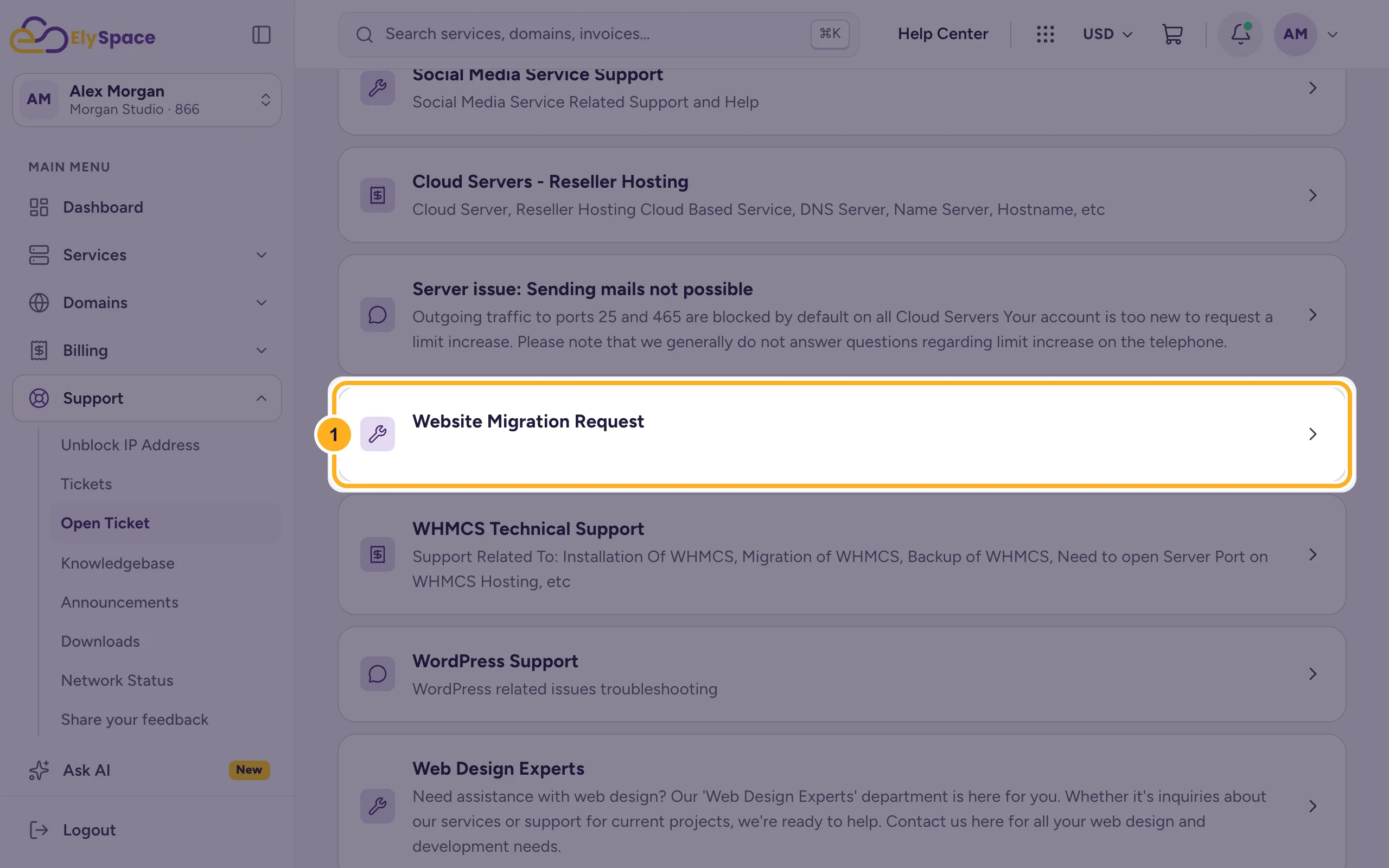
Log in to the client area and go to Support > Open Ticket. Click Website Migration Request.
Fill in the form:
- Subject: for example
Migration request: example.com from my old host. - Affected Service: the ElySpace hosting plan the website should move to.
- Message: the details from the checklist below.
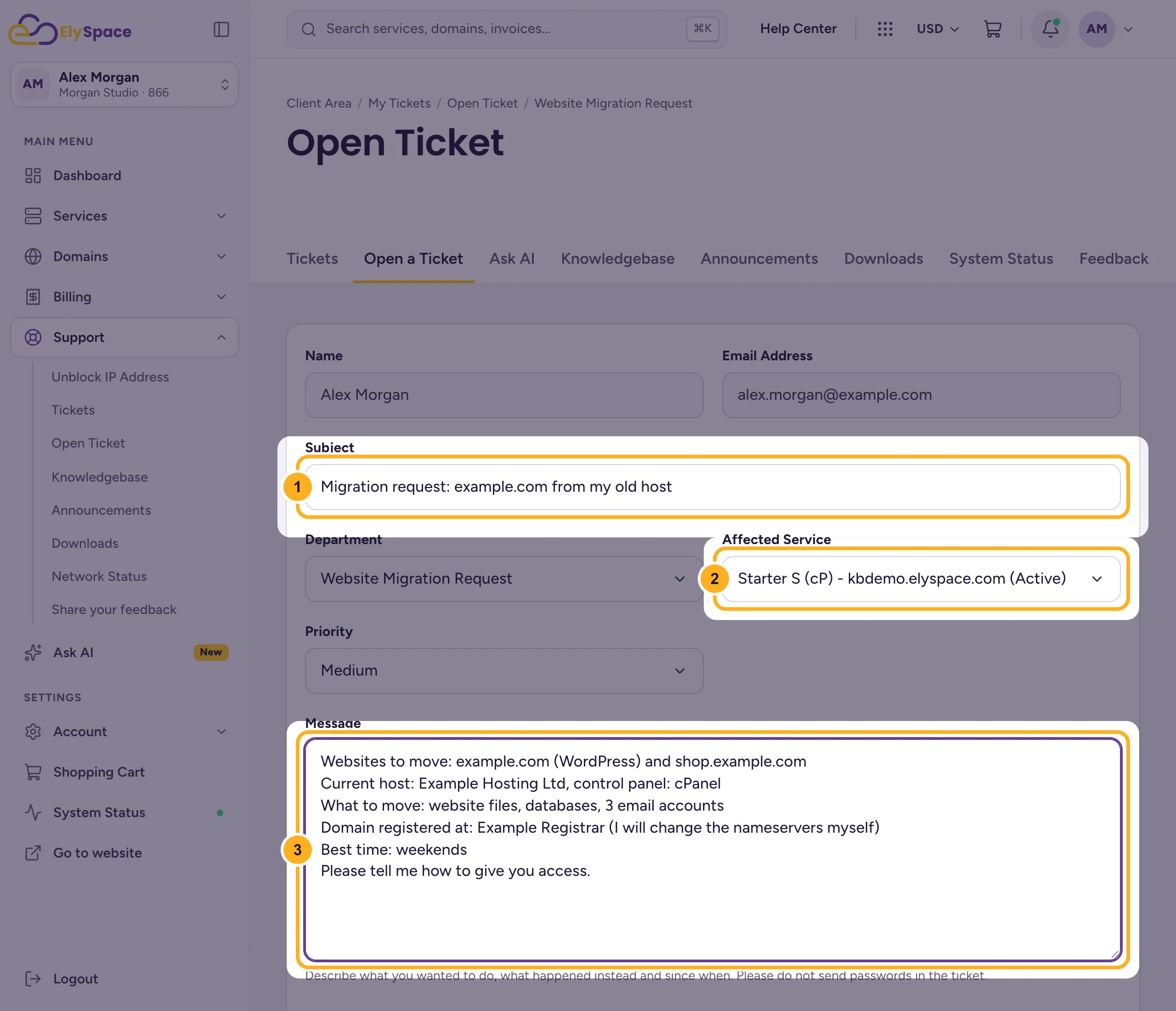
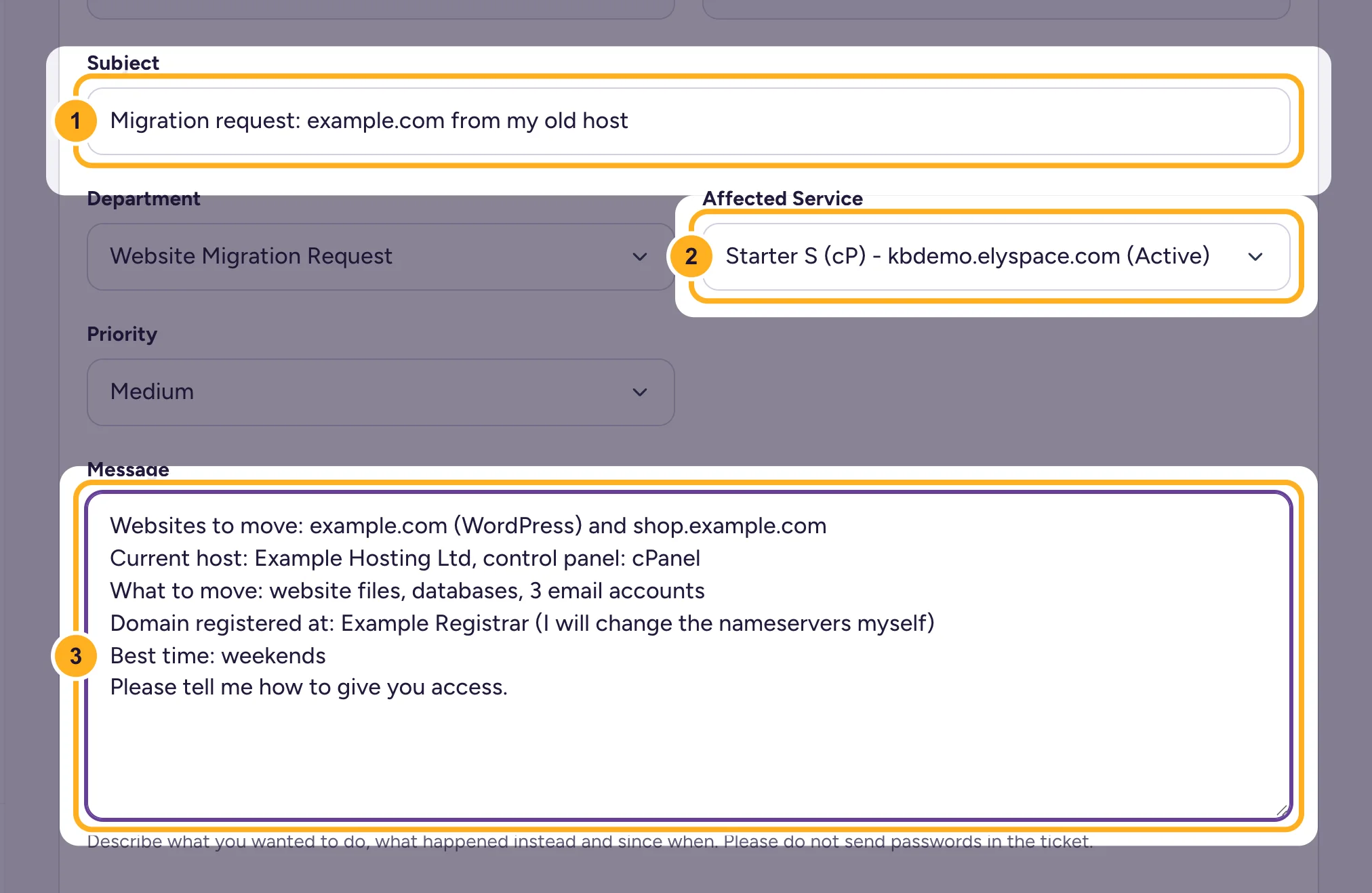
- Subject: for example
Click Submit Ticket at the bottom of the form. You get a 6-digit ticket number by email.
What to write in the message
The more of this you include, the fewer questions we need to ask before we start:
- Websites to move: every domain and subdomain, and what each one runs (for example WordPress, another CMS or plain HTML).
- Current host: the company name and the control panel it uses, if you know it.
- What to move: website files, databases, email accounts (and how many), anything else you need.
- Where the domain is registered, and whether you'll change the nameservers yourself.
- A good time for the move, for example a quiet day for your business.
After you send it
- Our migration team answers in the ticket. Reply there with what they ask for: View and reply to your support tickets.
- We tell you in the ticket when the copy is ready. Check the site and email on the new hosting before you change anything at your domain.
- Point the domain to ElySpace and keep the old hosting until everything works. The steps are in Move your website to ElySpace.
Common problems
Your hosting plan isn't in Affected Service
The list shows only services in your account. Order the hosting first (see Buy web hosting step by step), or log in with the account that owns it.
You have many websites to move
List them all in one ticket, so we can plan the move together. Ask in the same ticket if you aren't sure your plan has room for all of them.
Related articles
- Move your website to ElySpace (free migration)
- Open a support ticket
- What to include in a support ticket
Still stuck? Use the contact form, no login needed, and we'll help.
