

With Directory Privacy in cPanel you put a password on a folder of your website. Visitors then have to enter a username and password to open it.
Turn on the password
Log in to cPanel and click Directory Privacy in the Files section.
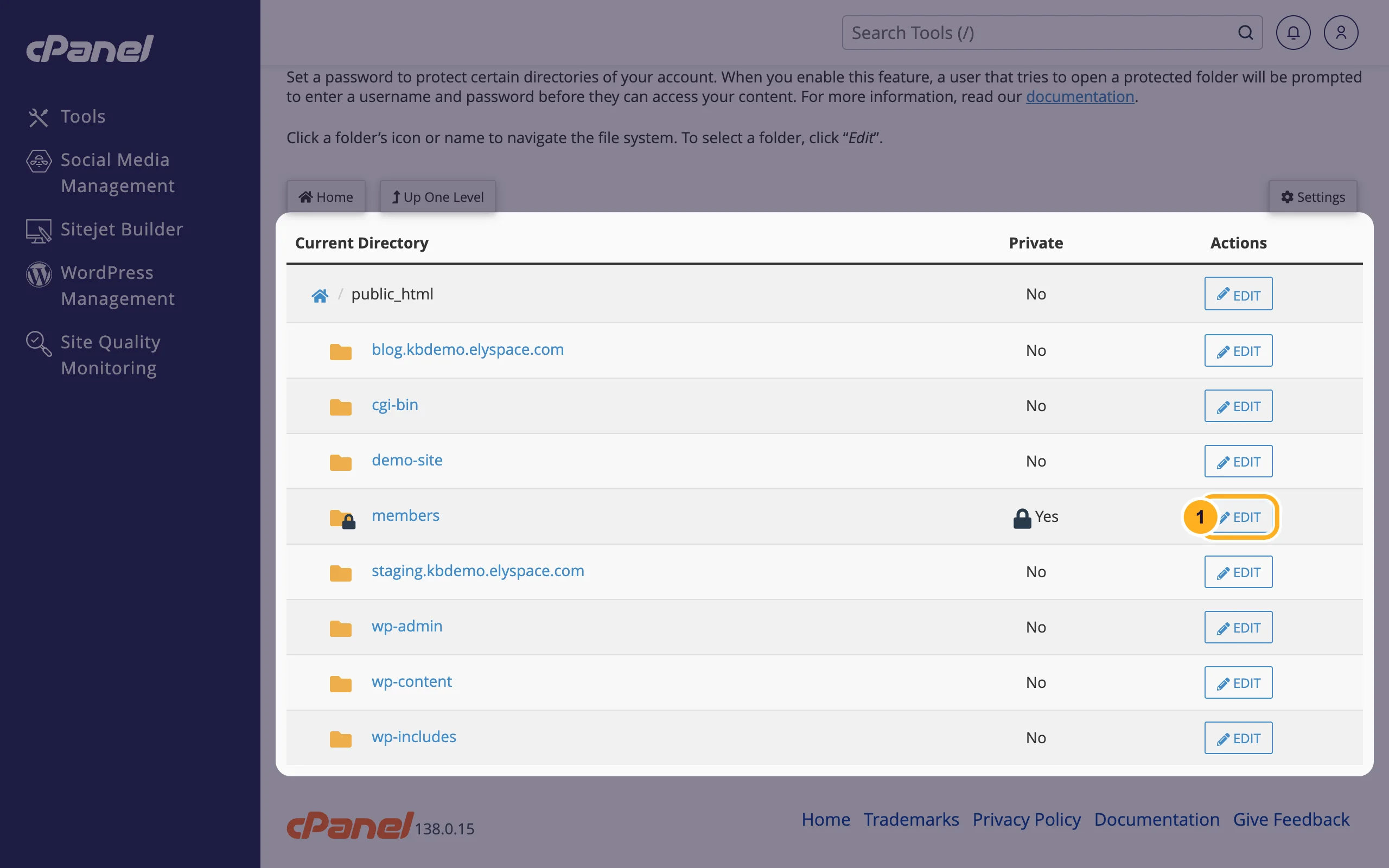
Click a folder's name to open it, for example public_html. Next to the folder you want to protect, click Edit.
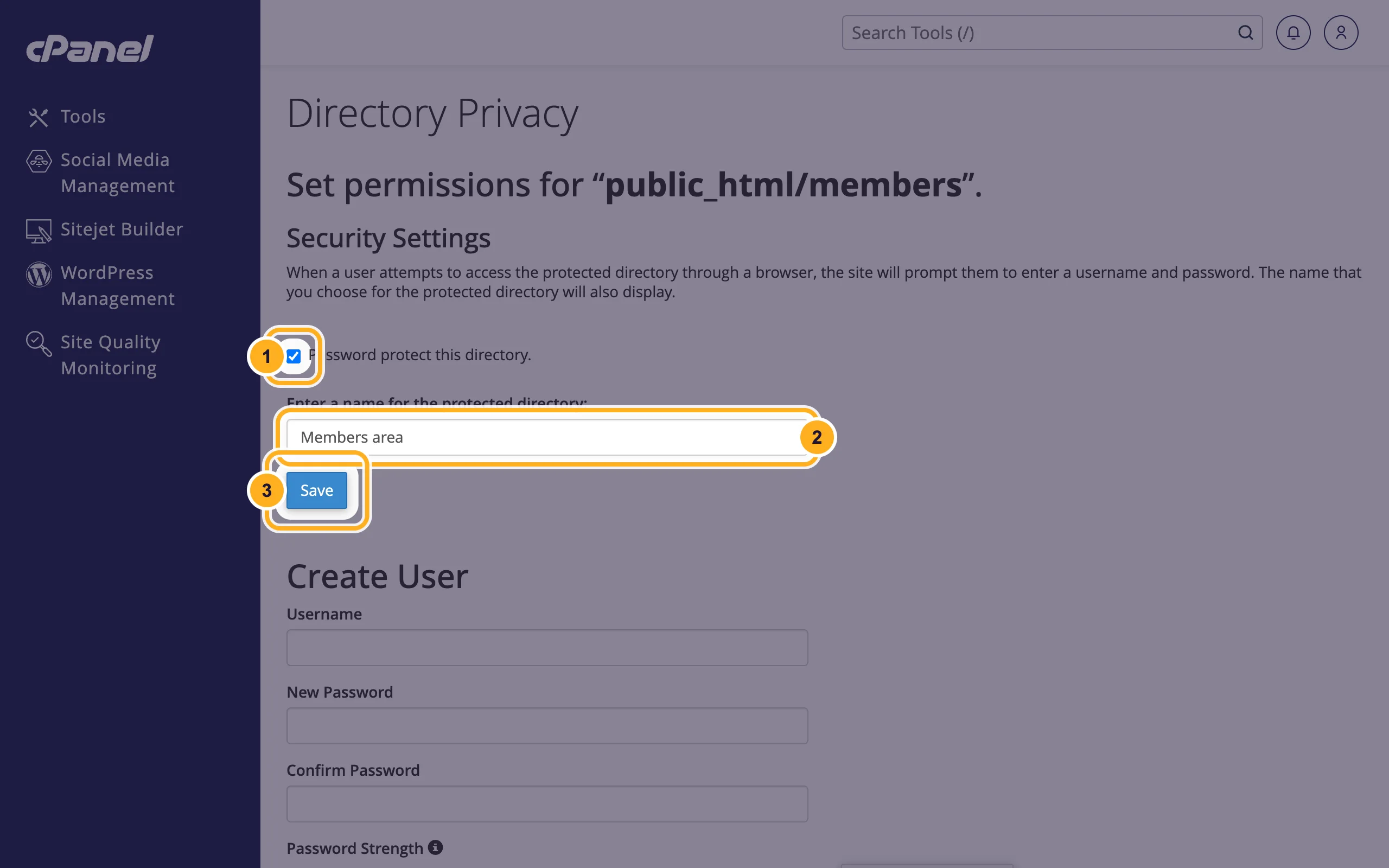
Under Security Settings:
- Tick Password protect this directory.
- Enter a name for the protected directory: a short name, for example
Members area. Some browsers show it in the login box. - Click Save, then Go Back on the confirmation page.
Add a user
The folder is locked now, but nobody can get in until you create at least one user.
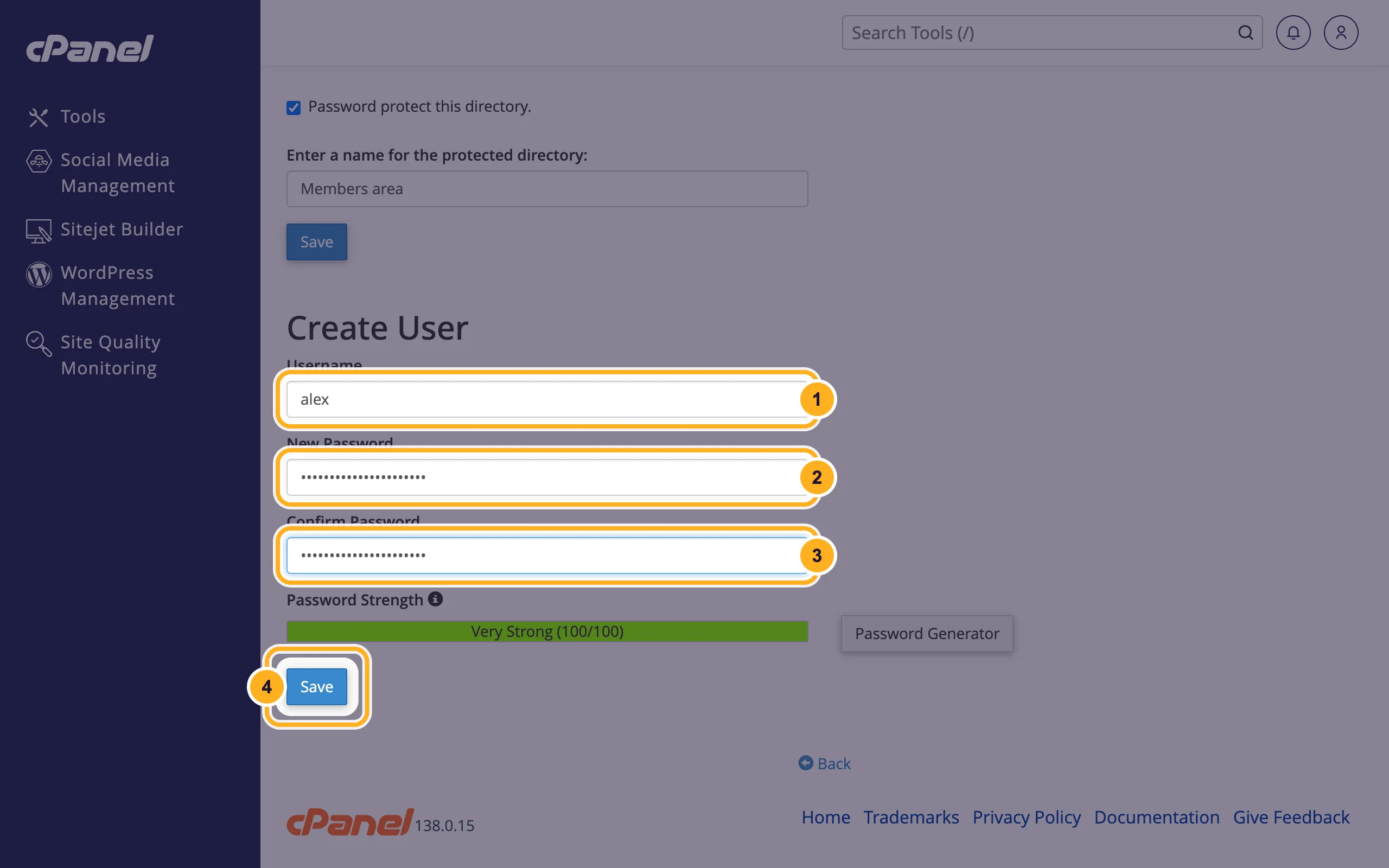
Under Create User on the same page:
- Username: for example
alex. It doesn't have to be an email address. - New Password: a strong password. Password Generator creates one for you.
- Confirm Password: the same password again.
- Click Save, then Go Back on the confirmation page.
- Username: for example
Open the folder in a private browser window, for example
https://yourdomain.com/members/, and log in with the new user to test it.
Repeat the steps for every person who needs access. The users appear under Authorized Users on the same page. To remove one, select it there and click Delete User. To change a user's password, create the same username again with the new password.
Remove the password
Open the folder in Directory Privacy again with Edit, untick Password protect this directory. and click Save.
Common problems
The password box keeps coming back
Check the username and password, they are case-sensitive. If you protected public_html itself, the whole website now asks for a password, including for visitors.
WordPress or another app shows errors after protecting a folder
Don't protect folders that the site needs for every visitor, such as wp-content or wp-includes. Protecting wp-admin is possible but can break features that use admin-ajax.php.
Related articles
- Manage files: edit, move, zip and set permissions
- Block an IP address
- Secure your WordPress site from cPanel
- Create custom error pages (404 and others)
Still stuck? Open a support ticket and we'll help.
