

You choose the server location when you order hosting. Your service page shows it under Server Location. To move later, open a ticket.
Choose the location when you order
In the order form, after the billing cycle, the Server Location step offers Singapore, Delhi (India), New York (United States), Dusseldorf (Germany), Mumbai (India) and London (United Kingdom). The order summary on the right shows the location you picked.
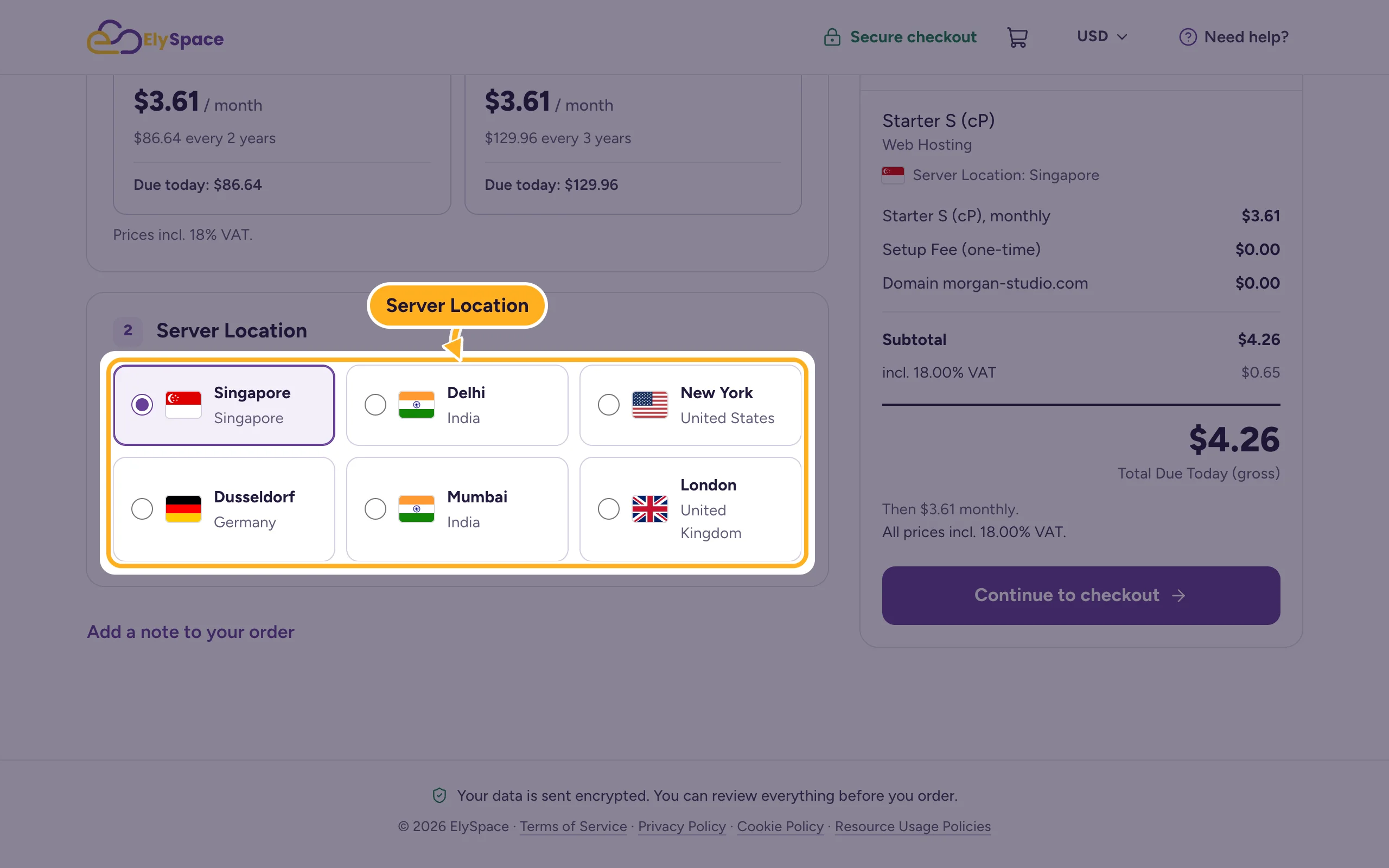
Pick the location closest to most of your visitors: a shorter distance means your pages load faster for them. The full order is described in Buy web hosting step by step.
See the location of your plan
Log in to the client area, go to Services > My Services and click Manage next to the plan.
The location is shown next to Server Location, with the country.
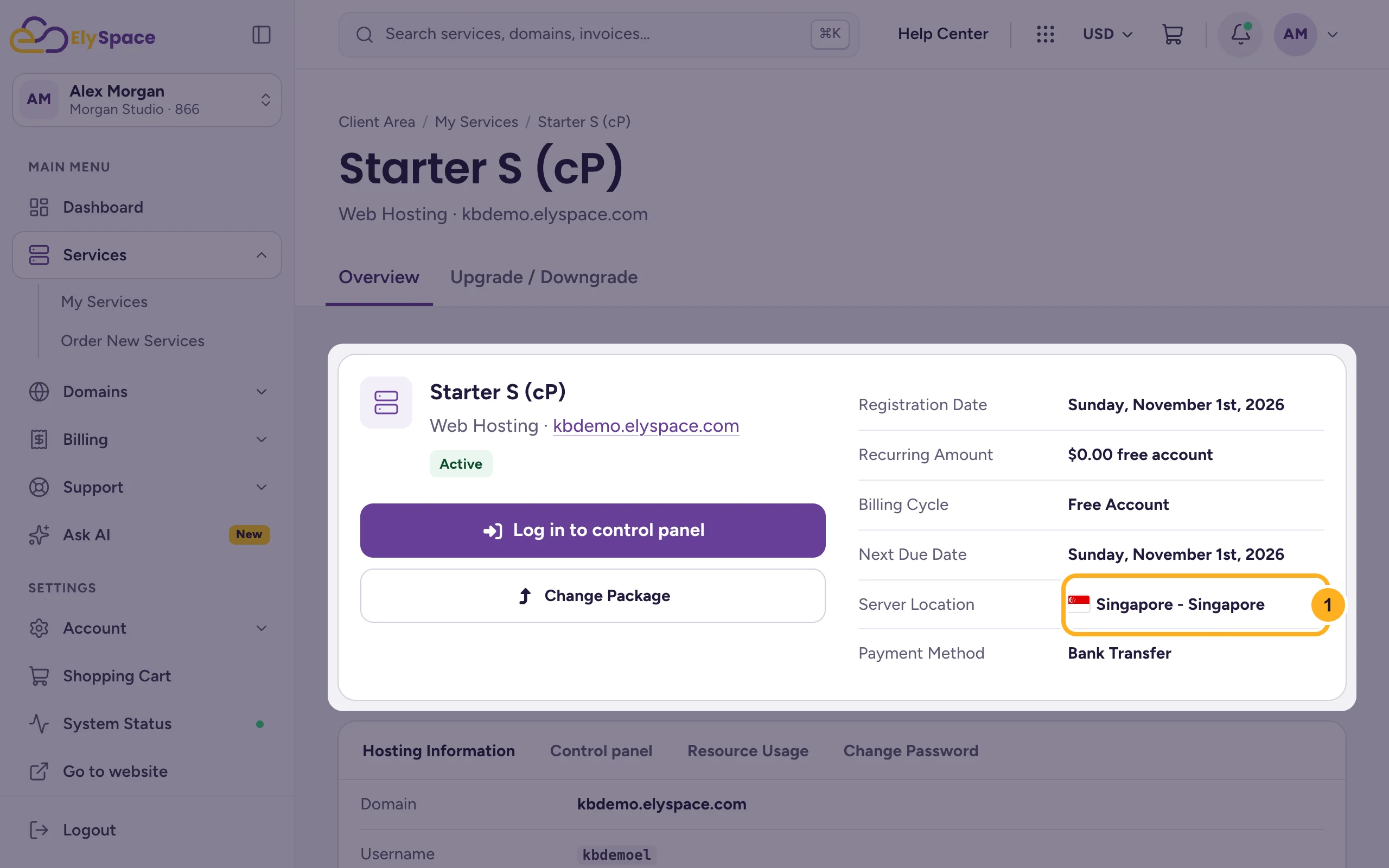
The server name and IP address of your plan are under Hosting Information on the same page. See Find your server name, IP address and nameservers.
Move to another location
Open a ticket in Sales Support. Name the plan (its domain) and the location you'd like, and we'll tell you how and when the move can be done.
A new location means a different server, so your plan gets a new IP address. If your domain's DNS is managed somewhere else and points to the old IP address with an A record, update that record after the move. See Point a domain from GoDaddy or another registrar to ElySpace.
Common problems
You picked the wrong location in a new order
If the order isn't paid yet, tell us in a ticket to Sales Support straight away, with the order or invoice number. That's easier than moving an account that's already set up.
Your site is slow for visitors in another country
A location closer to them can help. Check first that the site itself isn't the cause, for example a heavy WordPress theme or large images, and that your plan isn't at its limits: Check disk space and bandwidth usage.
Related articles
- Buy web hosting step by step
- Find your server name, IP address and nameservers
- Which hosting plan is right for you?
Still stuck? Open a support ticket and we'll help.
