

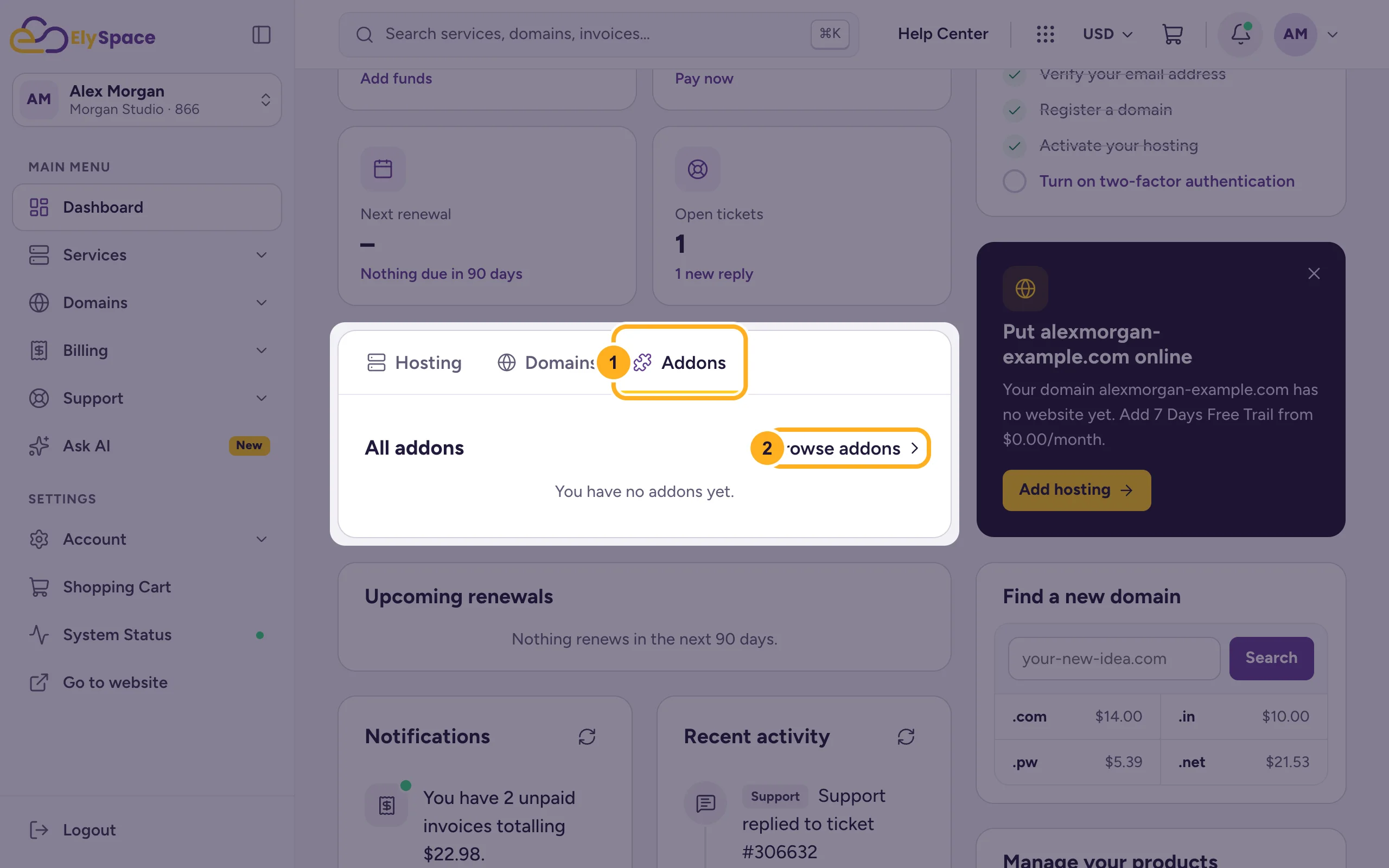
Open Dashboard > Addons > Browse addons, choose the hosting plan the add-on is for and click Order Now. Then complete the checkout.
Add-ons are extras that belong to one of your hosting plans, such as a website builder, email spam filtering, security scanning, SEO tools or website monitoring.
Order an add-on
Log in to the client area. On the dashboard:
- Click the Addons tab.
- Click Browse addons.
In the shopping cart you can also open Categories > Product Addons.
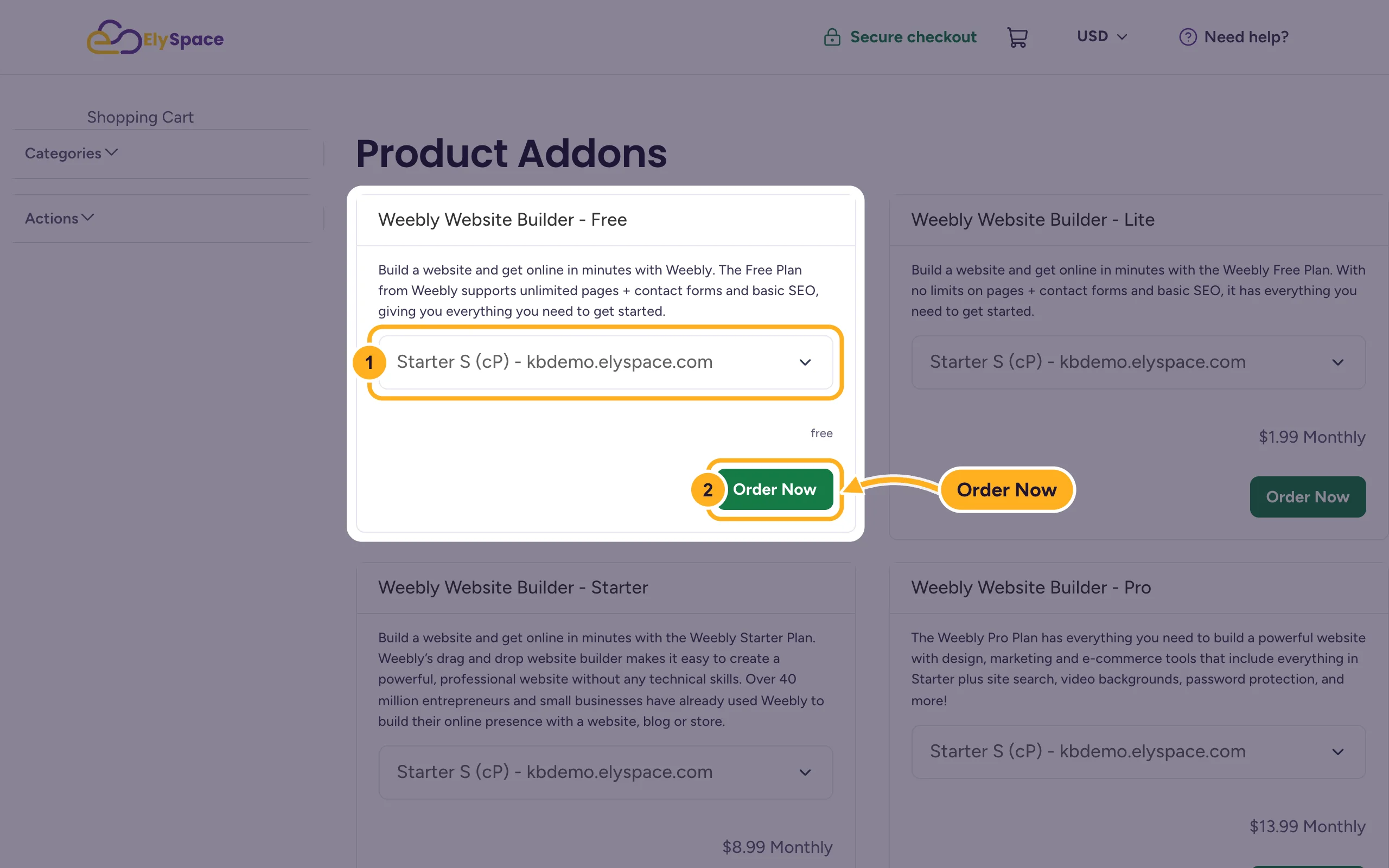
The Product Addons page lists every add-on with its description and price. For the one you want:
- In the list, choose the hosting plan the add-on is for. It shows your plans with their domains.
- Click Order Now.
Check the cart and complete the checkout as with any order. If an invoice is created, pay it: see Pay an invoice.
Once the add-on is active, it's listed under the dashboard's Addons tab.
Which add-ons there are
| Add-on | What it's for |
|---|---|
| Weebly Website Builder (several plans) | Build a website with a drag-and-drop editor |
| Email Spam Filtering (incoming, outgoing, archiving and bundles) | SpamExperts filtering against spam, viruses and malware |
| SiteLock | Website security scanning |
| Marketgoo | SEO tools for your website |
| OpenXchange - OX App Suite | Professional email, see Order OX App Suite email |
| 360 Monitoring (several plans) | Website and server monitoring |
Prices and plans are shown on the Product Addons page.
Common problems
Your plan isn't in the list
The list shows the plans in your account that the add-on can be added to. Check the plan's status under Services > My Services (see Manage your services). If it's active and still missing, ask us in a ticket to Sales Support.
You need more space or resources, not an add-on
Disk space, email accounts and other limits come with the plan. Move to a bigger plan instead: Upgrade or downgrade your hosting plan.
You're not sure which add-on you need
Open a ticket in Sales Support and tell us what you'd like to do. We'll suggest the right one before you order.
Related articles
- Manage your services
- ElySpace products and services explained
- Upgrade or downgrade your hosting plan
Still stuck? Open a support ticket and we'll help.
