

In cPanel's Error Pages tool, pick an error code such as 404, write your own HTML page and save it. Visitors then see it instead of the plain server page.
Create the error page
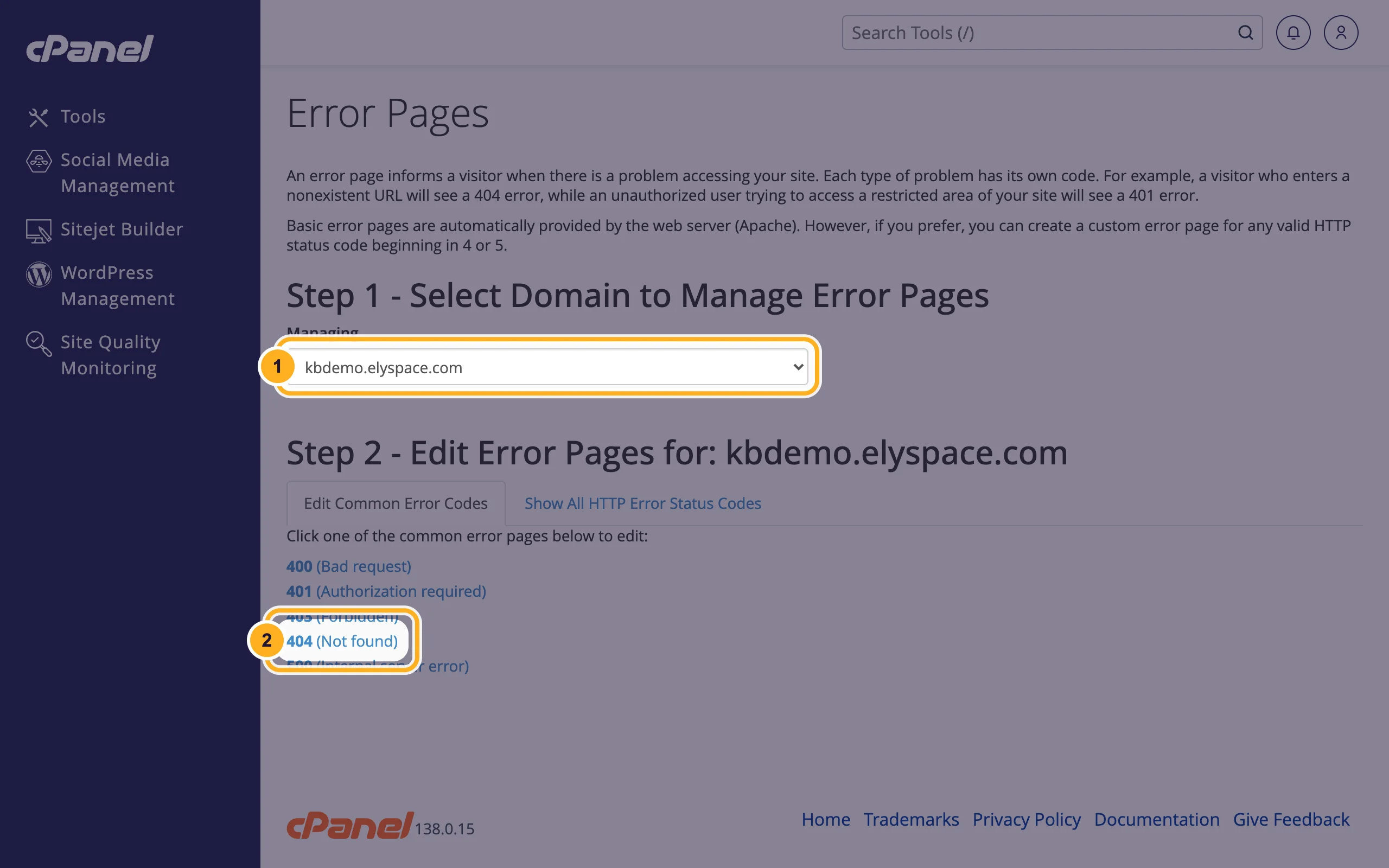
Log in to cPanel and click Error Pages in the Advanced section.
Choose what to edit:
- Managing: pick the domain, if you have more than one.
- Click the error code, for example 404 (Not found). Show All HTTP Error Status Codes lists the rarer ones.
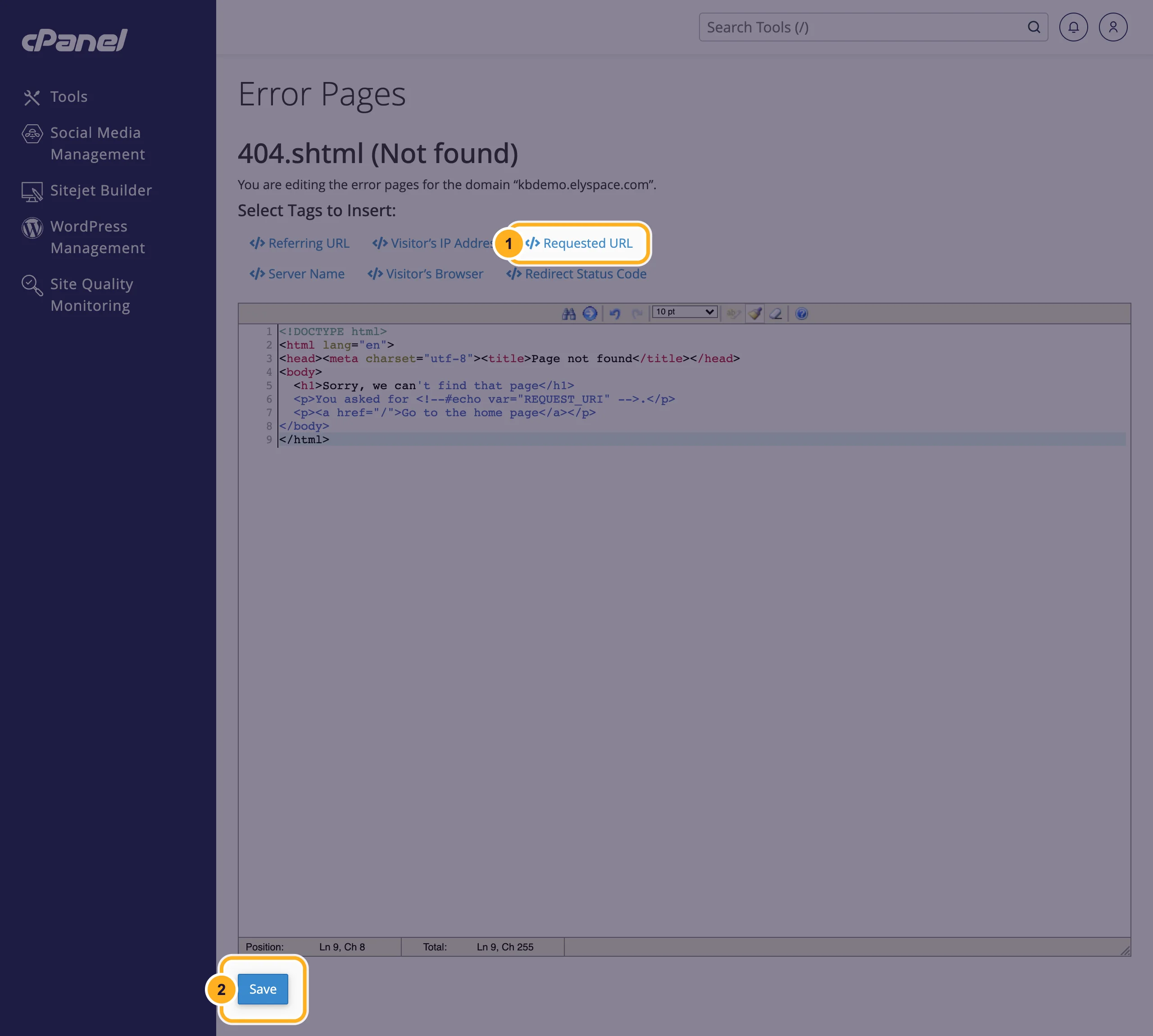
Write the page in HTML in the editor, then:
- Optional: click a tag such as Requested URL to insert information about the visit at the cursor. It shows the visitor the address they tried to open.
- Click Save.
Test it: open an address on your site that doesn't exist, for example
https://yourdomain.com/test-missing-page.
cPanel saves the page as a file such as 404.shtml in the domain's folder (for your main domain, in public_html). You can also edit or delete that file in the File Manager.
A simple 404 page to start from
<!DOCTYPE html>
<html lang="en">
<head><meta charset="utf-8"><title>Page not found</title></head>
<body>
  <h1>Sorry, we can't find that page</h1>
  <p>You asked for <!--#echo var="REQUEST_URI" -->.</p>
  <p><a href="/">Go to the home page</a></p>
</body>
</html>
Use full paths for images and stylesheets (starting with /, for example /images/logo.png), because the error page can appear at any address on your site.
Which error codes are worth a custom page?
- 404 (Not found): the address doesn't exist. This is the one most visitors see.
- 403 (Forbidden): the visitor may not open the page, for example a blocked IP address.
- 401 (Authorization required): shown when someone cancels the password box of a password-protected folder.
- 500 (Internal server error): a script or
.htaccesserror. Fix the cause with the error log.
Common problems
The normal server page still shows
Check that you saved the page for the right domain under Managing. Then reload with Ctrl+F5 (Cmd+Shift+R on a Mac). On a WordPress site, missing pages are handled by WordPress, see the note at the top.
The page shows without images or styles
Relative paths such as images/logo.png break on deeper addresses. Start every path with /.
Related articles
- Redirect a domain or page
- View the error log
- Manage files: edit, move, zip and set permissions
- Fix posts and pages that show 404 (permalinks)
Still stuck? Open a support ticket and we'll help.
