

Ask AI is the ElySpace assistant in the client area. Type a question about your hosting, domains, email or invoices and get an answer right away, day and night.
Ask a question
Log in to the client area and click Ask AI in the menu on the left.
The ElySpace assistant opens:
- Type your question in the field at the bottom and press Enter (Shift+Enter starts a new line).
- Or click one of the suggested questions, such as Why is my invoice still unpaid? or Reset my control panel password.
- New conversation starts over with an empty chat.
- Talk to a human opens a support ticket.
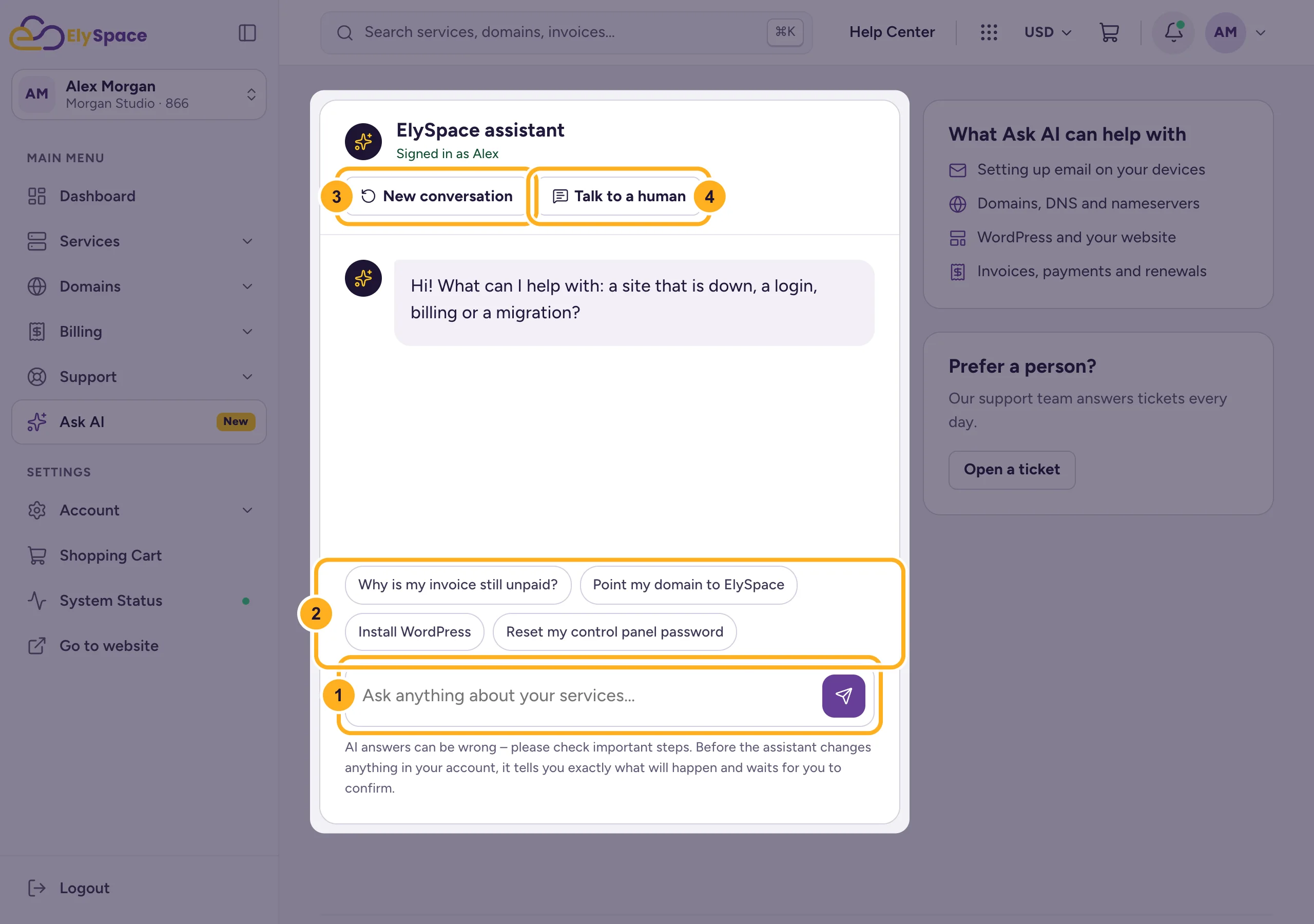
Because you're logged in, the assistant can look at your own services, domains and invoices to answer. The box What Ask AI can help with lists the main topics: email on your devices, domains and DNS, WordPress and your website, and invoices and payments.
Ask from the search bar
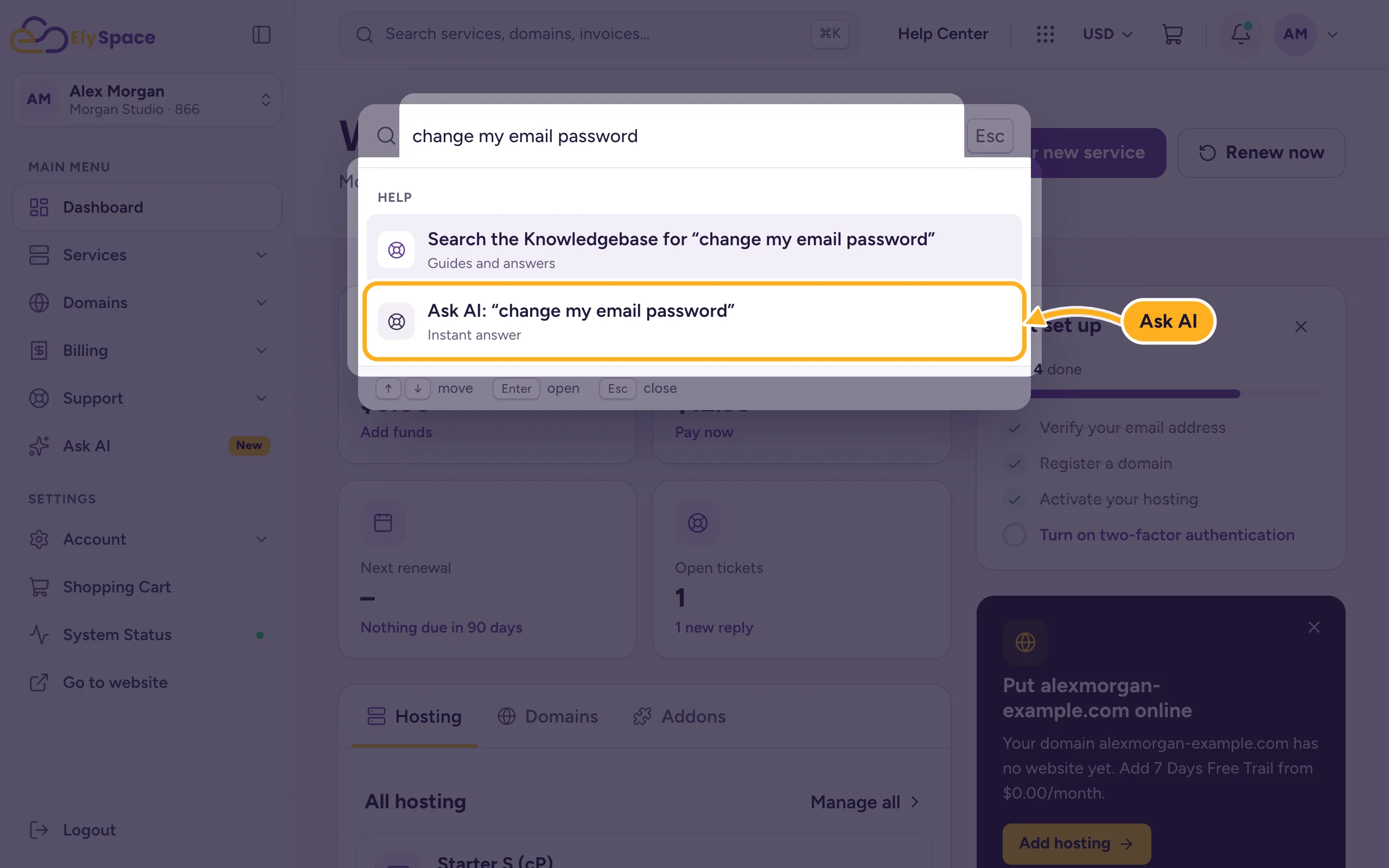
Type your question in the search bar at the top of any client area page and choose Ask AI: "…".
The chat bubble
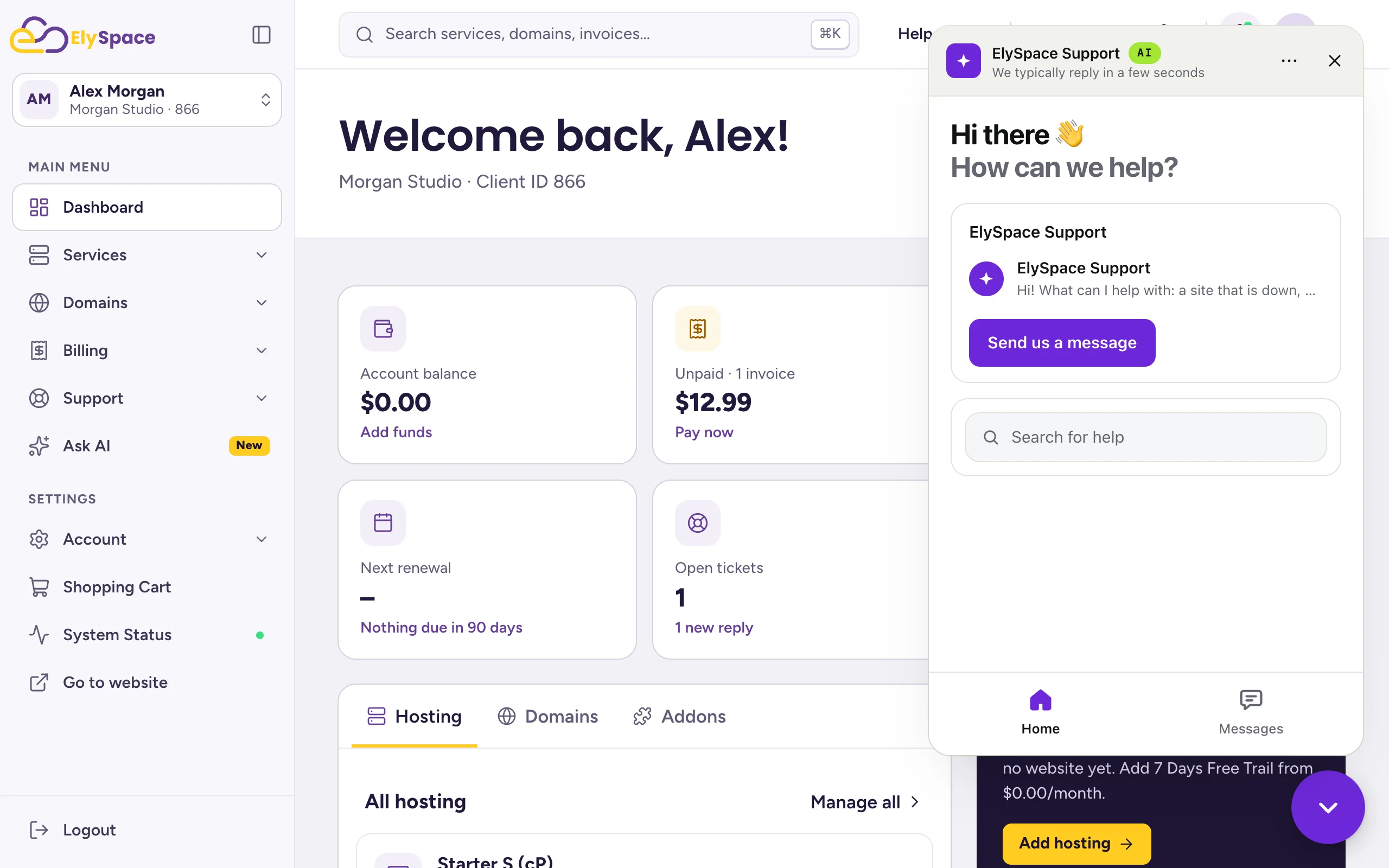
The round chat button at the bottom right of the client area opens ElySpace Support in a small window, marked AI. Click Send us a message to start a chat, or use Search for help. Your earlier chats are under Messages.
Common problems
The assistant isn't available
If the page says the assistant can't be reached, reload the page. If it stays unavailable, open a ticket.
The answer doesn't solve your problem
Click Talk to a human and describe the problem in a ticket. Mention what you already tried.
Related articles
- Find answers in the knowledgebase
- Open a support ticket
- Contact ElySpace: chat, phone, WhatsApp and email
Still stuck? Open a support ticket and we'll help.
