

Change your hosting plan with Change Package on the service page. Your websites, emails and databases stay as they are when you switch.
Change the plan
Log in to the client area, go to Services > My Services and click Manage next to the plan.
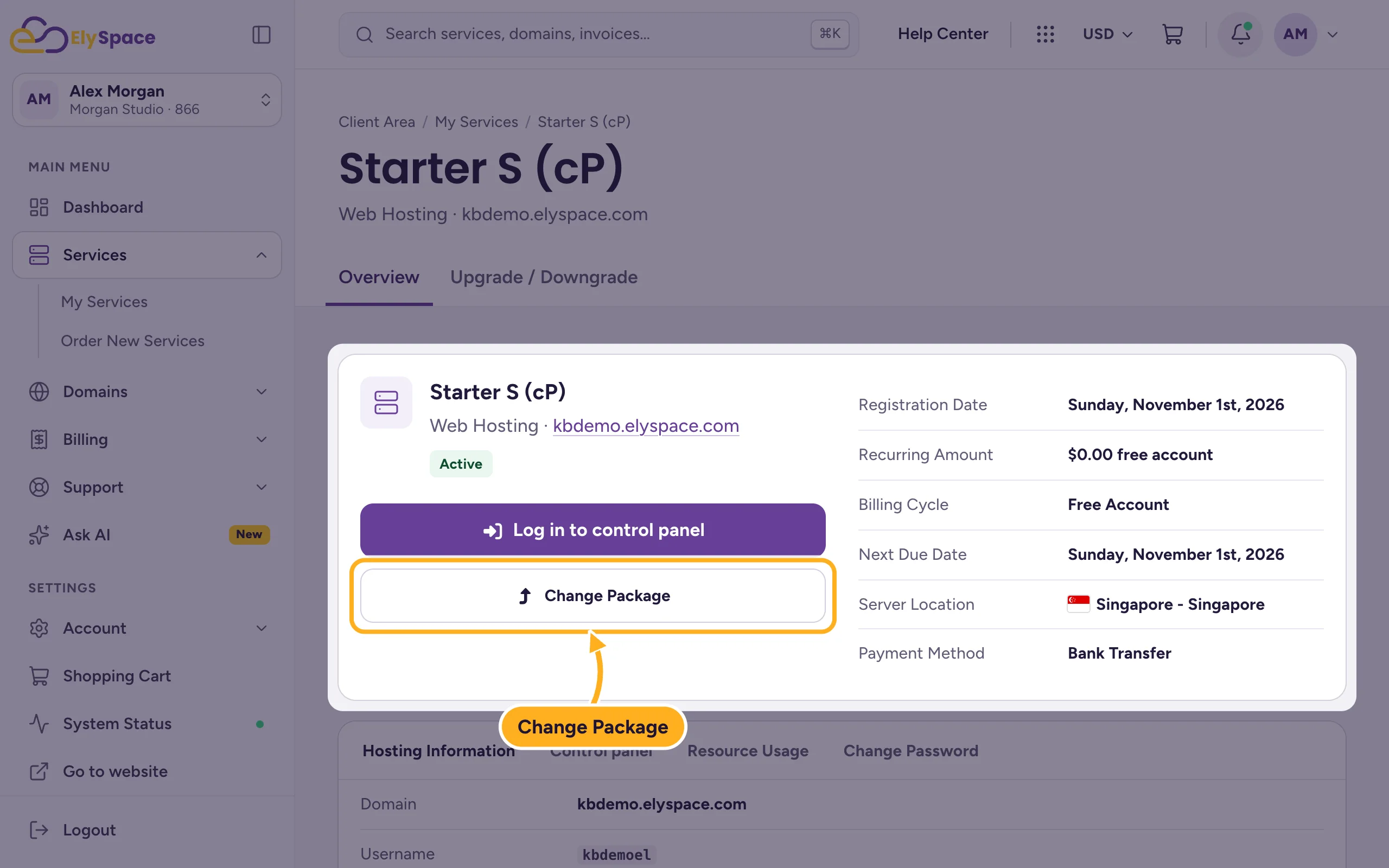
Click Change Package. (The Upgrade / Downgrade tab at the top and Upgrade / downgrade in the … menu of My Services open the same page.)
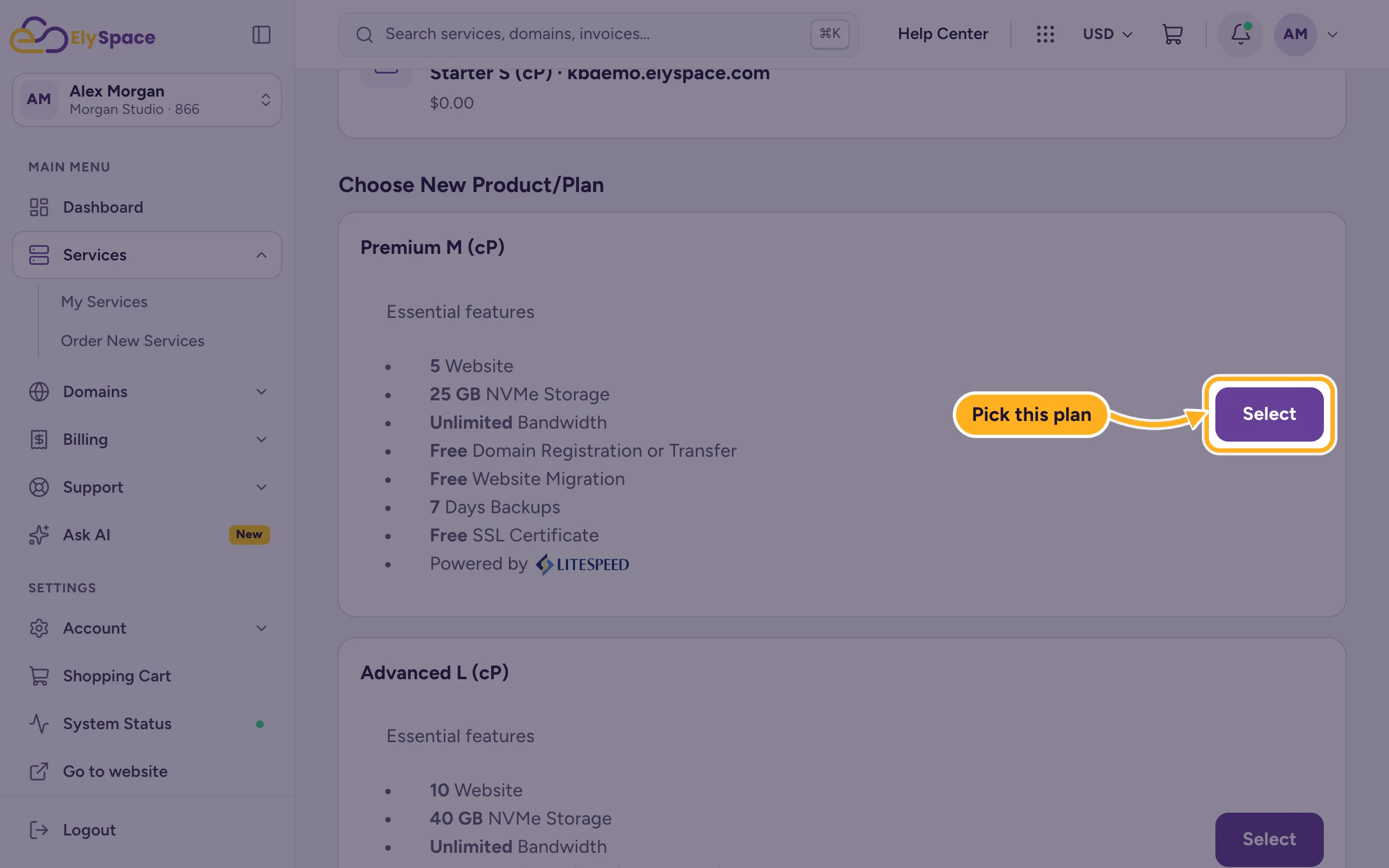
The page shows Your Current Product and, under Choose New Product/Plan, the plans you can switch to with their features. Click Select under the plan you want.
Check the price on the next page and confirm the change. Pay the invoice for it if one is created. See Pay an invoice.
How the price is worked out
You get a credit for the unused part of your current plan, and the new plan is charged for the same period. So you only pay the difference for the time that's left until your next due date.
Common problems
The plan you want isn't listed
The page only shows plans you can switch to from your current one. For a move to another kind of hosting, for example a VPS, or to a smaller plan that isn't listed, open a ticket in Sales Support.
You're over a limit right now
If your site is short of disk space or another resource, upgrading is the quickest fix. Check your usage first: see Check disk space and bandwidth usage.
Related articles
Still stuck? Open a support ticket and we'll help.
