

Join the ElySpace affiliate program under Account > Affiliates in the client area. Share your link or code and earn a commission on what new customers pay.
Join the program
Log in to the client area and click Account > Affiliates in the menu on the left.
On the Affiliates page:
- The three boxes show the current offer: the discount your friend gets on the first order, your commission and the hold period before you can request a payout.
- Click Read the programme terms to read the rules.
- Tick I accept the programme terms.
- Click Join the programme.
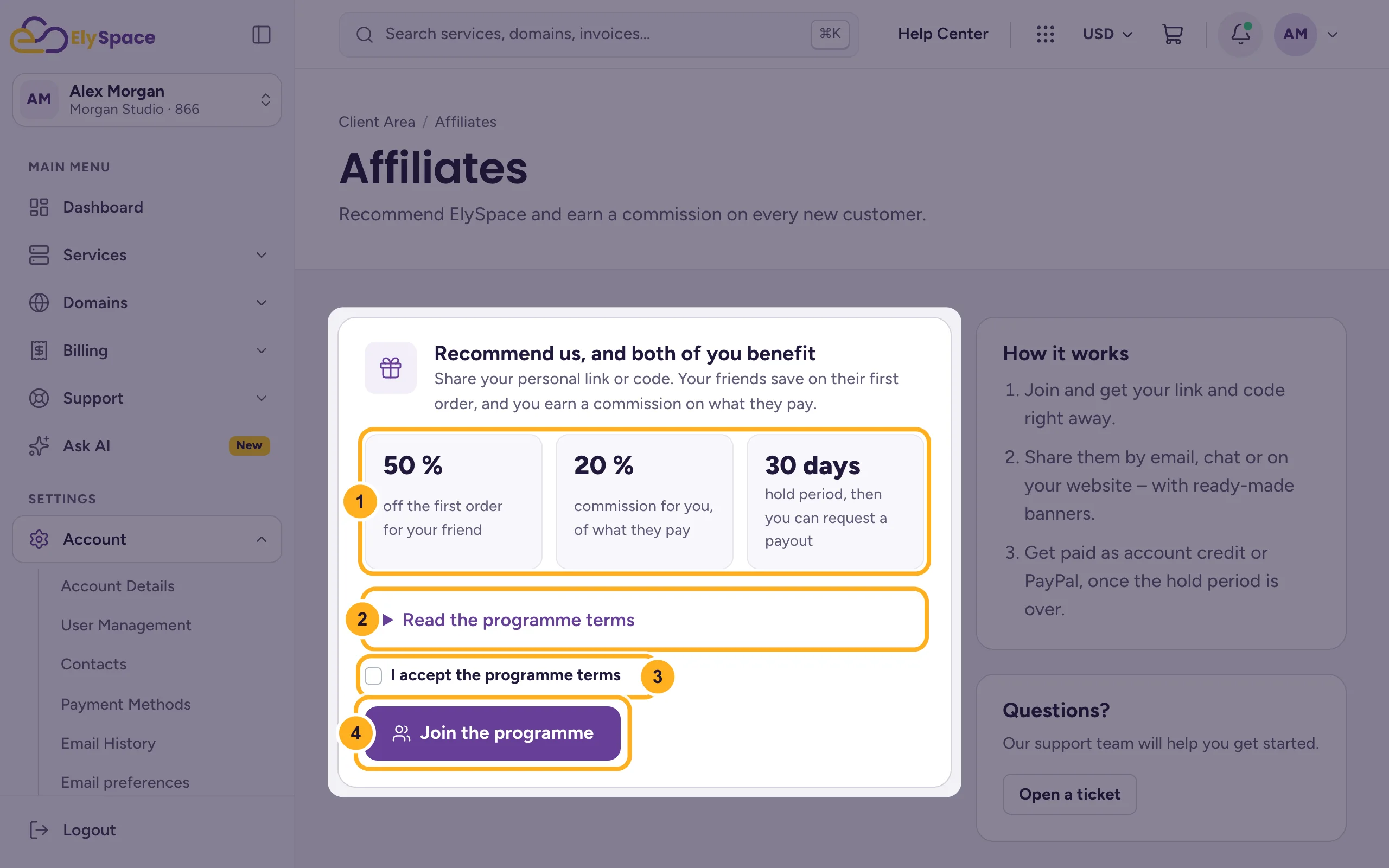
Joining is free. You get your personal link and code right away.
How it works
- Share your link or code by email, chat or on your website. Ready-made banners are available.
- Your friend gets the discount on their first order. You earn the commission on what they actually pay, without tax.
- Commissions are pending during the hold period, then they become available.
- Get paid as account credit or by PayPal once the hold period is over.
The rules in short
- Refer only people who are new to ElySpace. You can't refer yourself or accounts you control.
- Refunded, cancelled or fraudulent orders don't earn a commission. Amounts already paid out for them are deducted from later commissions.
- Spam, paid ads on the ElySpace brand name and misleading claims aren't allowed and end your membership.
The full terms are at elyspace.com/affiliate-terms-of-service.
Common problems
A referral isn't credited
Your friend must use your link or code for their first order. Commissions show as pending during the hold period. If a referral is still missing after that, open a ticket with the date of the order.
You don't see Affiliates in the menu
Open Account in the menu on the left; Affiliates is the last item.
Related articles
- Add funds to your account (account credit)
- Open a support ticket
- ElySpace products and services explained
Still stuck? Open a support ticket and we'll help.
