

To pay an invoice, open it under Billing > My Invoices, choose a payment method and click Pay Now. You can pay by card, UPI, PayPal, crypto or bank transfer.
Pay the invoice
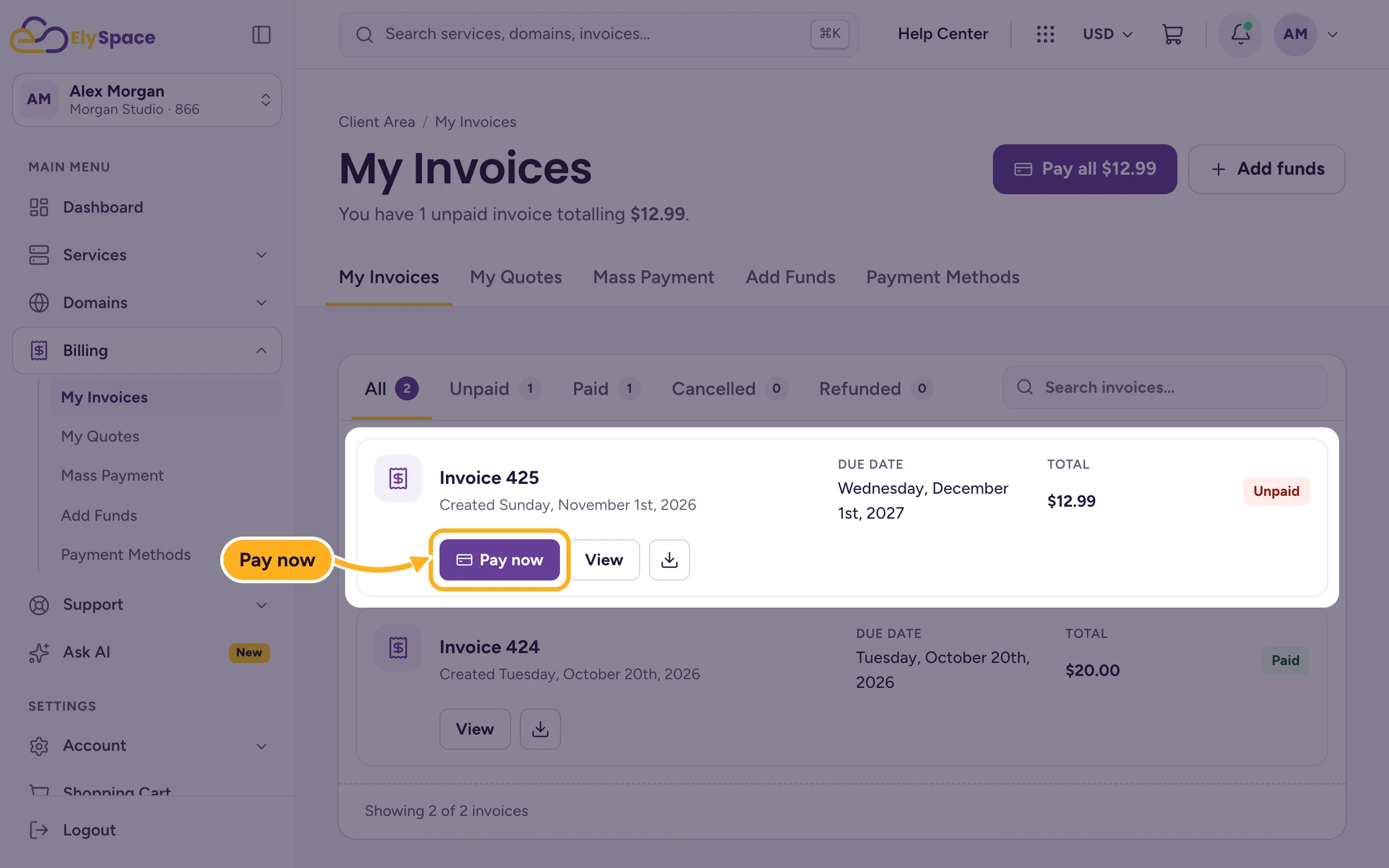
Log in to the client area and go to Billing > My Invoices.
Click Pay now next to the unpaid invoice.
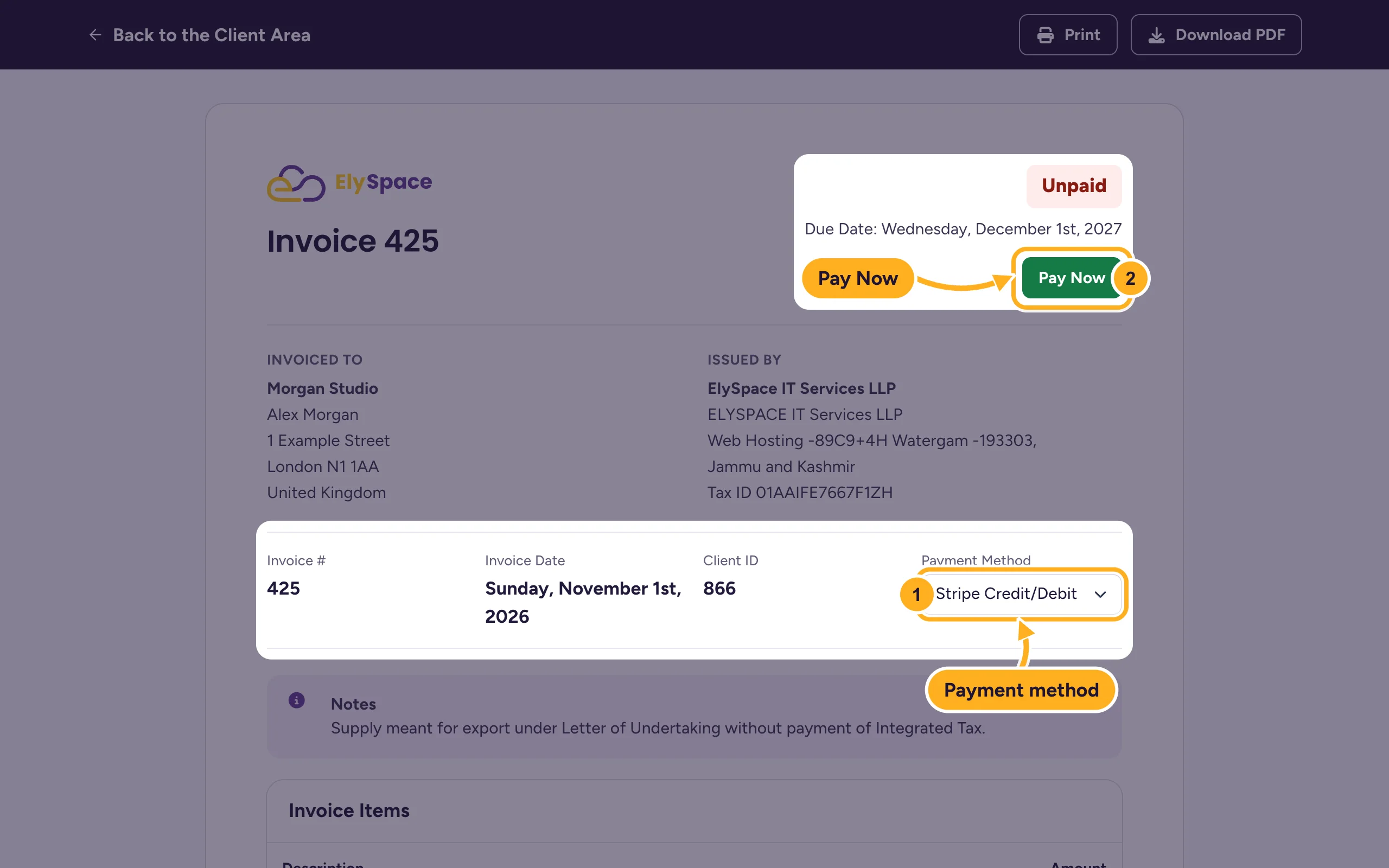
On the invoice:
- Choose how you want to pay under Payment Method. The page reloads with the method you picked.
- Click Pay Now.
Finish the payment with the provider you chose, for example by entering your card details or approving the payment in PayPal or your UPI app. For Bank Transfer, follow the instructions you see after clicking Pay Now and quote the invoice number in your transfer.
When the payment has arrived, the invoice shows Paid and the payment appears under Payments on the invoice. Card, UPI and PayPal payments usually show up right away. Bank transfers take as long as your bank needs to send the money.
Pay automatically next time
Save a card under Billing > Payment Methods and your invoices are paid with it on their due date. See Save, change or remove a card. You can also pay in advance with account credit.
Common problems
The payment was declined
Check the card details and that your bank allows online and international payments. Some banks ask you to confirm the payment in their app first. Then try again or pick another method under Payment Method.
You paid, but the invoice still shows Unpaid
Wait a few minutes and reload the page. If you paid by bank transfer, the invoice is marked as paid once the money reaches us. If a card or PayPal payment was taken from your account and the invoice is still unpaid after an hour, open a ticket in Sales Support with the invoice number and the payment reference.
You were charged twice
Don't raise a chargeback with your bank. Open a ticket with both payment references and we'll sort it out.
Related articles
- Payment methods we accept
- Change the payment method of an invoice
- Renewals, due dates and suspension explained
- Invoices, quotes and payments: the billing section
Still stuck? Open a support ticket and we'll help.
