

To cancel a hosting plan, request the cancellation in the client area. Choose whether it ends at the end of the paid term or right away.
Request the cancellation
Log in to the client area and go to Services > My Services.
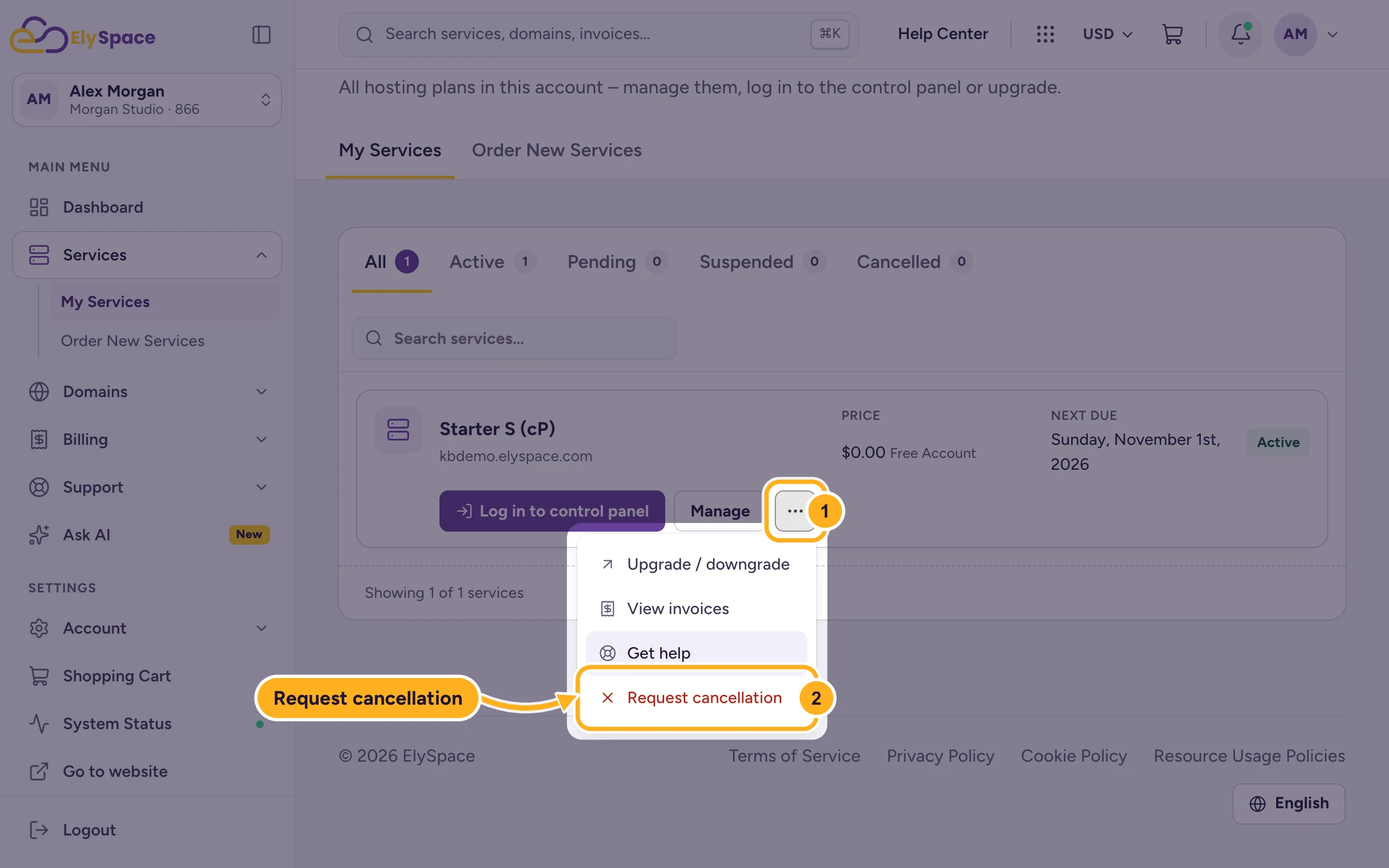
Open the cancellation form:
- Click the … button next to the plan.
- Click Request cancellation.
On a paid plan you can also open the form from the service page: click Manage next to the plan, then Request Cancellation next to Change Package.
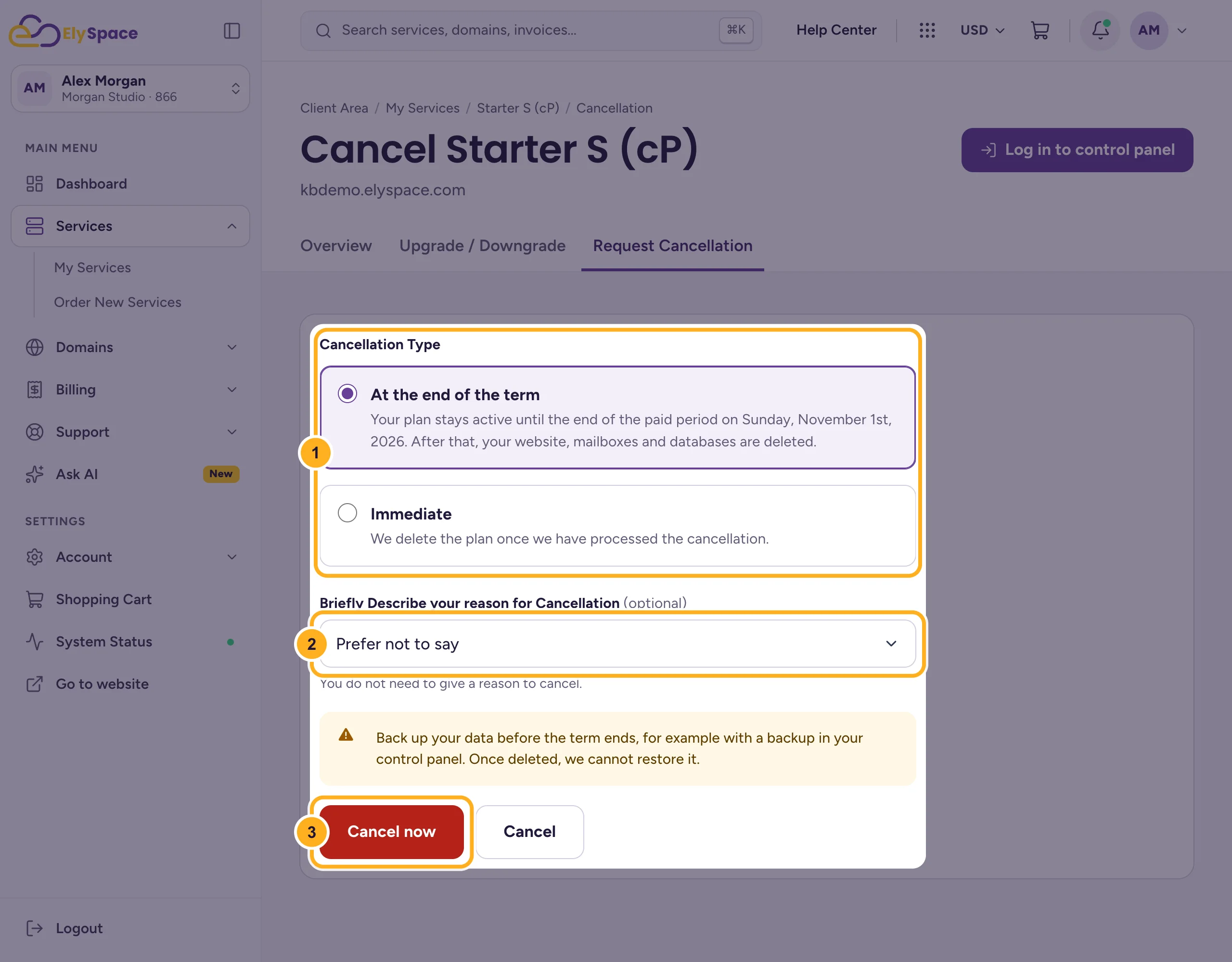
Fill in the form:
- Cancellation Type: At the end of the term keeps the plan running until the end of the period you've paid for (the date is shown). Immediate deletes the plan as soon as we've processed the cancellation.
- Briefly Describe your reason for Cancellation: optional. Pick a reason or leave Prefer not to say.
- Click Cancel now to send the request.
Our Billing team confirms the request and processes it. Cancellations must be requested through this form: it confirms that the request comes from you.
Refunds: the 30-day money-back guarantee
Shared and business hosting comes with a 30-day money-back guarantee for first-time accounts. The 30 days count from the day the account was activated, not the day you ordered. Setup fees aren't refunded, and if you got a free domain with the plan, the cost of the domain is deducted. Renewals and other services, such as domains, VPS, reseller and WordPress hosting, aren't covered. The full terms are in our Terms of Service. To ask for a refund, open a ticket in Sales Support after you request the cancellation.
Common problems
You'd like a smaller plan instead
You don't have to cancel. See Upgrade or downgrade your hosting plan.
You also want to stop a domain
Domains are separate from hosting. Turn off auto-renew for the domain so it isn't renewed. See Turn auto-renew on or off.
A renewal invoice is already open
Mention it in a ticket to Sales Support after you send the cancellation, so we can cancel the invoice too.
Related articles
Still stuck? Open a support ticket and we'll help.
