

Open the quote under Billing > My Quotes, click Accept Quote, agree to the Terms and confirm. We then send you the invoice for it.
Find your quotes
A quote is an offer we prepare for you, for example for a custom server or a project. Log in to the client area and go to Billing > My Quotes.
Use the tabs to filter the list:
- All, Open (quotes waiting for your answer) and Accepted. The search box finds a quote by its number or subject.
- Request a quote opens a support ticket, where you tell us what you need.
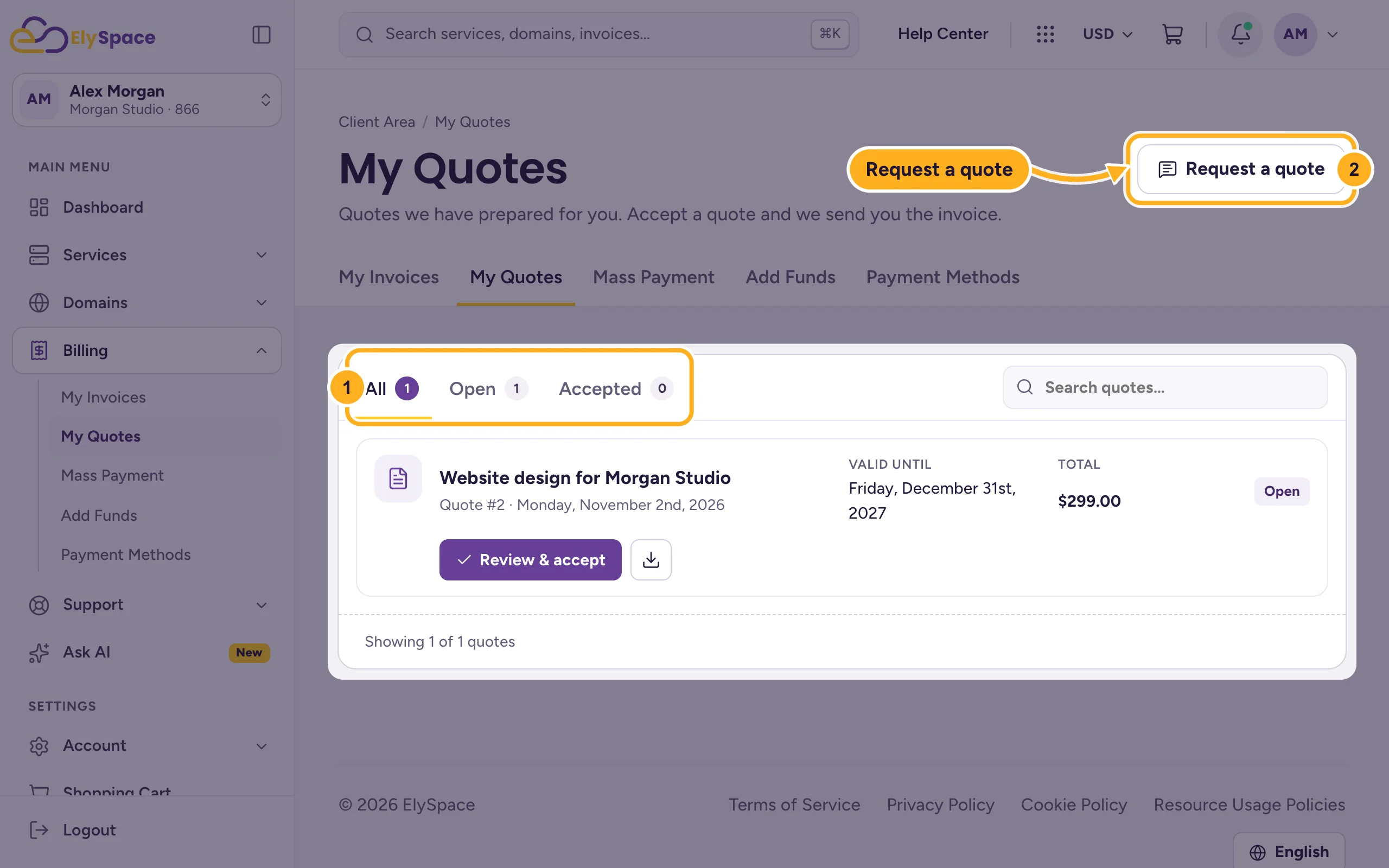
Each quote in the list shows its subject, number, date, Valid until and total. If you have no quotes yet, the list says No quotes found.
Accept the quote
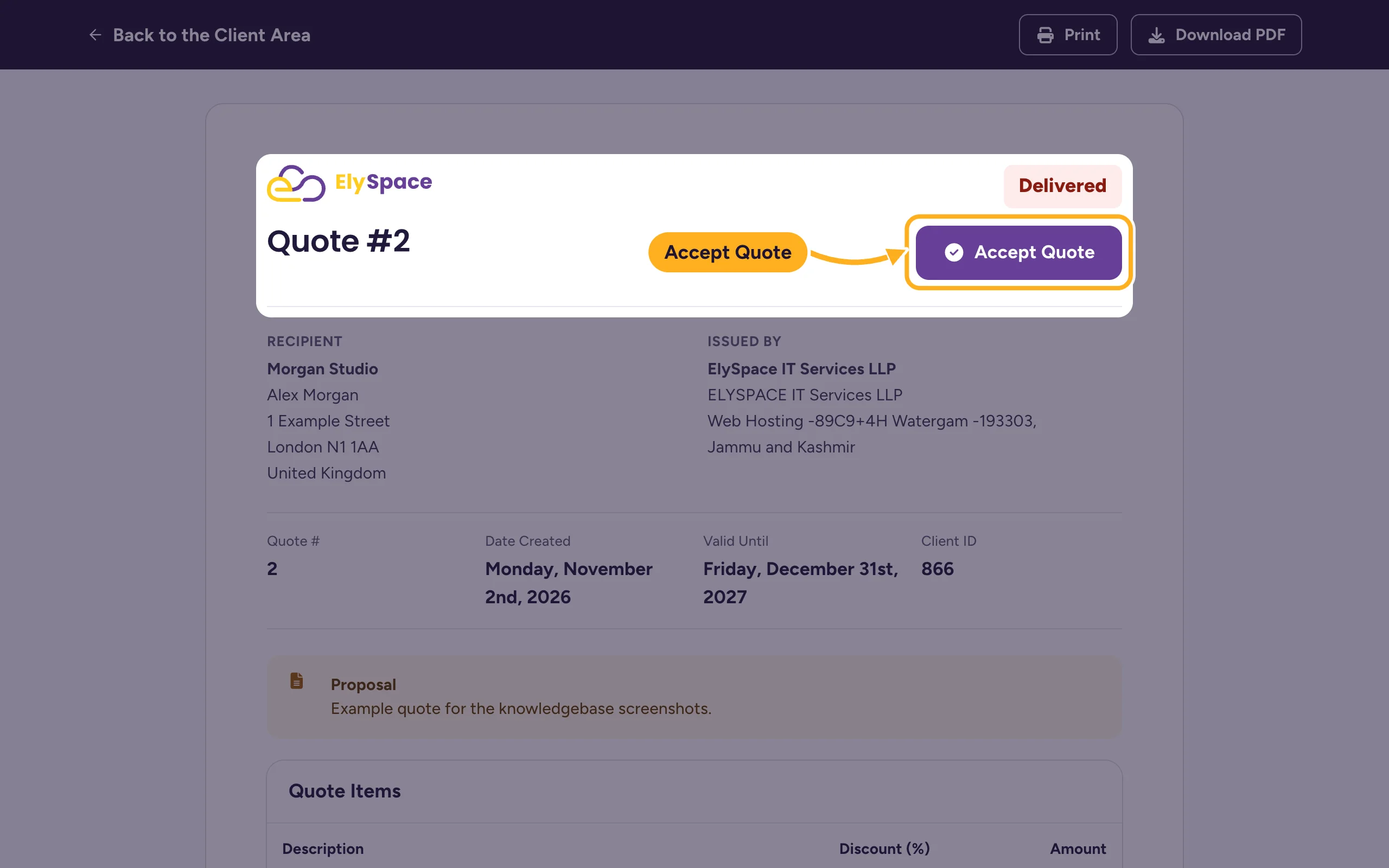
Click the quote's subject or Review & accept. The quote opens with its items, discounts, tax and total, and the Valid Until date. Download PDF at the top saves a copy.
Click Accept Quote at the top right. The button is there while the quote is open.
In the dialog:
- Tick I have read and agree to the Terms.
- Click Accept Quote.
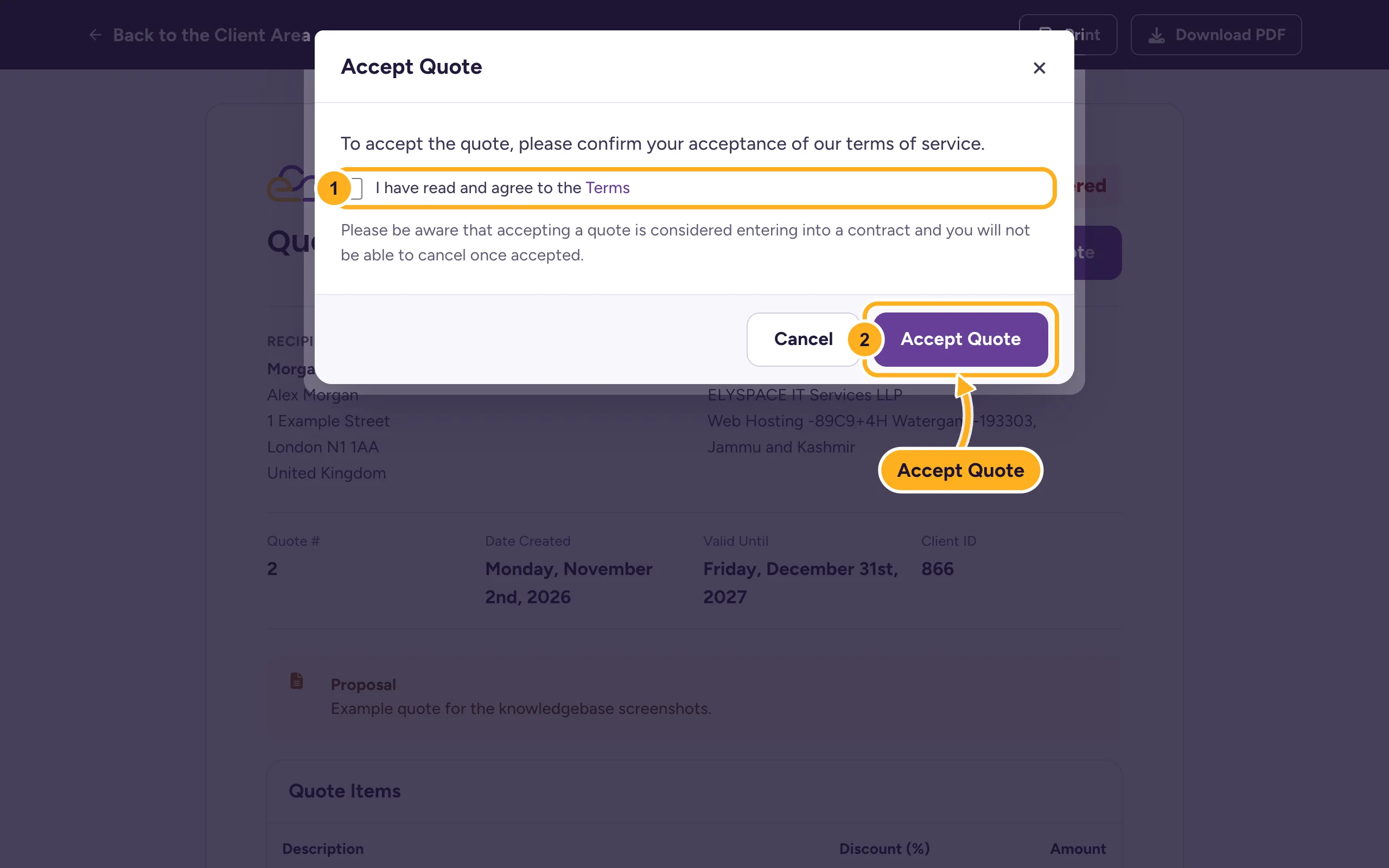
We send you the invoice for the quote. Pay it like any other invoice: see Pay an invoice.
Common problems
There's no Accept Quote button
The quote was already accepted, or it's expired. Check the status at the top of the quote. For an expired quote, ask us for a new one in a ticket.
You'd like to change something in the quote
Don't accept it yet. Reply in your ticket or open a ticket in Sales Support and tell us what to change. We'll send you an updated quote.
Someone else should accept quotes for you
Give them a user login with the permission View & Accept Quotes. See Give other people access to your account (users).
Related articles
Still stuck? Open a support ticket and we'll help.
